00196932-02 SM S-Feeder Repair DE+EN multilang.pdf - 第99页
4 S-Feeder Test Software 4.2 Checking of 3x8mm S-Feeder SIPLACE S-Feeder Repair SIPLACE S-Förderer Reparatur 99 ALT+A BE-cover 1. Start the test " BE-cover" by pres si ng the key s ALT+A. You mu st control the …
4 S-Feeder Test Software
4.2 Checking of 3x8mm S-Feeder
98 SIPLACE S-Feeder Repair SIPLACE S-Förderer Reparatur
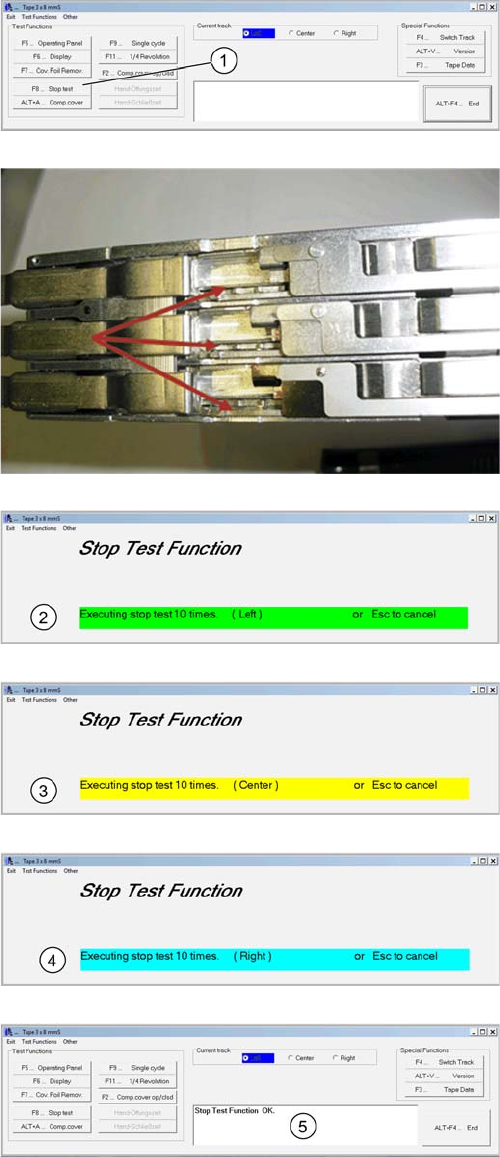
F8 Stop Test
1. Start the test "Stop Test" by pressing the key F8
You can track the movement of the feeder sprockets. The
process takes place automatically. Each track is clocked
10 times each. There is no need manual change over of
tracks.
2. The left pin wheel is 10 times clocked.
3. The middle pin wheel is clocked 10 times.
4. The right pin wheel is clocked 10 times.
5. The Result is shown in the Comment field. Therefore is
the test finished.
4 S-Feeder Test Software
4.2 Checking of 3x8mm S-Feeder
SIPLACE S-Feeder Repair SIPLACE S-Förderer Reparatur 99
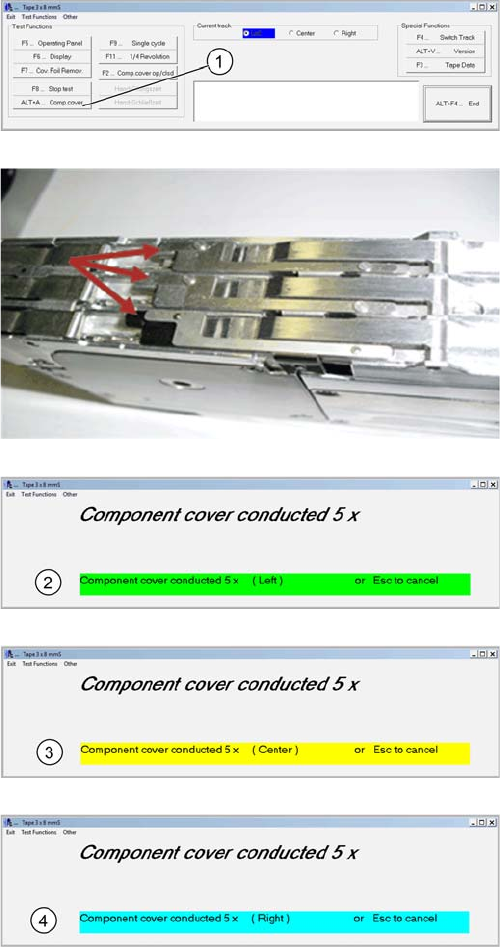
ALT+A BE-cover
1. Start the test "BE-cover" by pressing the keys ALT+A.
You must control the movement of the feeder BE covers
visually because in this test the software only checks the
communication with the feeder. The process takes place
automatically. Each track is clocked 5 times each. There
is no need manual switching of tracks
2. The left cover is indexed
3. The middle cover is indexed
4. The right cover is indexed.
4 S-Feeder Test Software
4.2 Checking of 3x8mm S-Feeder
100 SIPLACE S-Feeder Repair SIPLACE S-Förderer Reparatur
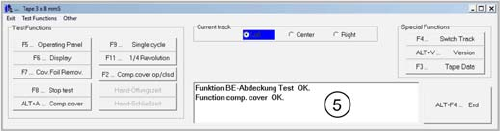
5. The result is shown at the comment field. Please no
-
tice, that the software does not check the movement of
the cover.