00196932-02 SM S-Feeder Repair DE+EN multilang.pdf - 第97页
4 S-Feeder Test Software 4.2 Checking of 3x8mm S-Feeder SIPLACE S-Feeder Repair SIPLACE S-Förderer Reparatur 97 F7 cover strip 1. Start the test " cover strip" by pressing the key F7 2. Press the left rocker of…
4 S-Feeder Test Software
4.2 Checking of 3x8mm S-Feeder
96 SIPLACE S-Feeder Repair SIPLACE S-Förderer Reparatur
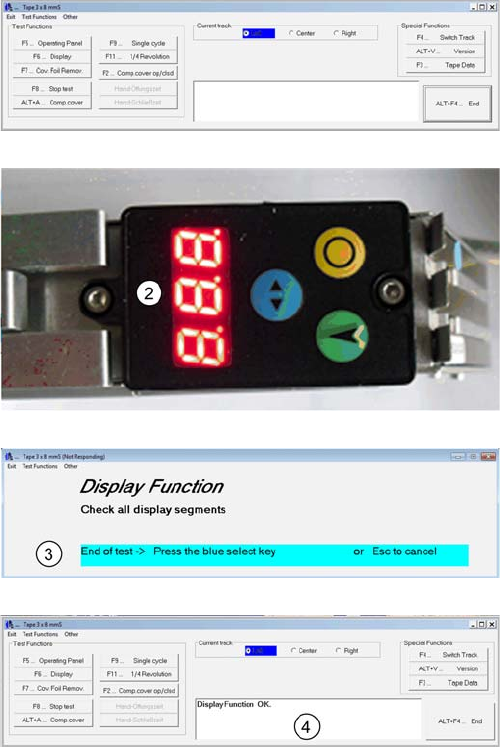
F6 Display
1. Start the test "Display" with the key F6.
2. Please check the display. All 7 segments on the 3 lo
-
cations and points need respectively flashing right on the
bottom.
3. Press the blue key on the feeder when all signals flash
correctly
4. The Result is shown in the Comment field.
4 S-Feeder Test Software
4.2 Checking of 3x8mm S-Feeder
SIPLACE S-Feeder Repair SIPLACE S-Förderer Reparatur 97
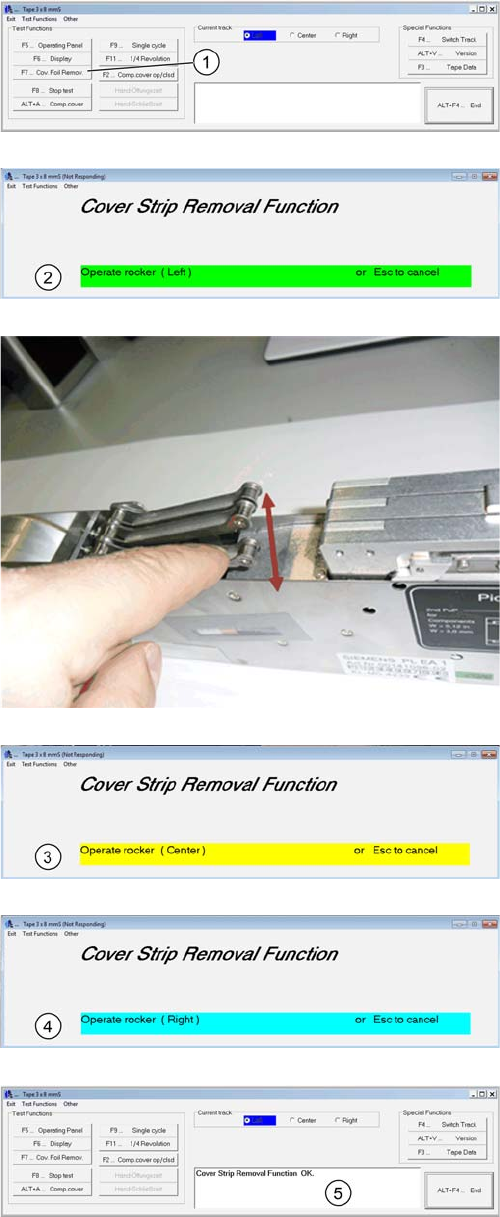
F7 cover strip
1. Start the test "cover strip" by pressing the key F7
2. Press the left rocker of the cover strip unit down.
Press the left rocker down as shown in the image until the
motor of the cover strip turns off . Release the rocker.
Press the other two rockers as shown in the following
steps 3 and 4.
3. Press the middle rocker down, till the cover strip turns
off, then release again.
4. Press the right rocker till the motor of the cover strip
turns off and release.
5. The Result is shown in the comment field and therefore
the test is finished.
4 S-Feeder Test Software
4.2 Checking of 3x8mm S-Feeder
98 SIPLACE S-Feeder Repair SIPLACE S-Förderer Reparatur
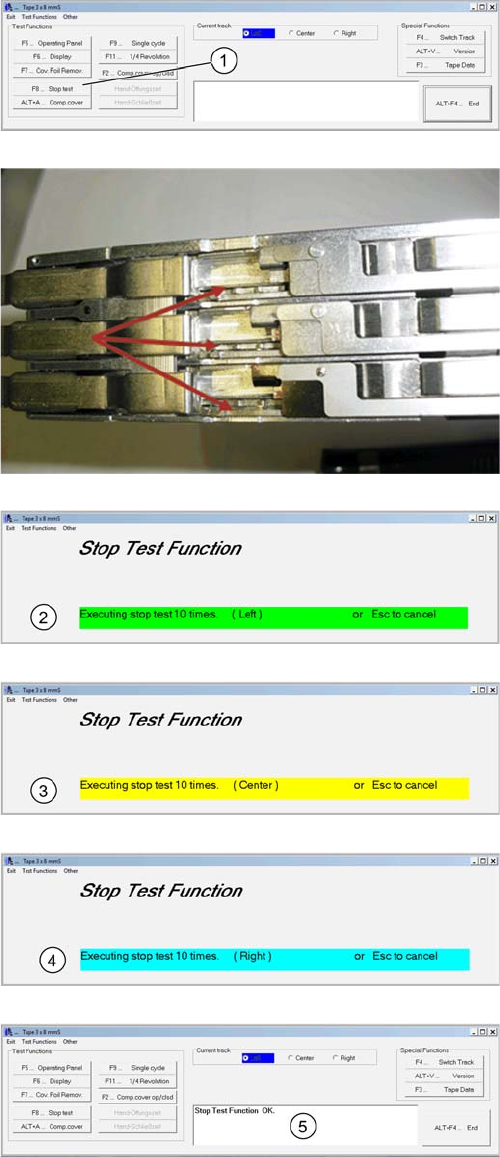
F8 Stop Test
1. Start the test "Stop Test" by pressing the key F8
You can track the movement of the feeder sprockets. The
process takes place automatically. Each track is clocked
10 times each. There is no need manual change over of
tracks.
2. The left pin wheel is 10 times clocked.
3. The middle pin wheel is clocked 10 times.
4. The right pin wheel is clocked 10 times.
5. The Result is shown in the Comment field. Therefore is
the test finished.