FLX500-maintenance.pdf - 第18页
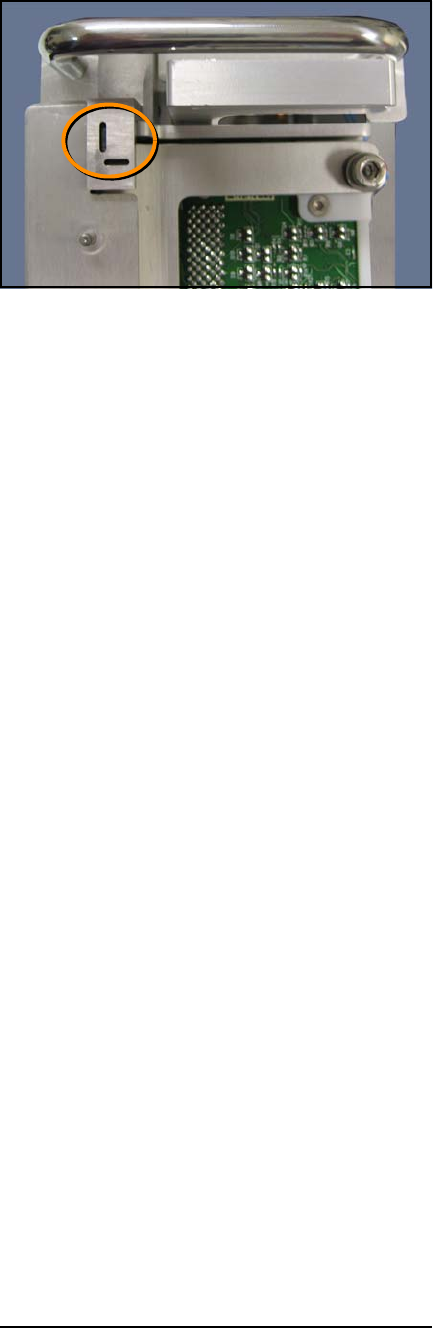
Data I/O FLX500 Chptr 2 —14— Figure 5—A Pr ogrammer Module fiducial. Module surfaces may be too dark or too bright for a successful scan and may need to be pol- ished (if too dark) or scuffed (if too bright). For o…
2 … Periodic Maintenance Weekly Maintenance
—13—
clean so the PNP Head optic sensor can accu-
rately detect the position of the modules.
NOTE: A fiducial scan is run automatically
when starting a job if any modules have been
changed and for the first job after startup.
The scan can also be run any time via the
Diagnostic Windows.
To clean fiducials and sensors:
Remove dust and debris from the fiducials and
sensors with clean, dry, compressed air. See Fig-
ure 4 and Figure 5.
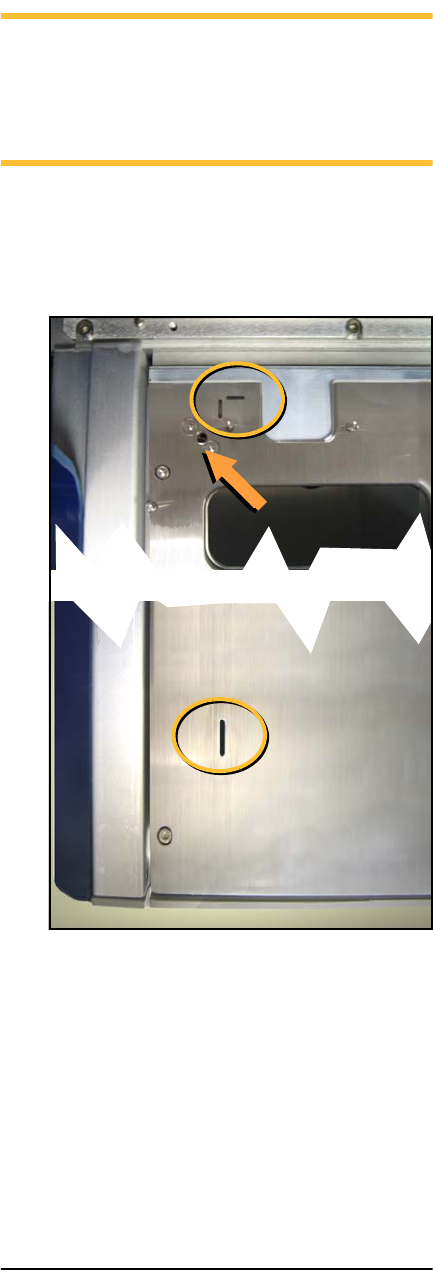
Figure 4—A Tray Module fiducials (circled) and a
Tray Module sensor (arrow).
2 … Periodic Maintenance Monthly or Quarterly
—15—
Monthly or Quarterly Main-
tenance
• Calibrating Probe-Offset
• Cleaning the Cover and Work Surface
• Maintaining Air Flow
Calibrating Probe-Offset
Recalibrating the offset of the probes includes
the Z-Offset (the height difference between the
two probes). Do this procedure each month and:
• after replacing probe tips
• after any repair on the PNP Head or probes
• if you are experiencing problems picking
devices, especially with probe two.
To recalibrate the offset, see the on-screen Help
for the Diagnostics –Alignment Window.
NOTE: Recalibration takes 5 to 7 minutes to
complete, a Calibration Tool, a 4 mm hex key
(Allen wrench), and a PIN (Personal Identi-
fication Number) to access the Diagnostics
Windows (after tapping the Tools button).
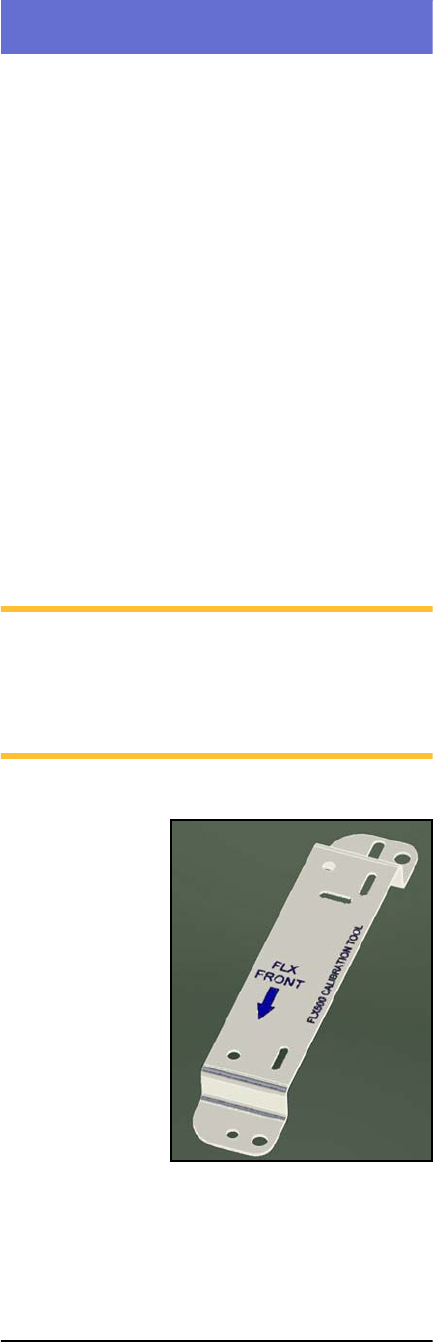
Figure 6—The FLX programmer calibration tool is
Part Number 615-7054 (and came with your 2009
or later FLX500).