FLX500-maintenance.pdf - 第19页
2 … Periodic Maintenanc e Monthly or Quarterly —15— Monthly or Quar terly Main- tenance • Calibrating Probe-Offset • Cleaning the Cover and W ork Surface • Maintaining Air Flow Calibrating Probe-Offset Recalibrating th…
2 … Periodic Maintenance Monthly or Quarterly
—15—
Monthly or Quarterly Main-
tenance
• Calibrating Probe-Offset
• Cleaning the Cover and Work Surface
• Maintaining Air Flow
Calibrating Probe-Offset
Recalibrating the offset of the probes includes
the Z-Offset (the height difference between the
two probes). Do this procedure each month and:
• after replacing probe tips
• after any repair on the PNP Head or probes
• if you are experiencing problems picking
devices, especially with probe two.
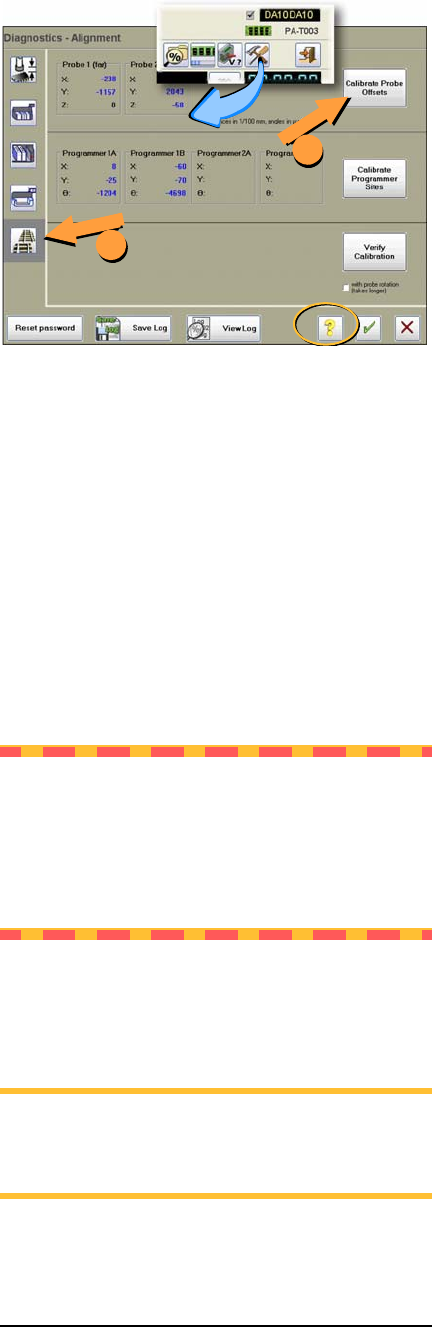
To recalibrate the offset, see the on-screen Help
for the Diagnostics –Alignment Window.
NOTE: Recalibration takes 5 to 7 minutes to
complete, a Calibration Tool, a 4 mm hex key
(Allen wrench), and a PIN (Personal Identi-
fication Number) to access the Diagnostics
Windows (after tapping the Tools button).
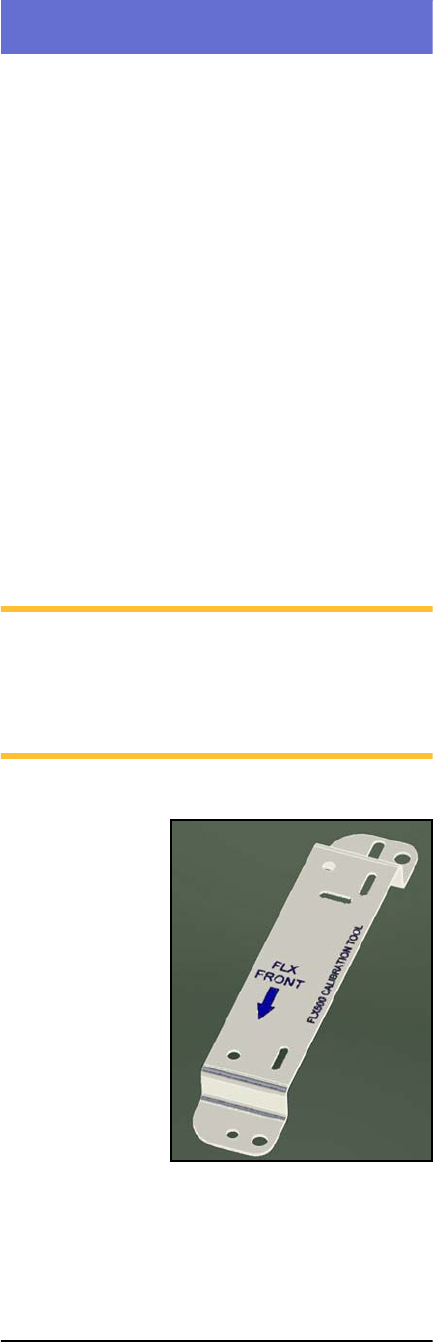
Figure 6—The FLX programmer calibration tool is
Part Number 615-7054 (and came with your 2009
or later FLX500).
Data I/O
FLX500 Chptr 2
—16—
Figure 7—The Alignment Window within the Diag-
nostics tools offers probe offset calibrations.
Cleaning the Cover and Work
Surface
Tools Required:
• isopropyl alcohol and cloth
Lightly clean the cover and work surface with
isopropyl alcohol on a cloth every four months.
CAUTION: Do not use solvents such as
acetone, lacquer thinner, mineral spirits, or
any type of abrasive compound on the cover.
Use of these products, or excessive pressure,
will damage the surface, reduce visibility and
remove the ESD dissipative properties.
Maintaining Air Flow
NOTE: Shop air to the FLX should be
.48-.55 MPa @ .028 M
3
/min. (70-80 PSI @
1.0 cfm).
1
2