00197551-01_MM_CPP-CP-Twin_Kunde_en.pdf - 第27页
Maintenance tasks for CPP 3.5.3 Oiling the Z-Axis Support R oller ( Version 05 Only) Perform ing Maintenance Tasks Maintenance Manual SIPLACE Placement Heads CPP, C &P20, Twin 27 3.5.3 3 . 5 . 3 O ilin g t h e Z - A …
Maintenance tasks for CPP
Performing Maintenance Tasks 3.5.2 Maintenance Tasks on Vacuum-Conducting Parts
26 Maintenance Manual SIPLACE Placement Heads CPP, C&P20, Twin
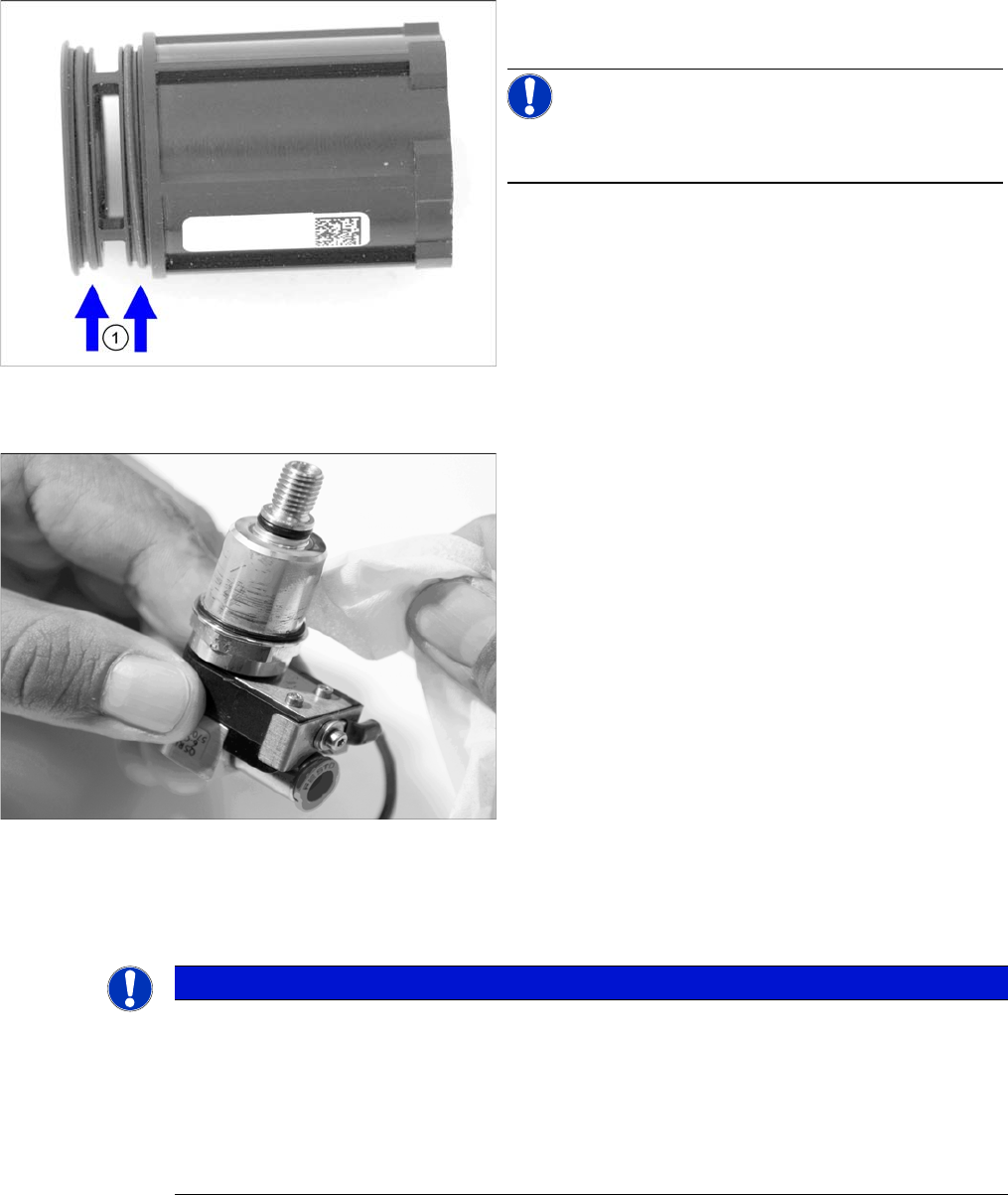
Replacing the O-Rings on the Housing of the Holding Circuit
Cleaning the Screwed Joint
Installing the Silencer and the Screwed Joint
► Fit a new/cleaned holding circuit. This task must be carried out by authorized personnel. For removal
and installation details, read the Service manual.
► Fit the silencer and the screwed joint. This task must be carried out by authorized personnel. For
removal and installation details, read the Service manual.
► Replace the O-rings on the housing of the holding cir-
cuit
NOTICE!
The O-rings are contained in the set of seals for the hold
circuit [03095007-xx].
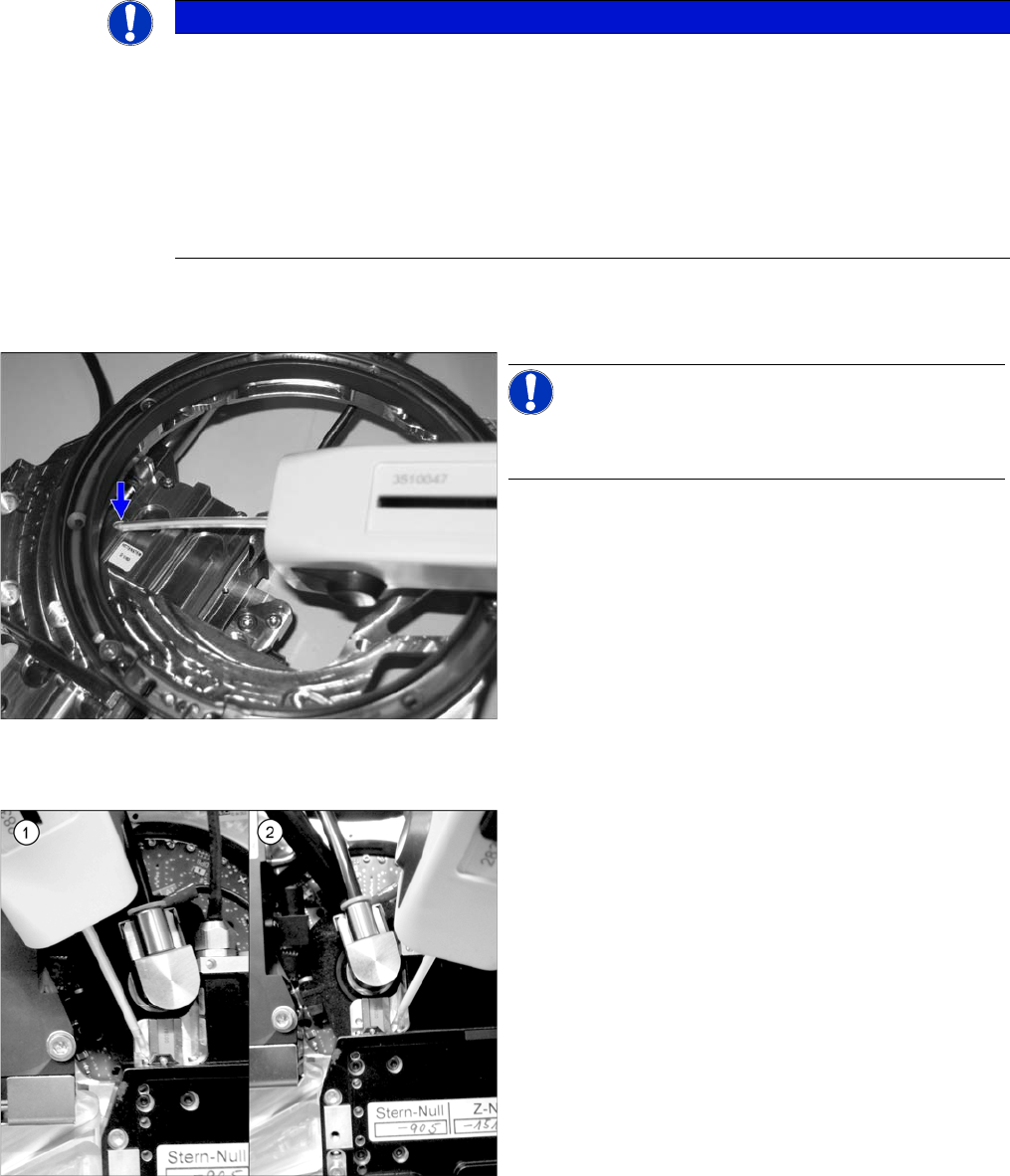
► Clean the screwed joint with a lint-free cleaning cloth.
You can also use an anti-static plastic cleaner for bet-
ter cleaning results.
NOTICE
Recommendations for installing the holding circuit
► We recommend that you have an additional holding circuit available, so that this can be
easily replaced during head maintenance.
The actual cleaning of the removed holding circuit can be performed later on (see "7.3.1
CPP: Cleaning/Checking the Holding Circuit" [ ➙ 76]).
► Replace all seals when installing the holding circuit.
The seals are contained in the set of seals for the hold circuit [03095007-xx].
Maintenance tasks for CPP
3.5.3 Oiling the Z-Axis Support Roller (Version 05 Only) Performing Maintenance Tasks
Maintenance Manual SIPLACE Placement Heads CPP, C&P20, Twin 27
3.5.3
3.5.3 Oiling the Z-Axis Support Roller (Version 05 Only)
Oiling the Z-Axis Support Roller (Version 05 Only)
► For this maintenance task, use the yellow combitip with Klüber oil GEM 1 220 N.
► Set the multipette to 1 µl.
3.5.4
3.5.4 Oiling the Z Axis Linear Guidance
Oiling the Z Axis Linear Guidance
NOTICE
This maintenance task may not always be needed. This depends on the placement head ver-
sion being used.
As part of the product enhancement process, different methods of lubricating the CPP support
roller have been used:
► CPP versions without service hole to oil the support roller have a maintenance-free bearing
and do not require any additional oiling.
► CPP versions with a service hole to oil the support roller and yellow mark are to be oiled as
follows.
NOTICE!
Lubricate via the service hole n the back of the front plate.
The front plate needs to be removed for this.
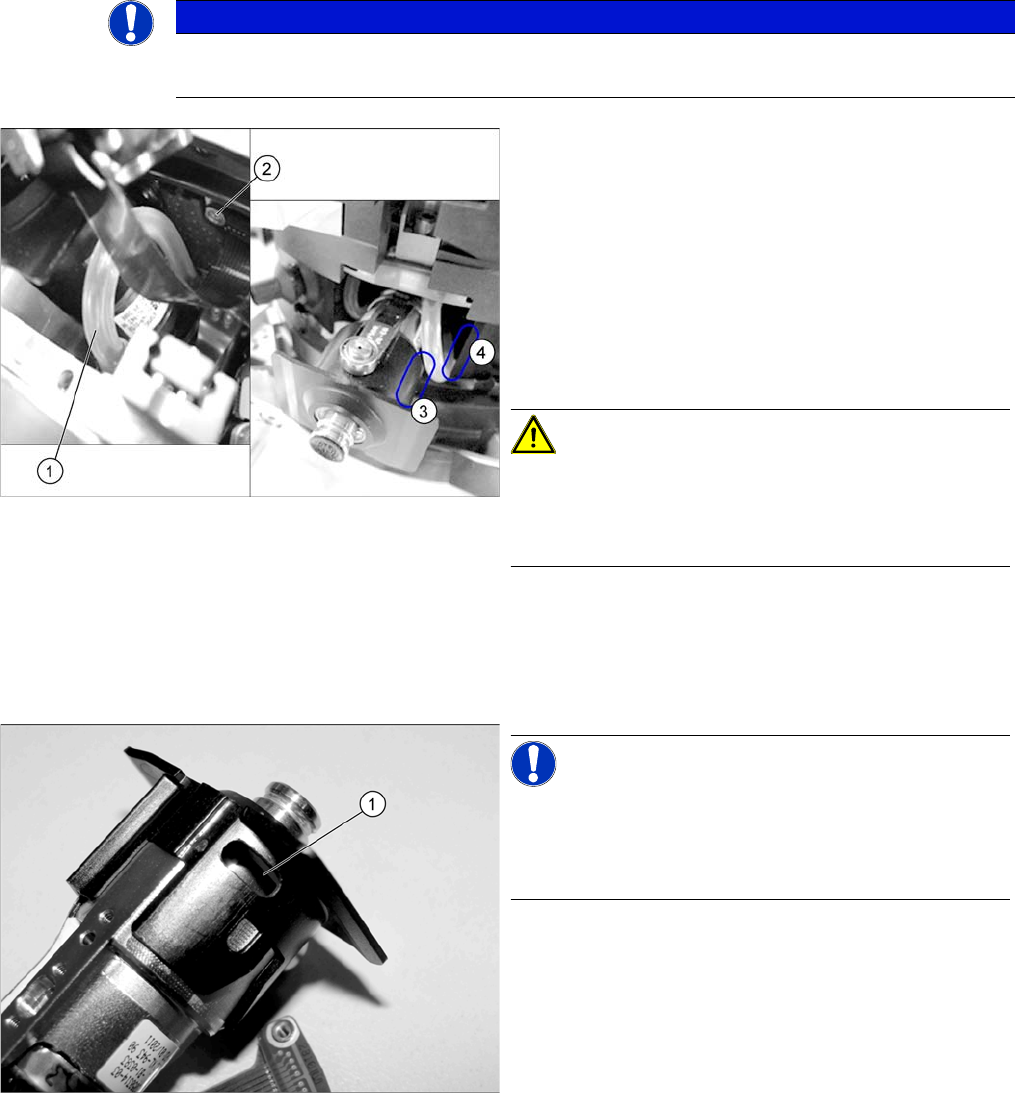
► Press the Z axis up to the top stop. This gives you ac-
cess to the service hole.
► Insert the multipette into the service hole and apply
1 µl of lubricant to the supporting roller.
► Move the Z axis manually in and out approx. five
times.
► Clean the linear guide with a cleaning stick.
► For this maintenance task, use the blue combitip with
Thermoplex ALN 1001/00.
► Set the multipette to 4 µl.
► Position the multipette at the center of the left (1)
guide track side.
Apply 4 µl of lubricant.
Now move the multipette slightly upwards to distrib-
ute the droplet.
Do the same on the right side (2) of the guide track.
► Move the Z axis manually in and out approx. five
times.
► Using the same method, apply another 4 µl in each
case and move the Z-axis another five times.
⇨ A total of 8 µl must be applied to each guide track (=
two times 4 µl).
Maintenance tasks for CPP
Performing Maintenance Tasks 3.5.5 Checking/Replacing the DP Vacuum Hoses
28 Maintenance Manual SIPLACE Placement Heads CPP, C&P20, Twin
3.5.5
3.5.5 Checking/Replacing the DP Vacuum Hoses
Checking/Replacing the DP Vacuum Hoses
3.5.6
3.5.6 Cleaning the Light Barrier on the DP Drive
Cleaning the Light Barrier on the DP Drive
Overview
NOTICE
Tweezers
When replacing hoses, use the "tweezers, pointed, angled 150 mm" [00096487-xx], if required.
► Check the vacuum hoses.
If a vacuum hose (1) is damaged or leaky, this must
be replaced by authorized personnel. Refer to the
service manual for removal and installation details.
During checking, pay particular attention to the fol-
lowing parts of the hose:
⇨ (2) Level with the screw on the Single Core Solu-
tion (SCS)
⇨ (3) The area around the own segment
⇨ (4) The area around the neighboring segment
CAUTION!
When fitting the hose, make sure that this does not rub
against the cap of the own or neighboring segment.
Check the above mentioned areas when moving the seg-
ment in and out.
NOTICE!
All CPP heads from August 2011 and all Service CPP
heads are equipped with a service opening (1) on the DP
drive. Cleaning the light barrier and the switching ring can
be carried out via this service opening.