00197551-01_MM_CPP-CP-Twin_Kunde_en.pdf - 第59页
Maintenance Tasks for C&P20/A/M/P Head 4.6.12 Cleaning the Component Sensor Performing Maintenance Tasks Maintenance Manual SIPLACE Placement Heads CPP, C &P20, Twin 59 4.6.12 4 . 6 . 1 2 C le a n in g t h e C o …
Maintenance Tasks for C&P20/A/M/P Head
Performing Maintenance Tasks 4.6.11 Checking/Replacing the Switching Disk
58 Maintenance Manual SIPLACE Placement Heads CPP, C&P20, Twin
4.6.11
4.6.11 Checking/Replacing the Switching Disk
Checking/Replacing the Switching Disk
NOTICE
Not on C&P20 P
This maintenance task is not required for the C&P20 P.
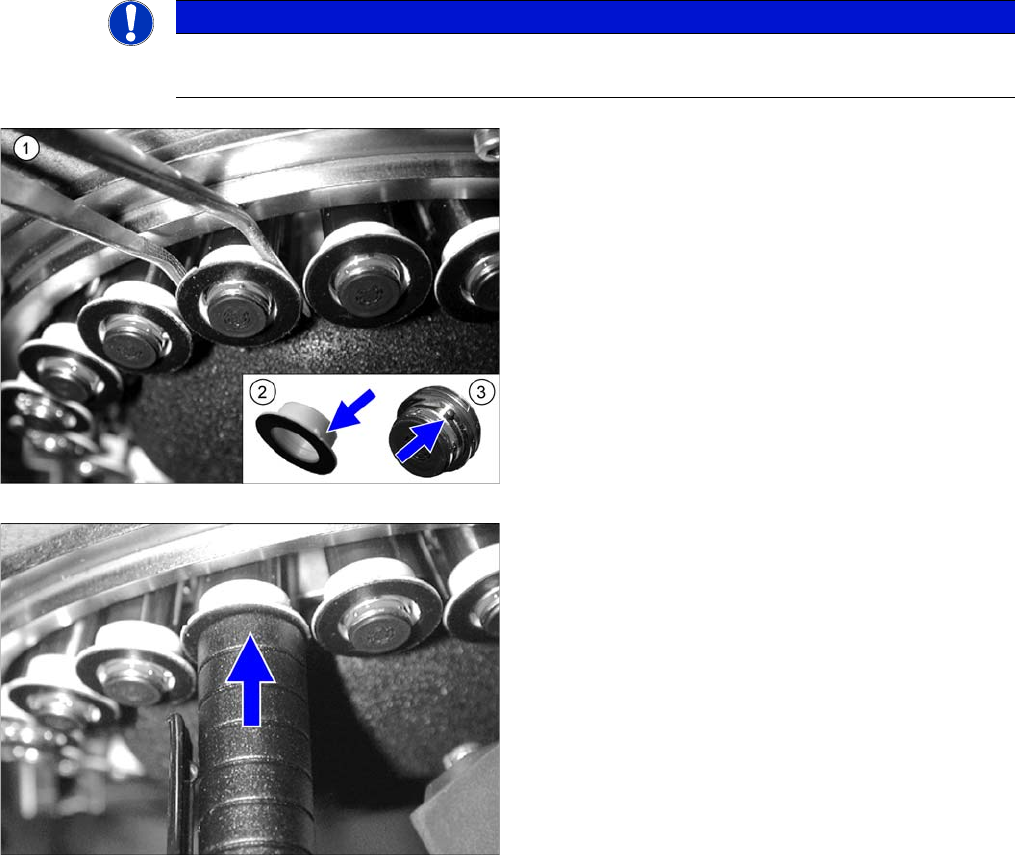
► Check whether the switching disks are damaged or
broken (e.g. scratches or discoloration of the black
surface). Also check whether neighboring switching
disks have the same height. Differences in height are
an indication of damage.
► If a switching disk is damaged, carefully remove it (1).
► Use your thumb to press from below against the seg-
ment so that the segment is not damaged when you
remove it.
► Fit the new switching disk onto the segment so that
the pin (3) and groove (2) engage with one another.
► Use a suitable sleeve (in this case a pen cap) to press
the switching disk onto the segment. The nontrans-
parent switching disk must engage audibly.
► Also check whether the new and neighboring switch-
ing disks have the same height.
Maintenance Tasks for C&P20/A/M/P Head
4.6.12 Cleaning the Component Sensor Performing Maintenance Tasks
Maintenance Manual SIPLACE Placement Heads CPP, C&P20, Twin 59
4.6.12
4.6.12 Cleaning the Component Sensor
Cleaning the Component Sensor
CAUTION
Prisms, cleaning sticks
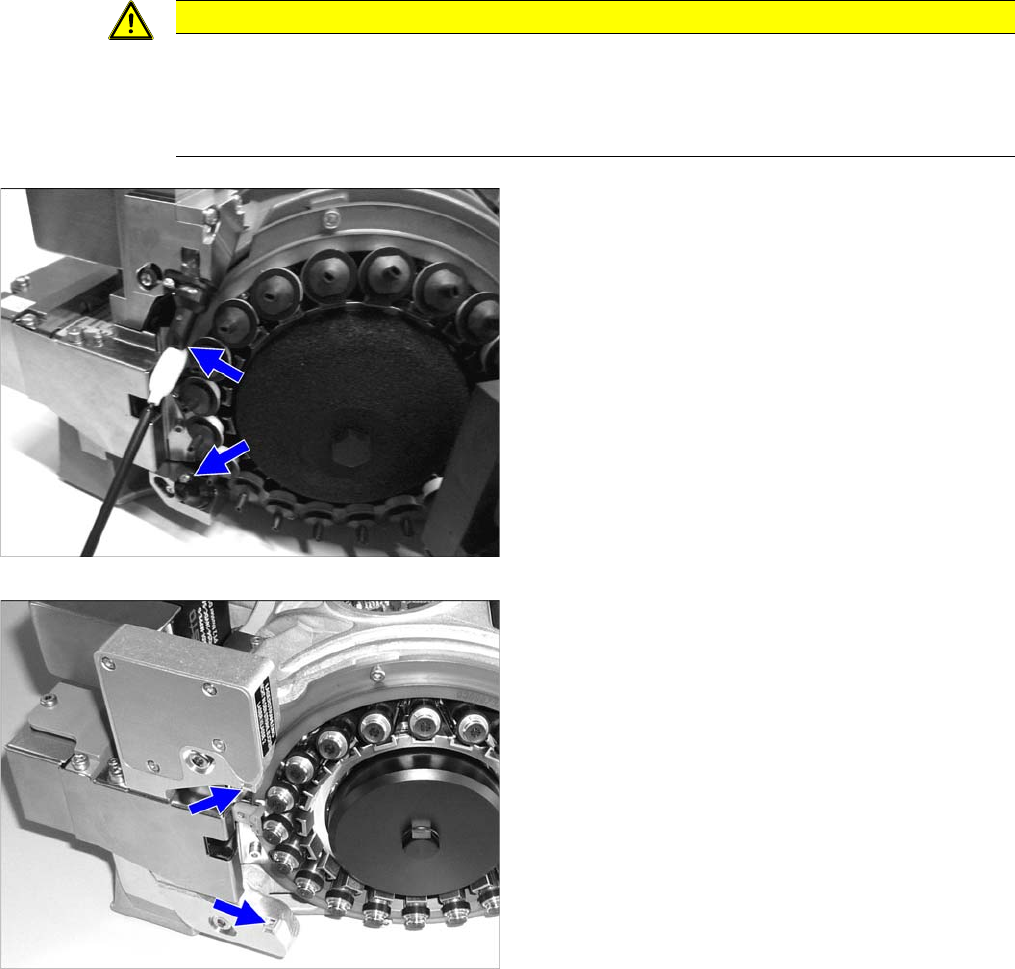
► Take care not to damage the component sensor prisms.
► Make sure that you do not use the cleaning sticks soaked in oil from cleaning the sleeves.
Always use a new cleaning stick!
Cleaning the component sensor (C&P20/A/M)
Cleaning the component sensor (C&P20 P)
► Remove the protective cover from the component
sensor.
► Clean the prisms of the component sensor with a
cleaning stick soaked in ethanol.
► Refit the protective cover on the component sensor.
Maintenance Tasks for C&P20/A/M/P Head
Final Work 4.6.12 Cleaning the Component Sensor
60 Maintenance Manual SIPLACE Placement Heads CPP, C&P20, Twin
4.7
4.7 Final Work
Final Work
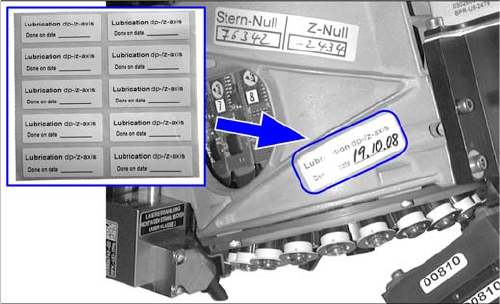
Attaching the maintenance label
Fitting the placement head
► Fit the placement head back onto the gantry. Read the service manual for your machine first.
► Remove the protective cover from the component sensor.
► Switch the placement machine on at the main switch.
► Calibrate the placement head, preferably using the FHE function. For details, refer to the service
manual.
► For SW704 and higher only: Reset the maintenance cycle counter for the corresponding assemblies.
► Remove any label which may still be present from the
placement head.
► Remove any adhesive residues and clean the area.
► Attach the label and enter the date and, if required,
the meter count, depending on how you determine
your maintenance intervals.