00197551-01_MM_CPP-CP-Twin_Kunde_en.pdf - 第88页
Maintenance Tasks for Nozzles Performing Maintenance Tasks 8.5.2 Replacing the Plastic Nozzles 88 Maintenance Manual SIPLACE Placement Heads CPP, C&P20, Twin 8.5.2 8 . 5 . 2 R e p la c in g t h e P la s t ic N o z z …
Maintenance Tasks for Nozzles
8.5.1 Cleaning/Replacing the Ceramic Nozzles Performing Maintenance Tasks
Maintenance Manual SIPLACE Placement Heads CPP, C&P20, Twin 87
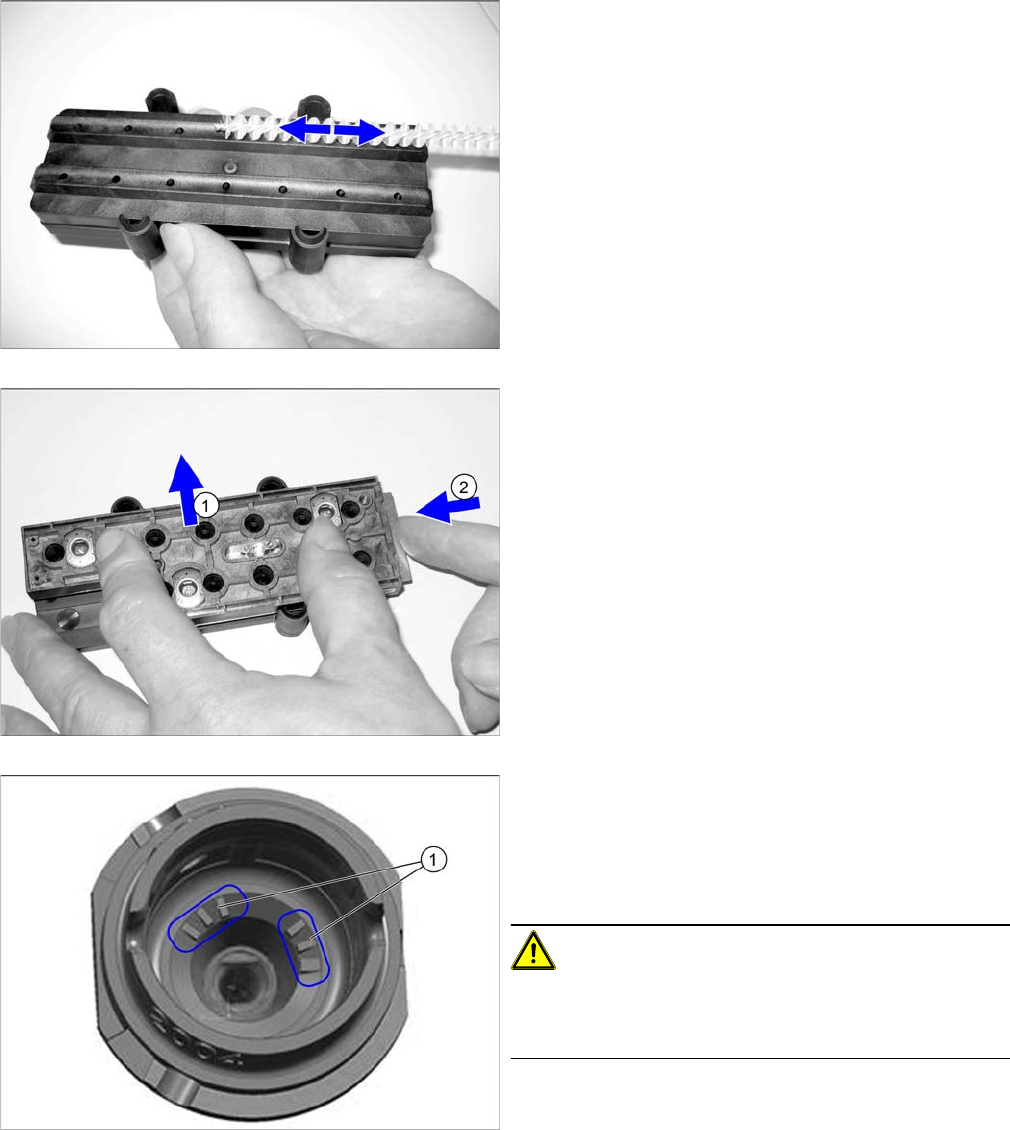
► Apply slight pressure and move the brush back and
forth to remove the partially dissolved dirt and resi-
dues.
► Check the cleaning result with a magnifying glass or
microscope.
► (1) Remove the brush guidance.
► Place the nozzles in the nozzle magazine and close
the slide (2).
► Dry the nozzles with compressed air.
► If you are using nozzles with a nozzle ID (1), vacuum
the nozzle shaft (dust, components).
If you are unable to clean here, replace the nozzle.
► Place the nozzle magazine back in the nozzle chang-
er.
CAUTION!
Reinsert the nozzle magazine into the same position in
the nozzle changer as before (when it was removed be-
fore cleaning).
Maintenance Tasks for Nozzles
Performing Maintenance Tasks 8.5.2 Replacing the Plastic Nozzles
88 Maintenance Manual SIPLACE Placement Heads CPP, C&P20, Twin
8.5.2
8.5.2 Replacing the Plastic Nozzles
Replacing the Plastic Nozzles
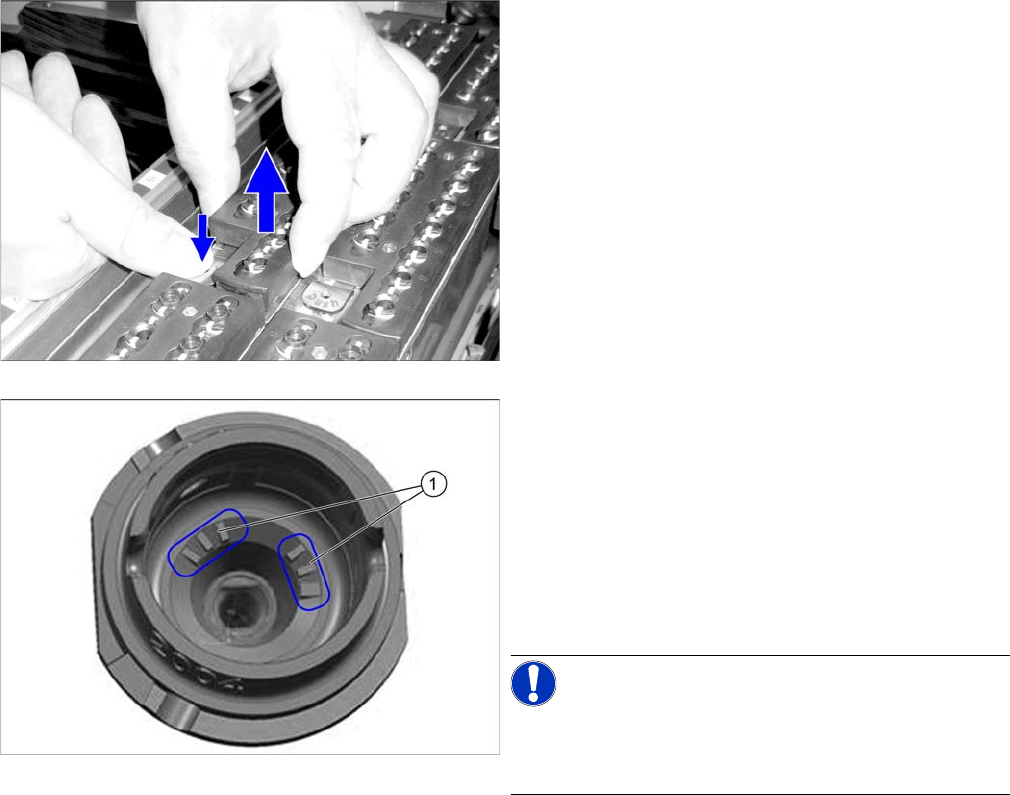
► Remove a full nozzle magazine from the nozzle
changer. When handling a nozzle magazine which is
not full, make a note of the orientation in the nozzle
changer, to ensure correct reinsertion later on.
► Check the nozzles.
Replace damaged nozzles.
► If you are using nozzles with a nozzle ID (1), vacuum
the nozzle shaft (dust, components).
If you are unable to clean here, replace the nozzle.
► Place the nozzle magazine back in the nozzle chang-
er. When handling a nozzle magazine which is not
full, pay attention to correct orientation in the nozzle
changer.
NOTICE!
Prepare additional nozzle magazines according to the
current nozzle configuration and replace the complete
magazine.
Handling the Multipette
Overview of Multipette
Maintenance Manual SIPLACE Placement Heads CPP, C&P20, Twin 89
9
9 Handling the Multipette
Handling the Multipette
9.1
9.1 Overview of Multipette
Overview of Multipette
9.2
9.2 Assembling the Multipette
Assembling the Multipette
NOTICE
Description example
The multipette is described using an example [03078989-xx].
For all other multipette types, refer to the manufacturer's instructions included.
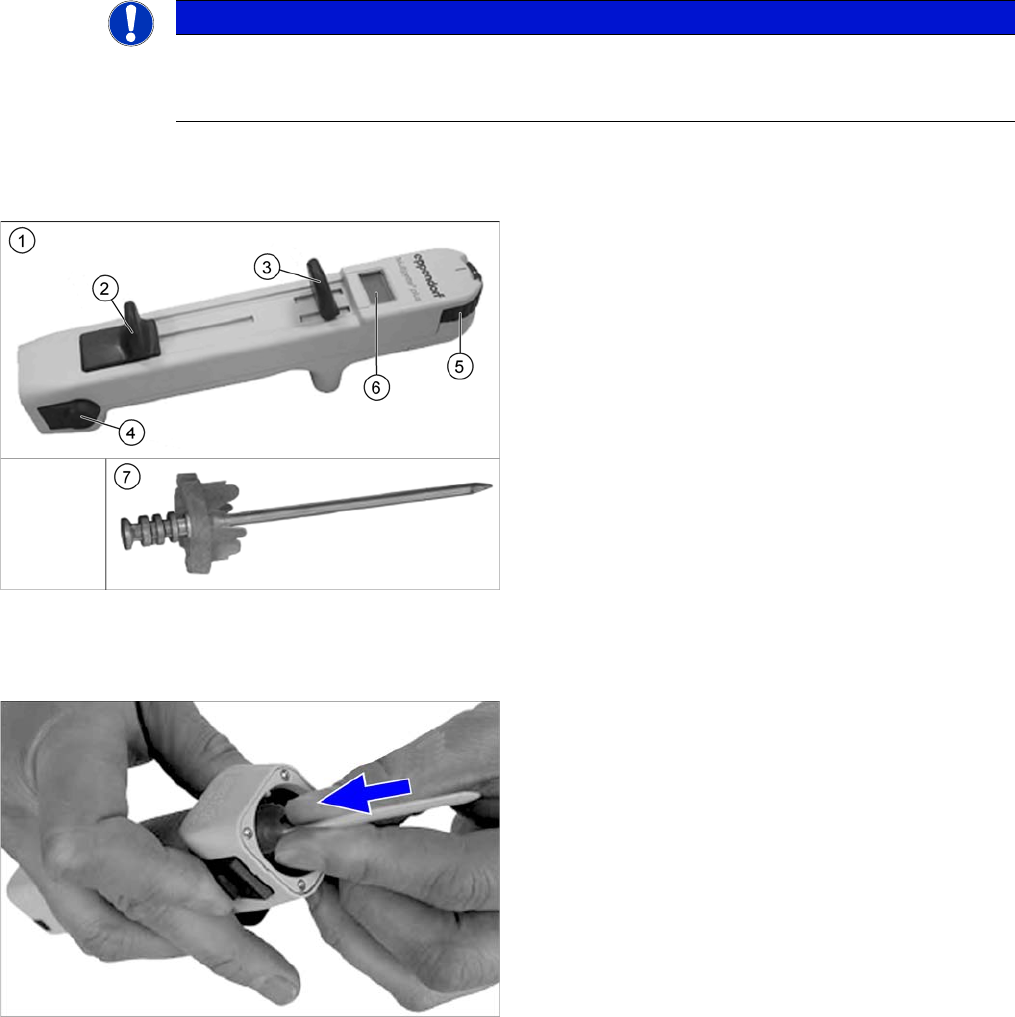
1. Multipette
2. Filling lever
3. Dosage lever
4. Reject button
5. Volume setting
6. Digital display
This shows the application amount. The amount ap-
plied depends on the combitip used and the current
position of the volume setting.
7. Combitip
► Press the filling lever on the multipette right down and
hold in position.
► Press the relevant combitip onto the multipette until it
engages.
► Check whether the combitip is fitted firmly on the Mul-
tipette.
► Set the required dosage on the volume setting.