RX-8_SPE_EN.pdf - 第26页
22 When you use the FCS, you can check whether the precision i s maintained and adjust the precision at relocation or routine maintenance of t he machine. *The calibr ation jig is optional. 5-1-7 White list type anti - v…
21
5. Standard Functions and Options
5-1 Standard functions
5-1-1 Bad mark detecting function
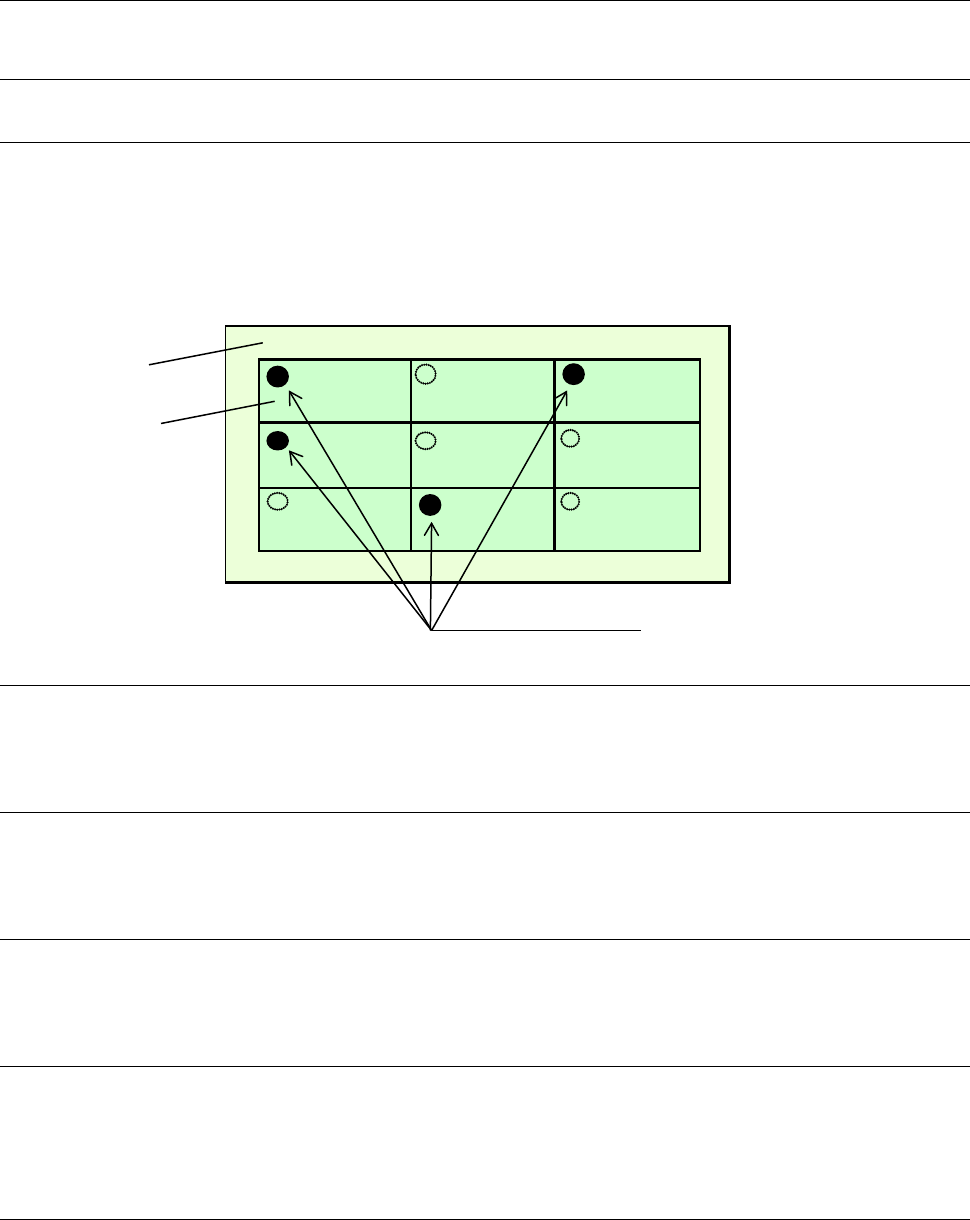
By reading a bad mark (inferior circuit) set on each circuit of a multi-circuit board, the machine can
prevent any component from being placed on the circuit.
The minimum diameter of a bad mark shall be 2.5 mm and the color of a mark should be highly
contrasted with that of a board.
The brightness of the board color can be switched when the reflected light quantity of the board color is
different from that of the mark.
5-1-2 Height measurement system (HMS)
The height measurement system measures the topside of a component or that of a paper tape to correct
the component pick-up height automatically.
5-1-3 Vacuum pump
This pump allows the machine to reduce air consumption of the compressor, and improve the stability of
air supply when it picks up a component.
5-1-4 Automatic board width adjustment function (AWC)
This is the function for adjusting the distance between the rails according to the width of a board
automatically.
5-1-5 Feeder float sensor
This function is provided to prevent mechanical troubles from being caused by improper installation of a
tape feeder. When this sensor detects an improperly-installed feeder, it stops the X-Y axes from moving,
and warns an operator.
5-1-6 Flexible calibration system (FCS)
After a component that is recognized with a camera is placed on a glass jig board, the FCS uses a
camera to automatically measure the difference between a value set with the program and the position at
which the component is placed actually, and calculates the offset value to be used for placing the
component.
A series of operations can be automatically performed when you set the jig board and load the program
to the machine.
Board
Circuit
Bad marks
22
When you use the FCS, you can check whether the precision is maintained and adjust the precision at
relocation or routine maintenance of the machine. *The calibration jig is optional.
5-1-7 White list type anti-virus software
This software prevents software such as virus software from invading the system after shipment of the
machine.
5-1-8 Board Stopper
• Location of the board stopper
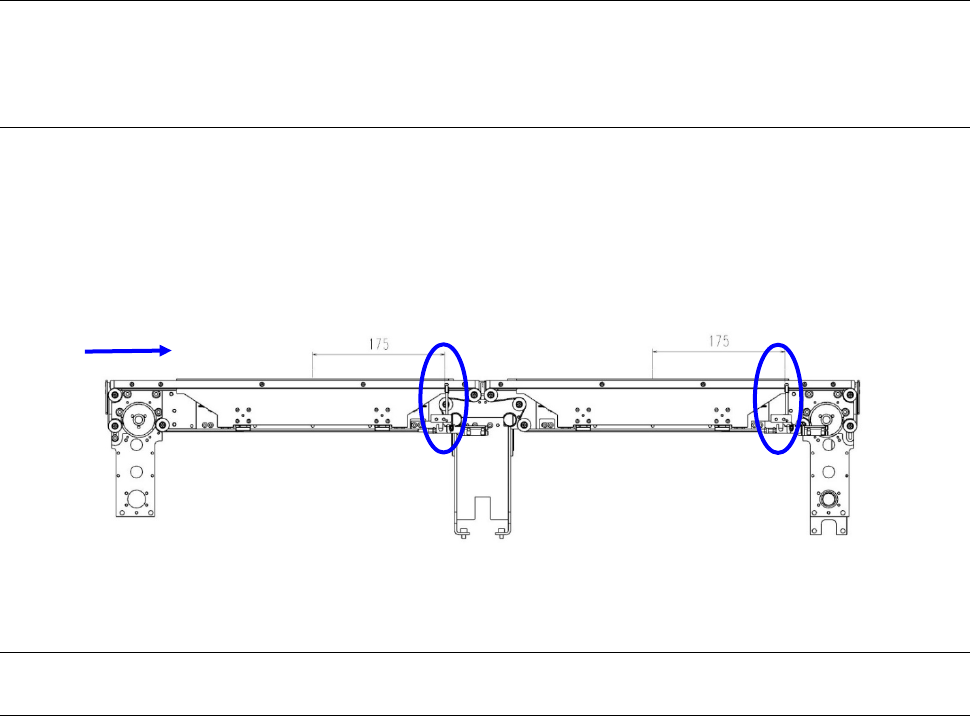
The position of the board stopper is fixed at a position 175 mm from the center of the unit in the X
direction toward the board transfer direction. Its position is fixed in the Y direction also.
5-2 Option
5-2-1
Trolley for an electric feeder (equipped with an auto tape cutter and a trash box)
This trolley allows a group of feeders to be attached or detached onto/from the main unit at a time.
Since this option enables changeover from the current feeders to the next feeders even during
production of PWBs, it shortens the time required for changeover.
Conveyor direction

23
5-2-2 Support software
5-2-2-1 JaNets: Production support system
The JaNets is a system product that inherits the functions of the conventional production line control
software, the Host Line Computer (HLC), and controls and optimizes JUKI mounter production jobs and
information of each shop floor (production site) in a comprehensive manner in order to reduce the
production cost by improving the productivity and the manufacturing quality of the entire shop floor and
promoting efficiency.
By adding the external output function option, you can output the JaNets information data externally.
5-2-2-2 IFS-NX
The main functions of the IFS-NX available with the RX-8 are described below.
(1) Erroneous mounting preventing function (“Feeder Setup Control Function”)
When the machine is preparing for PWB production or when components run out, this function
allows the machine to check the old reel with the new one to prohibit start of production until the
machine finishes checking in order to prevent a defective board from being produced due to
placement of a component at a wrong position.
This function supports splicing of a tape feeder. When a tape is spliced, this function detects the
spliced point to switch the old reel to the new reel.
(2) Management of the number of remaining component
This function counts the number of remaining components from the initial number of remaining
components to manage the number of remaining components.
(3) Random feeder setup
This function allows a user to produce a PWB by attaching a feeder at the desired position when the
mounter is set up. To do so, attach a feeder at the desired position with [PRODUCTION SETUP],
and obtain the feeder assignment layout to update the Pick data of a production program. After the
Pick data is updated, make the necessary preparations for production, and then start PWB
production.
(4) Traceability
This function allows the machine to recognize a barcode of a board or that of a circuit to manage the
component placement history. If you have to investigate the cause of an error, you can analyze the
production history of the component (the history indicating when the component was placed, which
production program was used, which mounter placed it, and so on) and track the condition thanks to
this function.
(5) Factory Monitor
This function allows you to check the job status during PWB production of a production line together
with various types of error information (such as a component run-out warning and a process error).