JAKA Zu 3及JAKA Zu 3 pro-电控柜V2.1-硬件手册( 英文版).pdf - 第42页
JAKA Zu 3 v 1. 1 37 V erification number Inspection cycle Maintenance Inspecting Parts Inspecti ng Content Inspection/process ing method Daily Ever y 3 months Ever y 1 year 4 year 5 year 8 year 1 Surfaces Wheth er there …
36 JAKA Zu 3 v1.1
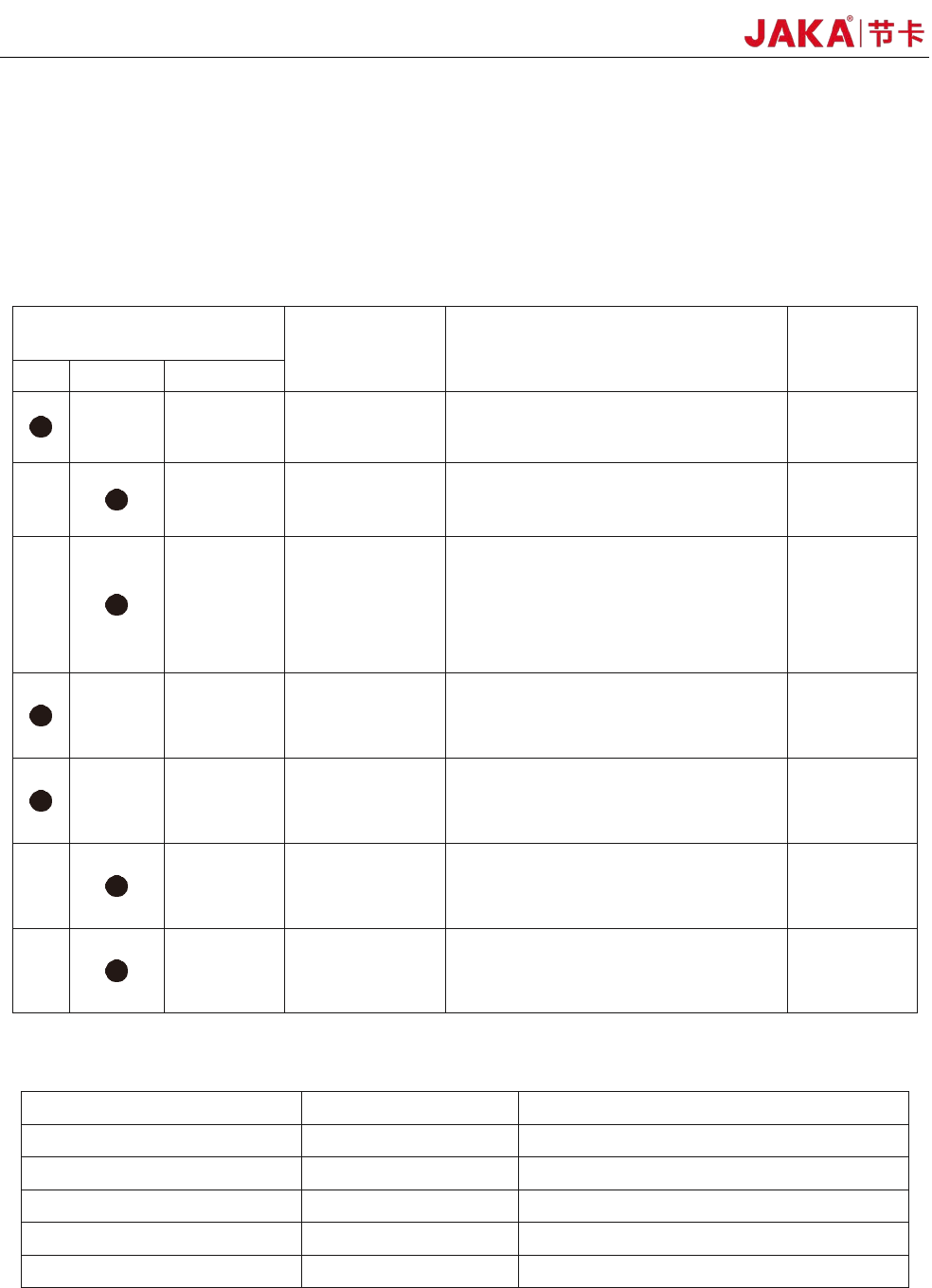
5.2 Overhaul Project and Cycle
In order for the robot to maintain high performance for a long time, a maintenance check must be carried
out. The person in charge of overhaul must prepare an overhaul plan and carry out an inspection. Please refer
to the table below for overhaul items.
In addition, overhauls are required every 20,000 hours of operation time or every 4 years. If you are not
clear about the maintenance processes, please contact our service department.
Cycle
Overhaul Items Overhaul essentials Part
daily 3month Every year
Robot body
confirm that whether the stored
location of the program is deviated
All Parts
Cleaning the
robot body
Wipe
off dirt, etc., remove
accumulated spatter, ash, dust,
cutting residue, etc.
All Parts
Main bolts
All the bolts exposed on the
outside of the robot need to be
tightened and marked (see the
specified tightening torque table),
including the tool mounting bolts
are also implemented.
All Parts
Motor
Abnormal heating or sound
confirmation
All Axis
Brake
Check when the servo power is
turned ON/OFF, whether the robot
arm or tool will fall.
All Axis
Reducer
Check for abnormal vibration, noise,
and oil leakage
All Axis
Tools
Apply force to the tool to make sure
it is properly and securely bolted in place.
The 6th Axis
Bolted tightening torque table
Bolt Size He
xagon bolt SUS bolt with hexagon hole
M3 2.4 Nm 1.47 Nm
M4 5.4 Nm 3.4 Nm
M5 9 Nm 6.9 Nm
M6 15.3 Nm 11.8 Nm
M8 37 Nm 28.4 Nm
Th
e tightening torques will vary depending on the type of base metal or bolt. When not
specified, please follow the tightening torques above.
JAKA Zu
3 v1.1 37
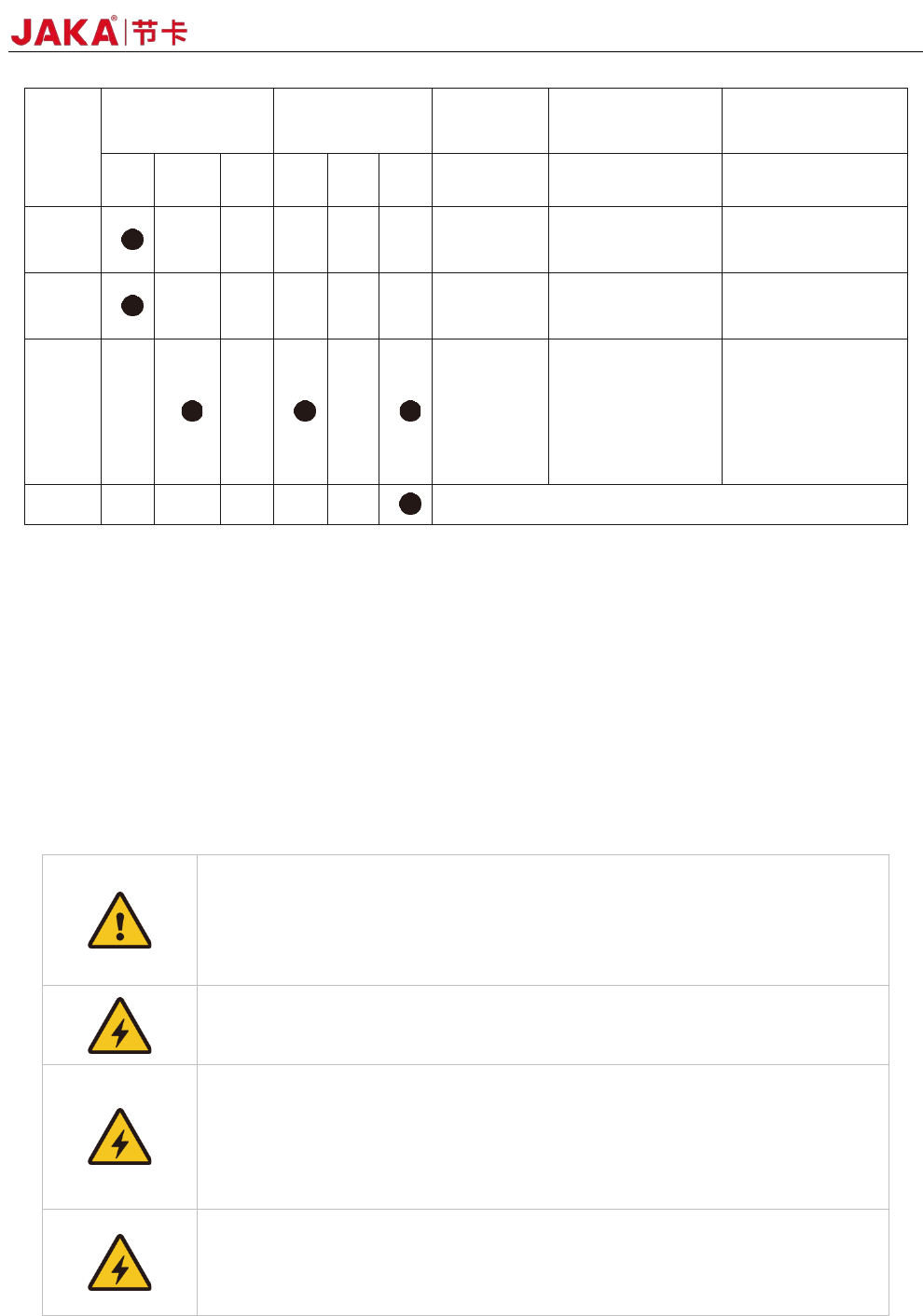
Verification
number
Inspection cycle Maintenance
Inspecting
Parts
Inspecting Content
Inspection/process
ing method
Daily
Every 3
months
Every 1
year
4 year
5 year 8 year
1 Surfaces
Whether there is
splashes, dust, etc.
Visual confirmation,
cleaning
2 Filters
Whether there is dirt or
blockage
Visual confirmation,
cleaning, replacement
3
Cables
Confirm whether there
is any damage or
fragmentation
•Confirm whether the
connectors are loosed.
Visual confirmation,
tightening. Replace the
cable when it is
obviously damaged.
4
Overhaul
(P.S.) Use a soft cloth to remove dusts when cleaning. Do not blow off dust with equipment such as air
blowers. Wind pressure will cause the dusts to enter the inside of the fan and the blades rotate at a speed
exceeding the rated speed, which may cause the fan to malfunction or affect its life. Only use the vacuum
cleaner on the blade section. Do not vacuum the rotating part or the main body, which can cause the fan to
malfunction or reduction of the fan’s service life.
5.3 Parts Replacement and Preservation
When replacing the parts of the robot control unit, please observe the following precautions and work
safely.
1、 Do not carry out any modification of our products.
2、 Fire, malfunction, and wrong movements caused by modification may result in
personal injury or damage to the robot.
3、 Any loss caused by the user's own modification of JAKA's products is not
covered by JAKA’s warranty.
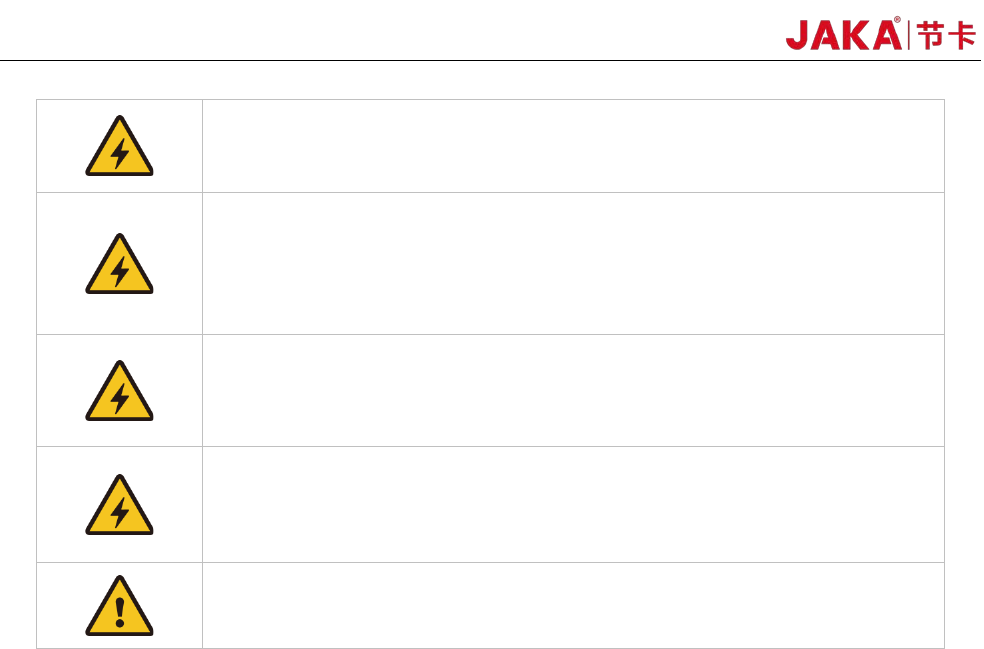
1、 To prevent electric shock, when replacing parts, please turn off the circuit
breaker, and then turn off the main power supply.
1. Tur
n off the main power, wait for 5 minutes, and then the parts could be
replaced if needed.
2. There is a risk of electric shock, due to residual charge in the electronic
components.
3. Do not use wet hands for work.
4. In case of electric shock, it will result in serious injury or death.
1. 1.T
he replacement must be carried out by the specified operator.
2. 2.Electric shock or being caught by a robot accidentally can result in serious
injury or death.
38 JAKA Zu 3 v1.1
1. 1.There are a large number of connection interfaces between the printed
circuit boards. Keep cautious when replacing parts to avoid mis-insertion or
omission.
2. 2.If it causes electric shock or fire, it will result in serious injury or death.
1. 1. Do not damage the wiring or pull the connector when it is replaced.
2. 2.Do not touch the electronic components of the printed circuit boards and the
contact parts of the wiring or interface when replacing. Hold the edge of the
printed circuit board when replacing.
3. 3.If you accidentally touch them, it may cause electric shock, resulting in
serious injury or death.
1. In order to carry out maintenance and inspection work, the power should be
turned on once while the electrical cabinet’s door is ope. Do not let the inside
of the electrical cabinet be exposed to direct sunlight or searchlights,
otherwise it will cause malfunction or wrong movements.
1. 1.Before performing maintenance, the operator should discharge static
electricity in advance.
2. 2. Antistatic wrist straps are very effective.
3. 3. Failure to take any precautions when touching electrical components
directly, electrical components may malfunction.
1. Af
ter the maintenance is completed, check if there is any gap or if any cable
is caught. After that, reinstall the case. If there is a gap, it may cause dirt, dust,
etc. to enter the inside of the electrical cabinet, which will cause malfunctions.
5.3.1 Filter cleaning and replacement
1.Power off the electrical cabinet.
2.Remove the nut from the filter housing.
3.Clean the dust adhering to the filter by blowing it out. Dust should be blown from the inside of the
electrical cabinet during cleaning. When there is dirt, etc., apply warm water or a neutral detergent. And if
it still cannot be cleaned, it should be replaced.
4.Installation should be carried out in the reverse order of removal.
When cleaning with warm water or a neutral detergent, it should be fully dried before installation.
5.3.2 Part preservation
According to the life and frequency of use of the components, the recommended spare parts are divided
into two categories: A and B.
Maintenance parts • A: Main maintenance parts for daily maintenance and inspection
A-1: Important backup parts
・ A-2: Regular replacement parts / recommended spare parts
◆Maintenance parts • B: Maintenance parts prepared when purchasing multiple robots
・ B-1: Parts purchased from JAKA
In order to maintain normal operation, the A-1 and A-2 are the minimum necessary important parts. It is
recommended to prepare one whole set. In addition, the printed circuit board uses highly reliable components,
so please pay attention to the following points during storage.
•Preservation temperature -10℃~+50℃