20121120111955_KY8030_2_Maintenance_Manual_Eng_ver1.pdf - 第101页
Maintenance Manual | 101 10. The installation is in progress. 11. Click the [Next] button after reading the VNC program information.
100 | KY-8030 2
3DSolderPasteInspectionSystem
Version 1.0
KOH YOUNG TECHNOLOGY INC.
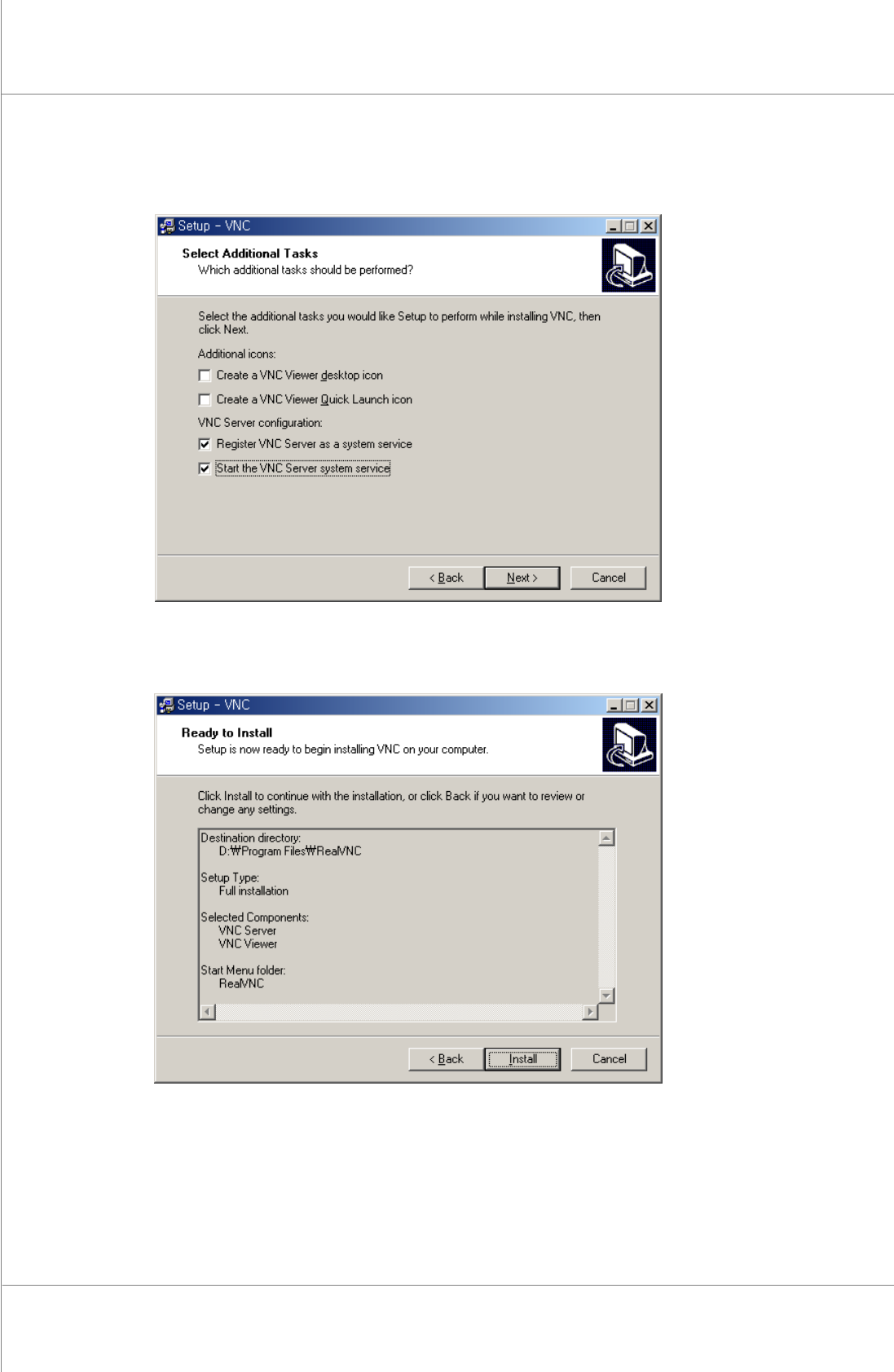
8. Clickthe[Next]buttonafterselectingthe“RegisterVNCServerasasystemservice”and
“StarttheVNCServersystemservice”.
9. Clickthe[Install]button.
Maintenance Manual | 101
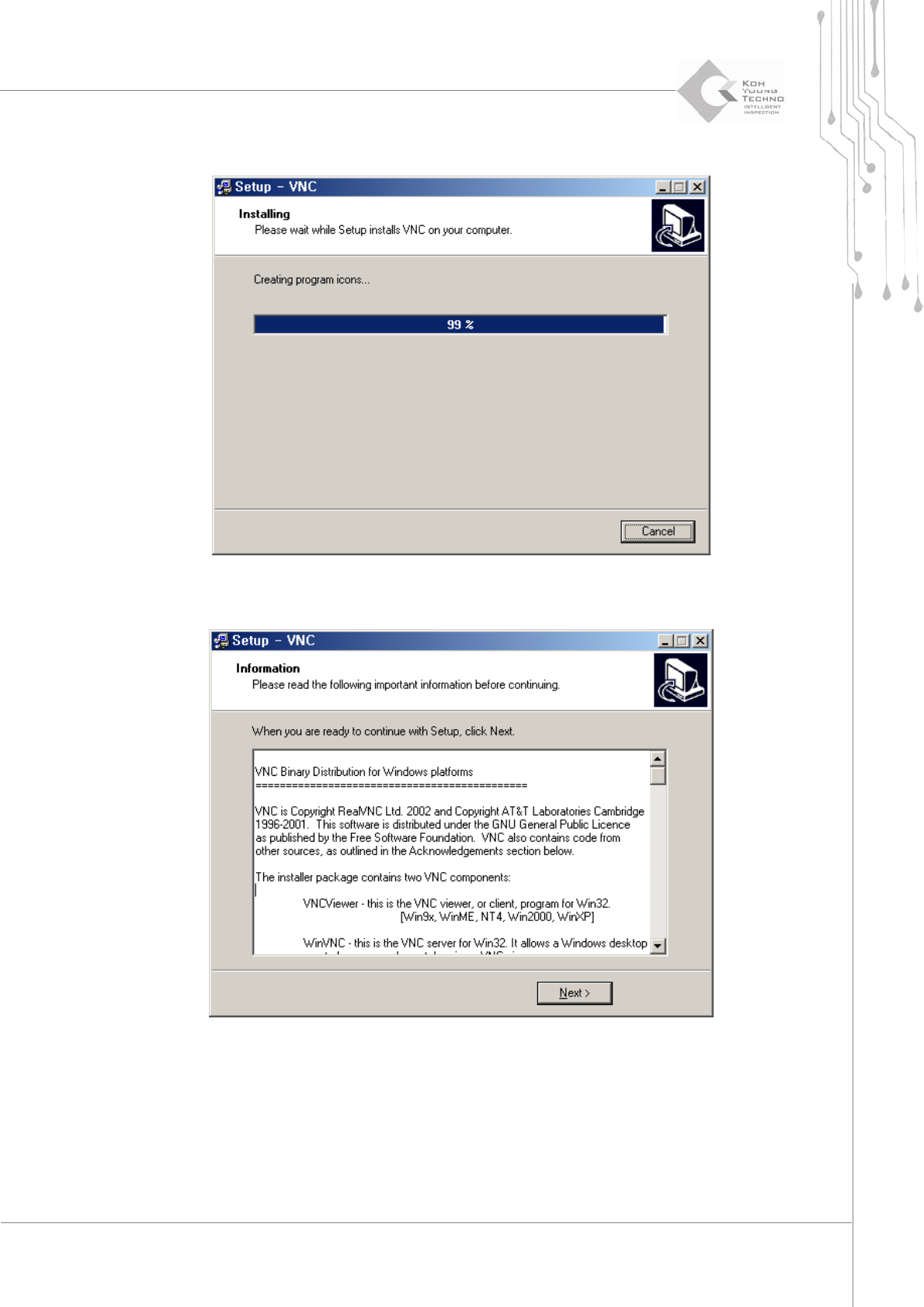
10. Theinstallationisinprogress.
11. Clickthe[Next]buttonafterreadingtheVNCprograminformation.
102 | KY-8030 2
3DSolderPasteInspectionSystem
Version 1.0
KOH YOUNG TECHNOLOGY INC.
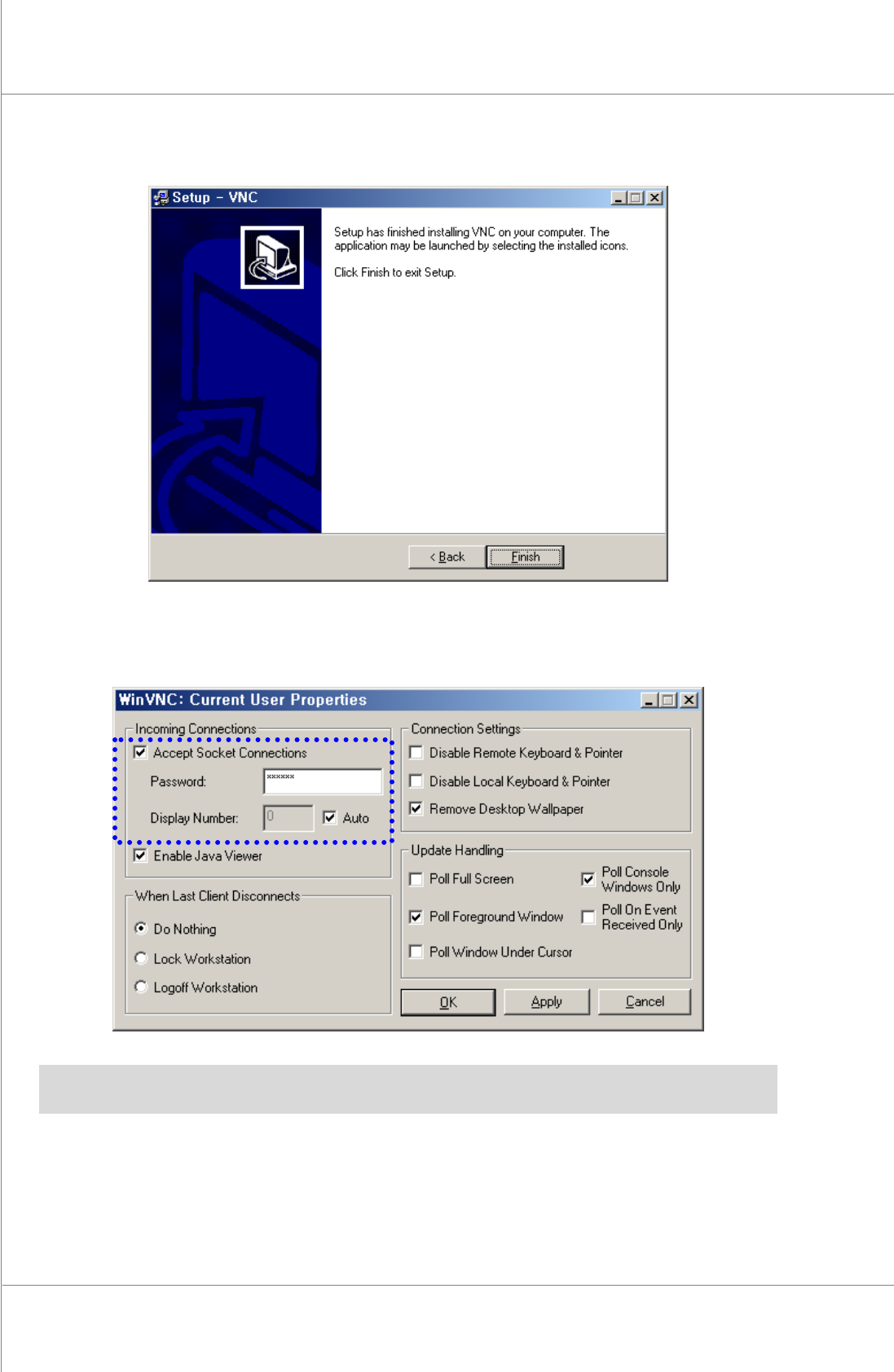
12. Clickthe[Finish]button.TheVNCinstallationprocesshasfinished.
13. Click the [OK] button after inputting the server pin number to the window which
appearsafterending.
※ Note:Ifthewindowdoesnotappear,pleaseexecutetheVNCServer.Theserverpinnumberinput
windowappearsonthescreen.