20121120111955_KY8030_2_Maintenance_Manual_Eng_ver1.pdf - 第85页
Maintenance Manual | 85 7. Click the right button of the mouse at the [Local area connection] and select [Properties]. 8. Click the [Properties] button after selecting the “Int…
84 | KY-8030 2
3DSolderPasteInspectionSystem
Version 1.0
KOH YOUNG TECHNOLOGY INC.
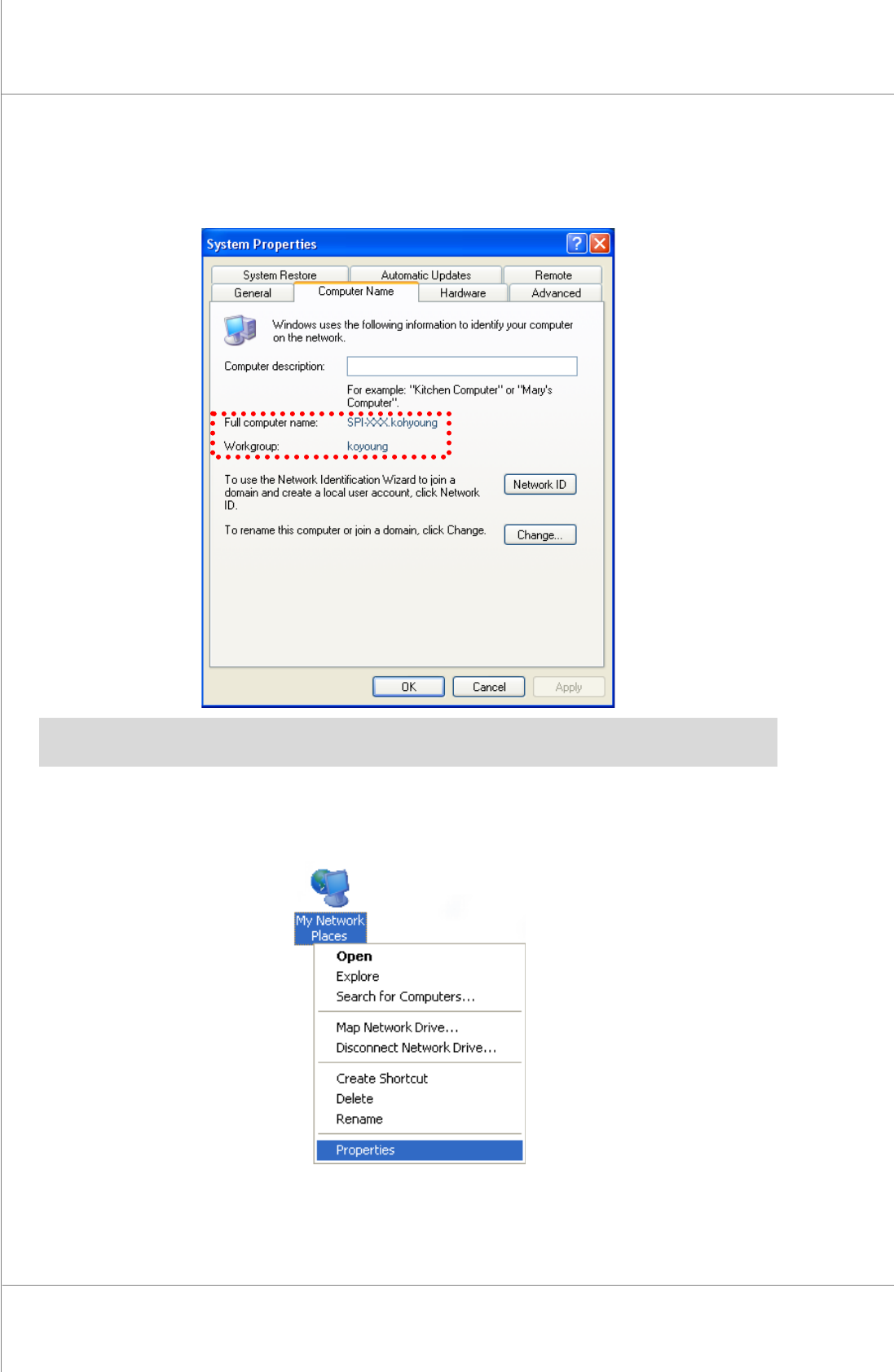
4. Clickthe[ComputerName]Tab.
5. Checkthecomputername(SPI‐XXX),workgroup(kohyoung)anduserʹsname.
※ Note: When remote controlling more than1 machine, if thecomputers have the same name, the
machinecannotbeshared.
6. Clicktherightbuttonofthemouseatthe[MyNetworkPlaces]andselect[Properties].
Maintenance Manual | 85
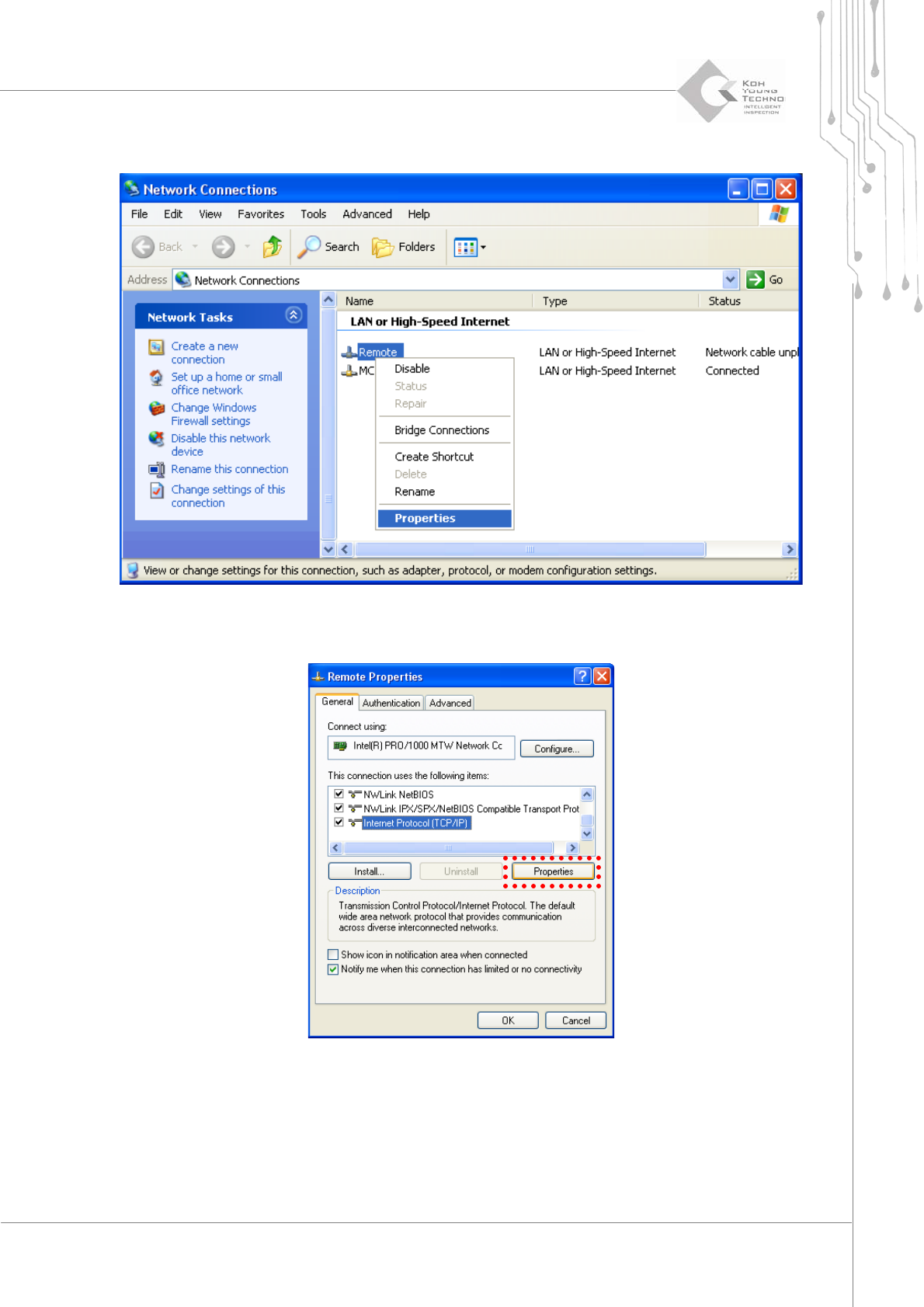
7. Clicktherightbuttonofthemouseatthe[Localareaconnection]andselect[Properties].
8. Clickthe[Properties]buttonafterselectingthe“InternetProtocol(TCP/IP)”.
86 | KY-8030 2
3DSolderPasteInspectionSystem
Version 1.0
KOH YOUNG TECHNOLOGY INC.
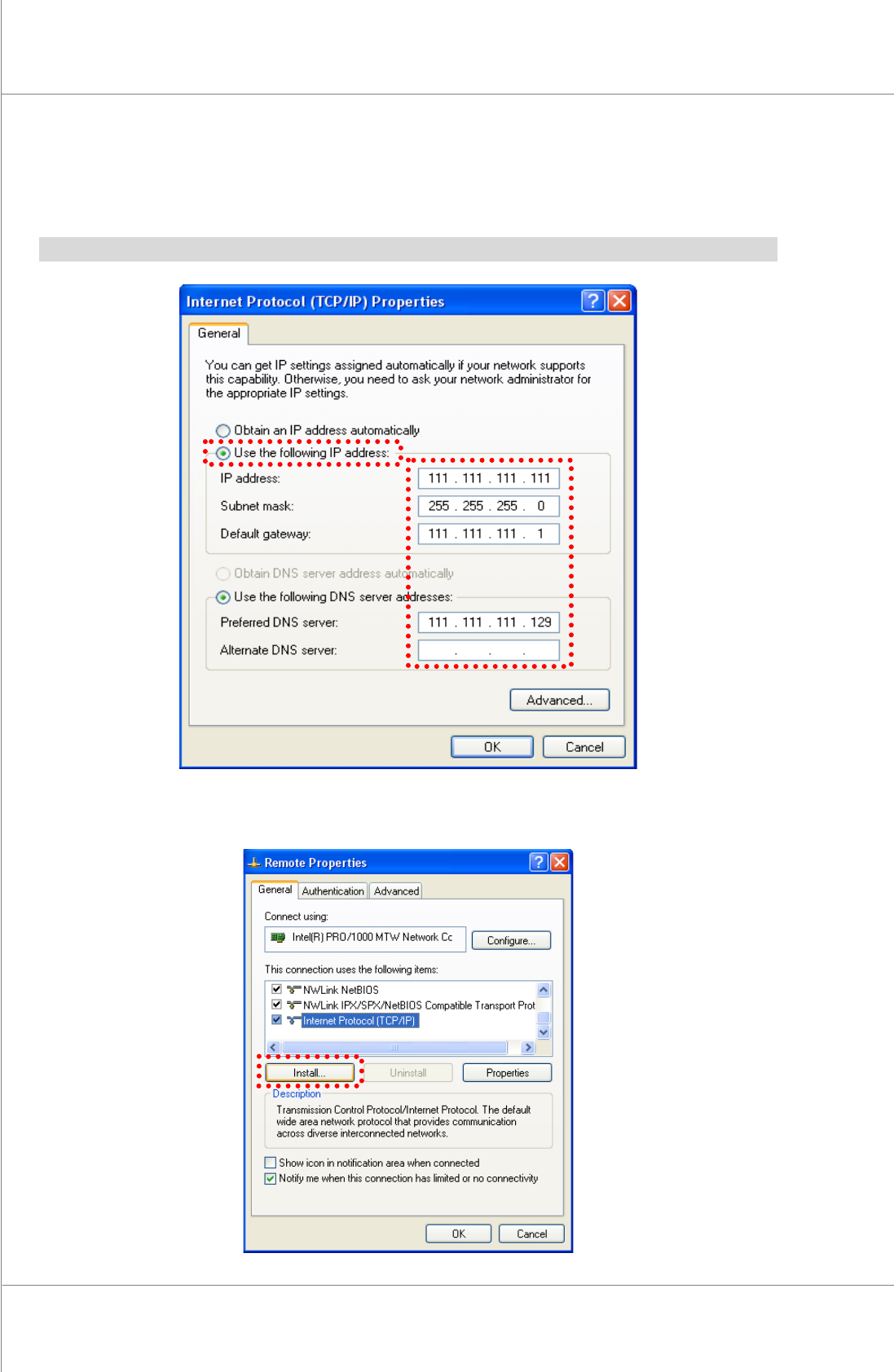
9. Selectthe“UsethefollowingIPaddress”.
10. Clickthe[OK]buttonafterinputtingtheIPaddress,Subnetmask,standardgatewayand
standard/subDNSserver.
※Note:Inputvaluediffersdependingonthecompany.PleaseconsultwithaNetworkengineer.
11. Pleaseclickthe[Install].