20121120111955_KY8030_2_Maintenance_Manual_Eng_ver1.pdf - 第8页
8 | KY -8030 2 3D Solder Paste Inspec tion System V ersion 1.0 K OH Y OUNG T ECHNOLOGY I NC . S AFETY L ABELS AND S IGNS ! ● Personal Injury DANGER A void contact of any part of your body wi th the conveyor ins…
Maintenance Manual | 7
SAFETY PRECAUTIONS
¾ Read and familiarize yourself with the following precautions before operating the
system.
¾ Readandfamiliarizeyourselfwiththeprecautionsinsafetylabelsplacedonthesystem.
¾ Makesuretocomplywiththeseprecautionstopreventanyunexpectedsafetyhazardor
damagethatmayoccurduringsystemoperation.
This
manual uses the following terms to designate thehazard level and damage or injury that
mayoccurifprecautionsarenotobserved.
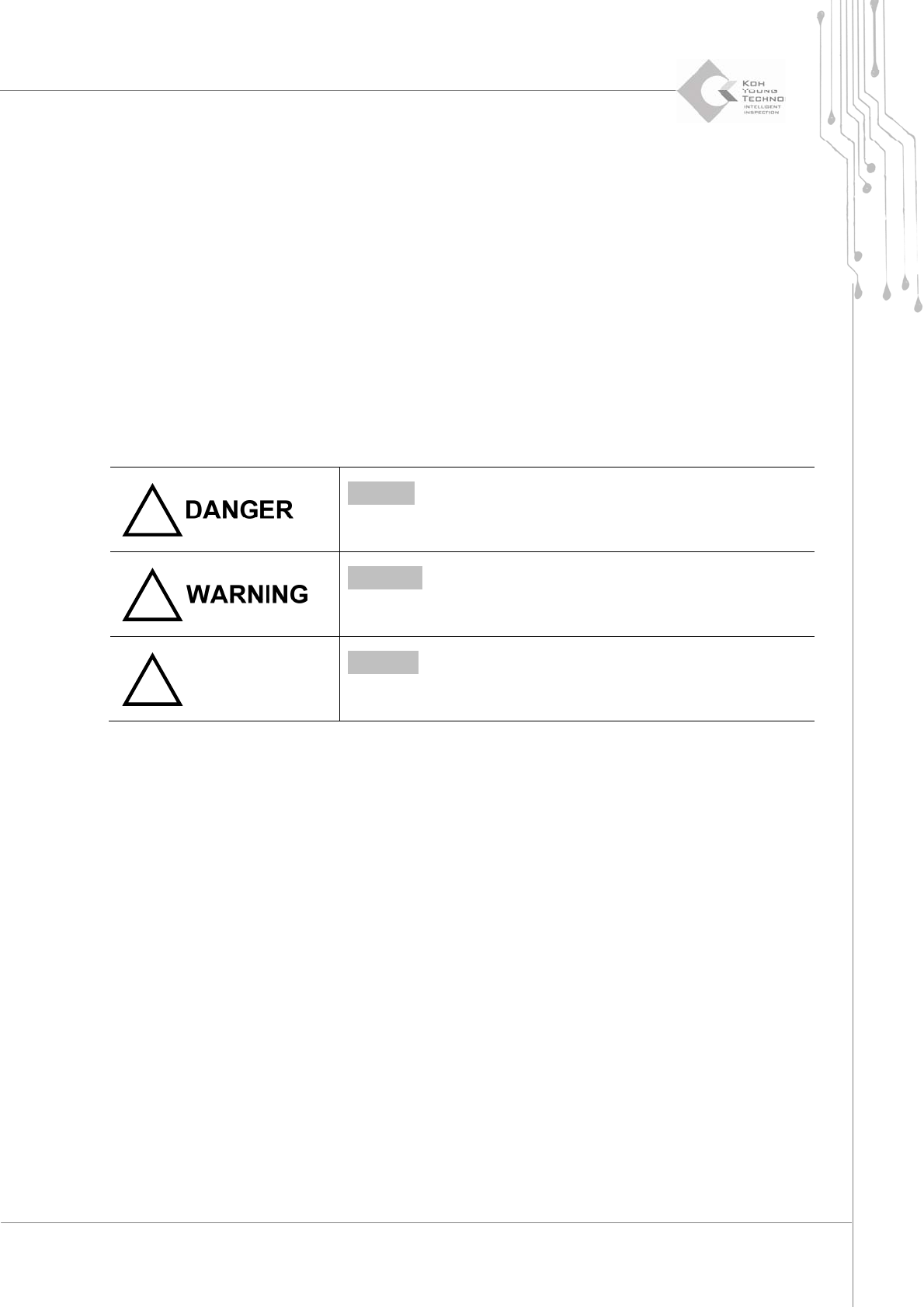
!
DANGER – An immediately hazardous situation that may result in
death or major injury, or damage to the system.
!
WARNING – A potentially hazardous situation that may result in
major or minor injury, or damage to the system.
CAUTION
!
CAUTION – A potentially hazardous situation that may result in
minor damage.
8 | KY-8030 2
3DSolderPasteInspectionSystem
Version 1.0
KOH YOUNG TECHNOLOGY INC.
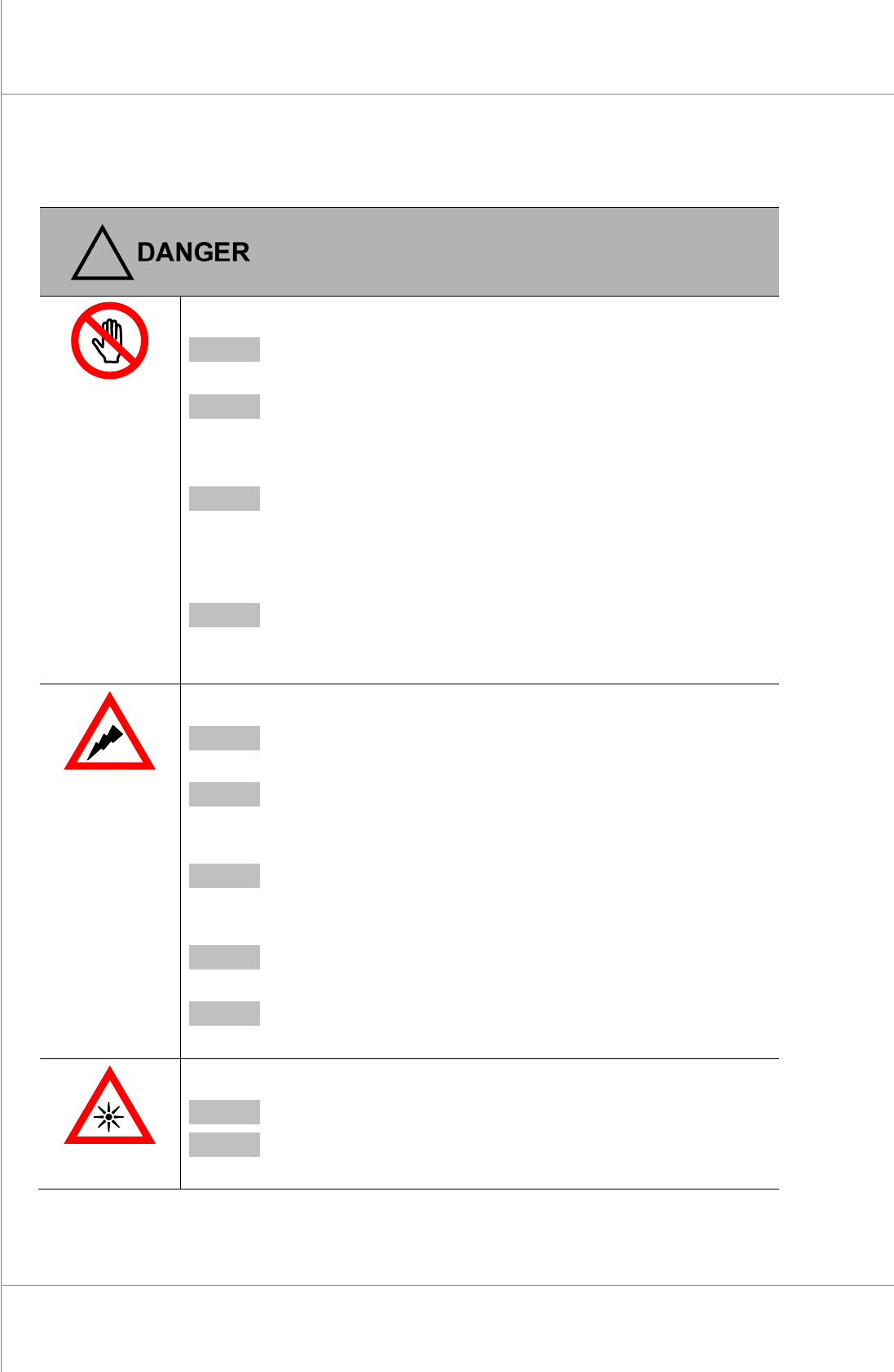
SAFETY LABELS AND SIGNS
!
● Personal Injury
DANGER Avoid contact of any part of your body with the conveyor inside the
door when the system is ON. It may result in personal injury.
DANGER Do not open the front door during system operation. It may result in
personal injury.
● Safety Equipment
DANGER Always wear protective gloves and goggles when handling printing
media. Otherwise, your health may be adversely affected by lead
contained in the media.
● Waste Disposal
DANGER Waste should be disposed of safely following the required procedures.
Otherwise, it may cause an adverse health effect or contamination by
lead.
● Electric Shock
DANGER Do not open the front panel in the lower part of the system when the
system is ON. It may result in electric shock.
DANGER Make sure that the power cable is removed when the system is turned
off for an extended time. Otherwise, it may result in fire or electric
shock.
DANGER Make sure that the system is grounded to a resistance of < 100Ω
during installation. Otherwise, it may result in electric shock or
damage to the system.
DANGER Never operate the system with wet hands. It may lead to electric
shock.
DANGER Make sure that water or oil do not get into the system. It may result in
electric shock or damage to the system.
● Explosion or Fire
DANGER Do not heat the system. It may lead to explosion of the system or fire.
DANGER Do not apply heat to a battery or halogen lamp. It may lead to
explosion of the system or fire.
Maintenance Manual | 9
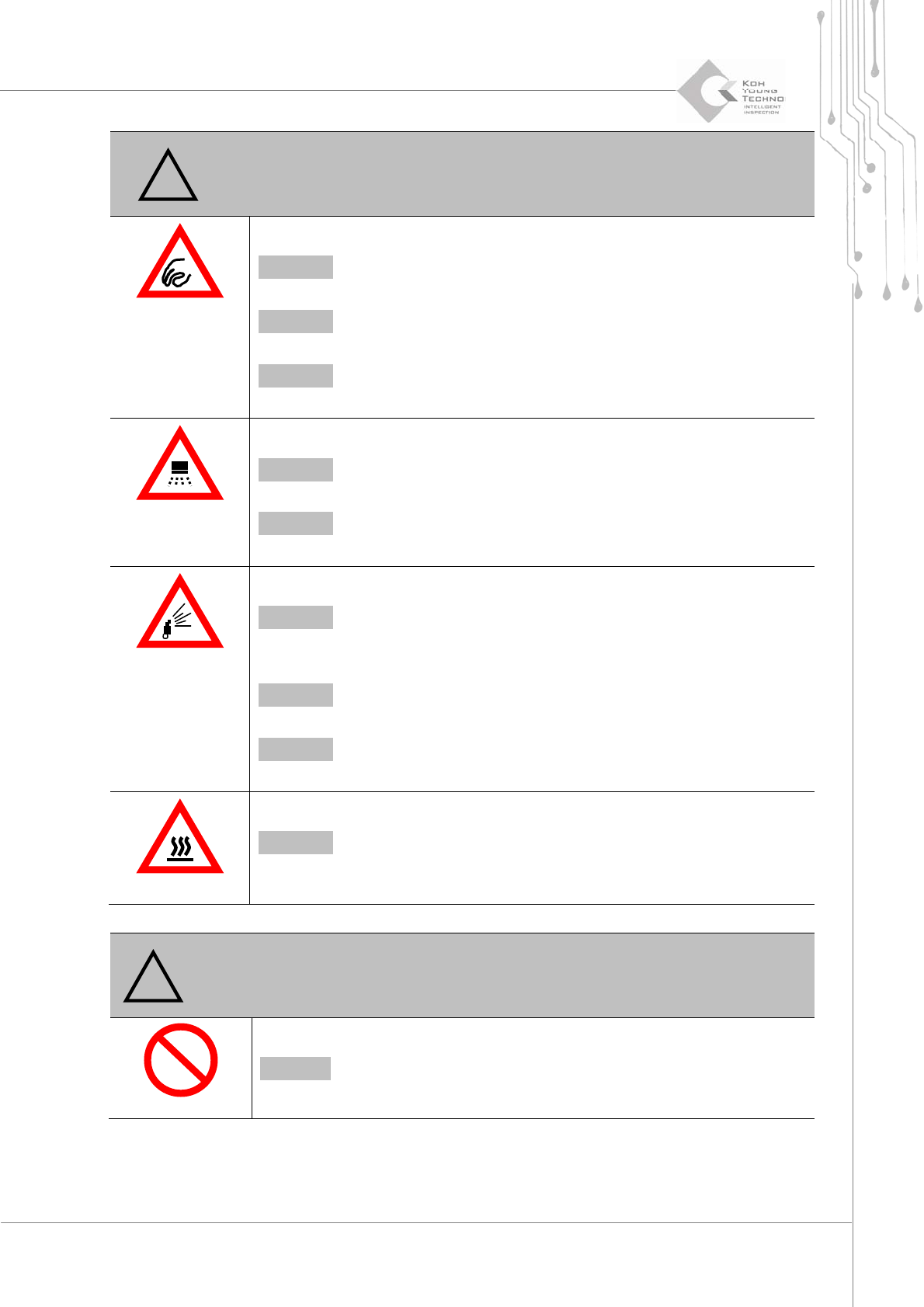
WARNING
!
● Pinch Point
WARNING Make sure that the system is stopped when opening the cover.
Otherwise, it may result in hand injury.
WARNING Do not place your finger inside the cover. It may result in hand
injury.
WARNING Do not place your finger inside the cover while using the keyboard.
It may result in hand injury.
● Laser Hazard
WARNING Do not look directly at or into the laser beam. It may result in
impairment of vision.
WARNING Do not attempt to open the door by force during system operation. It
may lead to personal injury or damage to the system.
● Gas Hazard
WARNING Do not use the air filter regulator to clean or dry any system parts.
Microscopic particles of dust may have an adverse effect on your
health.
WARNING Do not direct compressed air towards the skin or eyes. It may result
in personal injury.
WARNING Make sure that the system is completely depressurized before
performing a repair. Otherwise, it may result in personal injury.
● Handling Hot Components
WARNING Since motor bearings become extremely hot during system
operation, avoid contact with them. It may lead to burns or injury.
CAUTION
!
● Do Not disassemble or modify
CAUTION Do not disassemble or modify the system. It may result in damage
to the system.