20121120111955_KY8030_2_Maintenance_Manual_Eng_ver1.pdf - 第77页
Maintenance Manual | 77 3. Click the [OK] button after selecting the “Just enabl e file sharing”. 4. Click the [Apply] button after selecting “Share this folder on the network”…
76 | KY-8030 2
3DSolderPasteInspectionSystem
Version 1.0
KOH YOUNG TECHNOLOGY INC.
3.5.3. SHARING FOLDER
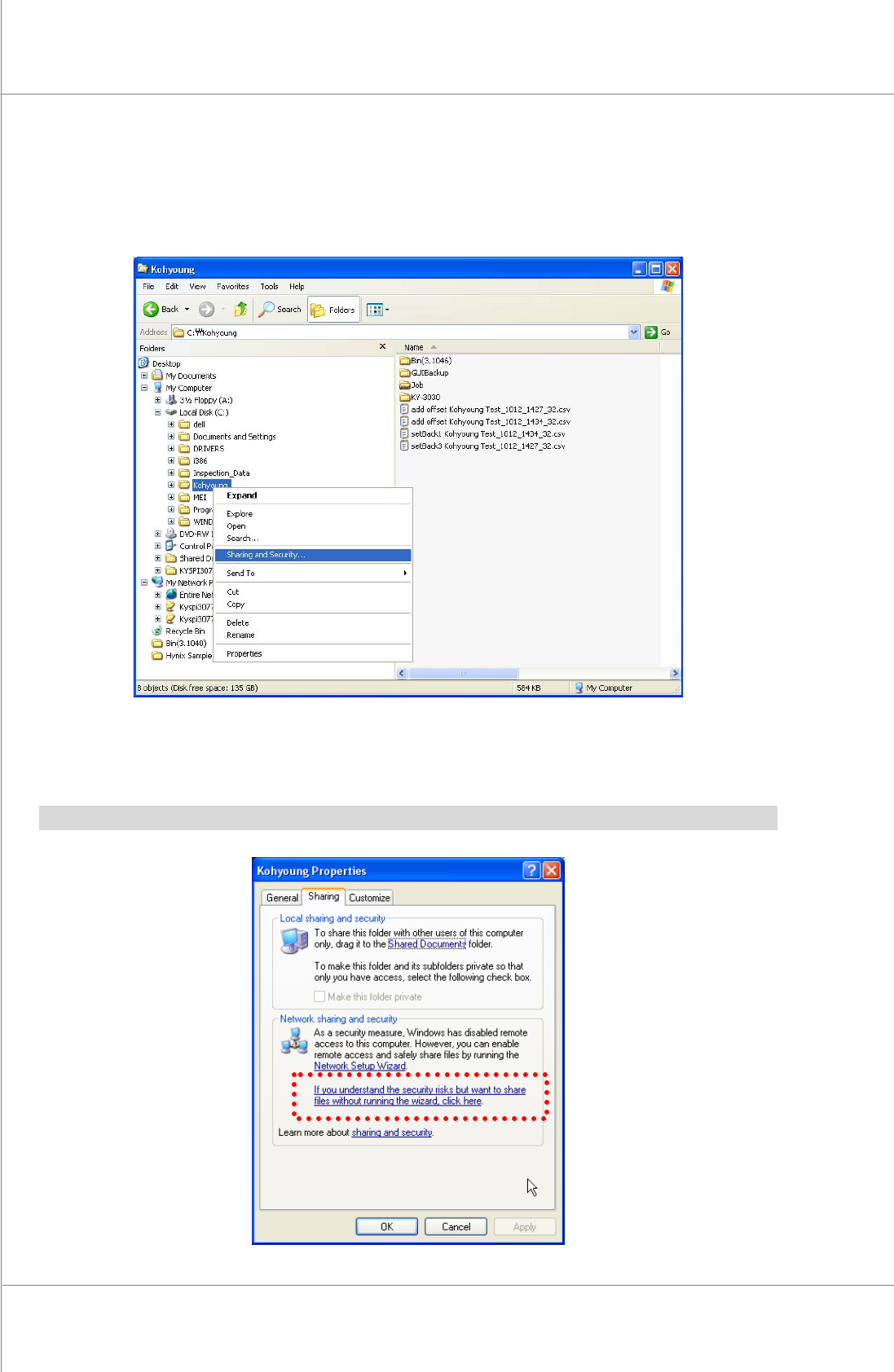
1. Select“SharingandSecurity”byclickingtherightbuttonofthemouseattheKohyoung
folder.
2. Clickthe“If you understand the security risks butwantto share likes withoutrunning
thewizard,clickhere.”.
※Note:Dependingonthecomputerenvironment,step2)andstep3)canbeskipped.
Maintenance Manual | 77
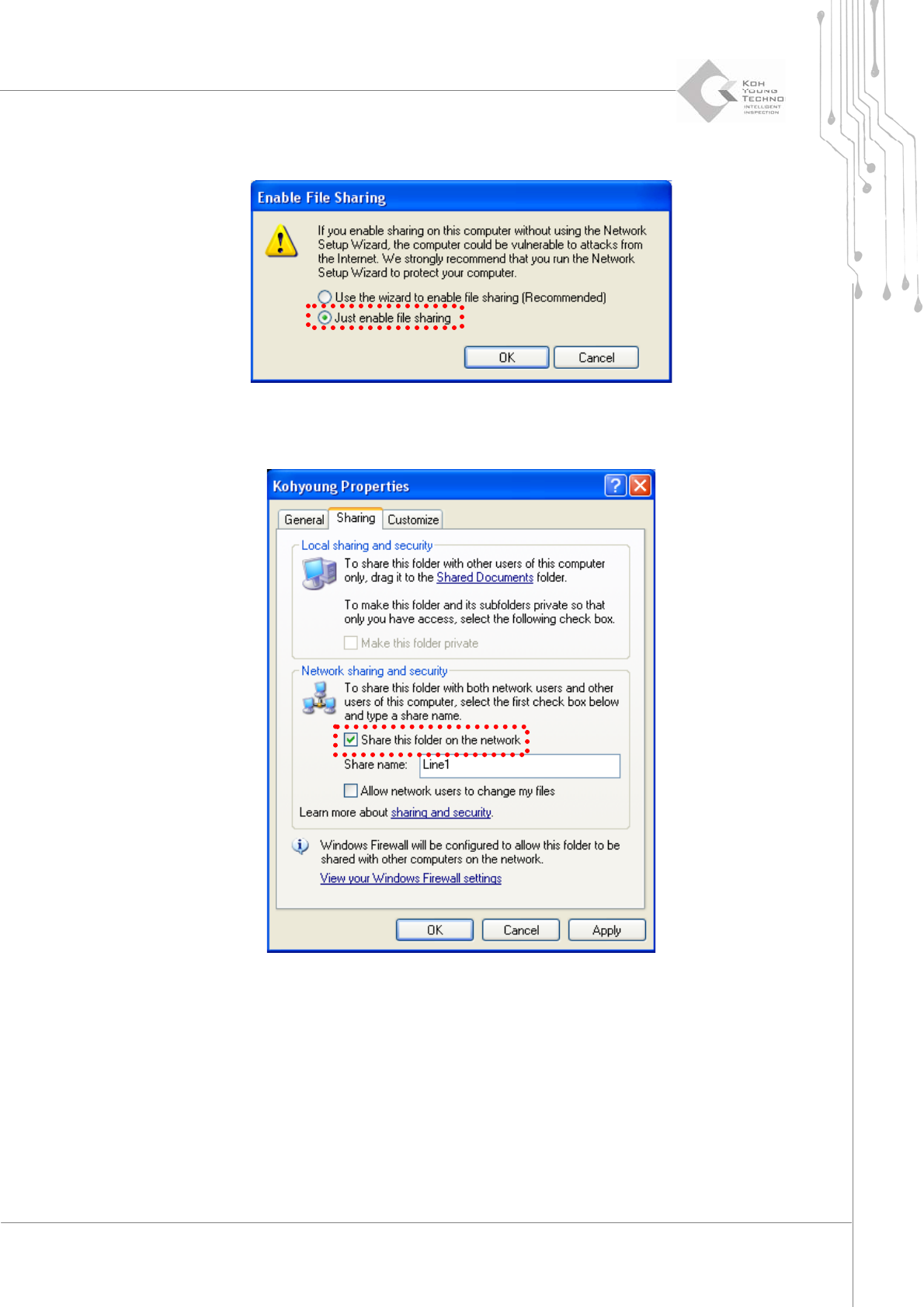
3. Clickthe[OK]buttonafterselectingthe“Justenablefilesharing”.
4. Clickthe[Apply]buttonafterselecting“Sharethisfolderonthenetwork”.
78 | KY-8030 2
3DSolderPasteInspectionSystem
Version 1.0
KOH YOUNG TECHNOLOGY INC.
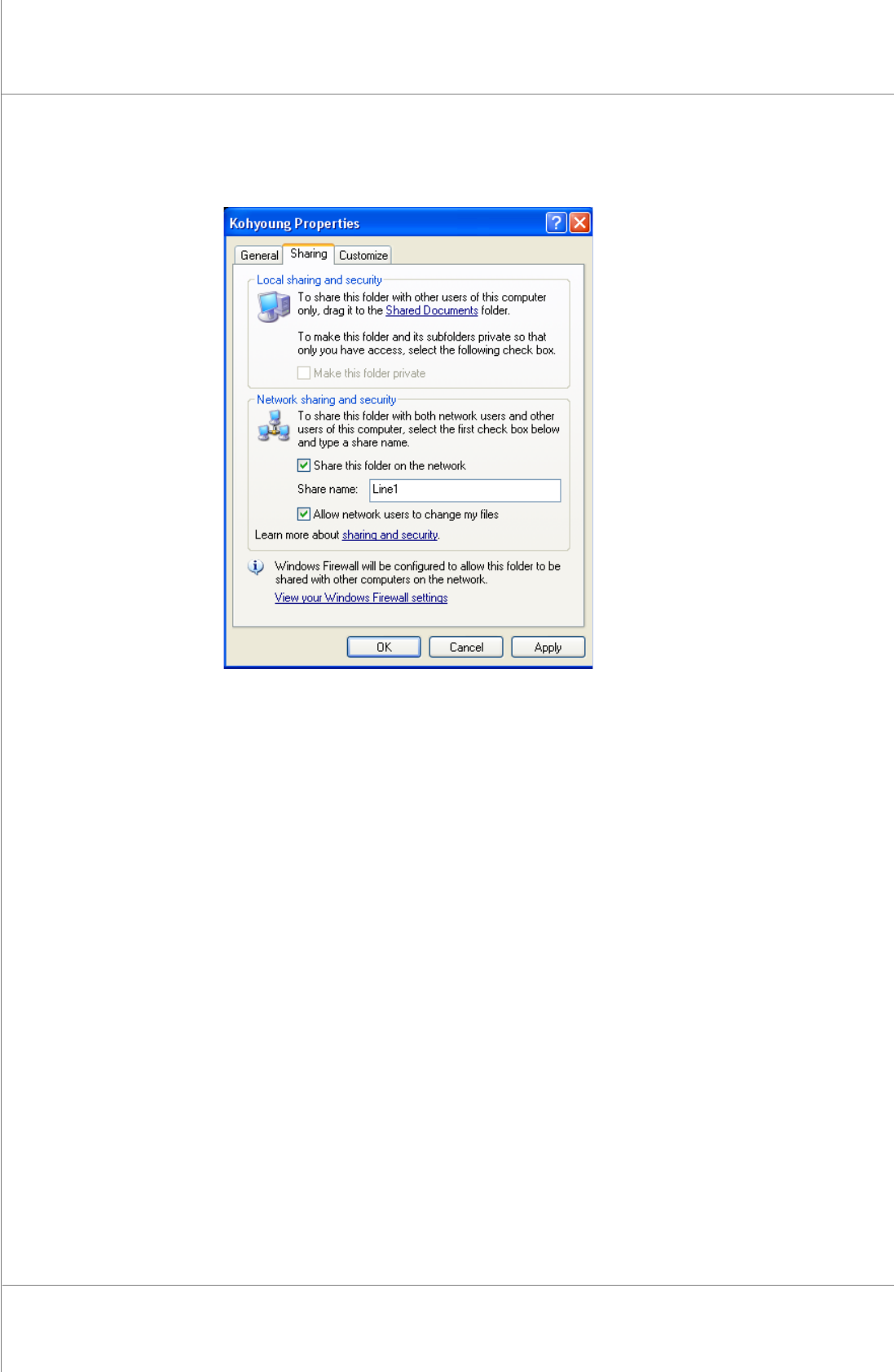
5. Click the [OK] button after selecting “Allow network users to change my files” in the
userauthority.TheKohyoungfolderisbeingshared