20121120111955_KY8030_2_Maintenance_Manual_Eng_ver1.pdf - 第99页
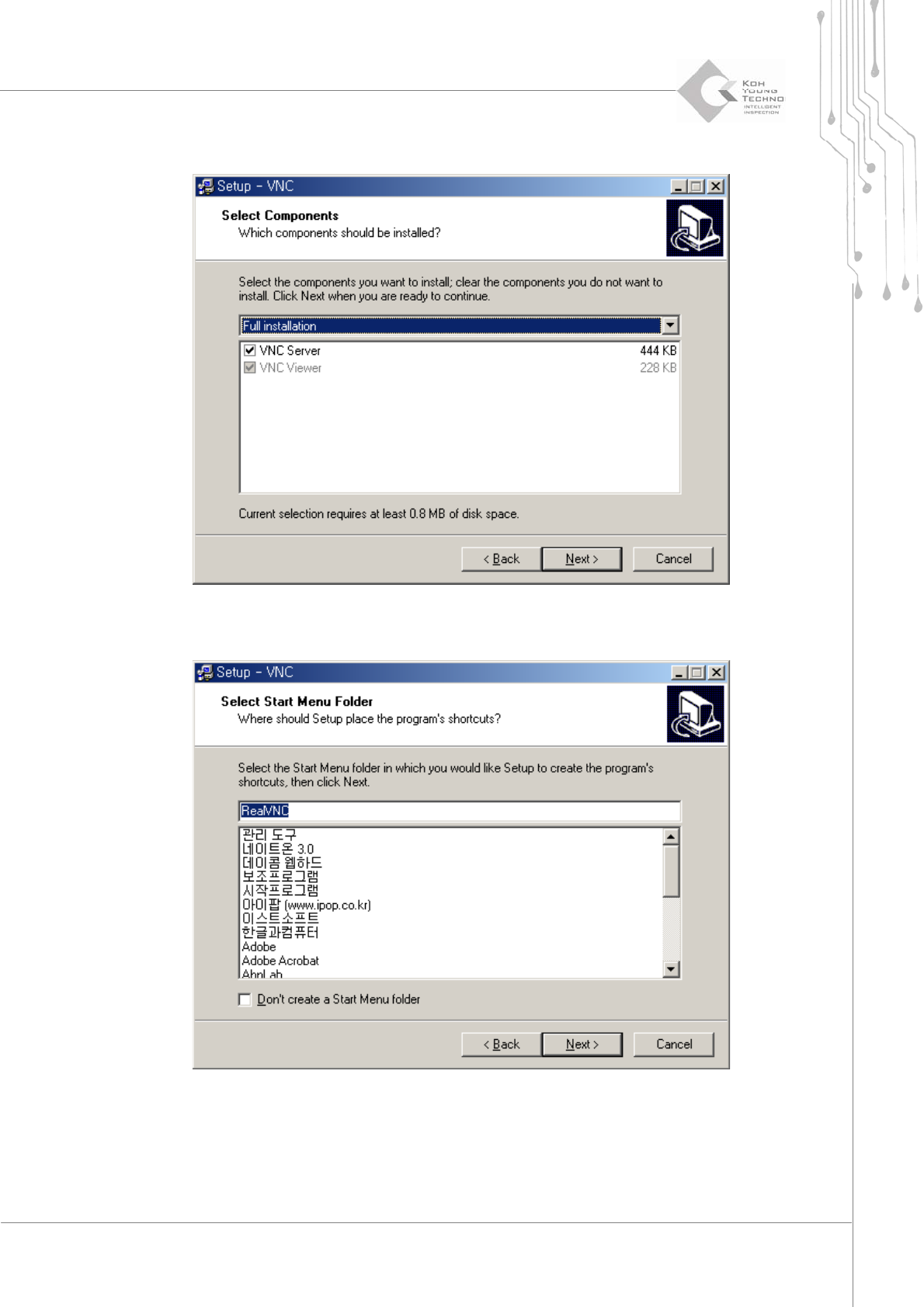
Maintenance Manual | 99 6. Click the [Next] button after selecting “Full installation” and “VN C Server ” 7. Click the [Next] button after selecting the start menu position.
98 | KY-8030 2
3DSolderPasteInspectionSystem
Version 1.0
KOH YOUNG TECHNOLOGY INC.
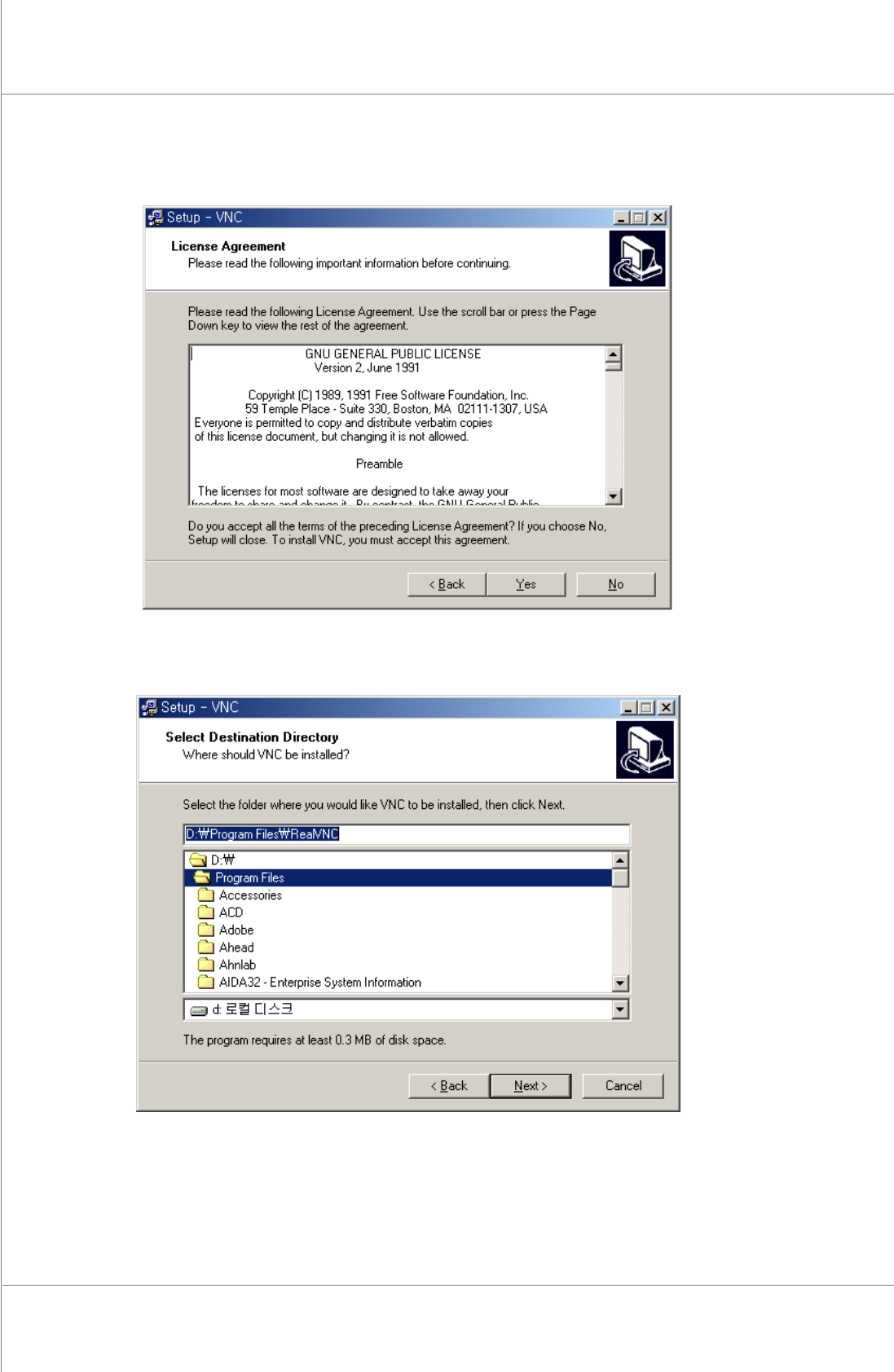
4. Clickthe[Yes]buttonifyouaccepttheLicenseAgreement.Clickthe[No]buttonifyou
donotaccepttheLicenseAgreement.
5. Clickthe[Next]buttonafterselectingafolderinwhichthefileisinstalled.
Maintenance Manual | 99
6. Clickthe[Next]buttonafterselecting“Fullinstallation”and“VNCServer”
7. Clickthe[Next]buttonafterselectingthestartmenuposition.
100 | KY-8030 2
3DSolderPasteInspectionSystem
Version 1.0
KOH YOUNG TECHNOLOGY INC.
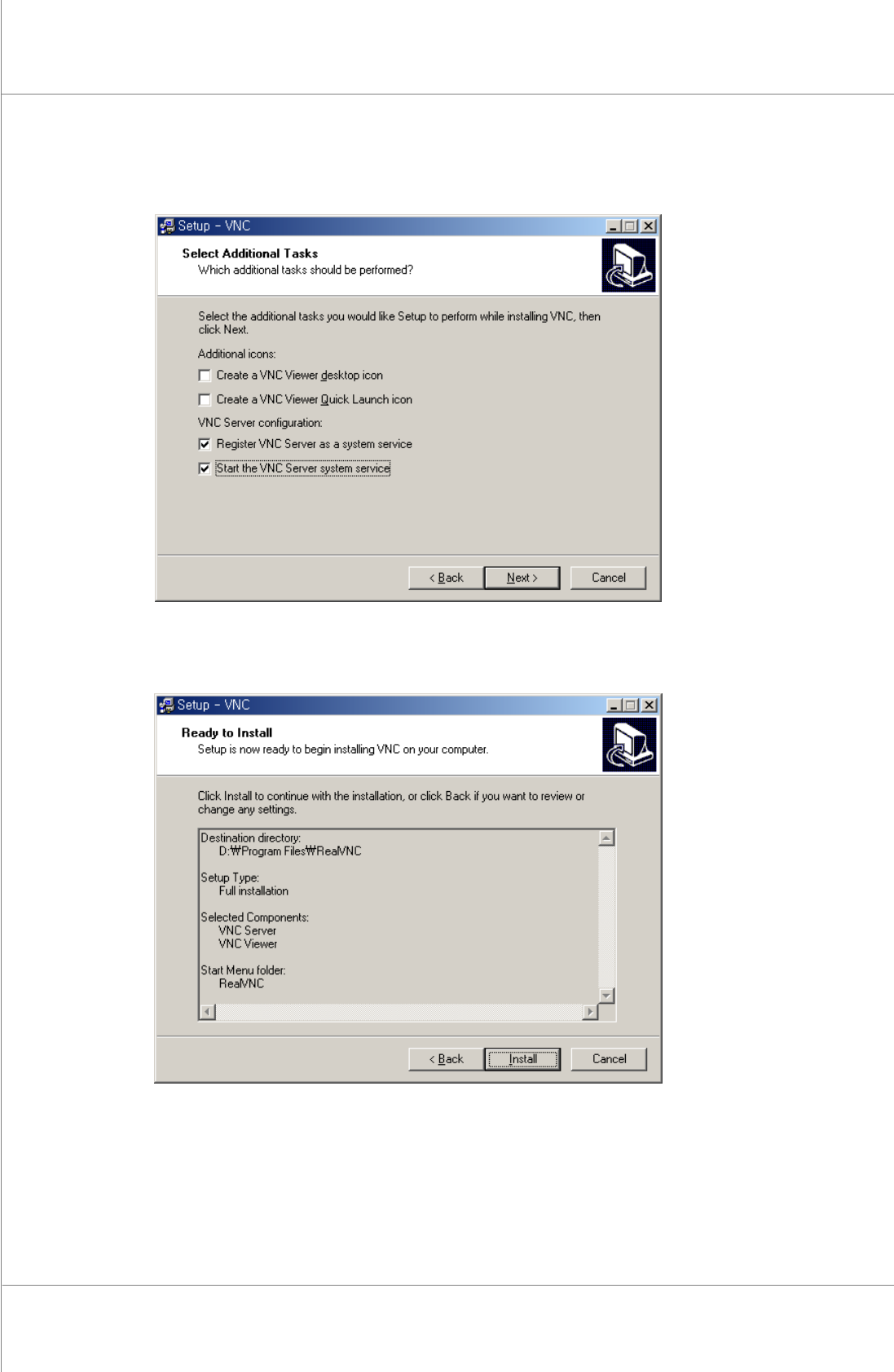
8. Clickthe[Next]buttonafterselectingthe“RegisterVNCServerasasystemservice”and
“StarttheVNCServersystemservice”.
9. Clickthe[Install]button.