20121120111955_KY8030_2_Maintenance_Manual_Eng_ver1.pdf - 第72页
72 | KY -8030 2 3D Solder Paste Inspec tion System V ersion 1.0 K OH Y OUNG T ECHNOLOGY I NC . 9. Click the [Install]. 10. Select “Protocol” and then click the [Add] button.
Maintenance Manual | 71
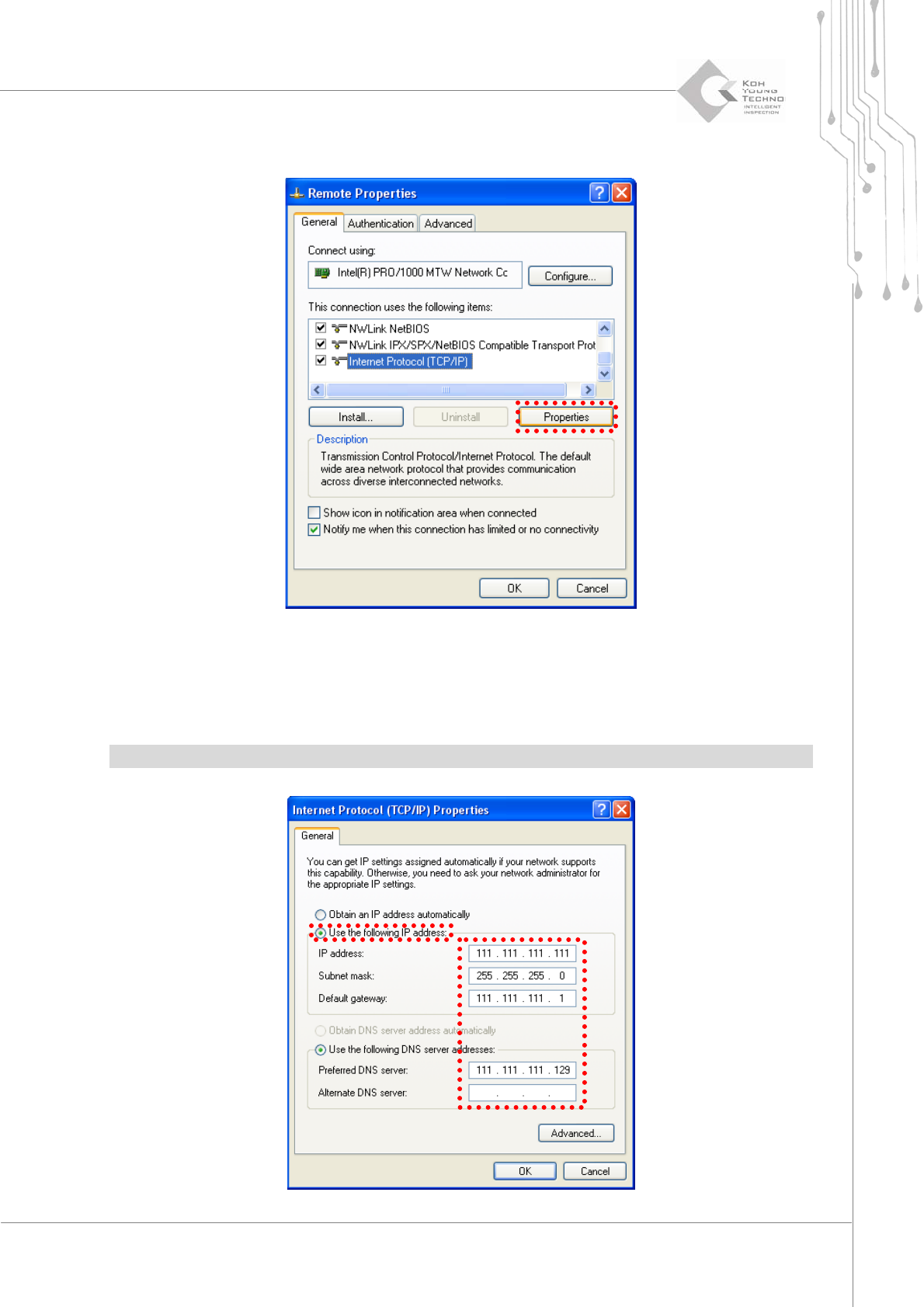
6. Clickthe[Properties]buttonafterselecting“InternetProtocol(TCP/IP)”.
7. SelectthenextIPaddressuse.
8. Input the IP address, serve net mask, standard gateway and standard/sub DNS server
andthenclickthe[OK]button.
※Note:Inputvaluediffersdependingonthecompany.PleaseconsultwithaNetworkengineer
72 | KY-8030 2
3DSolderPasteInspectionSystem
Version 1.0
KOH YOUNG TECHNOLOGY INC.
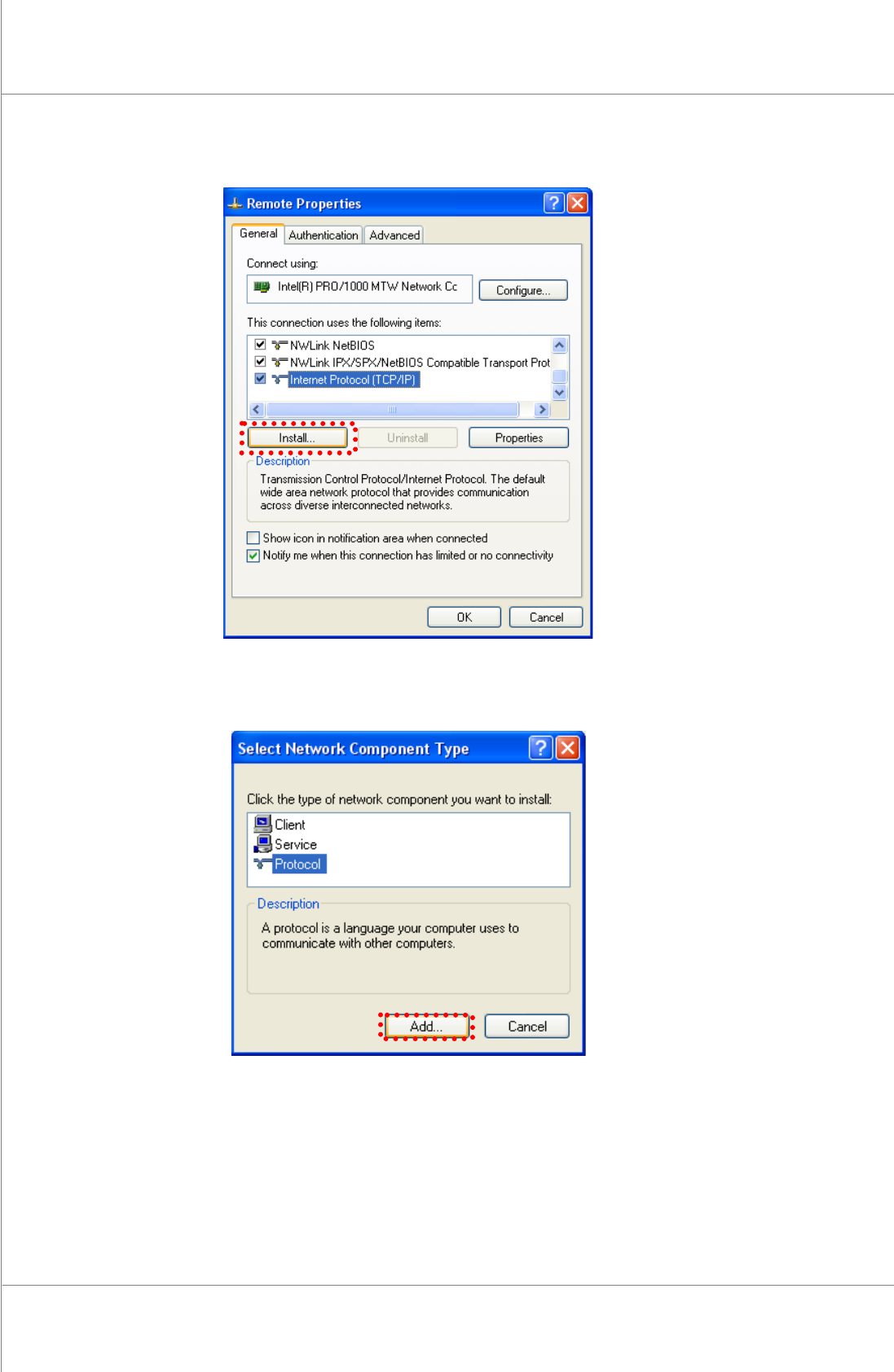
9. Clickthe[Install].
10. Select“Protocol”andthenclickthe[Add]button.
Maintenance Manual | 73
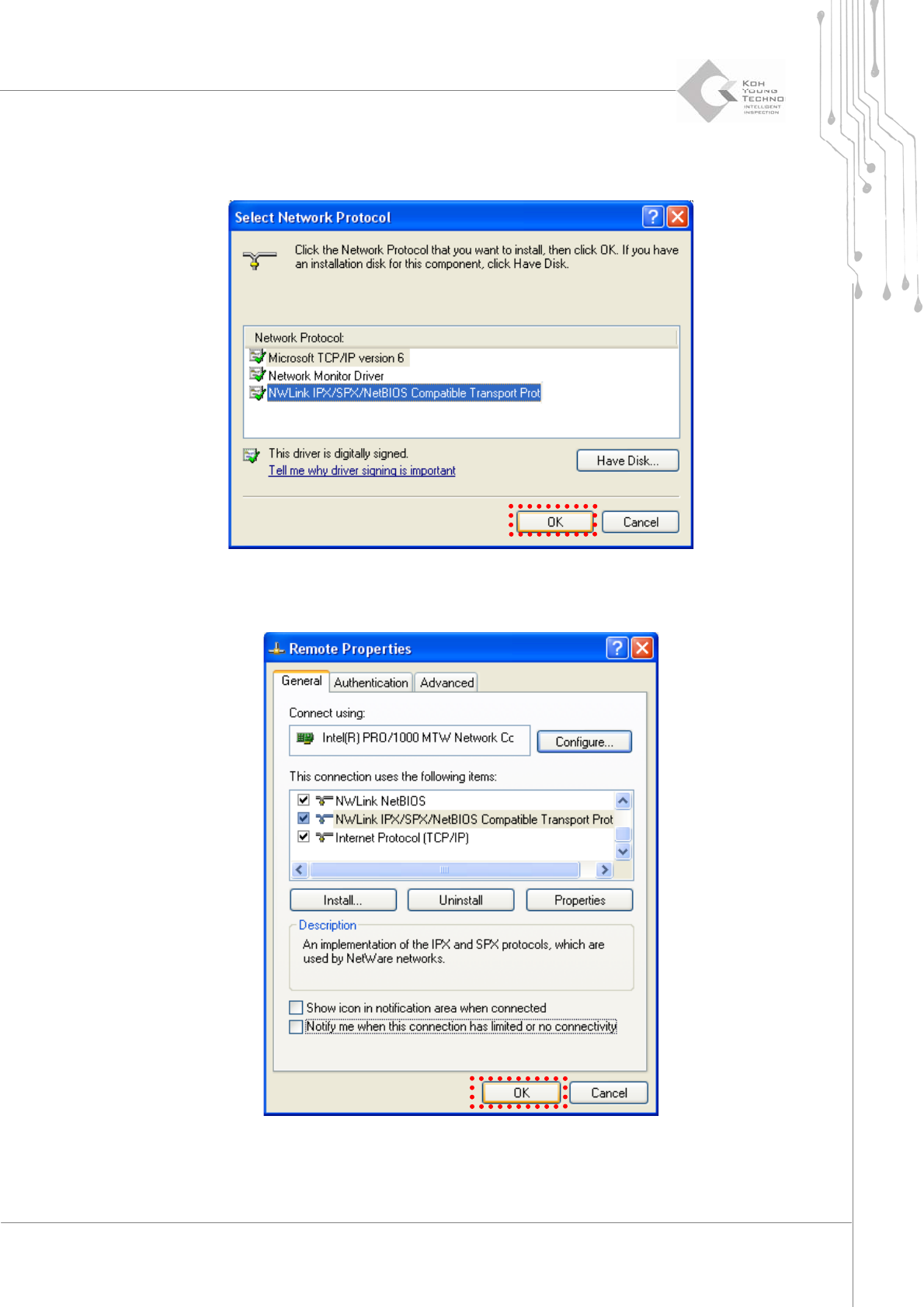
11. Click the[OK] buttonafterselecting “NWLink IPX/SPX/NetBIOS compatible Transport
Port”.Aprotocolisadded.
12. Clickthe[OK]button.