OM-1241-005_w.pdf - 第125页
3-18 AIX-ML T-ID (2) T ray matrix reference setup Select "Right" or "Left" in the text box. (3) T ray matrix initialization mode Select "Standard", "Hold", or "Initialize"…
3-17
AIX-MLT-ID
For example :
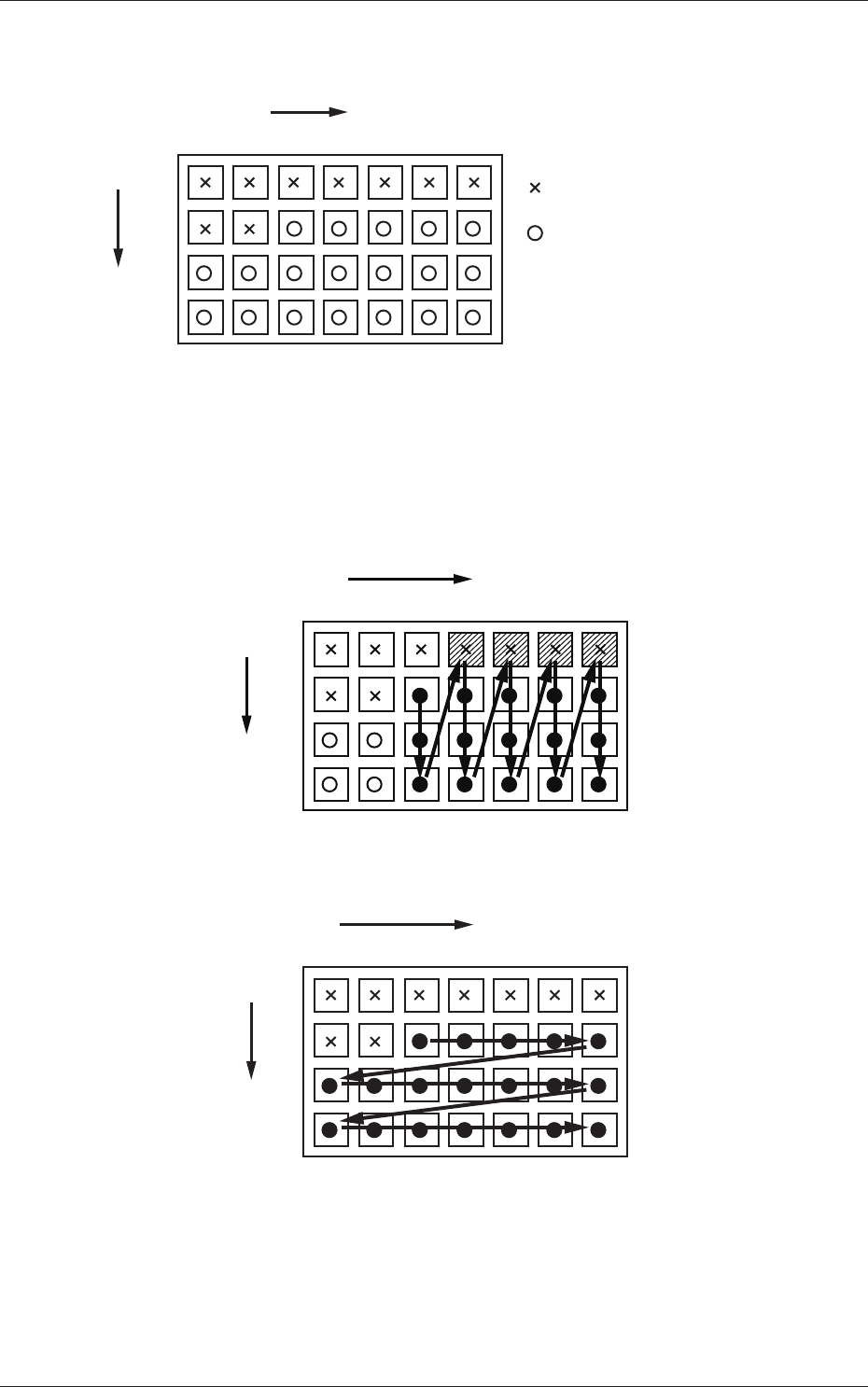
The tray is in the condition as shown in Fig. C12.
(Tray in Middle of Process)
1
1
2
99
2 3 99
X
Y
: No Component
(Taken Out)
: Component Existing
.
.
.
. . . . . .
Fig. C12
• The rst component pick-up position is assumed to be "X: 3, Y: 2".
: Component Picked Normally
: Component Left Behind
Shadowed : Mispick
1
1
2
99
2 3 99
X
Y
.
.
.
. . . . . .
Selection of "Y Direction"
Fig. C13
1
1
2
99
2 3 99
X
Y
.
.
.
. . . . . .
Selection of "Y Direction"
Fig. C14
4.2 Auto Operation
0705-003

3-18
AIX-MLT-ID
(2) Tray matrix reference setup
Select "Right" or "Left" in the text box.
(3) Tray matrix initialization mode
Select "Standard", "Hold", or "Initialize" in the text box.
Standard :
When the tray matrix data is identical in its type or is not
used after a program change, it is not initialized.
When the ID is changed to a different one, the tray matrix
data is initialized to "0, 0".
Hold :
When the tray matrix data is identical in its type or is not
used after a program change, it is not initialized.
When the ID is changed to a different one, the tray matrix
data is initialized to "1, 1".
Initialize :
The tray matrix data used for the production model is all
initialized to "1, 1".
(4) T
ray tall component mode
Set "Disable" or "Enable" in this text box.
4.2 Auto Operation
0705-003

4-A
AIX-MLT-ID
0705-003
Chapter 4
Maintenance and Troubleshooting
This chapter describes periodic maintenance and
troubleshooting for those who are in charge of
maintenance work.
•
Periodic Maintenance
•
Maintenance Check List
•
Maintenance Spots
•
Maintenance
•
List of Important Servicing Parts
•
T
roubleshooting
•
Troubleshooting from Error IDs.