OM-1241-005_w.pdf - 第89页
2-25 AIX-ML T-ID 3.4 T eaching Operation When the [TEACHING] button is pressed in the "MAINT" window , the "TEACHING" submenu bar appears. Pressing the [PICK-UP LOCA TION] button on the submenu bar af…

2-24
AIX-MLT-ID
0705-003
[Rack Shtr Opn/Cls] Button :
When pressed, this button opens or
closes the rack shutter.
[Chuck Opn/Cls] Button :
When pressed, this button opens or
closes the chuck.
[Servo ON] Button :
When pressed, this button turns on
the power to the servomotor.
[Servo OFF] Button :
When pressed, this button turns off
the power to the servomotor
.
[Zero] Button :
When pressed, this button zeros the
elevator.
3.3 Unit Adjustment
2-25
AIX-MLT-ID
3.4 Teaching Operation
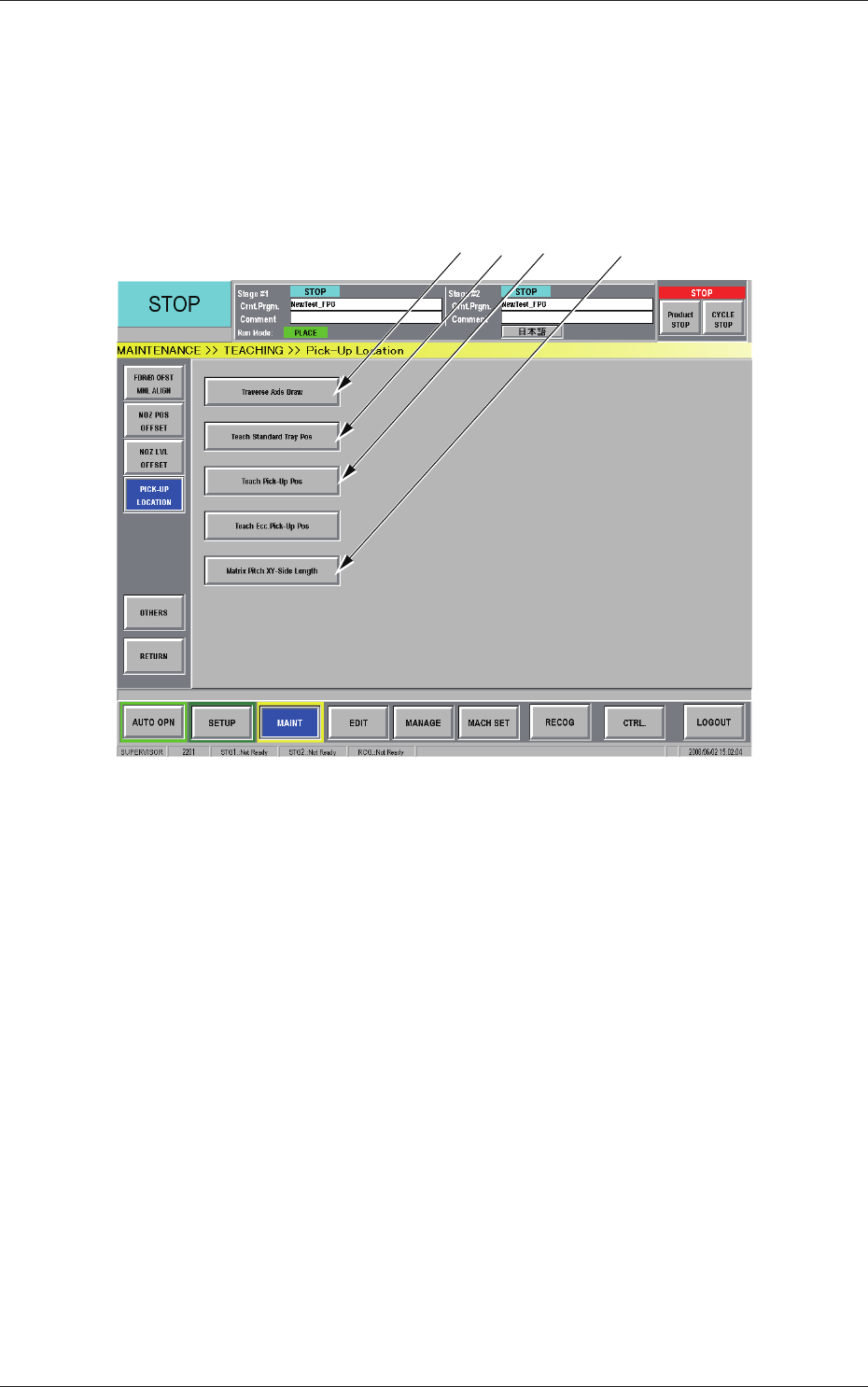
When the [TEACHING] button is pressed in the "MAINT" window, the
"TEACHING" submenu bar appears. Pressing the [PICK-UP LOCATION]
button on the submenu bar after that opens the "PICK-UP LOCATION"
window.
[1] [2] [3] [4]
Fig. B17 "PICK-UP LOCATON" Window
[1] [Traverse Axis Draw] Button
When pressed, this button opens the "Traverse Axis Draw" window.
[2]
[Teach Standard Tray Pos] Button
When pressed, this button opens the "Teach Standard Tray Pos"
window.
[3]
[Teach Pick-Up Pos] Button
When pressed, this button opens the "Teach Pick-Up Pos" window.
[4]
[Matrix Pitch XY-Side Length] Button
When pressed, this button opens the "Matrix Pitch XY-Side Length"
window.
0806-002
3.4 Teaching Operation
2-26
AIX-MLT-ID
3.4.1 "Traverse Axis Draw" Window
This window can be used to perform a teaching operation to control the
traverse drawing offset of each device by teaching the location of the mark
that should be put on the chuck claw of the traverse.
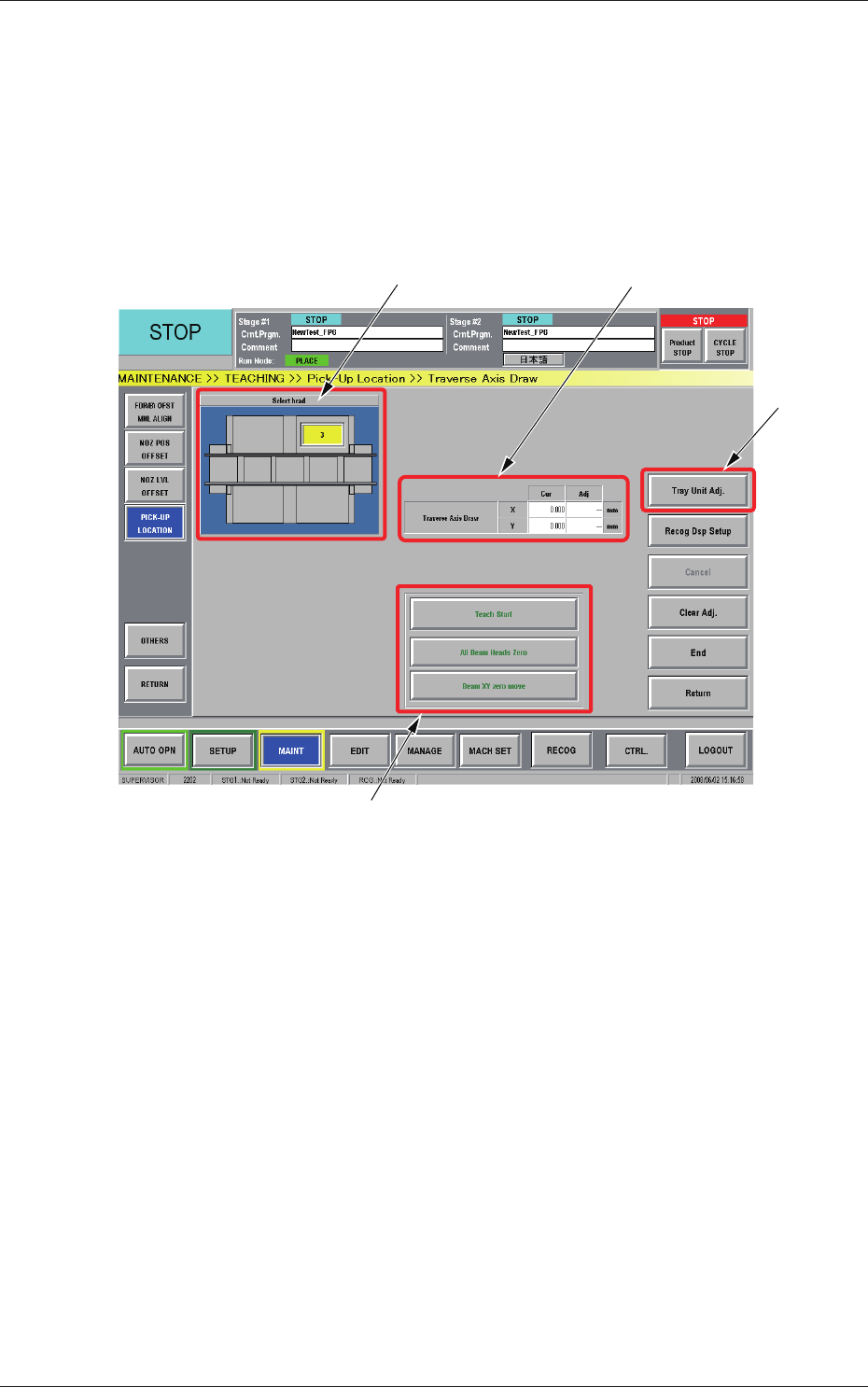
When the [Traverse Axis Draw] button is pressed in the "Pick-Up Location"
window, the "Traverse Axis Draw" window appears.
[2]
[1]
[4]
[2]
Fig. B18 "Traverse Axis Draw" Window
[1] Head Selection Buttons
Each head in the graphic image of the machine is provided with a
button function.
The installed multi-layer tray feeders are displayed, making it possible
for the operator to select one of the feeders.
[2]
Traverse Drawing Position Correction
Displayed are the current values that indicate the traverse drawing
position. After a teaching operation is performed, the results appear in
the text boxes entitled "Adj".
Cur :
Values before Teaching Operation
Adj :
Results of Teaching Operation
0806-001
3.4 Teaching Operation