TR7700_SII_DL_Software_ch-v4.8_20130515.pdf - 第272页
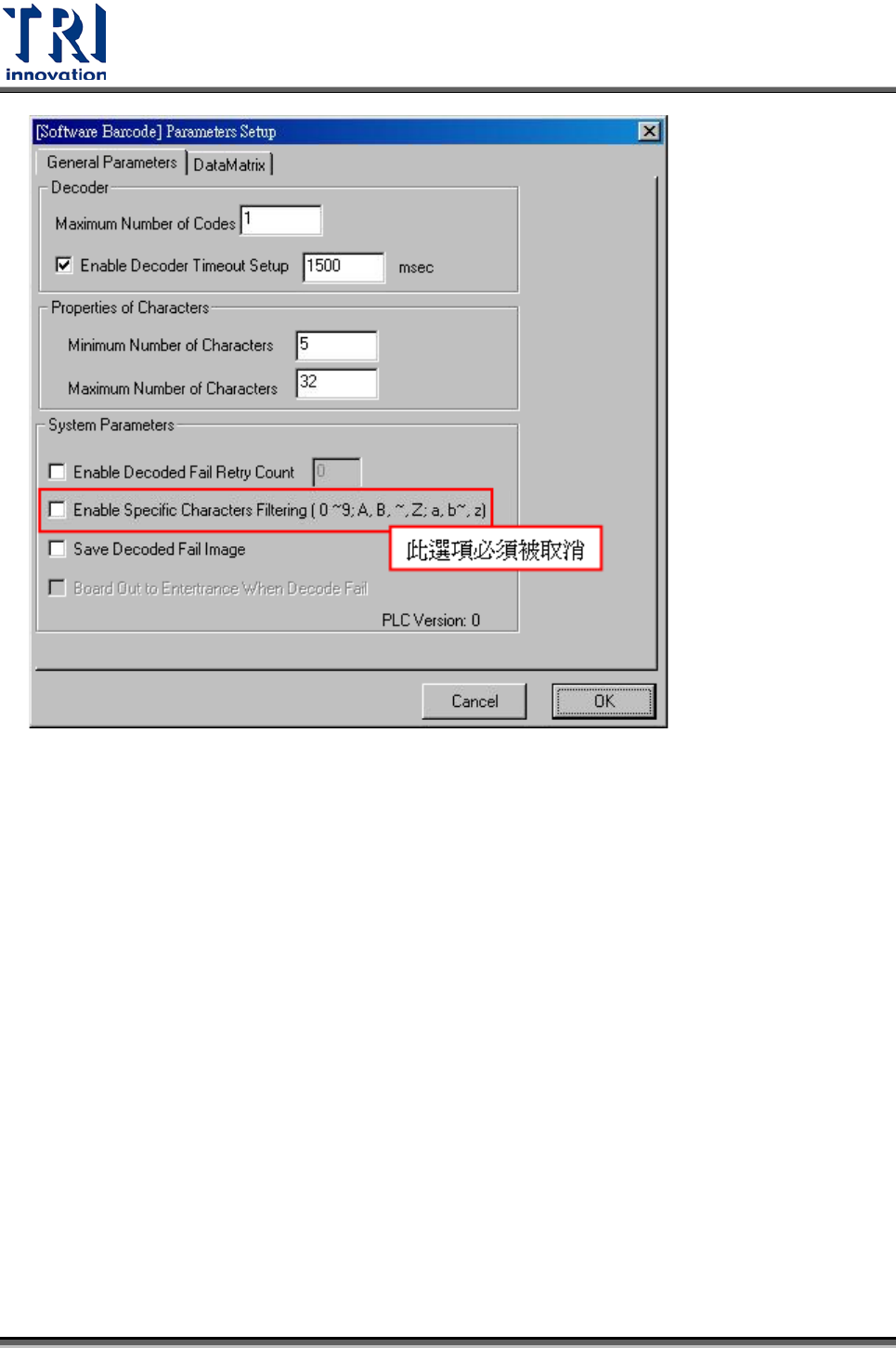
Test Research Inc. 258 TR 7700 S II DL Us er Gui de – Software 使用說明 Step 1. 啟動 [Utilities / Create Barcode Fil e To ICT] Step 2. 啟動 [Utilities / Barco de File Set ting] 設定 B arc ode 檔 (b arcode.bar code) 。
Test Research Inc.
TR7700 SII DL User Guide–Software 257
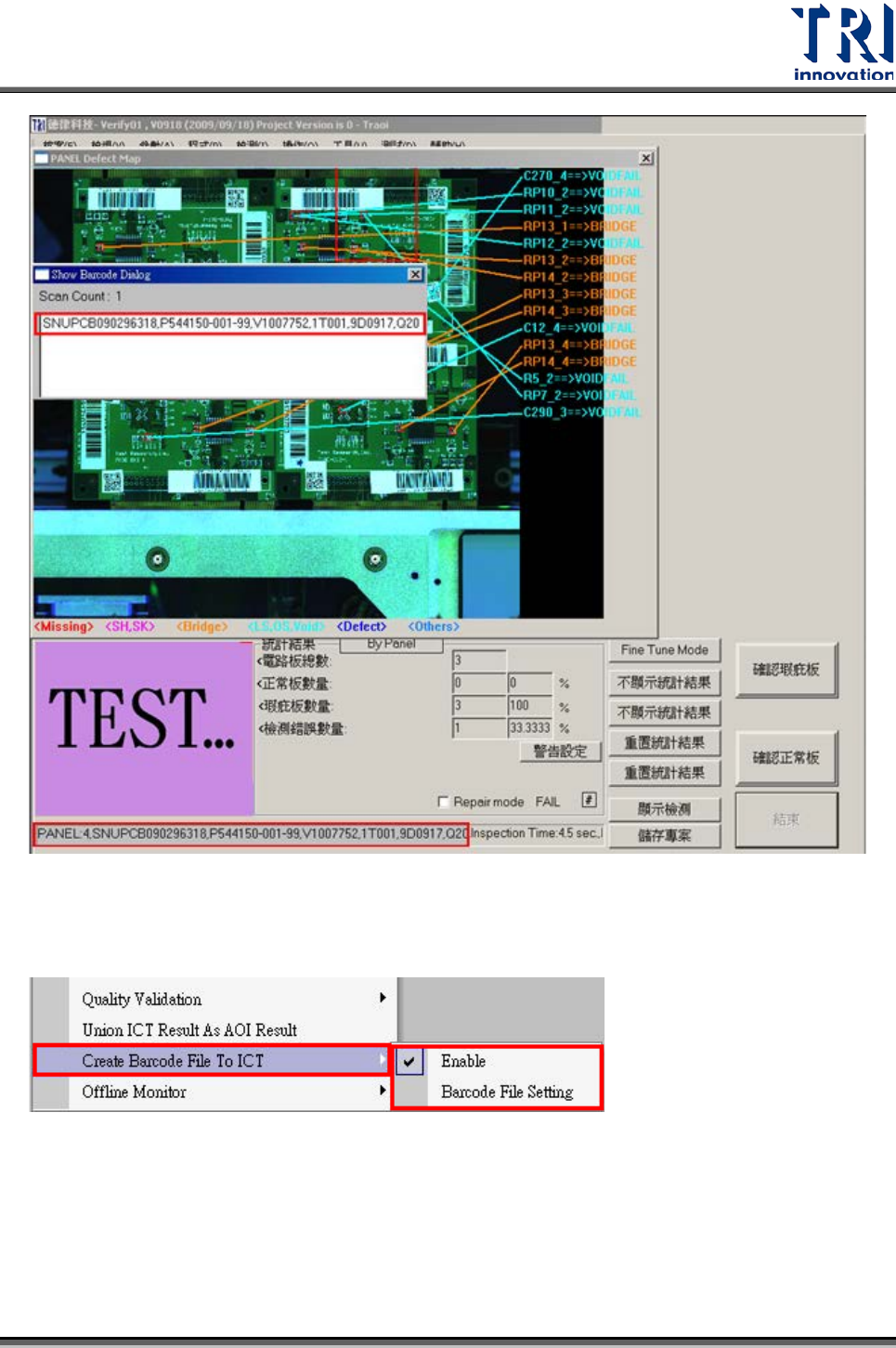
檢測完成所顯示的畫面,以及丟給 RS 的條碼內容,均為不會做分割處理。
Test Research Inc.
258 TR7700 SII DL User Guide–Software
使用說明
Step 1. 啟動 [Utilities/ Create Barcode File To ICT]
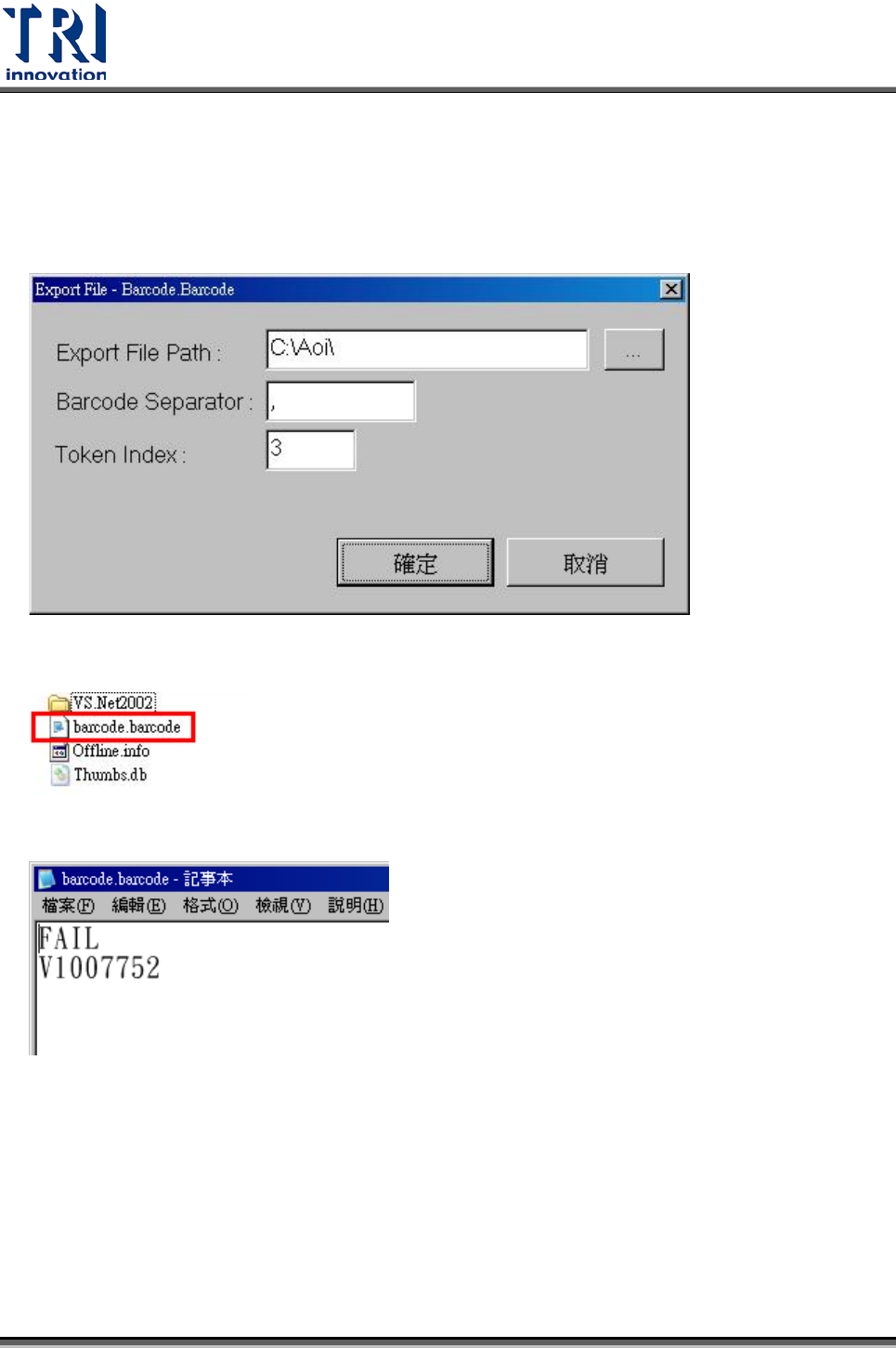
Step 2. 啟動 [Utilities/ Barcode File Setting] 設定 Barcode 檔(barcode.barcode)。
Test Research Inc.
TR7700 SII DL User Guide–Software 259
存放位置預設值為[C:\AOI]
條碼的分割字元,預設值為[,](逗號)。
選擇的條碼索引,預設值為 1。
[barcode.barcode]檔案會在檢測完成後產生。
資料內容如下
TRAOI 版本: Ver 3.8 以後的版本
AOI 機台傳送檔案可讓[Spea ICT]可以讀取。
因為 Spea ICT 為 DOS 環境,所以須進行以下設定。
• AOI 主程式輸出的檔案名稱需要控制在 8.3 的長度內(檔名 8 碼,附檔名 3 碼)。