MDO3000 Programmer Manual.pdf - 第1014页
Status and Events Use the *SRE com mand to set the SRER. Use the * SRE? query to read the register . The RQS bit rema ins set to on e until either the Status Byte Regist er is read with a Serial Poll or the MSS bit chang…
Status and Events
Table 3-2: SBR Bit Functions (cont.)
Bit Function
4MAV
Message Available. Shows that output is available
in the O utput Queue.
3
————
Not used.
2
————
Not used.
1–0
————
Not used.
Enable Registers
DESER, ESER, and SRER allow you to select which events are reported to the
Status R
egisters and the Event Queue. Each Enable Register acts as a filter to a
Status Register (the DESER also acts as a filter to the Event Queue) and can
prevent information from being recorded in the register or queue.
Each bit in an Enable Register corresponds to a bit in the Status Register it
controls. In order for an event to be reported to a bit in the Status Register,the
corresponding bit in the Enable Register must be set to one. If the bit in the Enable
Register is set to zero, the event is not recorded.
Various commands set the bits in the Enable Registers. The Enable Registersand
the commands used to set them are described below.
The
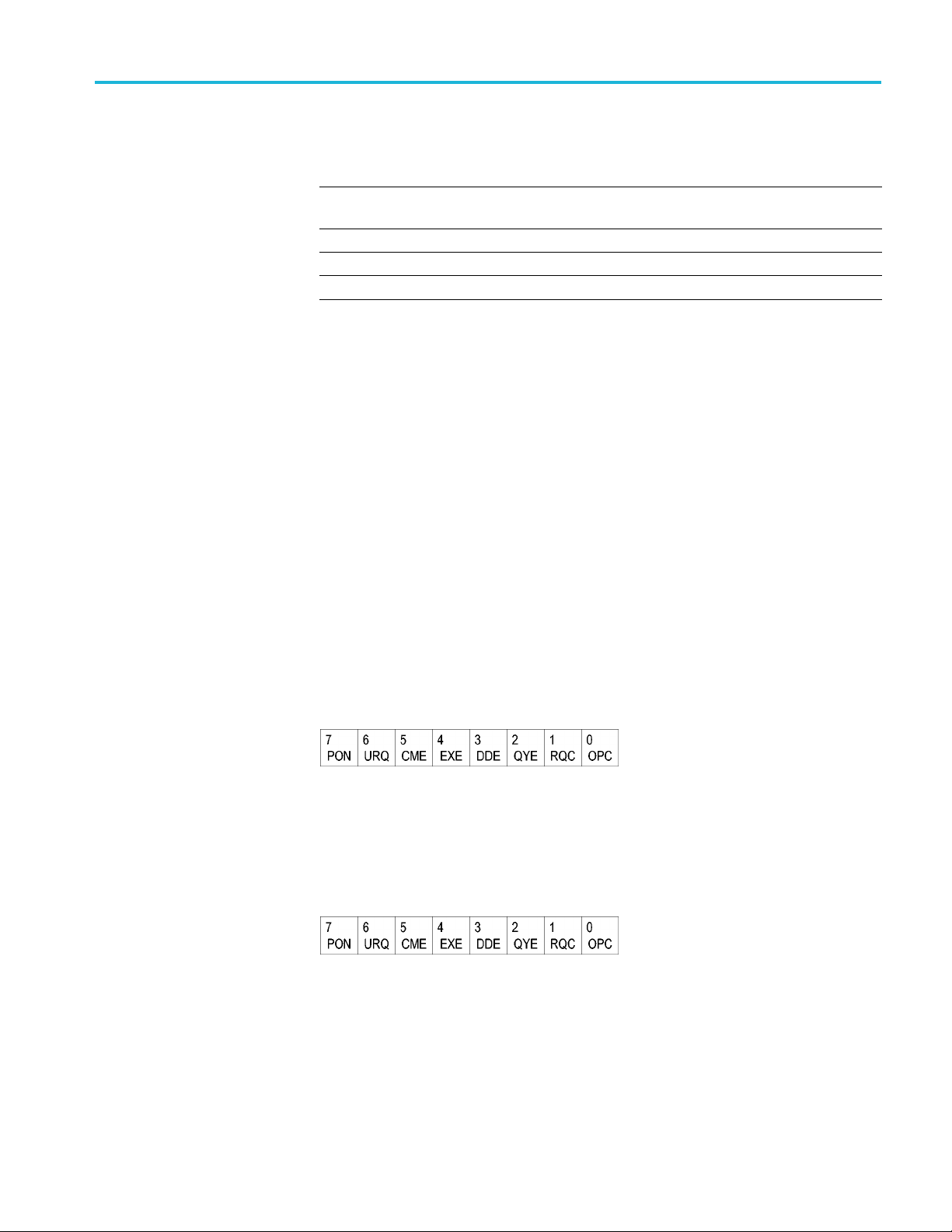
Device Event Status Enable Register (DESER). This register controls which
types of events are reported to the SESR and the Event Queue. The bits in the
DESER correspond to those in the SESR.
Use the DESE command to enable and disable the bits in the DESER. Use the
DESE? query to read the DESER.
Figure 3-3: The Device Event Status Enable Register (DESER)
The Event Status Enable Register (ESER). This register controls which types of
events are summarized by the Event Status Bit (ESB) in the SBR. Use the *ESE
command to set the bits in the ESER. Use the *ESE? query to read it.
Figure 3-4: The E vent Status Enable Register (ESER)
The Service Request Enable Register (SRER). This register controls which bits
in the SBR generate a Service Request and are summarized by the Master Status
Summary (MSS) bit.
MDO4000/B/C, MSO/DPO4000B and MDO3000 Series Oscilloscopes Programmer Manual 3-3

Status and Events
Use the *SRE com
mand to set the SRER. Use the *SRE? query to read the
register. The RQS bit remains set to one until either the Status Byte Register is
read with a Serial Poll or the MSS bit changes back to a zero.
Figure 3-5: The Service Request Enable Register (SRER)
*PSC Command
The *PSC command controls the Enable Registers contents at power-on. Sending
*PSC 1 sets the Enable Registers at power on as follows:
DESER 255 (equivalent to a DESe 255 command)
ESER 0 (eq
uivalent to an *ESE 0 command)
SRER 0 (equivalent to an *SRE 0 command)
Sending *PSC 0 lets the Enable Registers maintain their values in nonvolatile
memory through a power cycle.
NOTE. T
o enable the PON (Power On) event to generate a Service Request, se nd
*PSC 0, use the DESe and *ESE c ommands to enable PON in the DESER and
ESER, and use the *SRE command to enable bit 5 in the SRER. Subsequent
power-on cycles will generate a Service Request.
Queues
The *PSC command controls the Enable Registers contents at power-on. Sending
*PS
C 1 sets the Enable Registers at power on as follows:
Output Queue
The oscilloscope stores query responses in the Output Queue and empties this
queue each time it receives a new command or query message after an <EOM>.
T
he controller must read a query response before it sends the next command (or
query) or it will lose responses to earlier queries.
CAUTION. When a controller sends a query, an <EOM>, and a second query,
the oscilloscope normally clears the first response and outputs the second while
reporting a Query Error (QYE bit in the ESER) to indicate the lost response. A
fast controller, however, may receive a part or all of the firstresponseaswell.To
avoid this situation, the controller s hould always read the response immediately
after sending any terminated query message or send a DCL (Device Clear) before
sending the second query.
3-4 MDO4000/B/C, MSO/DPO4000B and MDO3000 Series Oscilloscopes Programmer Manual

Status and Events
Event Queue
The Event Queue
storesdetailedinformationonupto33events. Ifthan32
events stack up in the Event Queue, the 32nd event is replaced by event code
350, "Queue Overflow."
Read the Event Queue with the EVENT? query (which returns only the event
number), with the EVMSG? query (which returns the event number and a text
description of the event), or with the ALLEV? query (which returns all the event
numbers along with a description of the event). Reading an event removes it
from the queue.
Before reading an event from the Event Queue, you must use the *ESR? query to
read the summary of the event from the SESR. This makes the events summarized
by the *ES
R? read available to the EVENT? and EVMSG? queries, and empties
the SESR.
Reading
the SESR erases any events that were summarized by previous *ESR?
reads but not read from the Event Queue. Events that follow an *ESR? read are
put in the Event Queue but are not available until *ESR? is used again.
Event Handling Sequence
The following figure shows how to use the status and event handling system. In
the explanation that follows, numbers in parentheses refer to numbers in the figure.
MDO4000/B/C, MSO/DPO4000B and MDO3000 Series Oscilloscopes Programmer Manual 3-5