04_SM481_Service Manual Head.pdf - 第12页
Advance d High Speed Flex i ble Mounter 4-8 4.2.2. Fl ying Cam er a 4.2.2.1 . Require d too ls T W r en ch (othe r tools supplied ) or He x W r ench Spanne r 4.2.2.2 . Fl ying cam er a repla cem e nt pro cedure 1. Re…
Head
4-7
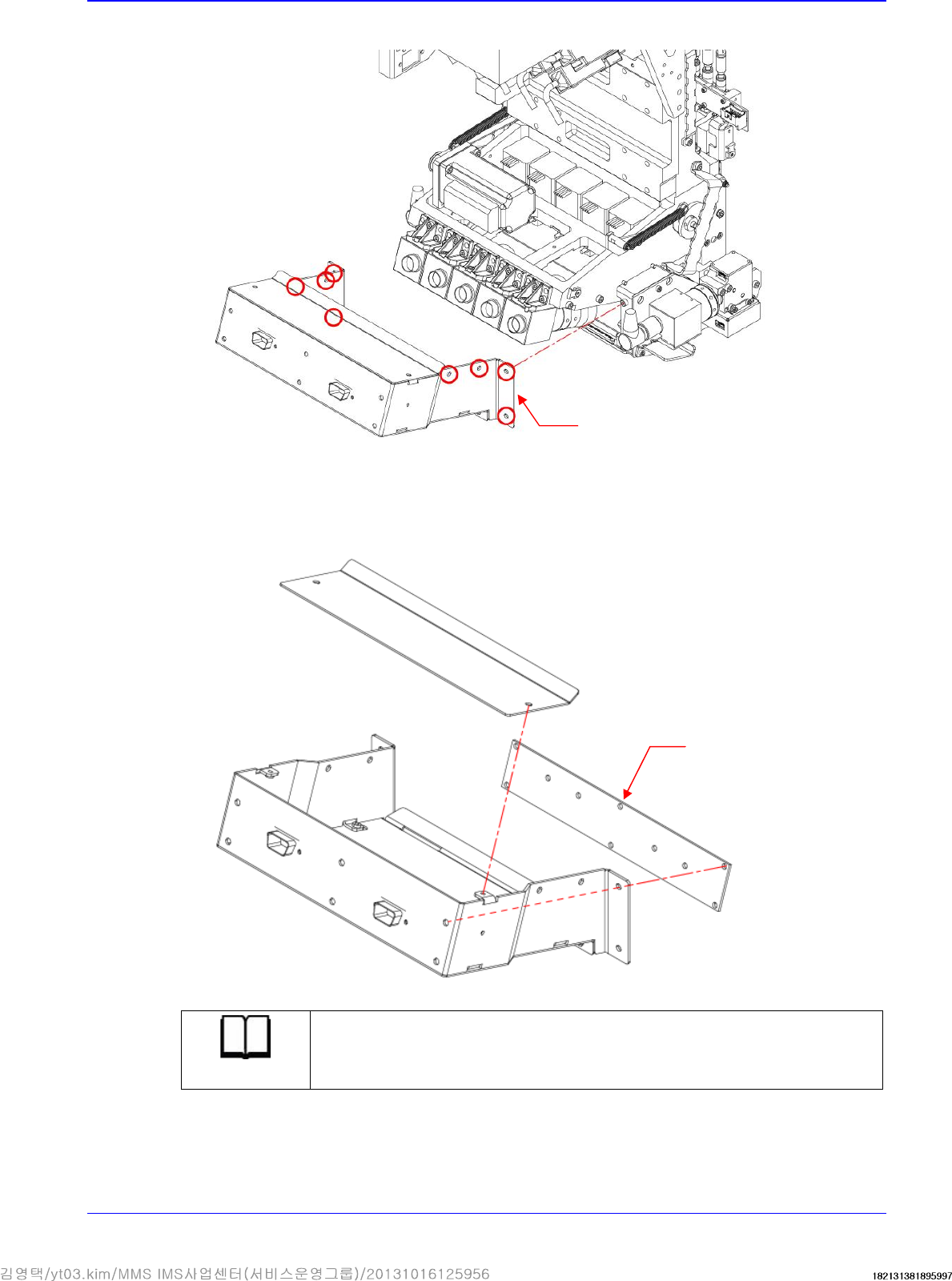
4. Unscrew the fixing bolts securing the Camera Cover using a hex wrench and remove it.
5. Remove the cable connected to board.
6. Remove the board.
7. Replace the board with a new one.
Reference
The part number of the new Flying IO board is AM06-000358A
8. Assemble the board in the reverse order of disassembling.
Camera Cover
Flying IO Board
Advanced High Speed Flexible Mounter
4-8
4.2.2. Flying Camera
4.2.2.1. Required tools
T Wrench (other tools supplied) or Hex Wrench
Spanner
4.2.2.2. Flying camera replacement procedure
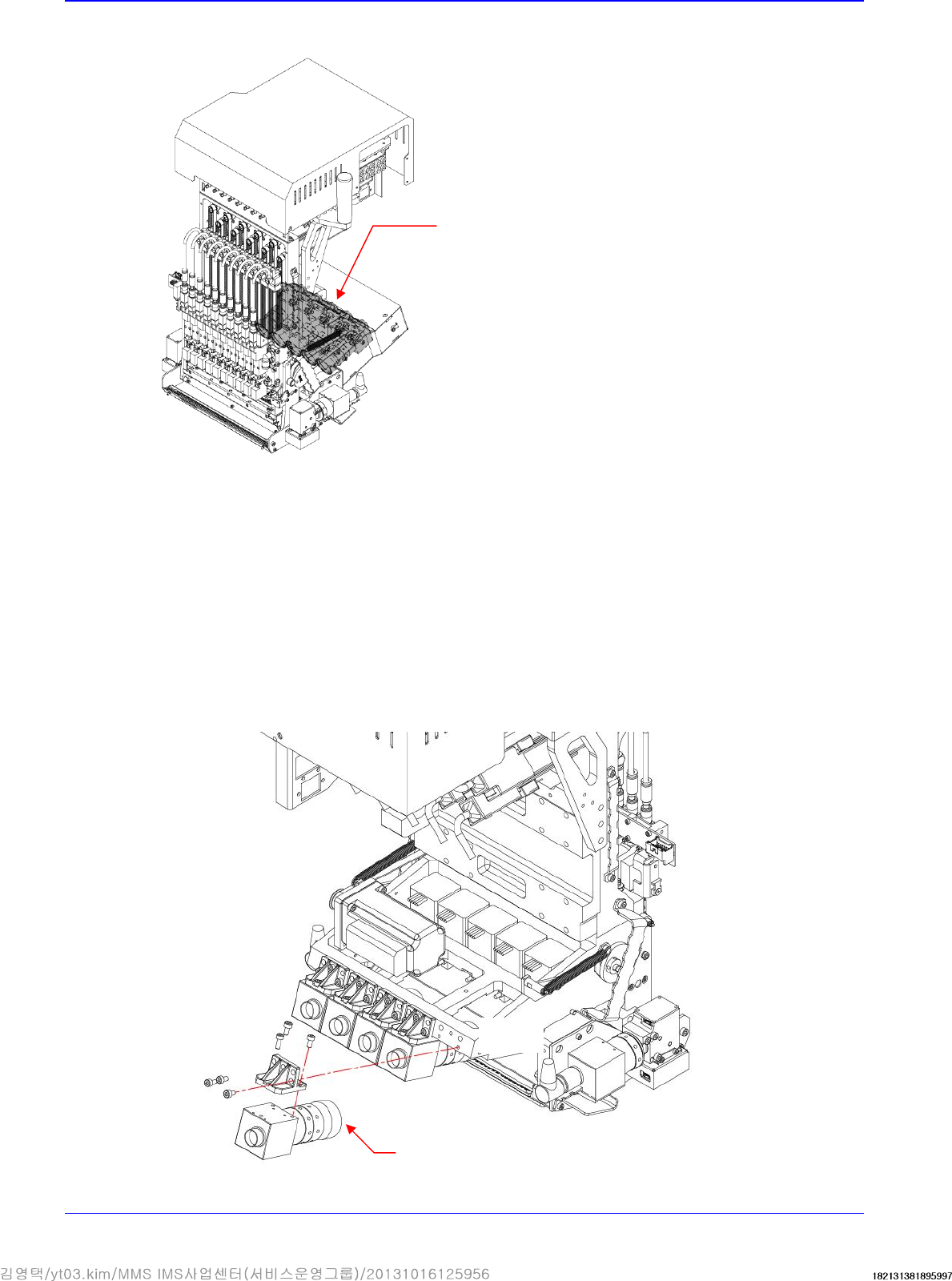
1. Remove the camera cover referring to the flying IO board removal procedure.
2. Remove the connectors connected to the flying IO board.
3. Remove the connectors connected to camera.
4. Unscrew the fixing bolts securing the Camera using a hex wrench and remove it.
Camera
Flying Camera
Head
4-9
5. Replace the camera with a new one.
Reference
The part number of the new camera is J91851018A
6. Assemble the camera in the reverse order of disassembling.
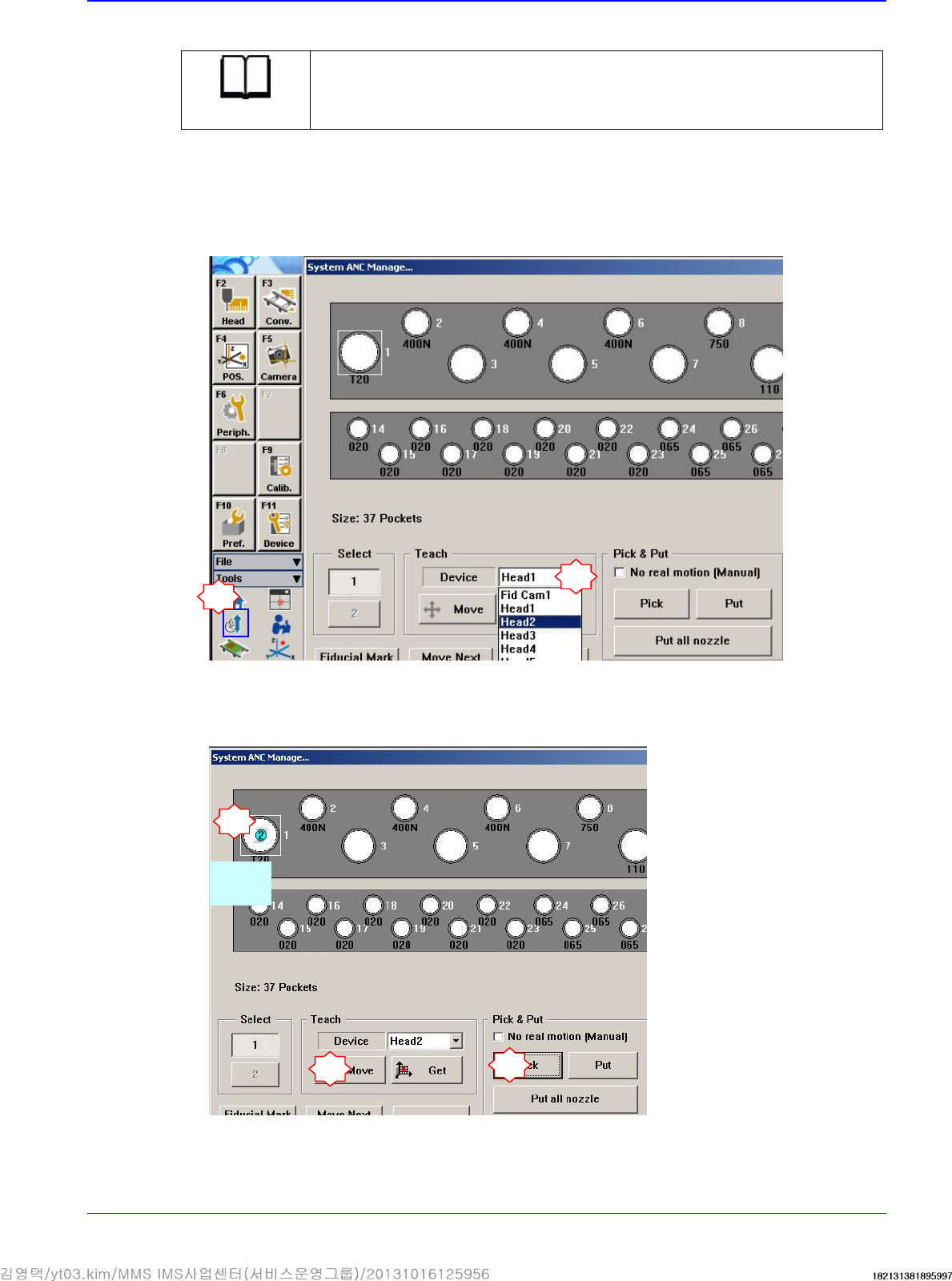
7. Turn on the main switch on the front side of the machine and boot the PC.
8. Insert the calibration tool (CNT20) in the nozzle-hoder of the head corresponding to the
replaced camera.
1
2
Select the head corresponding to the replaced camera
4
3
Select
CNT20
5