04_SM481_Service Manual Head.pdf - 第33页
Head 4-29 A NC Position Fid Ca me ra Offse t He a d Of fs et
Advanced High Speed Flexible Mounter
4-28
Switch9: In/Out (HD/VD)
OFF
ON
Switch 10: 75Ω termination
OFF OFF
No.
Switch Name Factory-setting STW-setting
2
Manual GAIN (M GAIN) control knob
Middle Middle
Gain Adjustment: CIS G20E20STW Camera
Setup Position Factory-setting STW-setting
Fiducial Camera Middle(Default) 12 o'clock direction
8. If it is deemed necessary to repair the camera, send it to our factory for repair.
9. Turn on the main switch on the front side of the machine and boot the PC once the assembling
is completed. Then, match the horizontal line of the cross hair of the camera so that it may
become parallel to the front fixed conveyor frame while watching the ‘SMVision’ window or
by using a jig.
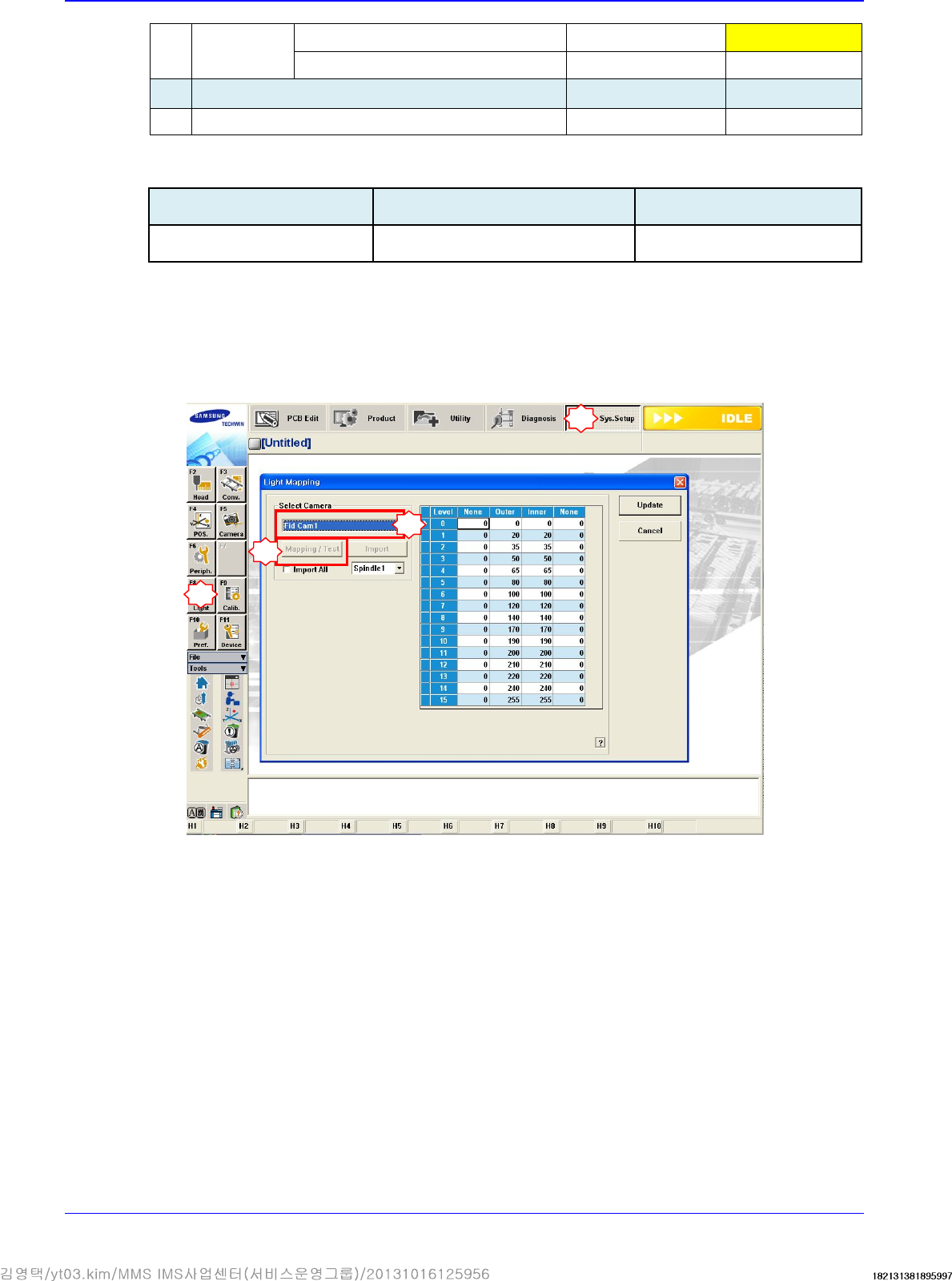
10. Check whether fiducial camera brightness has been changed.
11. Check for brightness change visually while adjusting the outer and inner lighting values. (Since
it is difficult to directly check the inner lighting value visually, use a mirror to check it.)
12. Check for proper outputs to the Vision window: There must not be any noise, cut screens,
distorted screens and unoutputted images.
13. Set the coordinates of the ANC fiducial marks #1 and #2 and check the fiducial data.
14. It is necessary to perform calibration of the following:
Fiducial Camera Calibration
Gantry Common XY
Gantry Mapping
Conveyor Calibration
Board Position Setup
1
2
3
4

Head
4-29
ANC Position
Fid Camera Offset
Head Offset
Advanced High Speed Flexible Mounter
4-30
4.6. Swing Motor / Swing Timing Belt
4.6.1. Required tools
T Wrench (other tools supplied) or Hex Wrench
Tension gage
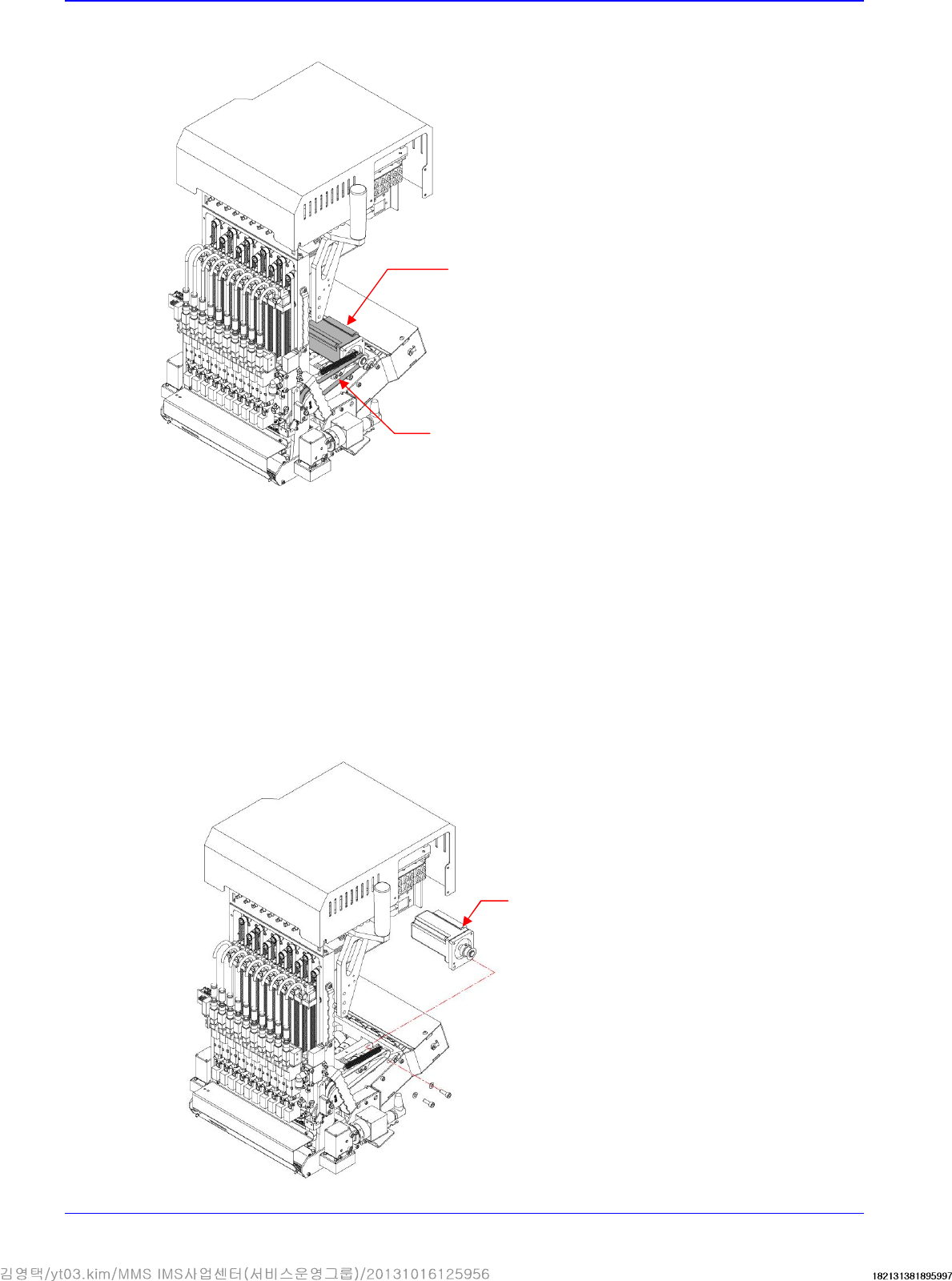
4.6.2. Motor replacement procedure
1. Manipulate the teaching box to move the head module to the front.
2. Close the PC as usual and turn off the main switch at the front of the machine.
3. Remove the cable connected to the motor.
4. Unscrew the fixing bolts securing the motor using a hex wrench and remove it.
Motor
Belt
Motor