00195988-01_IM_SWS-Software-2.0_DE_EN.pdf - 第26页
Installationsanleitung SIPLACE SWS Software 2.0 Ausgabe 10/2013 26 3 Abb. 36 gewähltes Software-Paket Drücken Sie F10. 3 Abb. 37 Meldung: Installation der Software Bestätigen Sie YES mit Enter . W arten Sie, bis di…
Installationsanleitung SIPLACE SWS Software 2.0
Ausgabe 10/2013
25
3
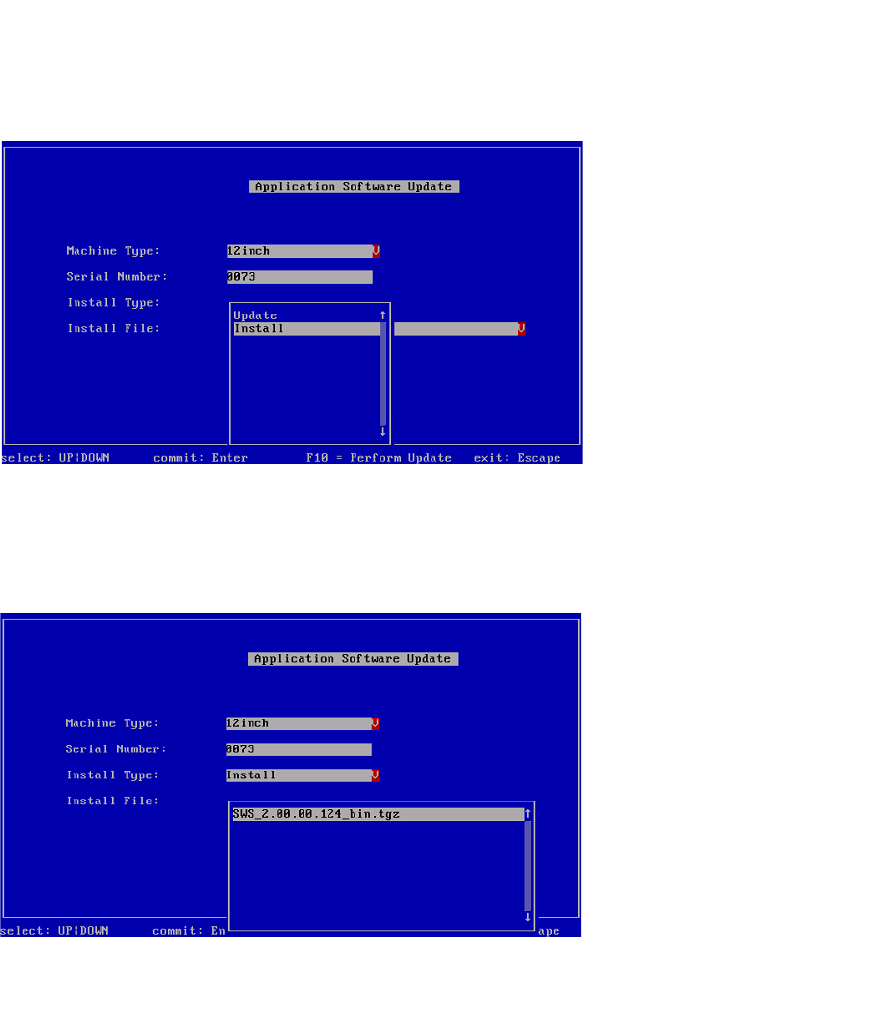
Abb. 34 Installationsart auswählen
Wählen Sie Install aus und bestätigen Sie mit Enter.
Navigieren Sie mit den Pfeiltasten zu Install File und bestätigen Sie mit Enter.
3
Abb. 35 Software-Paket auswählen
Wählen Sie das gewünschte Software-Paket aus und bestätigen Sie mit Enter.
Installationsanleitung SIPLACE SWS Software 2.0
Ausgabe 10/2013
26
3
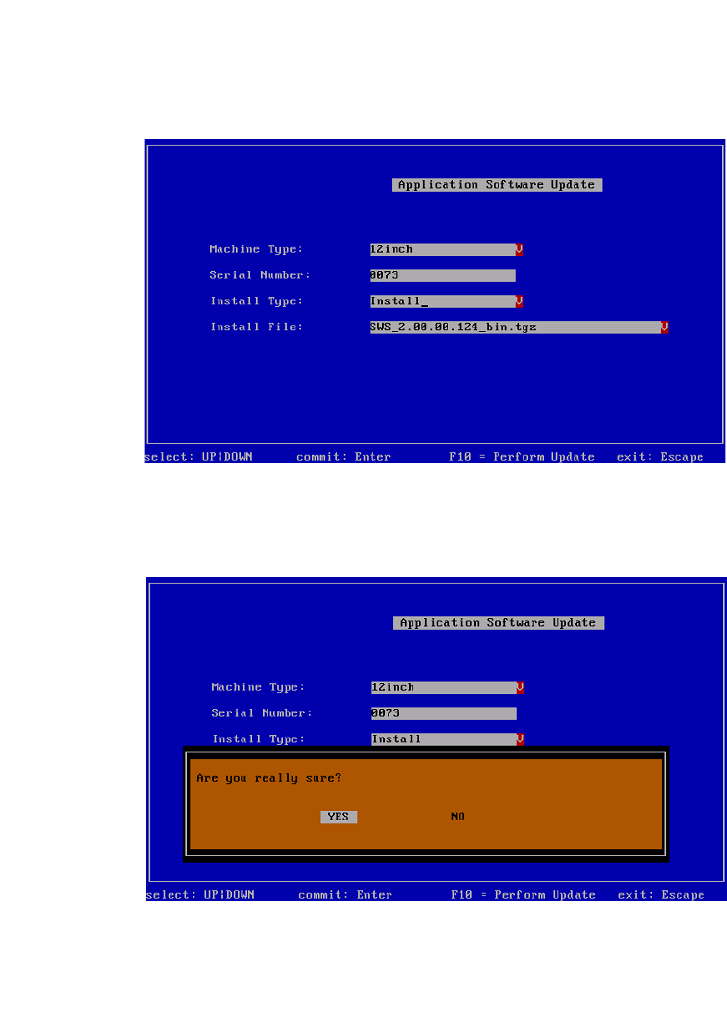
Abb. 36 gewähltes Software-Paket
Drücken Sie F10.
3
Abb. 37 Meldung: Installation der Software
Bestätigen Sie YES mit Enter.
Warten Sie, bis die Installation durchgeführt wurde.
Installationsanleitung SIPLACE SWS Software 2.0
Ausgabe 10/2013
27
3
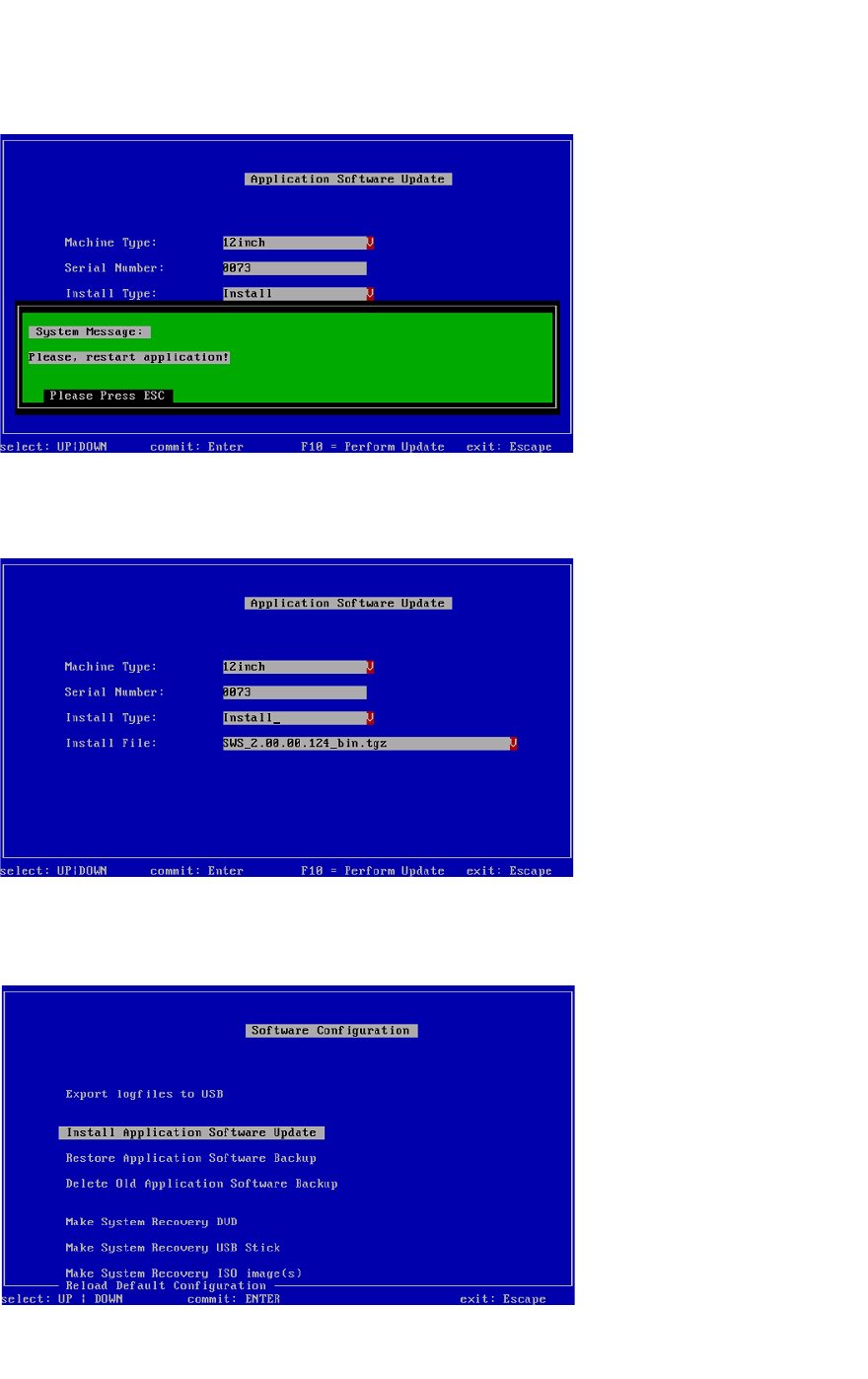
Abb. 38 Neustart der Anwendung
Drücken Sie ESC.
3
Abb. 39 Menü der Software-Anwendung
Drücken Sie ESC.
3
Abb. 40 Menü der Software Configuration
Drücken Sie ESC.