00195988-01_IM_SWS-Software-2.0_DE_EN.pdf - 第63页
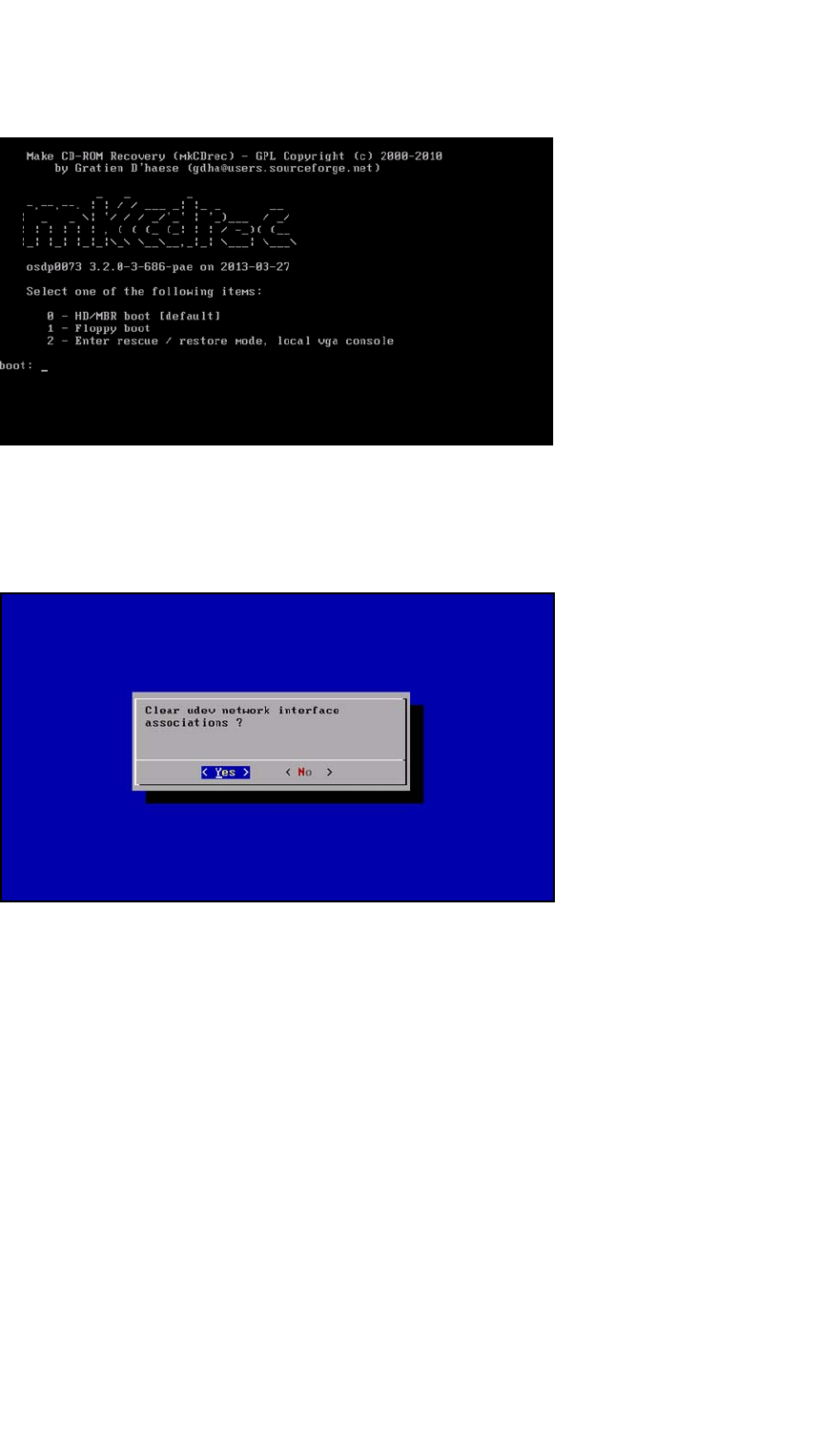
Installation Manual SIPLACE SWS Software 2.0 Edition 10/2013 63 2 Fig. 9 S tart window Enter the following: 2 Confirm with Enter . 2 Fig. 10 Remove the udev network interface connections Confirm YES with Enter .
Installation Manual SIPLACE SWS Software 2.0
Edition 10/2013
62
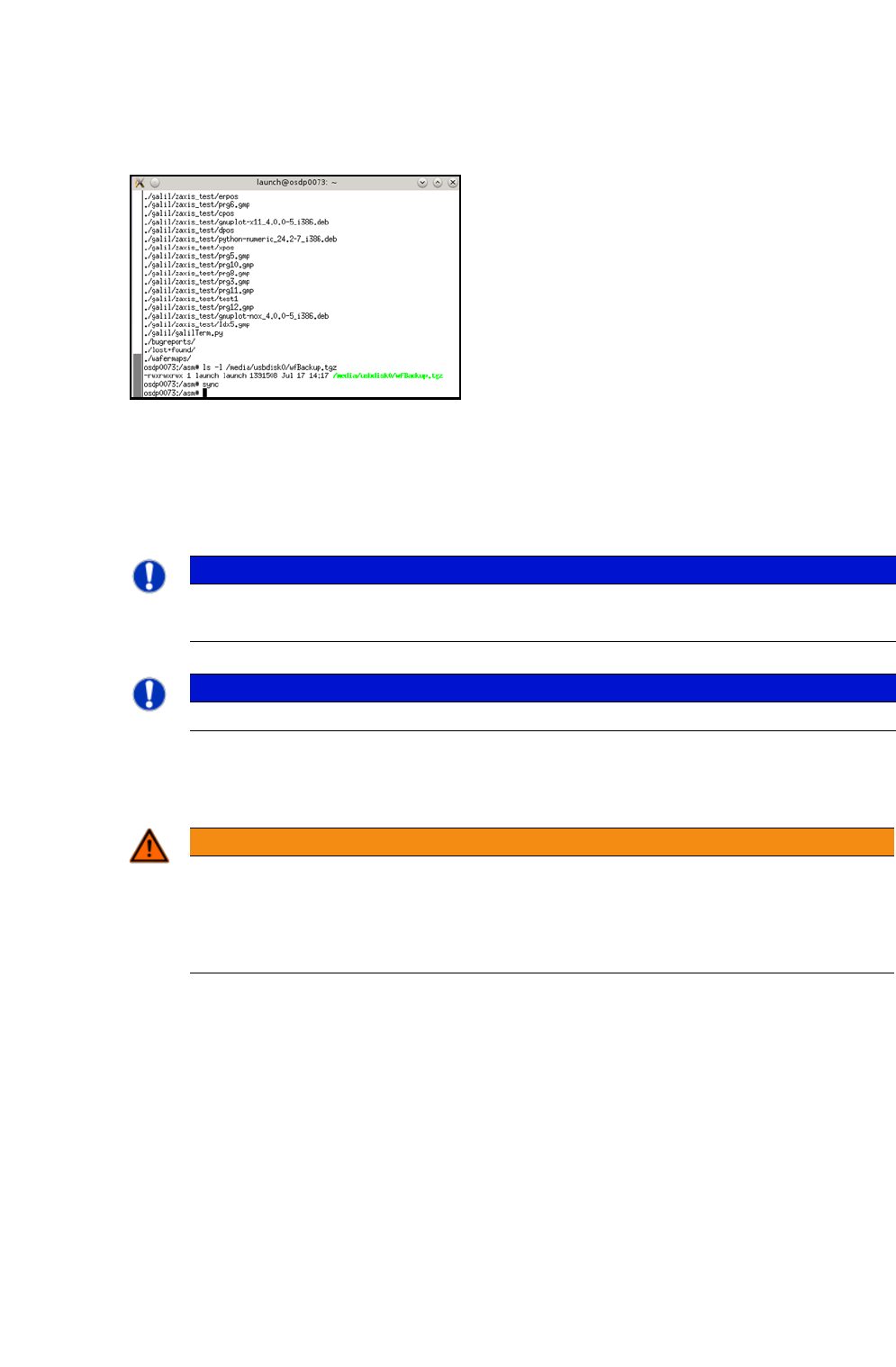
To prepare the USB stick for removal, enter the following: sync
2
2
Fig. 8 Entry of sync
2.2 Installing the Operating System
2
2
Start the PC.
Insert the CD.
2
PLEASE NOTE
You can choose between two options for the installation.
Use the arrow keys on your keyboard to select the required option.
PLEASE NOTE
To achieve the required effect, confirm each entry with Enter.
WARNING
Perform a backup of the installed version first
If you are updating an existing system installation, you need to perform a backup of the
installed version first (see Backup of Installed Versionon page 59).
If you do not, you will lost the production data, calibration data and the licenses!
Installation Manual SIPLACE SWS Software 2.0
Edition 10/2013
63
2
Fig. 9 Start window
Enter the following: 2
Confirm with Enter.
2
Fig. 10 Remove the udev network interface connections
Confirm YES with Enter.
Installation Manual SIPLACE SWS Software 2.0
Edition 10/2013
64
2
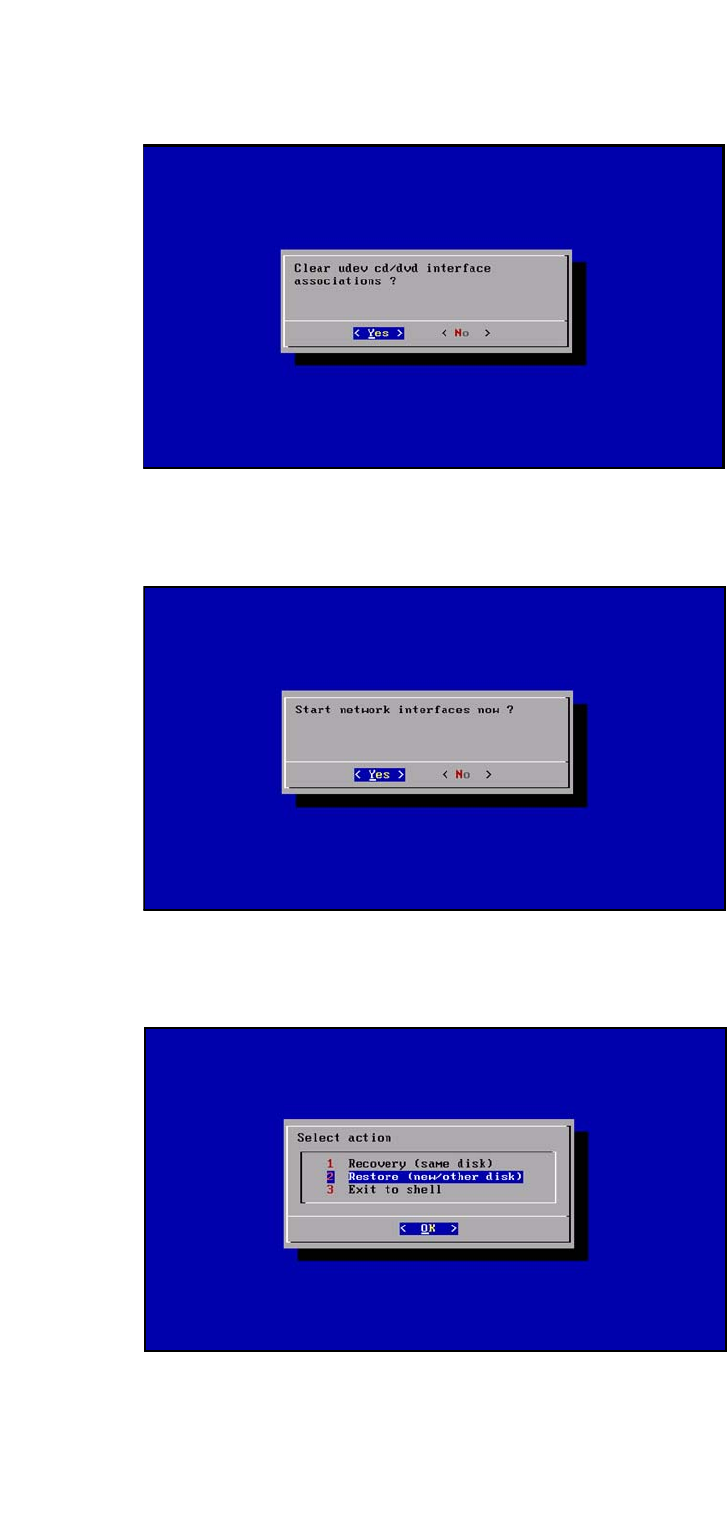
Fig. 11 Remove the udev CD/DVD network interface connections
Confirm YES with Enter.
2
Fig. 12 Starting the network interface connection
Confirm YES with Enter.
2
Fig. 13 Restoration of a new/other disk