00195988-01_IM_SWS-Software-2.0_DE_EN.pdf - 第65页
Installation Manual SIPLACE SWS Software 2.0 Edition 10/2013 65 Confirm option 2 Restore (new/o ther disk) with Enter . 2 Fig. 14 Generating a Linux operating system with mkCD rec Confirm with Enter . 2 Fig. 15 Backu…
Installation Manual SIPLACE SWS Software 2.0
Edition 10/2013
64
2
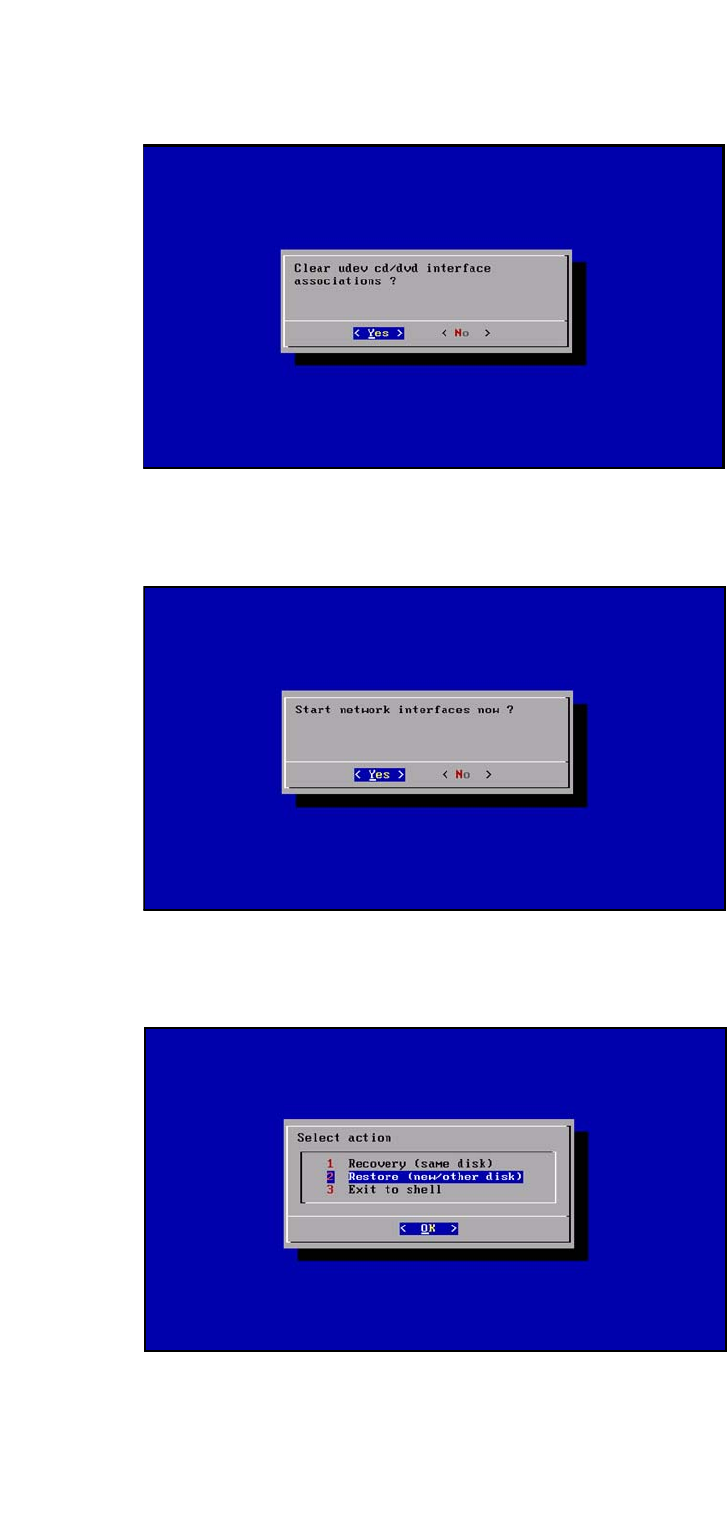
Fig. 11 Remove the udev CD/DVD network interface connections
Confirm YES with Enter.
2
Fig. 12 Starting the network interface connection
Confirm YES with Enter.
2
Fig. 13 Restoration of a new/other disk
Installation Manual SIPLACE SWS Software 2.0
Edition 10/2013
65
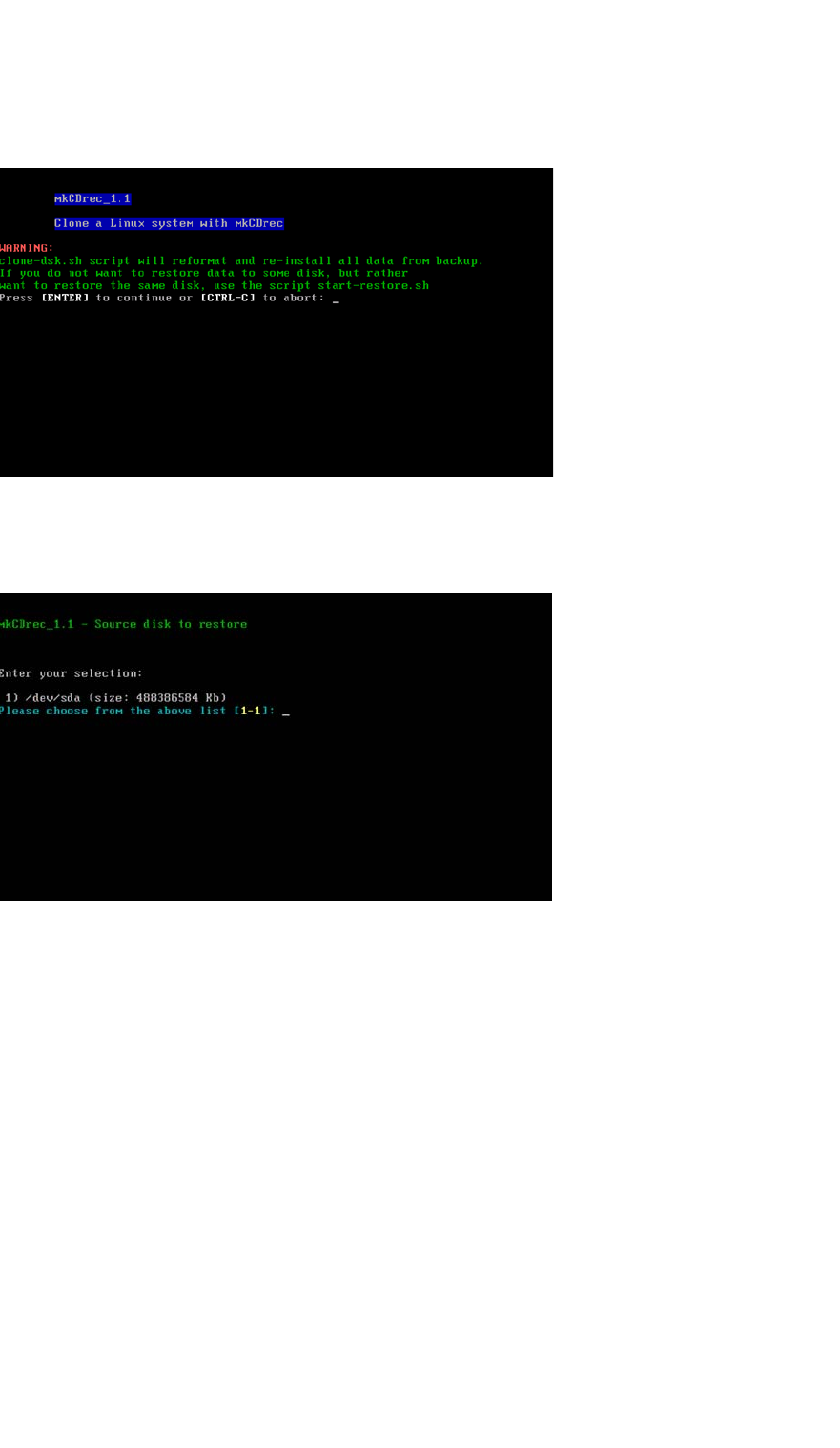
Confirm option 2 Restore (new/other disk) with Enter.
2
Fig. 14 Generating a Linux operating system with mkCDrec
Confirm with Enter.
2
Fig. 15 Backup source disk
Enter the following: 1
Confirm with Enter.
Installation Manual SIPLACE SWS Software 2.0
Edition 10/2013
66
2
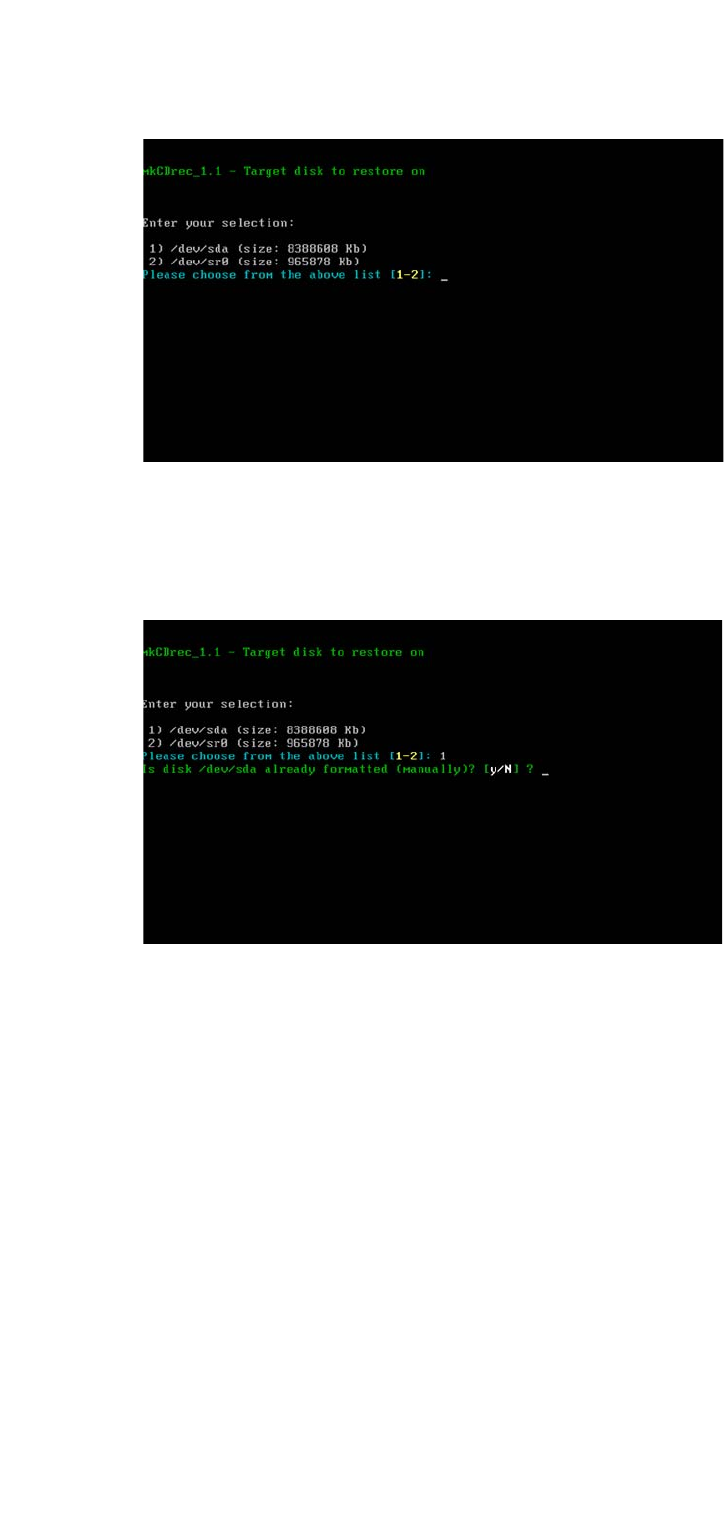
Fig. 16 Backup target disk
Enter the following: 1
Confirm with Enter.
2
Fig. 17 No manual formatting of disk
Select the following: N
Confirm with Enter.