00195988-01_IM_SWS-Software-2.0_DE_EN.pdf - 第75页
Installation Manual SIPLACE SWS Software 2.0 Edition 10/2013 75 3 Fig. 34 Selecting the installation type Select Inst all and confirm with Enter . Use the arrow keys to navigate t o Install File and confirm with Ente…
Installation Manual SIPLACE SWS Software 2.0
Edition 10/2013
74
3
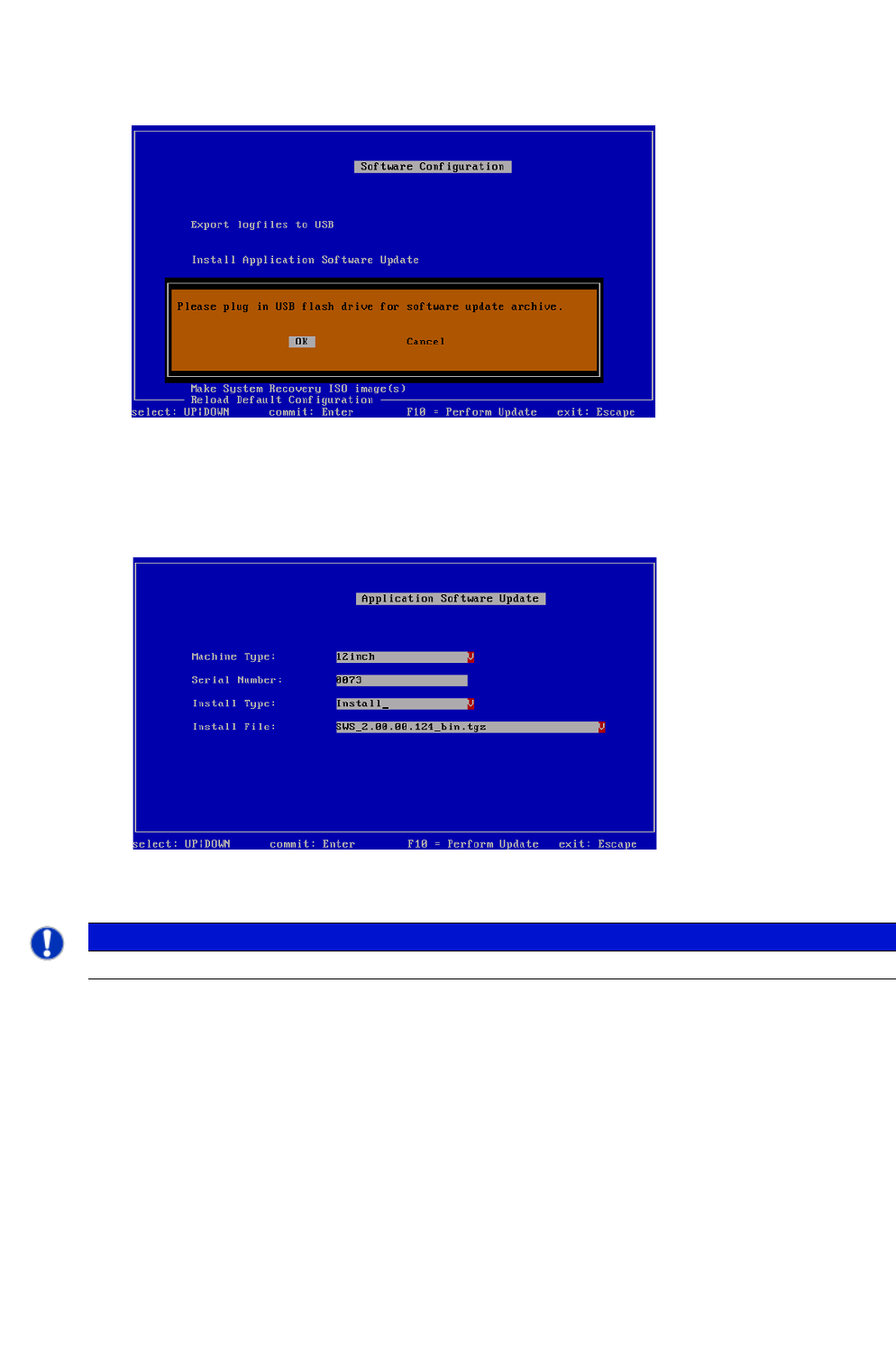
Fig. 32 Notification: Connecting the USB stick
Confirm OK with Enter.
Connect a USB stick to the USB slot on the keyboard of your computer.
3
Fig. 33 Updating the software application
3
Use the arrow keys to navigate to Install Type and confirm with Enter.
PLEASE NOTE
Do not change the entry "12 inch" at Machine Type!
Installation Manual SIPLACE SWS Software 2.0
Edition 10/2013
75
3
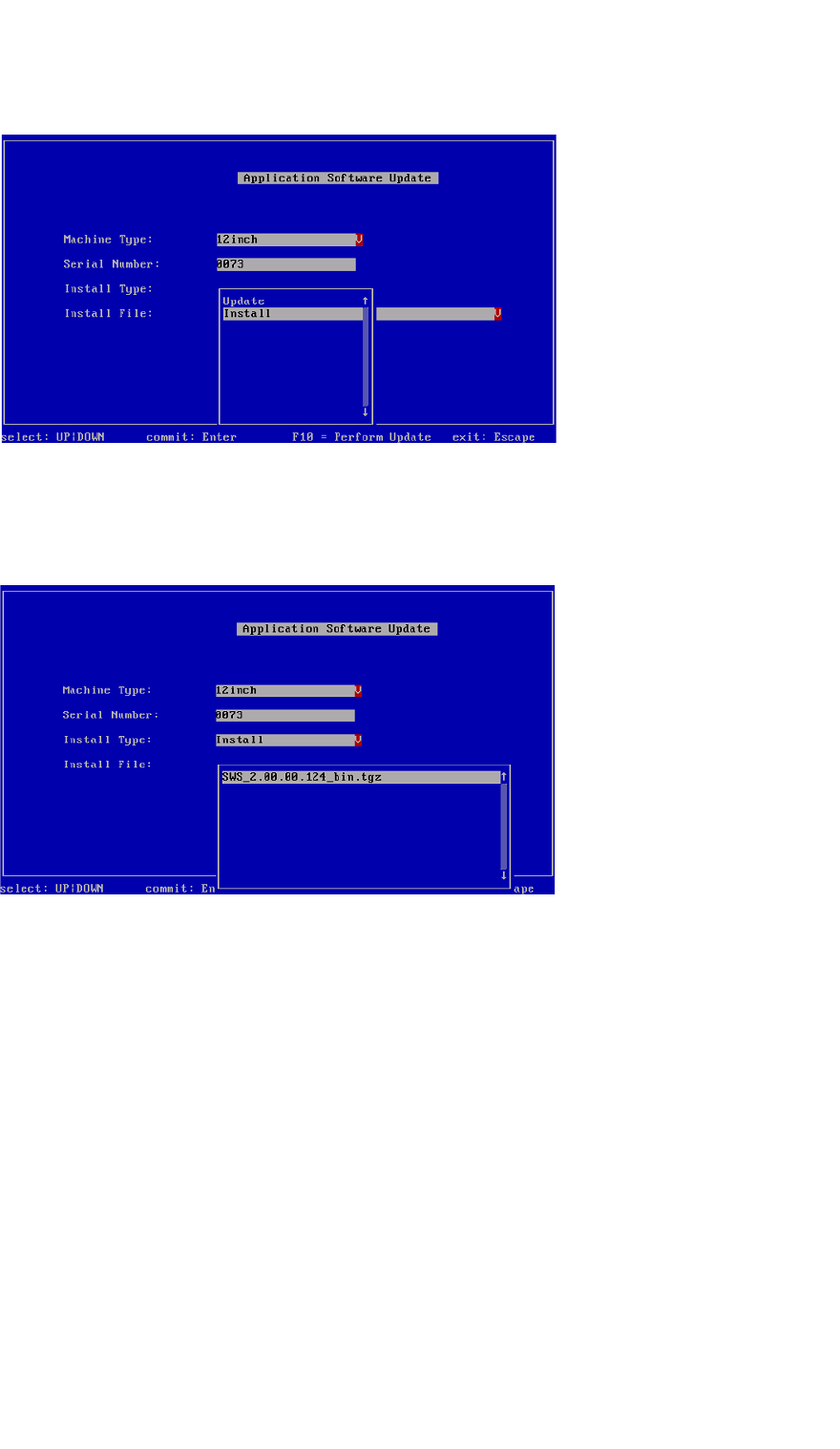
Fig. 34 Selecting the installation type
Select Install and confirm with Enter.
Use the arrow keys to navigate to Install File and confirm with Enter.
3
Fig. 35 Selecting the software package
Select the required software package and confirm with Enter.
Installation Manual SIPLACE SWS Software 2.0
Edition 10/2013
76
3
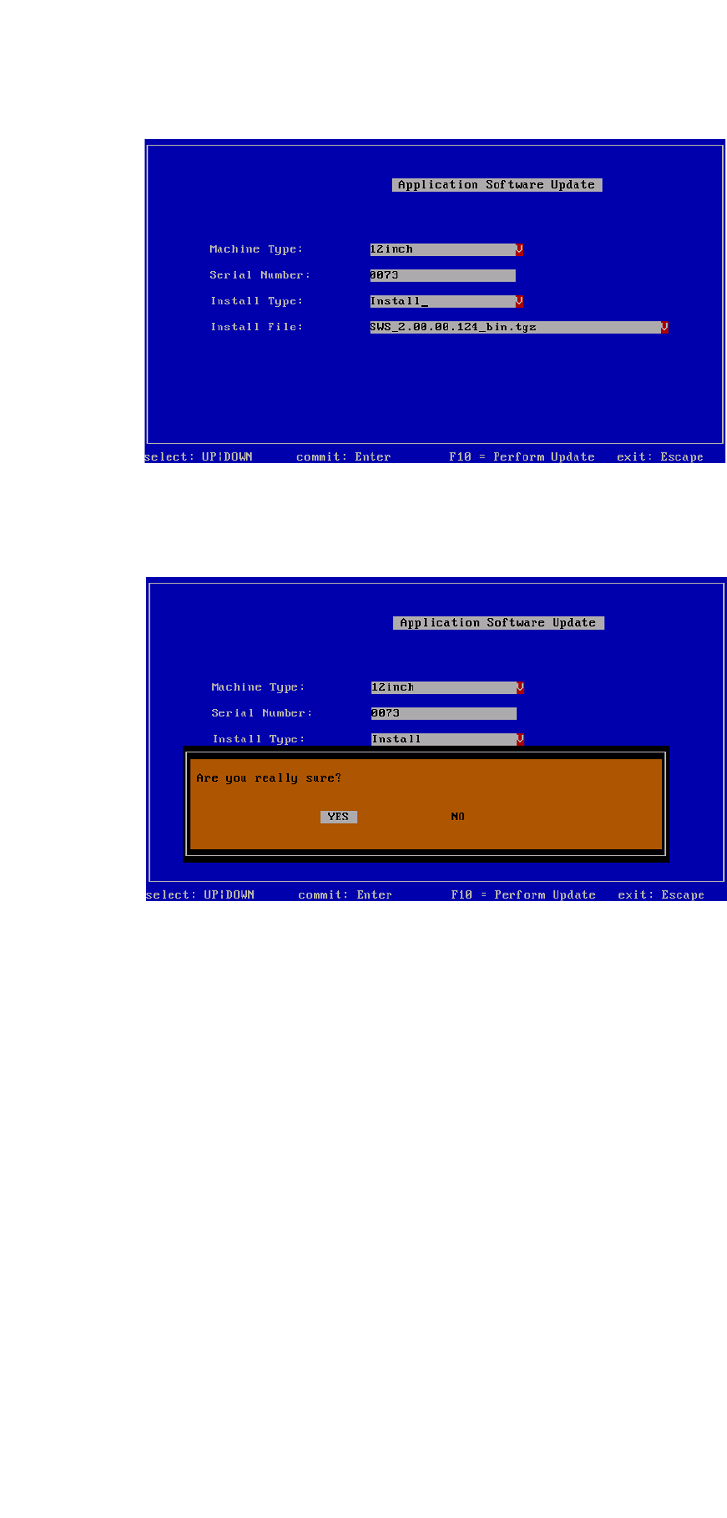
Fig. 36 Selected software package
Press F10.
3
Fig. 37 Notification: Installation of the software
Confirm YES with Enter.
Wait until the installation has finished.