00195988-01_IM_SWS-Software-2.0_DE_EN.pdf - 第95页
Installation Manual SIPLACE SWS Software 2.0 Edition 10/2013 95 3.4 Restoring Ol der Sof tware V ersions 3 Press any button to access the st art window . 3 Fig. 79 Pressing any button to access the start window . Use…
Installation Manual SIPLACE SWS Software 2.0
Edition 10/2013
94
3
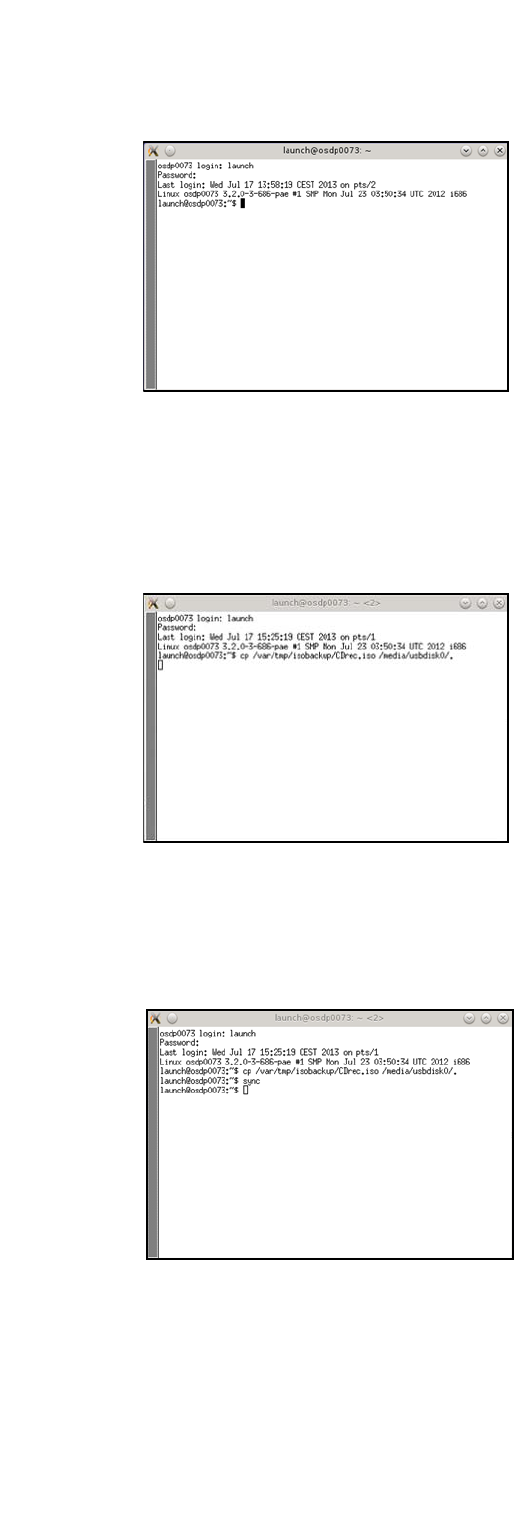
Fig. 76 Entry of launch and password
Connect the storage medium (USB stick or USB hard drive) to the computer.
Enter the following move command:
mv /var/tmp/isobackup/CDrec.iso/media/usbdisk0/ 3
3
Fig. 77 Entry of mv /var/tmp/isobackup/CDrec.iso/media/usbdisk0/
Wait until the ISO image has been copied to the storage medium.
To prepare the storage medium for removal, enter the following: sync
3
Fig. 78 Entry of sync
Installation Manual SIPLACE SWS Software 2.0
Edition 10/2013
95
3.4 Restoring Older Software Versions
3
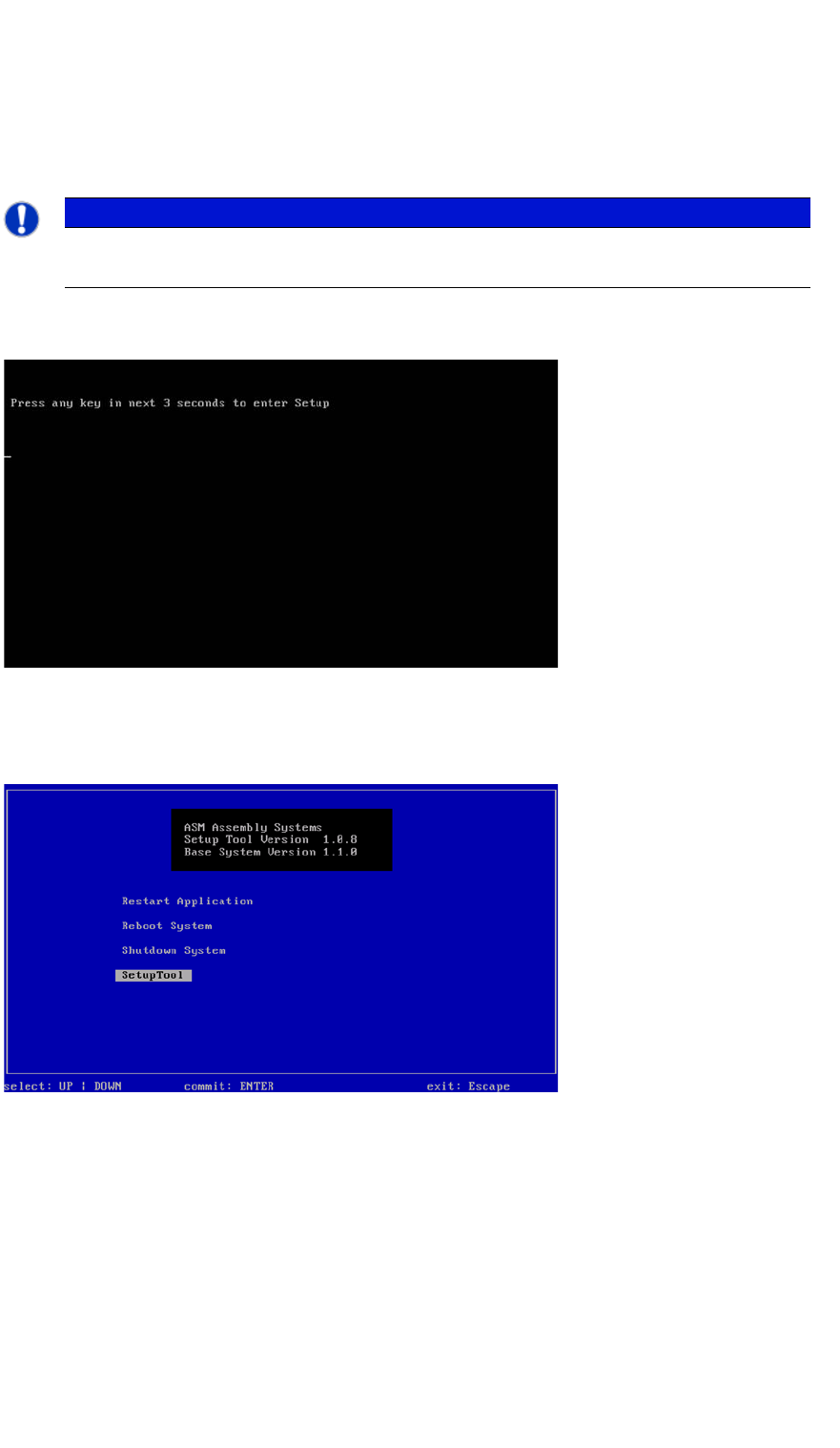
Press any button to access the start window.
3
Fig. 79 Pressing any button to access the start window.
Use the arrow keys to navigate to the Setup Tool.
3
Fig. 80 Start window
Confirm the SetupTool with Enter.
PLEASE NOTE
You can choose between various options for restoring older software versions.
Use the arrow keys on your keyboard to select the required option.
Installation Manual SIPLACE SWS Software 2.0
Edition 10/2013
96
3
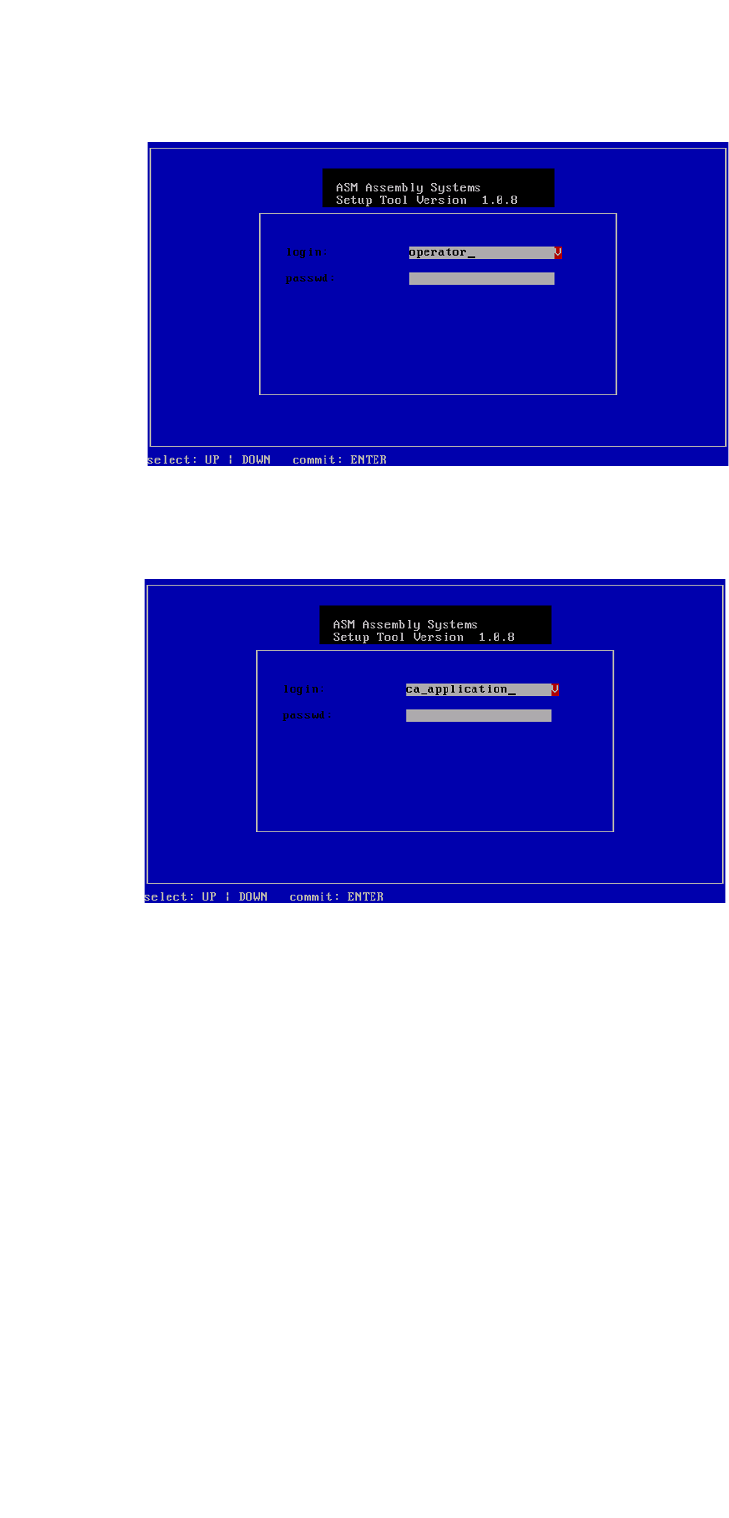
Fig. 81 Entry of capwd
Press and hold the CTRL + SHIFT keys and enter the following: capwd
3
Fig. 82 Entry of password
Enter your password.
Confirm with Enter.