00195988-01_IM_SWS-Software-2.0_DE_EN.pdf - 第77页
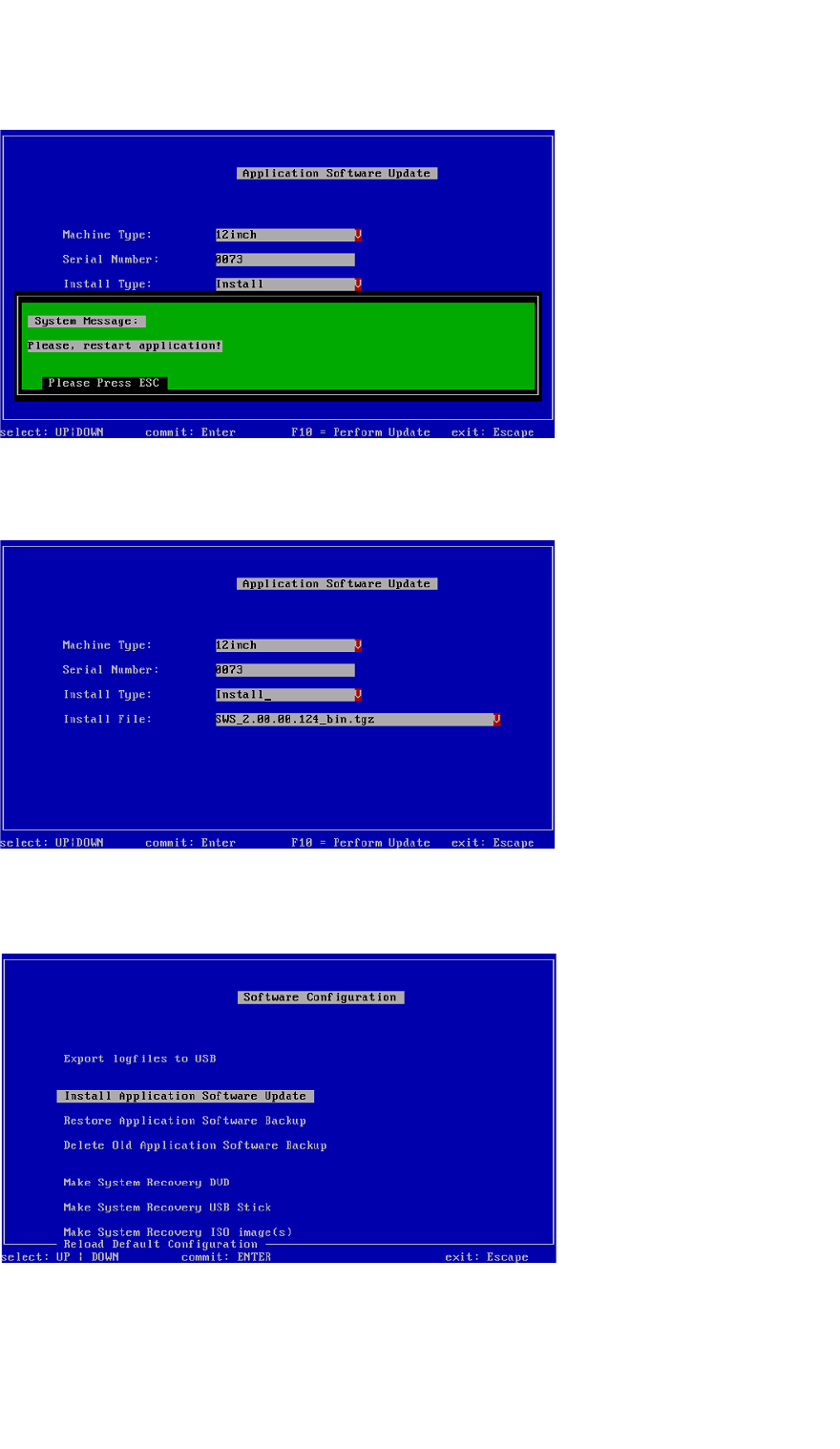
Installation Manual SIPLACE SWS Software 2.0 Edition 10/2013 77 3 Fig. 38 Restarting the application Press ESC. 3 Fig. 39 Software application menu Press ESC. 3 Fig. 40 Software configuration menu Press ESC.
Installation Manual SIPLACE SWS Software 2.0
Edition 10/2013
76
3
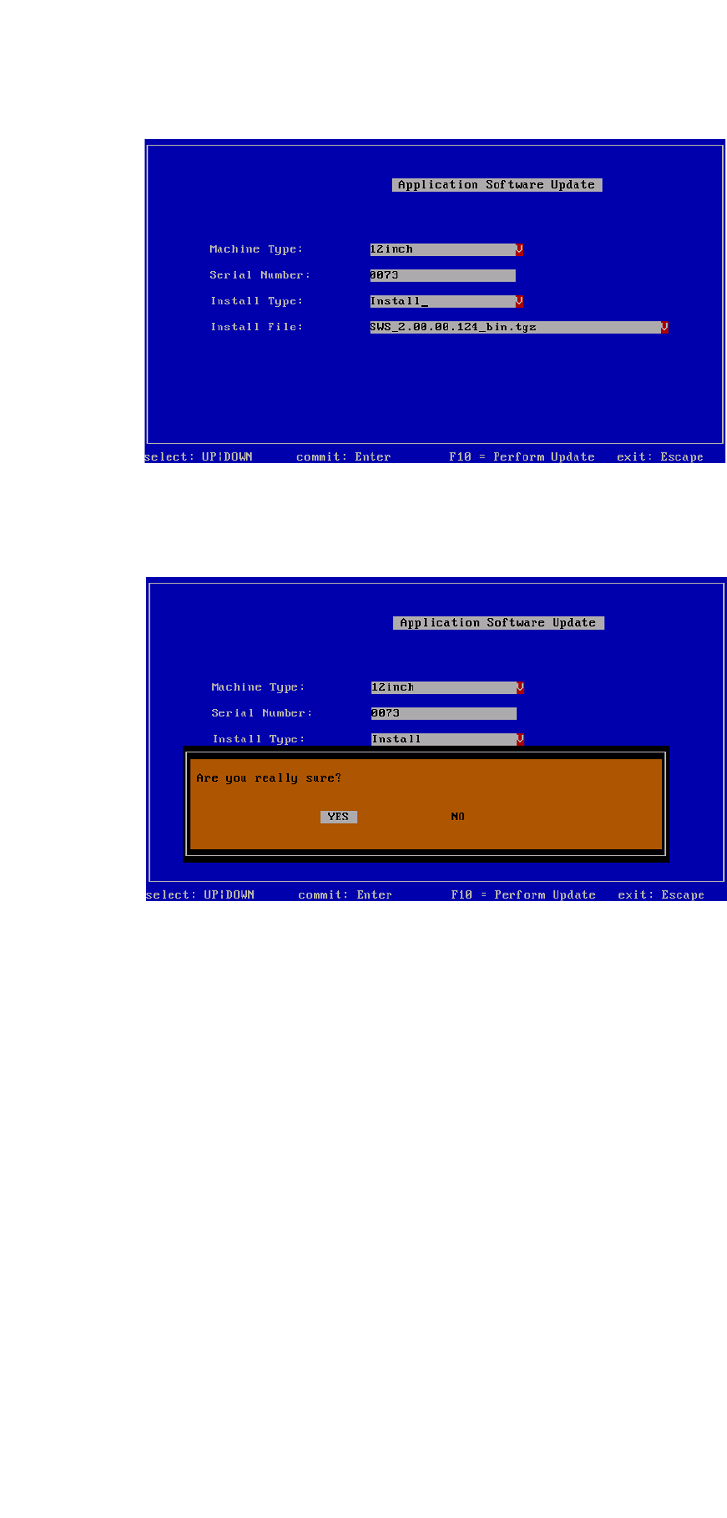
Fig. 36 Selected software package
Press F10.
3
Fig. 37 Notification: Installation of the software
Confirm YES with Enter.
Wait until the installation has finished.
Installation Manual SIPLACE SWS Software 2.0
Edition 10/2013
77
3
Fig. 38 Restarting the application
Press ESC.
3
Fig. 39 Software application menu
Press ESC.
3
Fig. 40 Software configuration menu
Press ESC.
Installation Manual SIPLACE SWS Software 2.0
Edition 10/2013
78
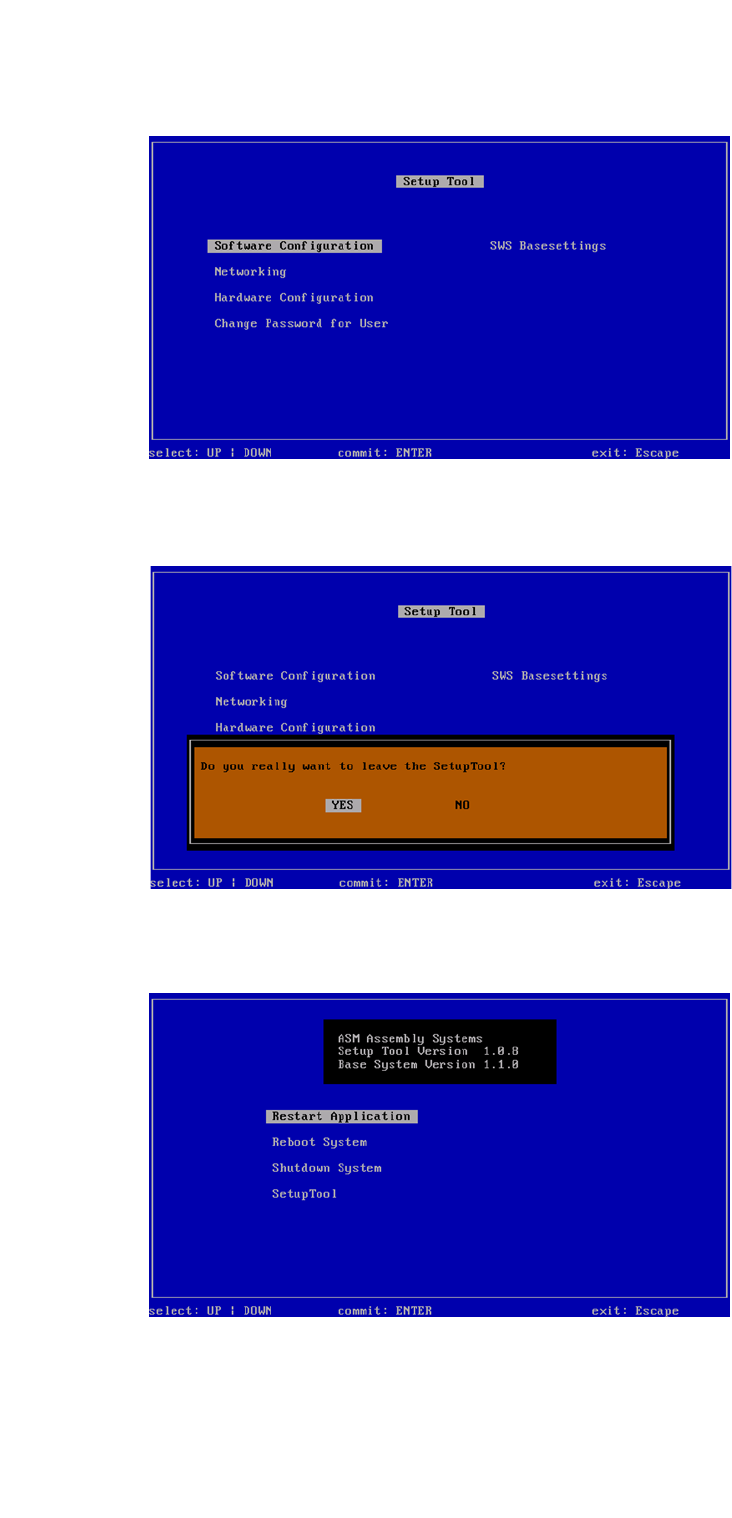
3
Fig. 41 Setup tool menu
Press ESC.
3
Fig. 42 Notification: Exiting the setup tool
Confirm YES with Enter.
3
Fig. 43 Restarting the application
Confirm Restart Application with Enter.