00197490-03_SM_CP20-P-M2_EN保养维护.pdf - 第20页
3 Usability package 3.2 Fitting the usability kit for SIPLACE C&P20P 20 Service Manual SIPLACE SpeedStar (C&P20 P / C&P20 M2) 03/2018 Fig.12: Replacing the holding plate 1 ► Dismantle the old holding plate …
3 Usability package
3.2 Fitting the usability kit for SIPLACE C&P20P
Service Manual SIPLACE SpeedStar (C&P20 P / C&P20 M2) 03/2018 19
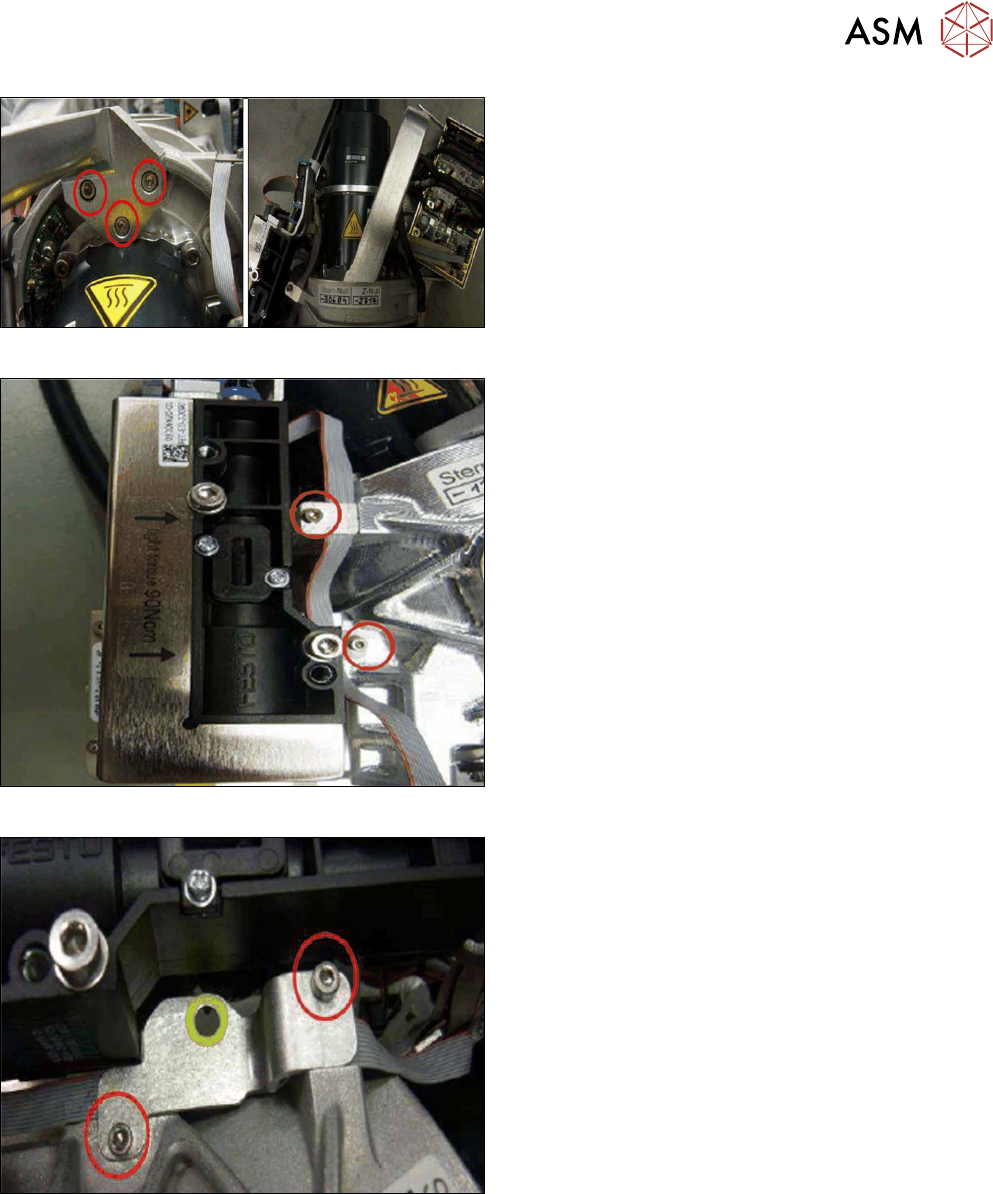
Fig.9: Replacing the handle 2
► Fit the new handle with three fillister head screws
(hexagon socket cap ISO4762M3x12) to the
head carrier.
Fig.10: Replacing the clamping plates 1
► Remove the old clamping plates.
Fig.11: Replacing the clamping plates 2
► Fit the new clamping plate to the head carrier
with two fillister head screws (hexagon socket
cap ISO4762M2.5x6).
3 Usability package
3.2 Fitting the usability kit for SIPLACE C&P20P
20 Service Manual SIPLACE SpeedStar (C&P20 P / C&P20 M2) 03/2018
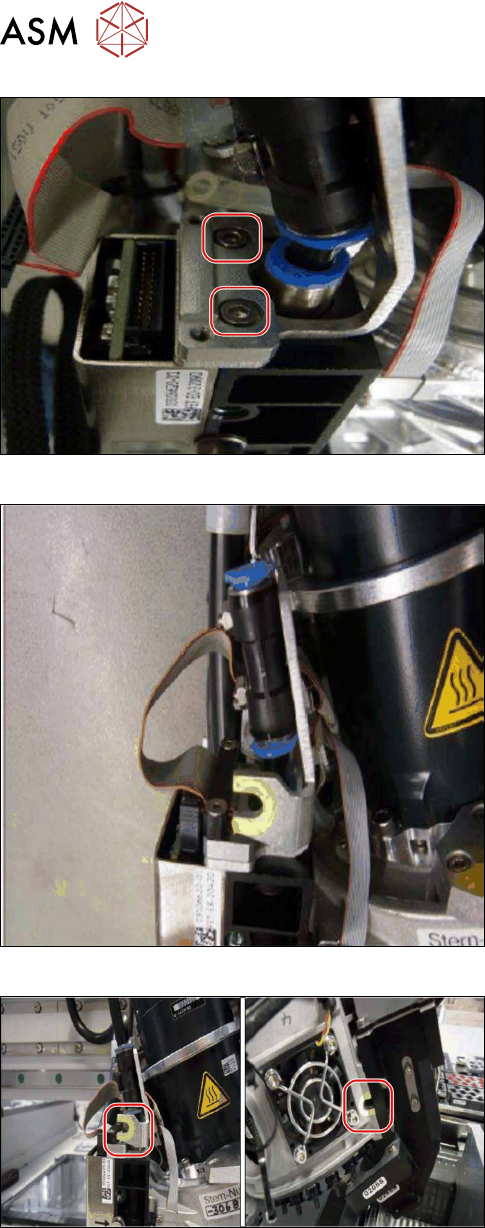
Fig.12: Replacing the holding plate 1
► Dismantle the old holding plate FHE.
Fig.13: Replacing the holding plate 2
► Fasten the new holding plate into place with two
screws (ISO4762-M2.5x8‑A2‑70).
Fig.14: Attaching markings 1
► Attach the two U-shaped markings as shown in
the diagram.
First clean the surface with a lint-free cloth,
moistened with ethanol.
3 Usability package
3.2 Fitting the usability kit for SIPLACE C&P20P
Service Manual SIPLACE SpeedStar (C&P20 P / C&P20 M2) 03/2018 21
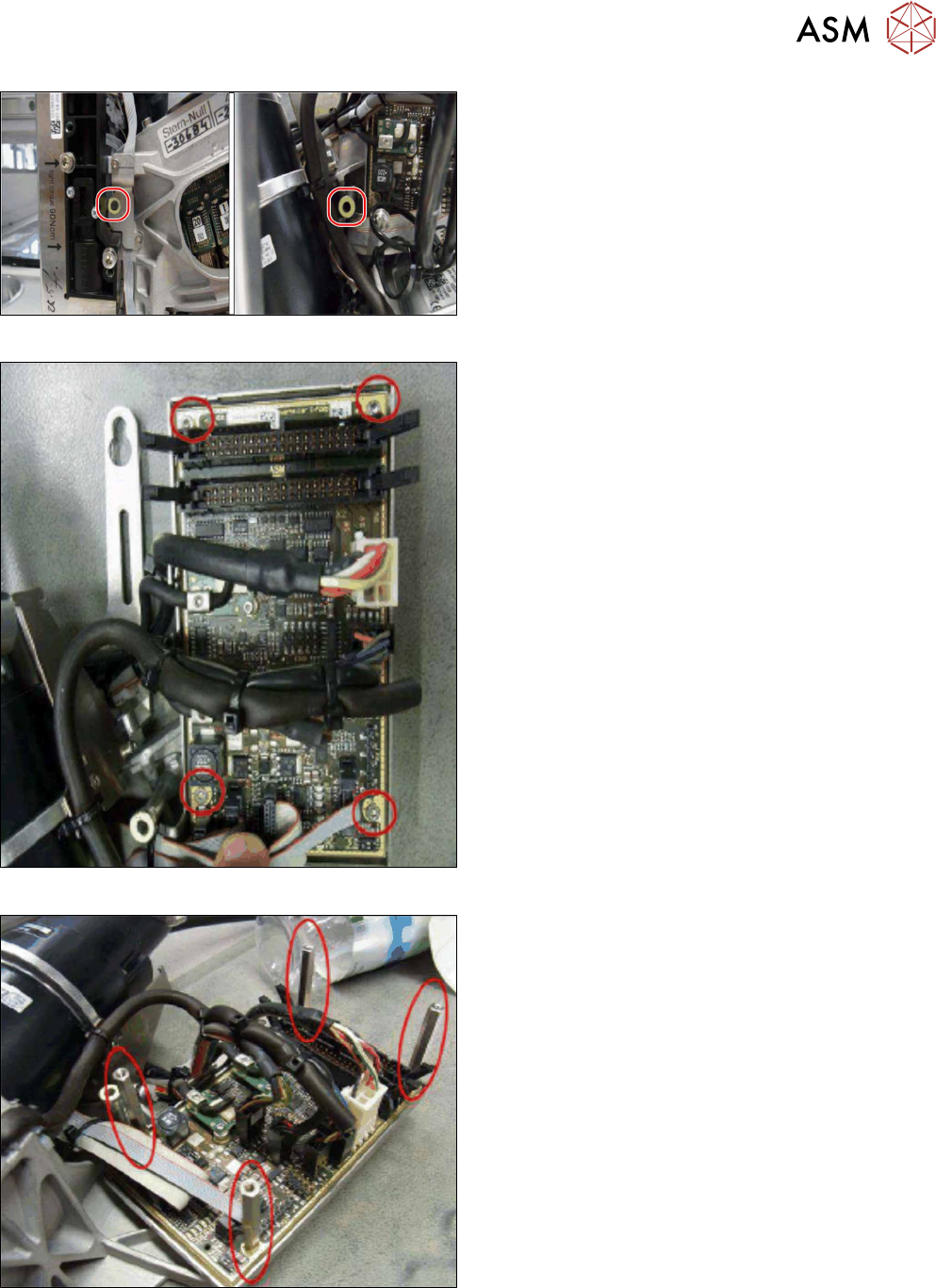
Fig.15: Attach markings 2
► Attach the two O-shaped markings as shown in
the diagram.
First clean the surface with a lint-free cloth,
moistened with ethanol.
Fig.16: Fitting the board cover 1
► Remove the four fillister head screws (hexagon
socket ISO4762M3x6).
Fig.17: Fitting the board cover 2
► Fit the four spacer bolts (type B/la-M3x45–A2).
Secure the spacer bolts with Loctite 222.