00197490-03_SM_CP20-P-M2_EN保养维护.pdf - 第33页
4 Component camera, Z axis and component sensor 4.4 Replacing the cover flex Service Manual SIPLACE SpeedStar (C&P20 P / C&P20 M2) 03/2018 33 Installation Fig.37: Inserting the magnets (shown without the rest of…
4 Component camera, Z axis and component sensor
4.3 Replacing the round magnets
32 Service Manual SIPLACE SpeedStar (C&P20 P / C&P20 M2) 03/2018
Preparation
► Remove the head from the machine. For details about removing and fitting the placement
head, refer to the service manual for your machine.
Fit the head on the head mount [03056231‑xx].
Removal
CAUTION
Hold the head vertically
► Hold the head vertically so that no screws can fall into the Z axis
► Dismantle the Z axis cover.
4.2 "Replacing the Z axis cover" [}29]
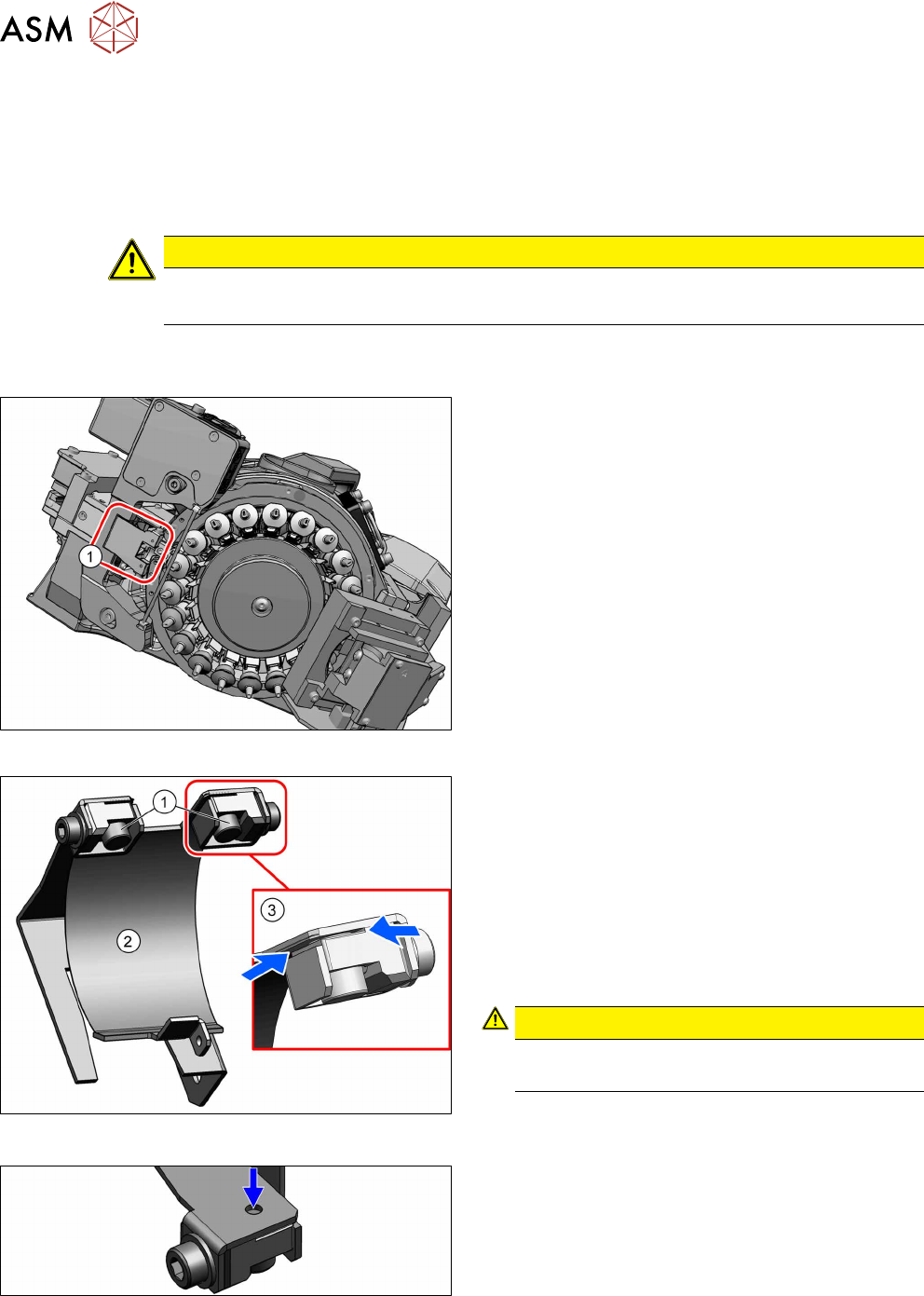
Fig.34: Flexible mounting plate
The flexible mounting plate (1) can now be accessed.
Fig.35: Magnets in the flexible mounting plate (shown without
the rest of the head)
Fig.36: Top opening
► Remove the two round magnets(1) with the mag-
net removal plate.
Alternatively, you can use tweezers.
If the two round magnets are stuck, proceed as fol-
lows:
Stuck round magnets
► If the round magnets are stuck, you can carefully
press these up through the opening.
CAUTION!
Cover flex
Take care not to damage the cover flex.
.
The cover flex(2) is held by the round magnets in the
slits(3).
► If the cover flex is damaged, you will need to replace it.
4.4 "Replacing the cover flex" [}33]
4 Component camera, Z axis and component sensor
4.4 Replacing the cover flex
Service Manual SIPLACE SpeedStar (C&P20 P / C&P20 M2) 03/2018 33
Installation
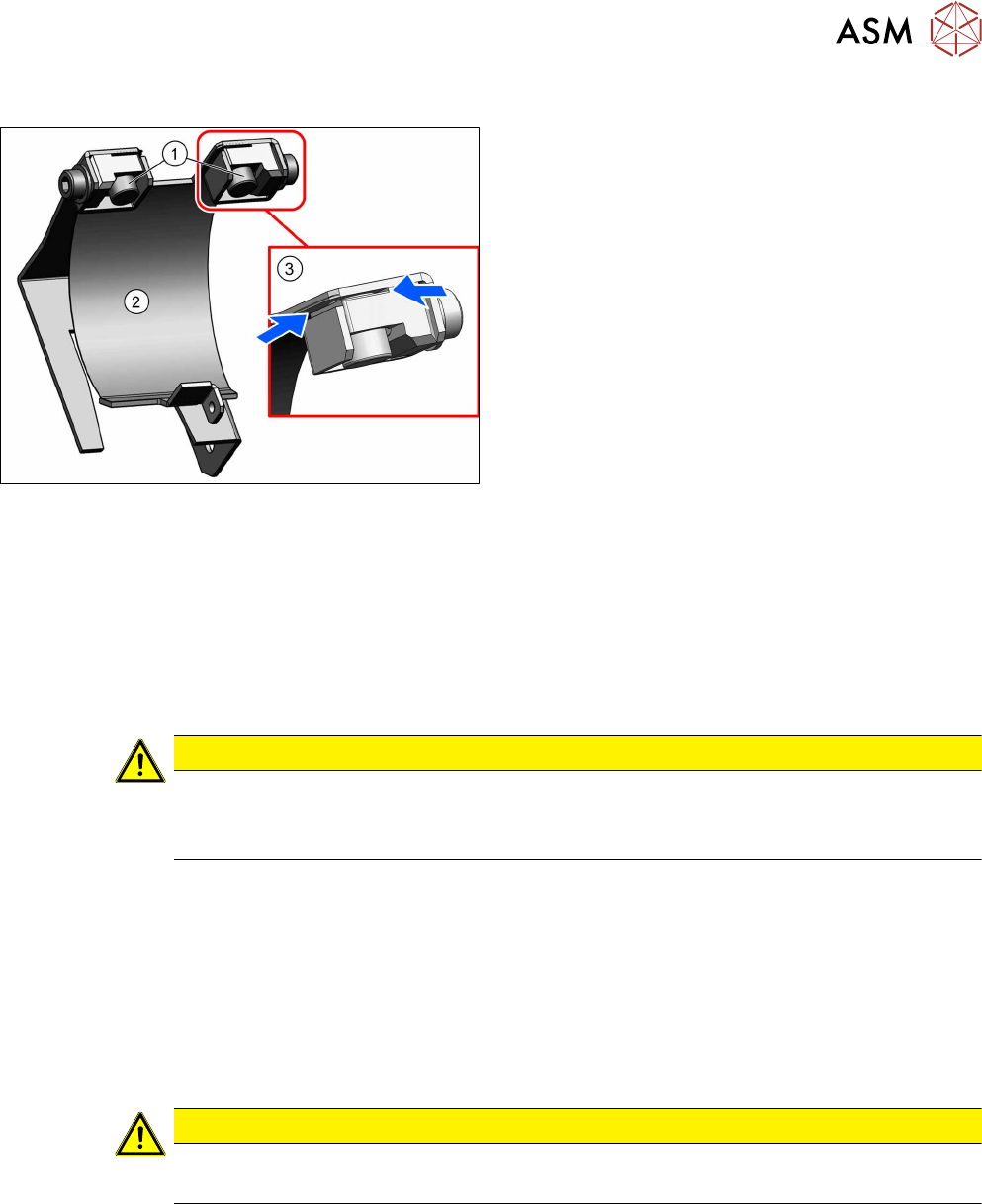
Fig.37: Inserting the magnets (shown without the rest of the
head)
► Make sure that the two ends of the cover flex(2)
are inserted properly into the slits(3).
► Fasten the cover flex with the two round mag-
nets(1).
► Follow the removal instructions in reverse order for further installation.
Also observe the installation instructions in the following section:
4.2 "Replacing the Z axis cover" [}29]
► Observe in particular the torques specified!
4.4 Replacing the cover flex
CAUTION
Sensitive lenses
The transmitter and receiver unit lenses on the component sensor are highly sensitive.
► Make sure that you do not damage or contaminate the lens system.
Parts
●
Cover flex assembly SIPLACE C&P20A [03077368‑xx]
Preparation
► Remove the head from the machine. For details about removing and fitting the placement
head, refer to the service manual for your machine.
Fit the head on the head mount [03056231‑xx].
Removal
CAUTION
Hold the head vertically
► Hold the head vertically so that no screws can fall into the Z axis
► Dismantle the Z axis cover.
4.2 "Replacing the Z axis cover" [}29]
► Dismantle the component sensor.
4.5 "Replacing the component sensor" [}36]
► Dismantle the pressure control valve.
6.1 "Replacing the PRV" [}47]
4 Component camera, Z axis and component sensor
4.4 Replacing the cover flex
34 Service Manual SIPLACE SpeedStar (C&P20 P / C&P20 M2) 03/2018
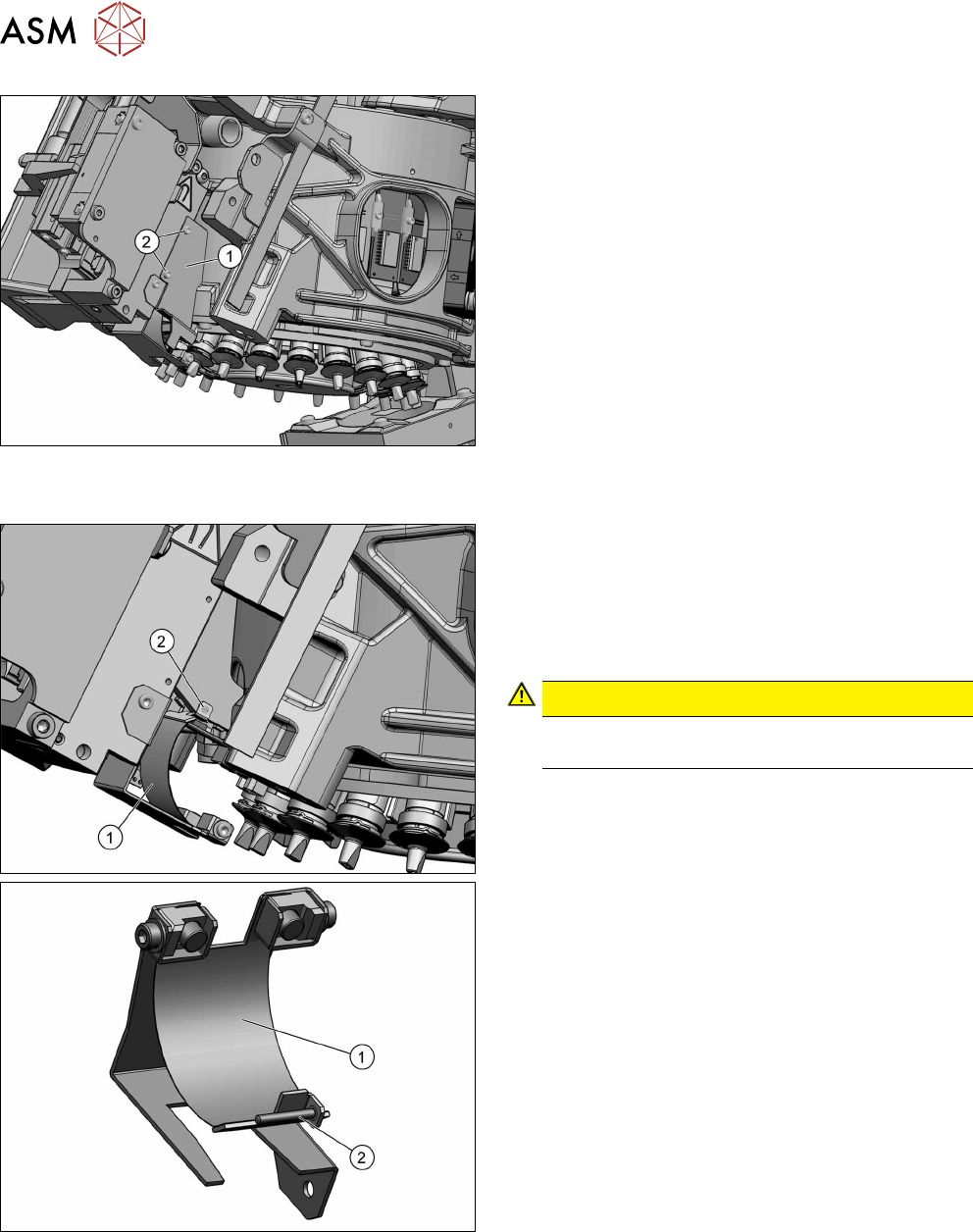
► Remove the two fastening screws(2) and then
take the side cover(1) off.
► Remove the two round magnets.
4.3 "Replacing the round magnets" [}31]
Fig.38: Screw fastening the cover flex
The cover flex(1) is fixed with a screw(2) (DIN8243 A
M1x8‑A2) and a clamping plate to the head. Depend-
ing on the head version, the clamping plate will be
loose or fixed to the frame.
► Remove the fastening screw and the clamping
plate and then take the cover flex out.
CAUTION!
Take care not to lose the screw and the
clamping plate opposite to this.
.