00193897-0302_AI_MTC2+BE_DE+EN.pdf - 第116页
Assembly instructions MTC2 and Component docking unit on SIPLACE HF and X-se ries Edition 07/2009 114 2 Attention: Heavy machine component! 2 : Organise a helpe r: One person grips the MTC2 slid e-in framewo rk by the ha…

Assembly instructions MTC2 and Component docking unit on SIPLACE HF and X-series
Edition 07/2009
113
2.10 Assembly MTC2
2
Heavy unit:
The MTC2 is very heavy. If the surface is only slight
ly uneven, the MTC could topple over and
damage other machines or crush persons. The mass inertia is significant also when pushing or
pulling. Monitor every movement so that damage/accidents are avoided. 2
2.10.1 Preparation of the MTC2 and slide-in framework
00116438-xx SIPLACE Matrix Tray Changer 2 (MTC2)
2
2
: Execute a shutdown and switch off the placement machine at the main switch.
: Open the protective cover.
: Disconnect the machine from the power supply and lock to prevent reconnection.
: Open and remove the cover over the compressed-air supply or power supply and place it out-
side the working area.
2
2
2
2
2
2
2
2
2
2
2
2
2
2
2
Assembly instructions MTC2 and Component docking unit on SIPLACE HF and X-series
Edition 07/2009
114
2
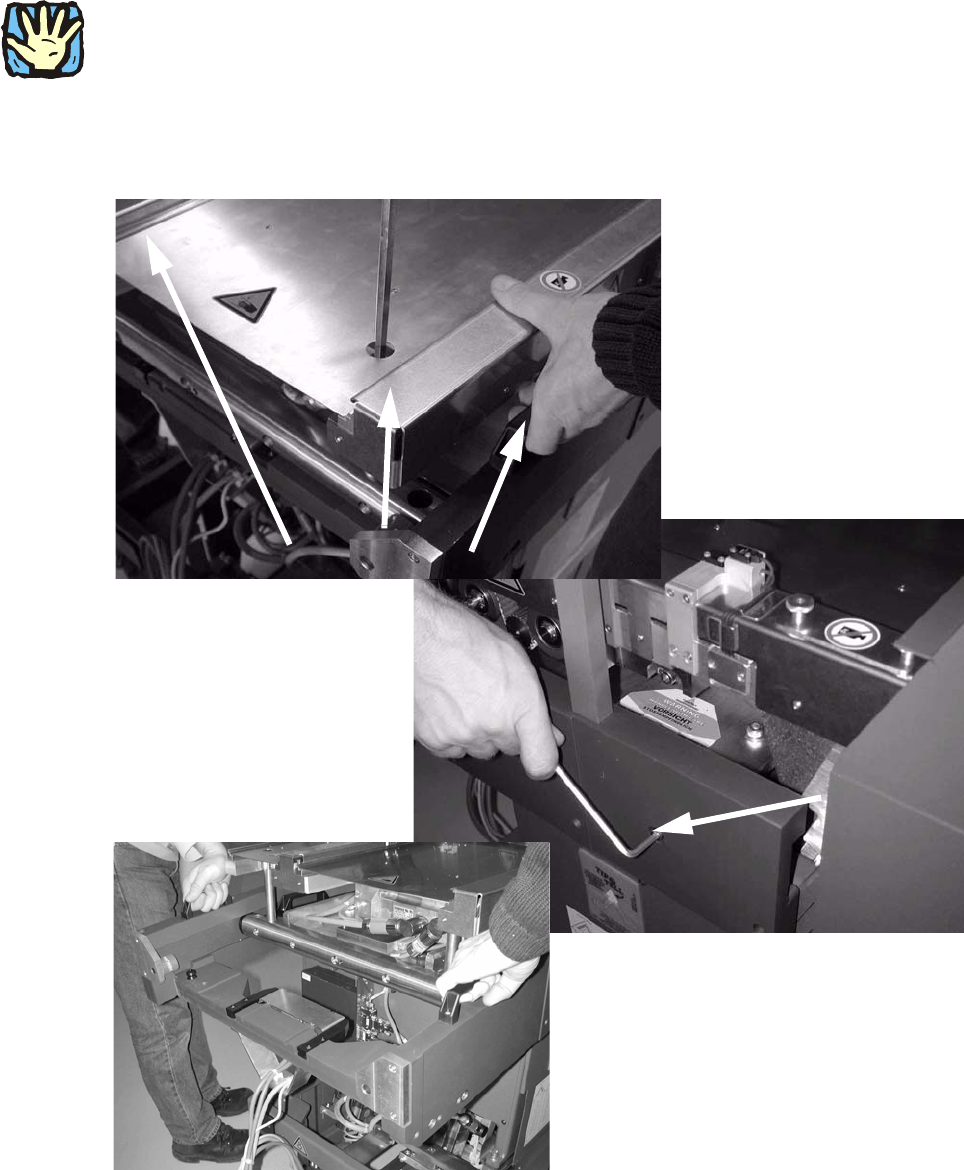
Attention: Heavy machine component!
2
: Organise a helper:
One person grips the MTC2 slide-in framework by the handles and the other loosens the four
bolts used for
fixing to the MTC2.
2
2
2
Assembly instructions MTC2 and Component docking unit on SIPLACE HF and X-series
Edition 07/2009
115
2.10.2 Installation of the MTC2 in SIPLACE HF (Series No. up to A001)
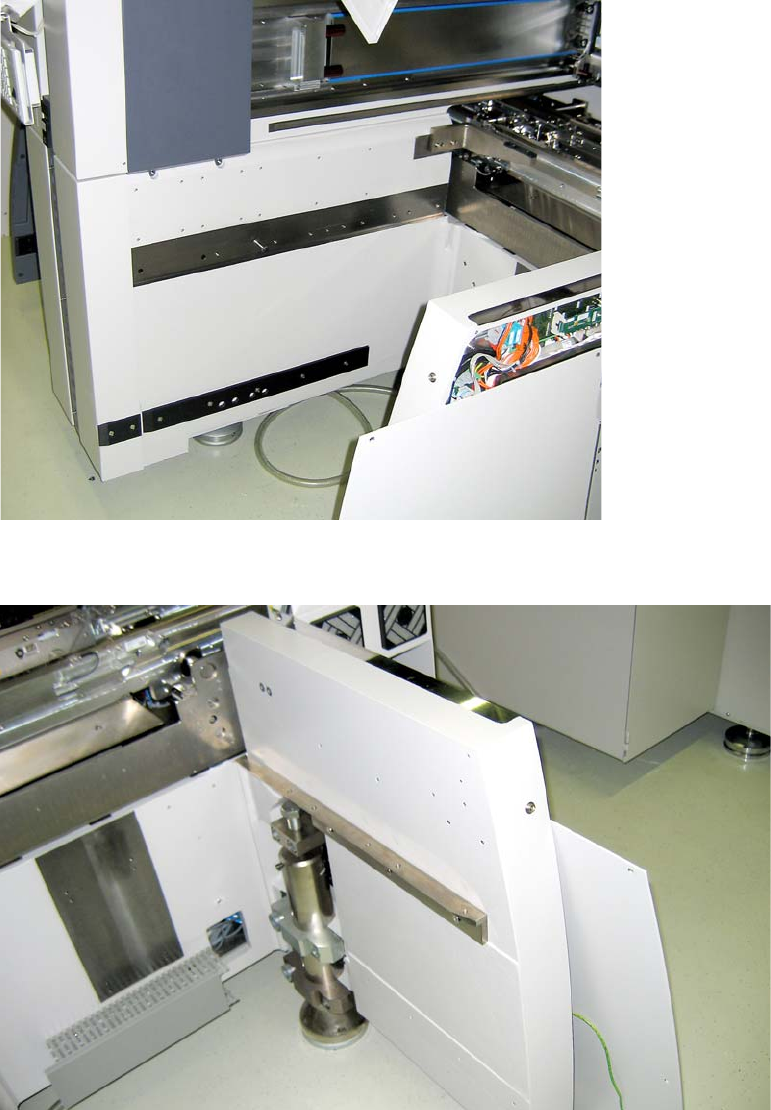
The machine should now be as follows:: 2
2
Fig. 2.10.1 HF series locations 2 and 4
2
Fig. 2.10.2 HF-series Location 2 bzw. 4