ACT - Accuracy Check Tool mit SSW 6xx User Manual 2017.pdf - 第116页
ACT with SSW 6xx / User Manual 07/2017 Edition 52 Example of measurement oper ation with the ceramic com ponents Cerampads: Figure 4-31: Example of meas urement window with Cerampads Example of measurement oper ation wit…
ACT with SSW 6xx / User Manual 07/2017 Edition
51
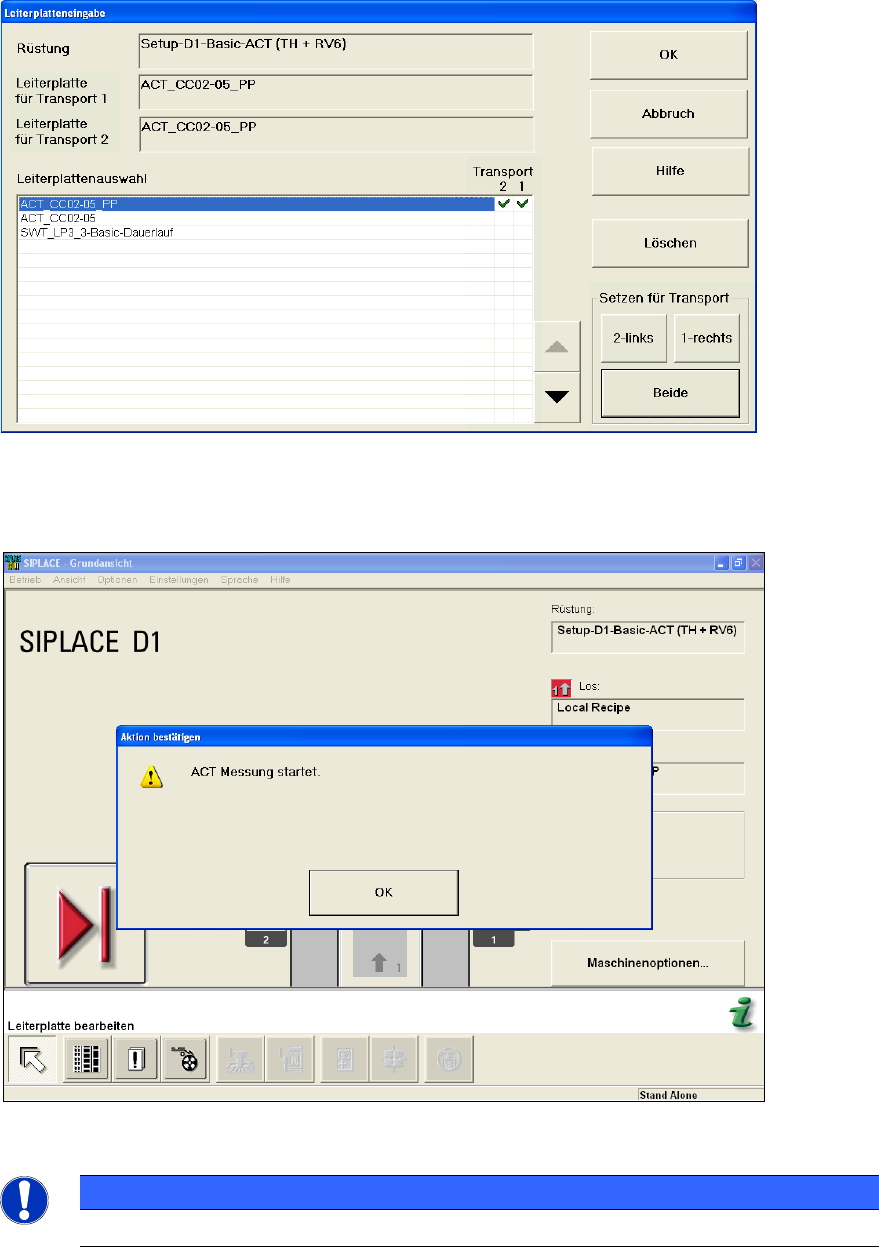
Figure 4-29: Dialog box: Enter PCB (example SIPLACE D1)
► Push the board into the input section (see also section 4.2.2).
The board gets placed and then the measurement starts automatically.
Figure 4-30: Message for ACT measurement (example SIPLACE D1)
NOTICE
The machine should not be operated during the measurement!
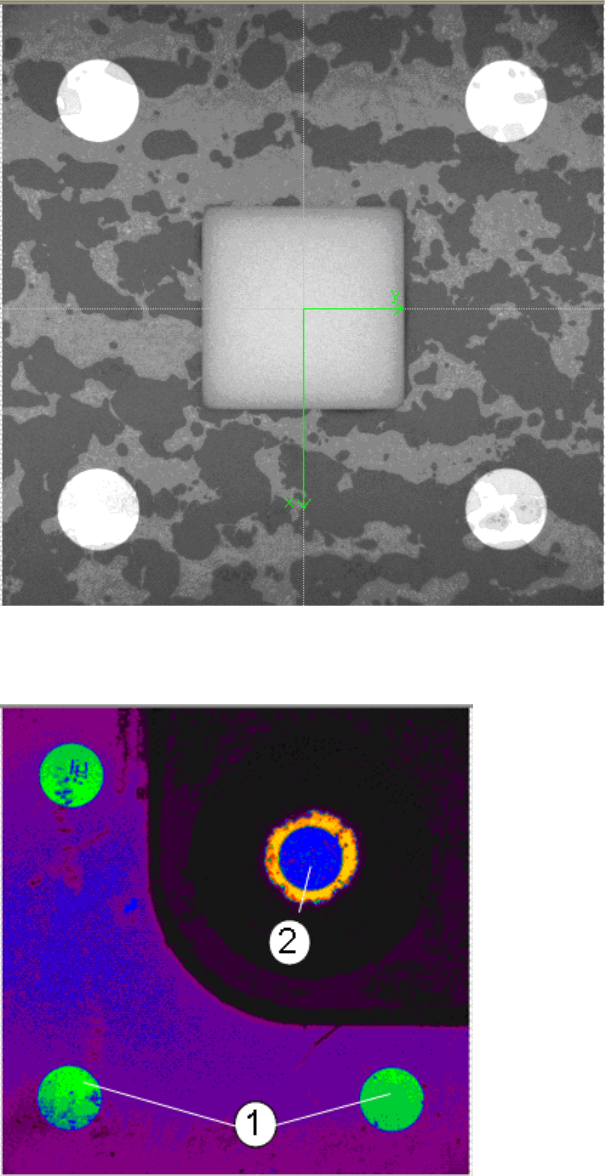
A dialog box opens in which the current measurement operation is displayed. The fiducials which
are currently being measured will be displayed.
ACT with SSW 6xx / User Manual 07/2017 Edition
52
Example of measurement operation with the ceramic components Cerampads:
Figure 4-31: Example of measurement window with Cerampads
Example of measurement operation with glass components:
Abbildung 4-32: Anzeige Messfenster mit Glasbauelementen (Falschfarbendarstellung)
Key:
(1) Fiducials on the ACT plate (2) Fiducials on the glass component
ACT with SSW 6xx / User Manual 07/2017 Edition
53
4.2.5.1 Measurement Evaluation and Measurement Data with the 605.xx Station Software
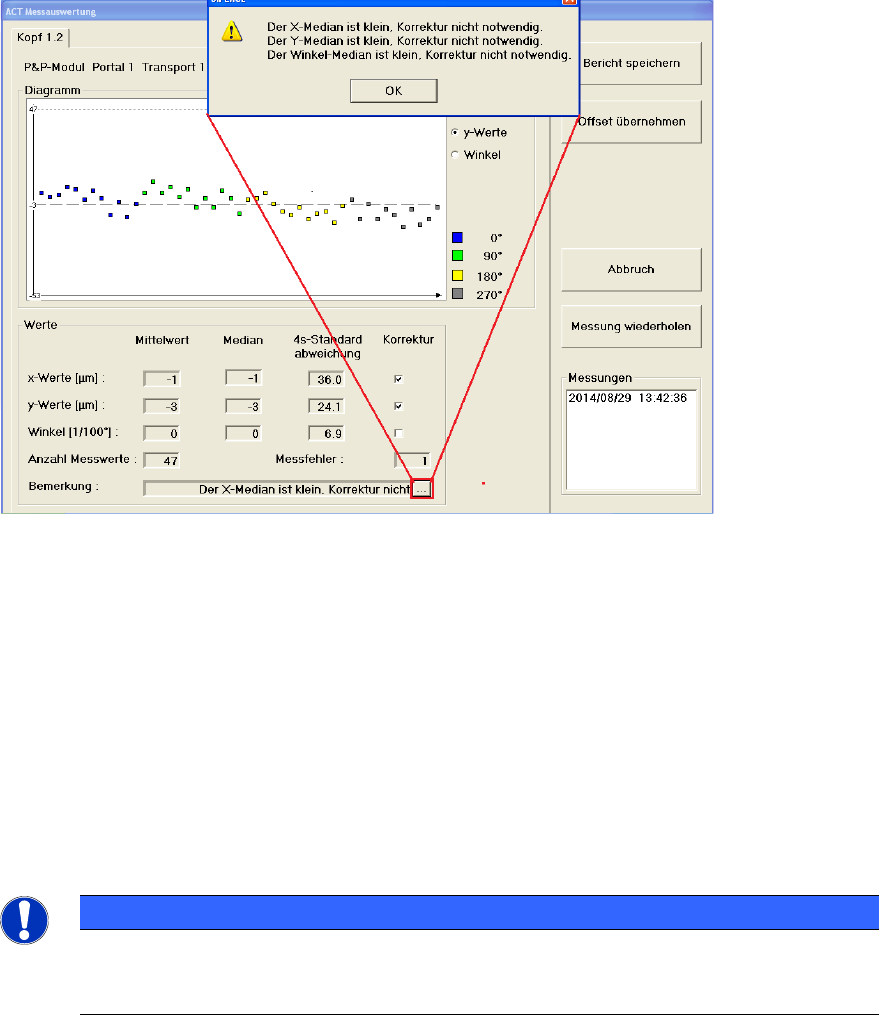
Once all fiducials have been measured, the ACT Measurement evaluation dialog box will be
automatically opened.
Example of measurement evaluation at the GUI for C&P12 heads (Cerampads) on a
SIPLACE D1:
Figure 4-33: Measurement results for ACT (example: Dialog box for C&P12 head)
Key:
(1) Here you will get additional information on the detected x-, y- and angle values
(e.g. if a correction of the offset value makes sense or not).
x-Werte (x-values)
Displays the offset values in x-direction.
y-Werte (y-values)
Displays the offset values in y-direction.
Winkel (Angle)
Displays the offset values of the placement angle.
NOTICE
When measuring the ceramic components, the placement angle cannot be calculated, as
the ceramic components are too small to deliver reliable information for the angle.
Therefore the angle is not displayed!
The measured values are highlighted in color. This allows you to see, for instance, whether
components that were positioned with a particular placement angle show exceptionally deviations.