ACT - Accuracy Check Tool mit SSW 6xx User Manual 2017.pdf - 第88页
ACT with SSW 6xx / User Manual 07/2017 Edition 24 3.2.5 Importing Tables The "Table import" process is anal ogous to that for im porting boards (see previous section). ► At first, proceed as d escribed in Figu …
ACT with SSW 6xx / User Manual 07/2017 Edition
24
3.2.5 Importing Tables
The "Table import" process is analogous to that for importing boards (see previous section).
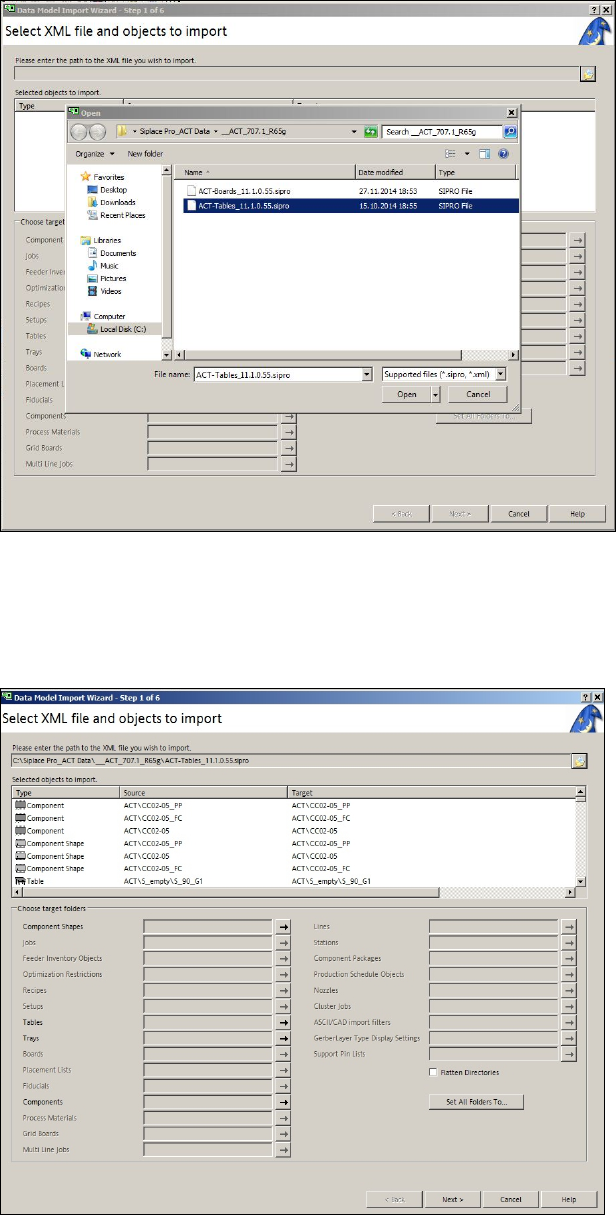
► At first, proceed as described in Figure 3-20 and Figure 3-21.
Figure 3-20: XML file on the ACT CD for import of tables to SIPLACE Pro
► Select the XML file for the tables from the ACT CD.
► Click Open.
The following screen is displayed:
Figure 3-21: Import of XML file for tables in SIPLACE Pro
ACT with SSW 6xx / User Manual 07/2017 Edition
25
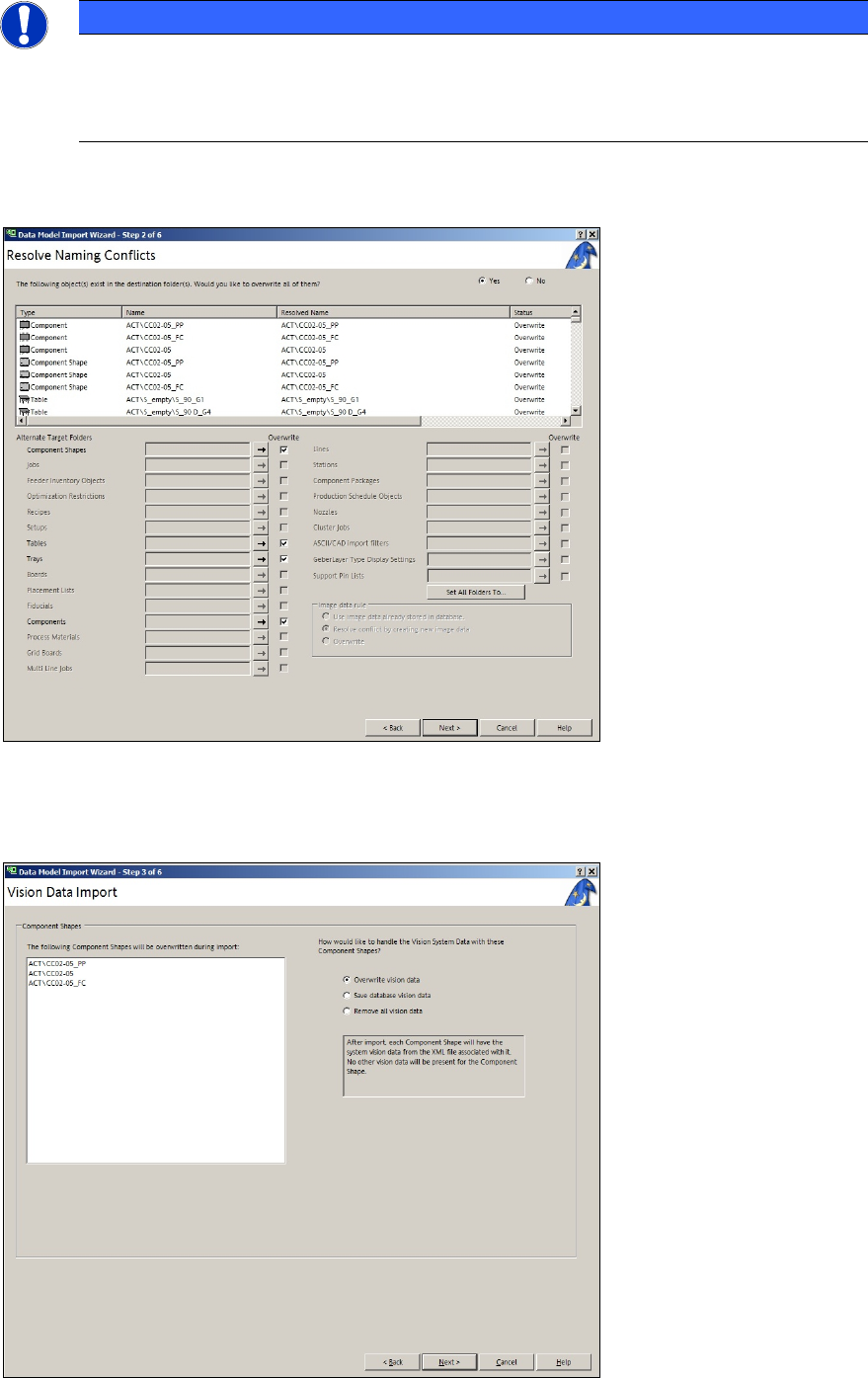
NOTICE
Import of data
► Please do not change the destination folder.
► Do not select the Flatten directories check box.
► Click Next.
Figure 3-22: Import of XML files for tables on SIPLACE Pro computer
► Click Next again.
If data is to be overwritten, the following screen is displayed:
Figure 3-23: Vision data import