ACT - Accuracy Check Tool mit SSW 6xx User Manual 2017.pdf - 第128页
ACT with SSW 6xx / User Manual 07/2017 Edition 64 6.2.3 Others As first step when t he ACT measurem ent is started the grid on the edge g et s measured or is approached. Example: dirty grid in station sof tware 605.x Cle…
ACT with SSW 6xx / User Manual 07/2017 Edition
63
Examples of error measurements
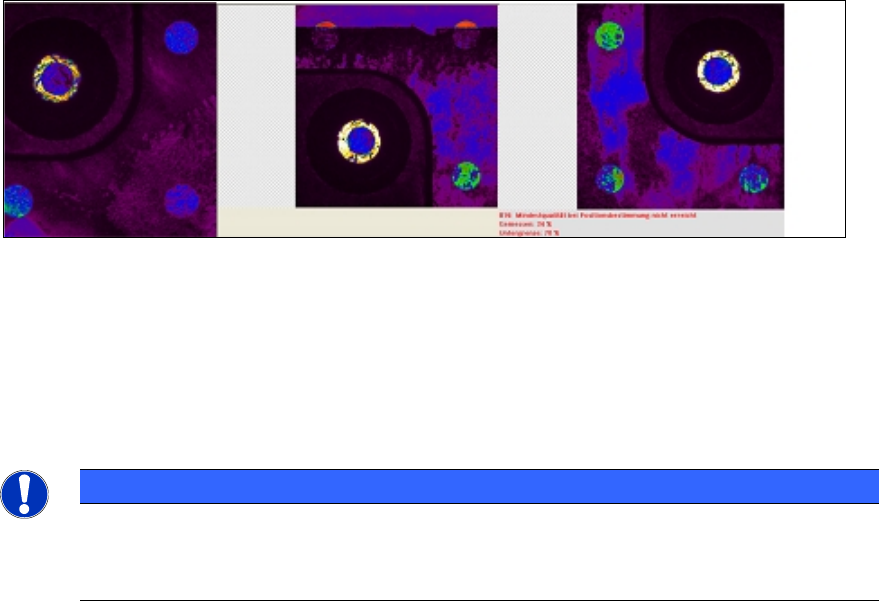
From the video view at the station – up to 10 (part of) images of the buffer are visible:
In the second of 4 part images of a glass component (image in the middle) the upper two fiducials
are clearly covered by the used adhesive foil.
However, this error measurement will first be output with the last part image and is not integrated in
the calculations of the placement accuracy.
Cleaning the glass components
The CC02-05 glass components must not be cleaned in an ultrasonic bath.
► Clean the glass side of the components with a lint-free cloth and glass cleaning agent (alcohol).
► Brush the holes at the top (with the fiducials) carefully with a fine brush.
NOTICE
The glass disk is glued into the plastic housing. The disk is only 0.2 mm thick.
► Therefore, when cleaning the fiducial holes, be careful not to pressure the brush on
the glass.
ACT with SSW 6xx / User Manual 07/2017 Edition
64
6.2.3 Others
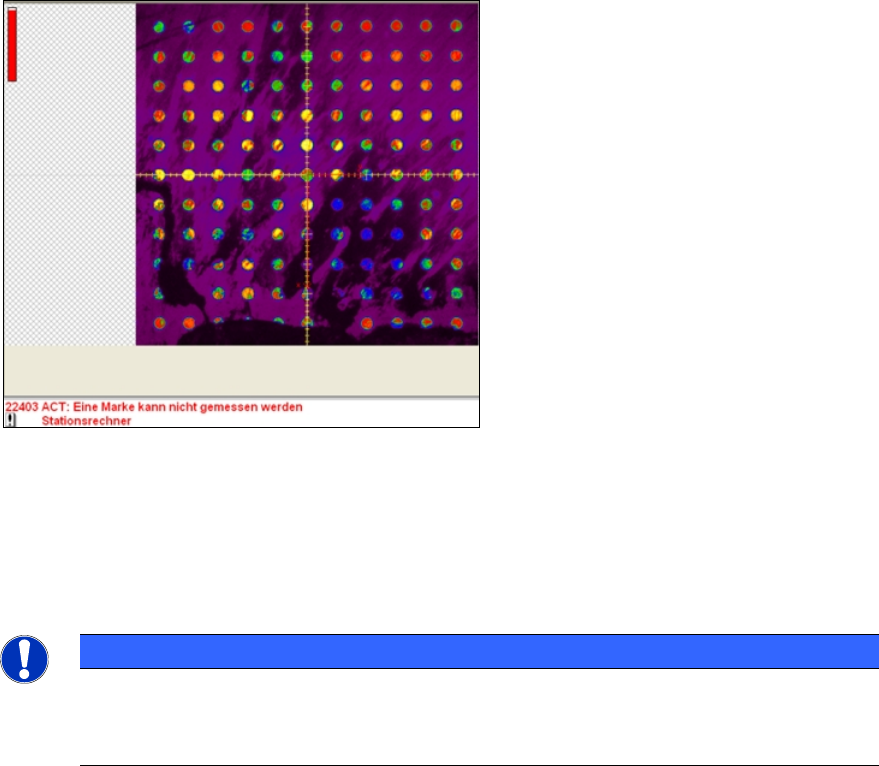
As first step when the ACT measurement is started the grid on the edge gets measured or is
approached.
Example: dirty grid in station software 605.x
Cleaning the glass plate
► Clean the glass plate when replacing the adhesive foil.
► Use a lint-free cloth and glass cleaning agent (alcohol) for this.
► Also remove the light plate and clean the glass plate on both sides.
NOTICE
Applying the adhesive foil
► Make sure that the foil (as described in section 3.1
) is only applied up to the
boundary line and that the grid is not covered!
ACT with SSW 6xx / User Manual 07/2017 Edition
65
7 Abbreviations
ACT Accuracy Check Tool
CO Component
C&P Collect & Place
CP Cerampad
MTC Matrix Tray Changer
P&P Pick&Place
TH Twin Head
WPC Wafflepack changer