ACT - Accuracy Check Tool mit SSW 6xx User Manual 2017.pdf - 第87页
ACT with SSW 6xx / User Manual 07/2017 Edition 23 Figure 3 - 19 displays the de scription of a placed ACT board with CC02 - 05 glass c omponents for the Twin Head, as an exampl e: Figure 3-19: Example: ACT boa rd descrip…
ACT with SSW 6xx / User Manual 07/2017 Edition
22
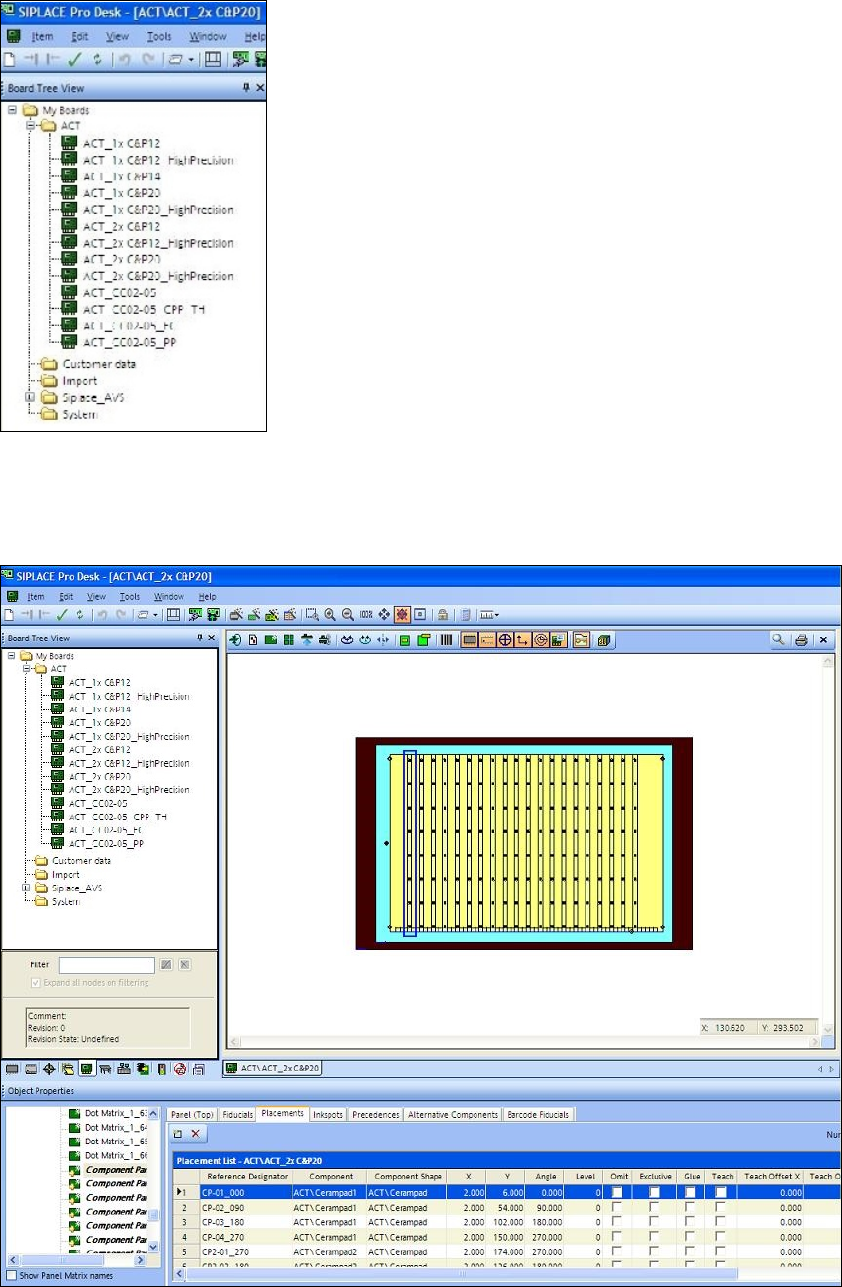
The next screen is displayed in which you will see the folder structure for the boards.
Figure 3-17: Folder structure in SIPLACE Pro
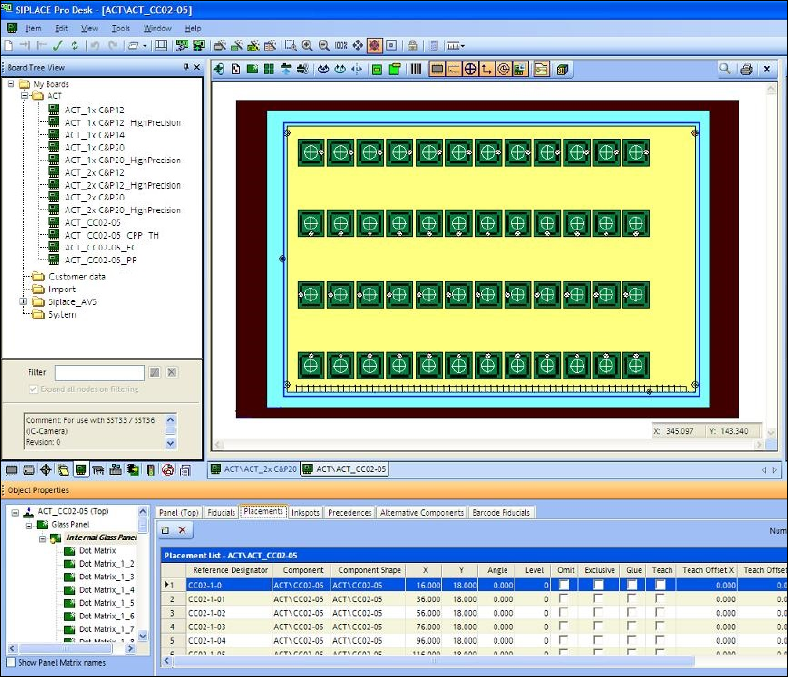
Figure 3-18 displays the ACT board with placed ceramic components, as an example. You can
also see the folder structure and the alternating component designations Cerampad1 and
Cerampad2 for alternating placement by both C&P20 heads.
Figure 3-18: Example: Board description for ACT in SIPLACE Pro for 2xC&P20
ACT with SSW 6xx / User Manual 07/2017 Edition
24
3.2.5 Importing Tables
The "Table import" process is analogous to that for importing boards (see previous section).
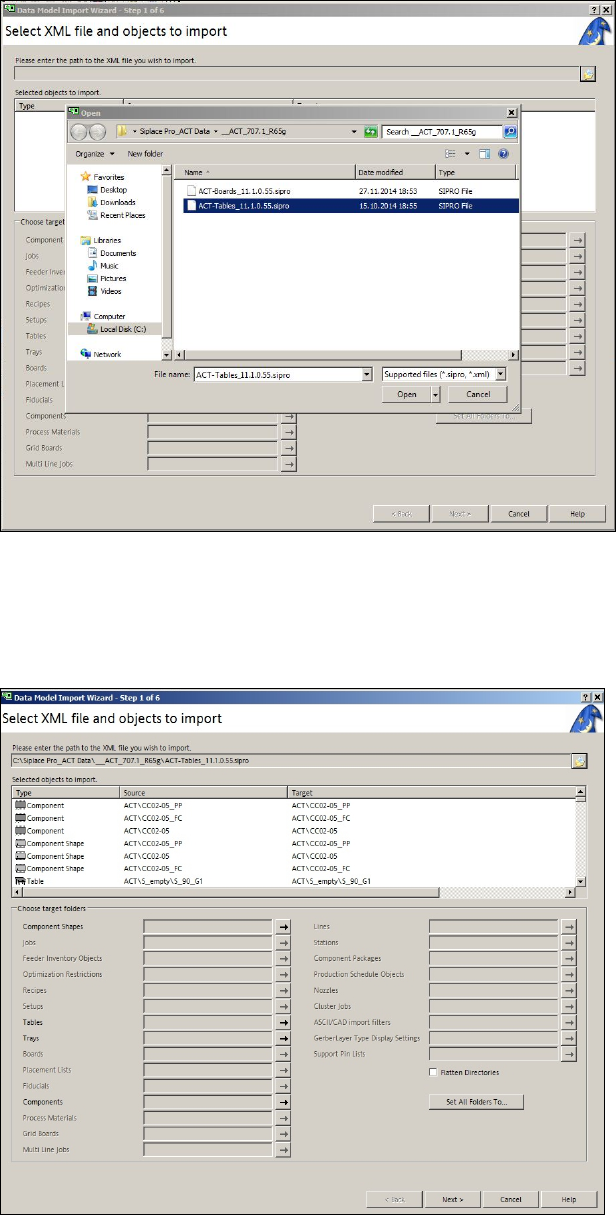
► At first, proceed as described in Figure 3-20 and Figure 3-21.
Figure 3-20: XML file on the ACT CD for import of tables to SIPLACE Pro
► Select the XML file for the tables from the ACT CD.
► Click Open.
The following screen is displayed:
Figure 3-21: Import of XML file for tables in SIPLACE Pro