SOM-1802-002_w.pdf - 第25页
22 AJBES-P (3) Mt (Mold thickness) [mm] When the shuttle tray feeder is used, the component thickness data (Mt (Mold thickness)) is added to the shape data. The components are loaded onto the saucer stage in the shuttle …
21 AJBES-P
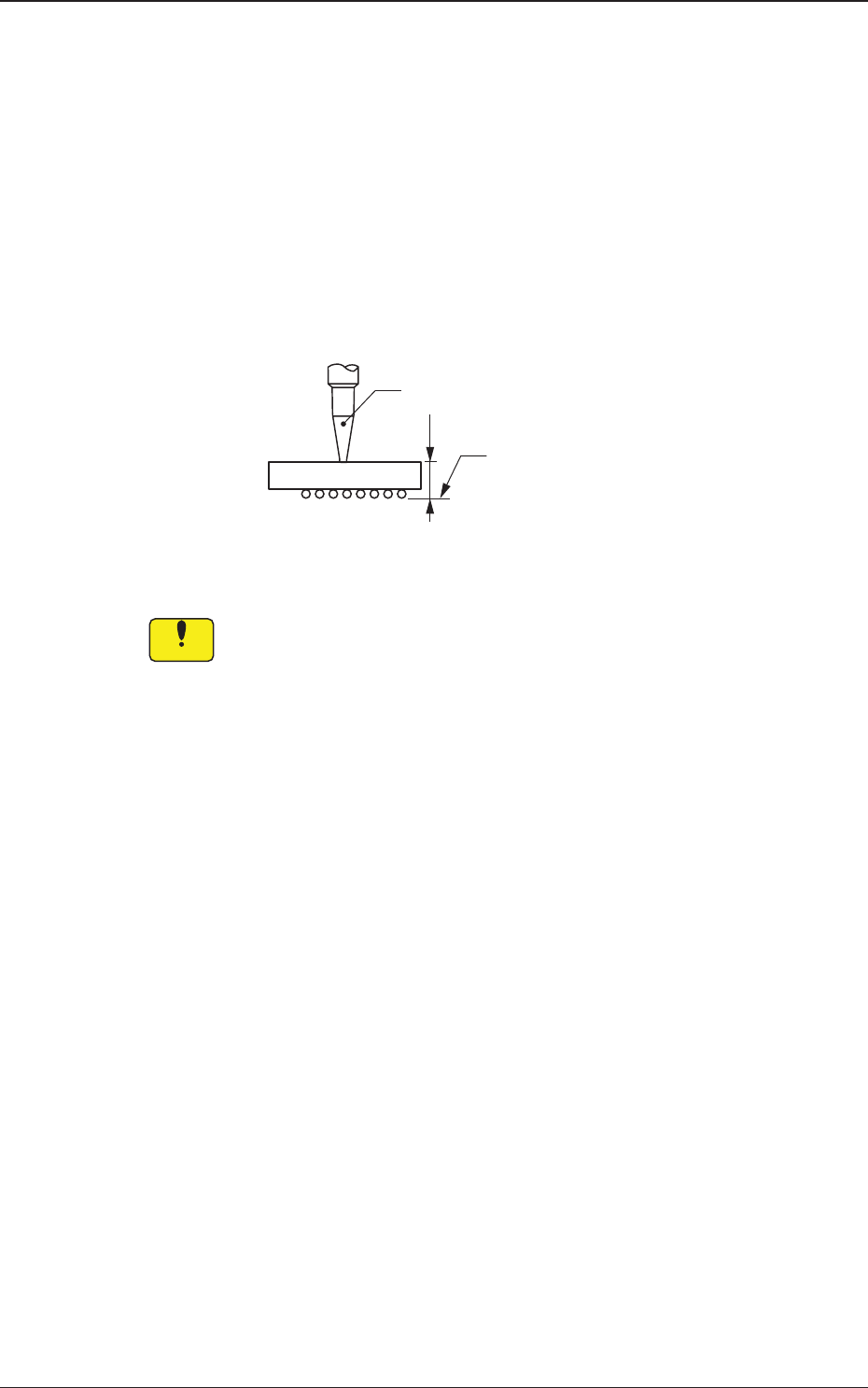
(2) T [mm] (thickness), t [mm] (thickness), and Ut [mm]
(thickness)
Set the thickness of the component in these text boxes.
T (Thickness) : Thickness between Component Placement and
Uppermost Surfaces
t (Thickness) : Thickness between Component Placement and
Nozzle Pickup Surfaces
Ut (Thickness) : Thickness between Component Lowermost and
Placement Surfaces
Fig. 8
When values different from the actual component thickness are set
in the "T [mm]", the "t [mm]", and/or the "Ut [mm]" text box of the
label "Mold size", there is a possibility that the picked components
may interfere with the previously-placed components, the PCB
chute, etc.
T=t
Ut=0
Vacuum Nozzle
Component
Placement
Surface
0606-002
4.2 Data Explanation (B01_02)
Notice
22 AJBES-P
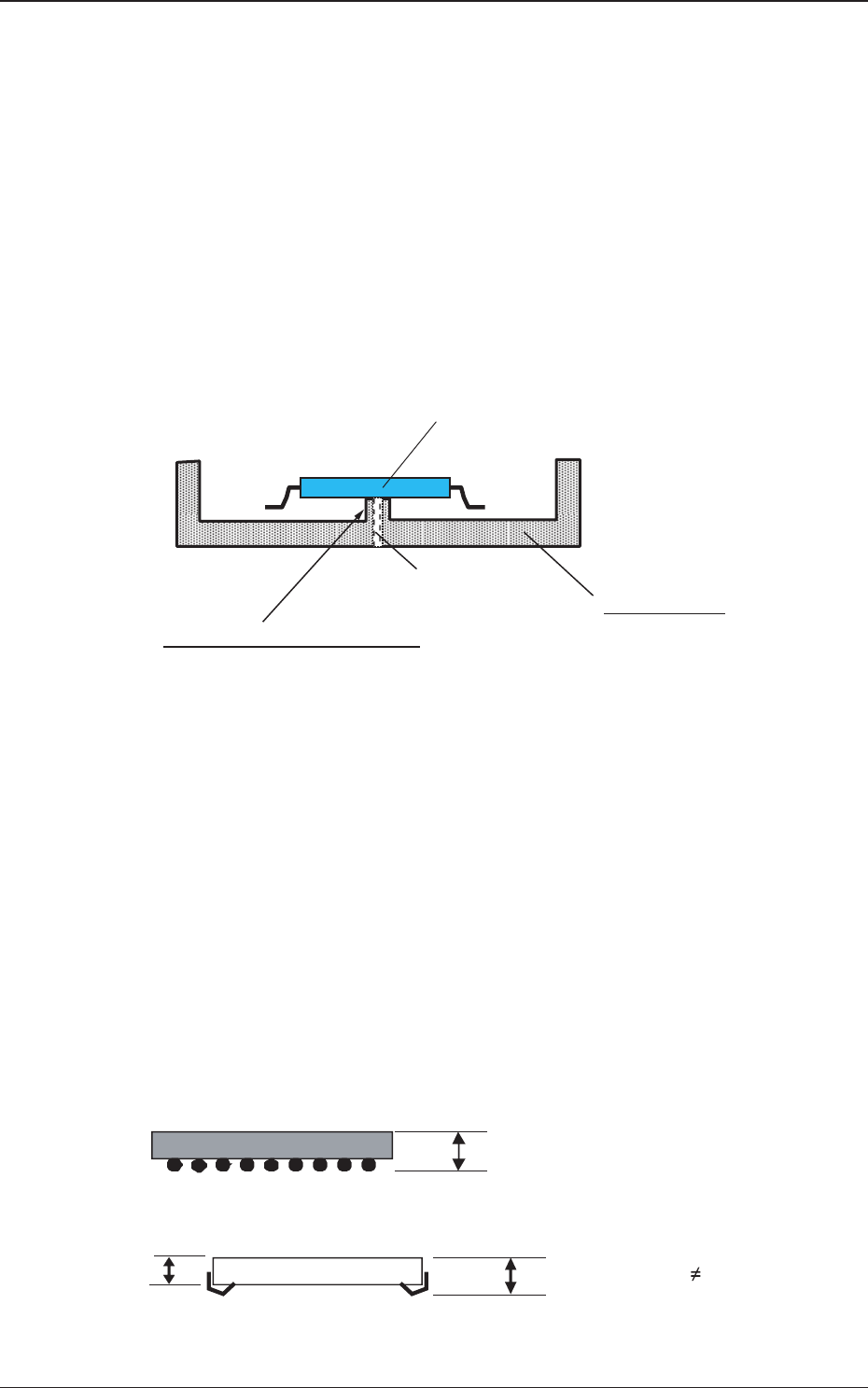
(3) Mt (Mold thickness) [mm]
When the shuttle tray feeder is used, the component thickness data
(Mt (Mold thickness)) is added to the shape data.
The components are loaded onto the saucer stage in the shuttle
section after they are picked up through the P&P motion of the shuttle
tray feeder. After that, the saucer stage is transferred (shuttled) to the
main machine and the components are picked up on the main machine
side.
Several lower holding sections (protrusions) are set up on this saucer
stage to temporarily fasten the loaded components.
Fig. 8-1
No stress should be imposed on a component when the component is
loaded onto the saucer stage in the shuttle section after being picked
up from the tray with the P&P pad of the shuttle tray feeder.
In this case, component thickness other than "t", "Ut", and "T" speci-
fied already in the "Mold size" data is required for the amount of the
P&P-L axis downward movement.
Therefore, new component thickness data (mold thickness) is pre-
pared as "Mt" for the shuttle data.
Fig. 8-2
Component
Saucer Stage
Protrusions for Lower Holding:
These protrusions are used to make a difference in the
levels between the saucer stage and the component,
so that no stress can be imposed on the component leads.
Vacuum Path for
Lower Holding
t
tT Mt
TMt
t
Mt
Example 1: In the case of BGA components, Values "t",
"T", and "Mt" must be the same.
Example 2: In the case of PLCC components,
Value "t" equals to "T" but Value "Mt" must be different.
=
=
=
0606-002
4.2 Data Explanation (B01_02)
23 AJBES-P
(B01_04) Component weight [mg]
Set the component weight in the text box.
(B01_05) Polarity existence
Set "Enable" or "Disable" to determine whether or not the component has a
polarity (direction).
This data is used for optimization of the pattern program.
Select "Enable" or "Disable".
(B01_13) Electrical Contact Data
Set the basic parameters related to the electrodes of the components.
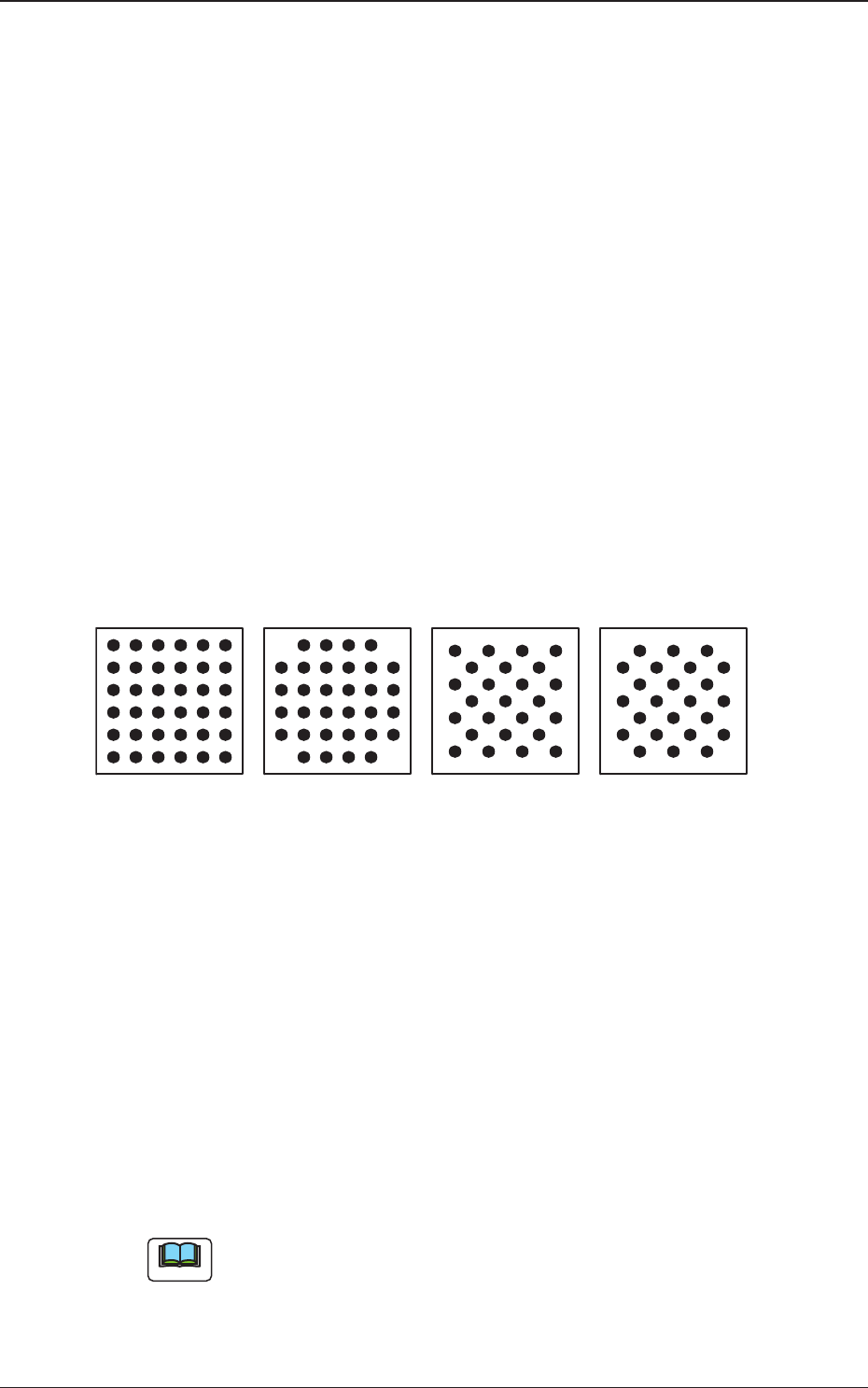
(1) Grid Type
Select one of the following grid types.
Regular : Regular Lattice
Custom : Lattice having no electrodes at 4 corners
Checker : Staggered Array
Reversed Checker : Reversed Staggered Array
Fig. 9
(2) Image
Select one of the following options depending on how the image of the
electrode is captured in comparison with the mold.
Bright : Select this when the captured image looks brighter than
the mold.
Dark : Select this when the captured image looks darker than the
mold.
(a) In normal cases, select "Bright".
(b) When the mold of a BGA component is made of ceramic, it might be
better to select "Dark".
Reversed CheckerRegular
Custom
Checker
Bottom View of Components
Note
0606-002
4.2 Data Explanation (B01_04), (B01_05), (B01_13)