SOM-1802-002_w.pdf - 第45页
42 AJBES-P Example: Regarding the missing ball as a polarity Fig. 30 Example: Regarding the mark on the mold as a polarity Fig. 31 4.2 Data Explanation (B02_15) T op View of Component Inspection Range Mark T op View of C…
41 AJBES-P
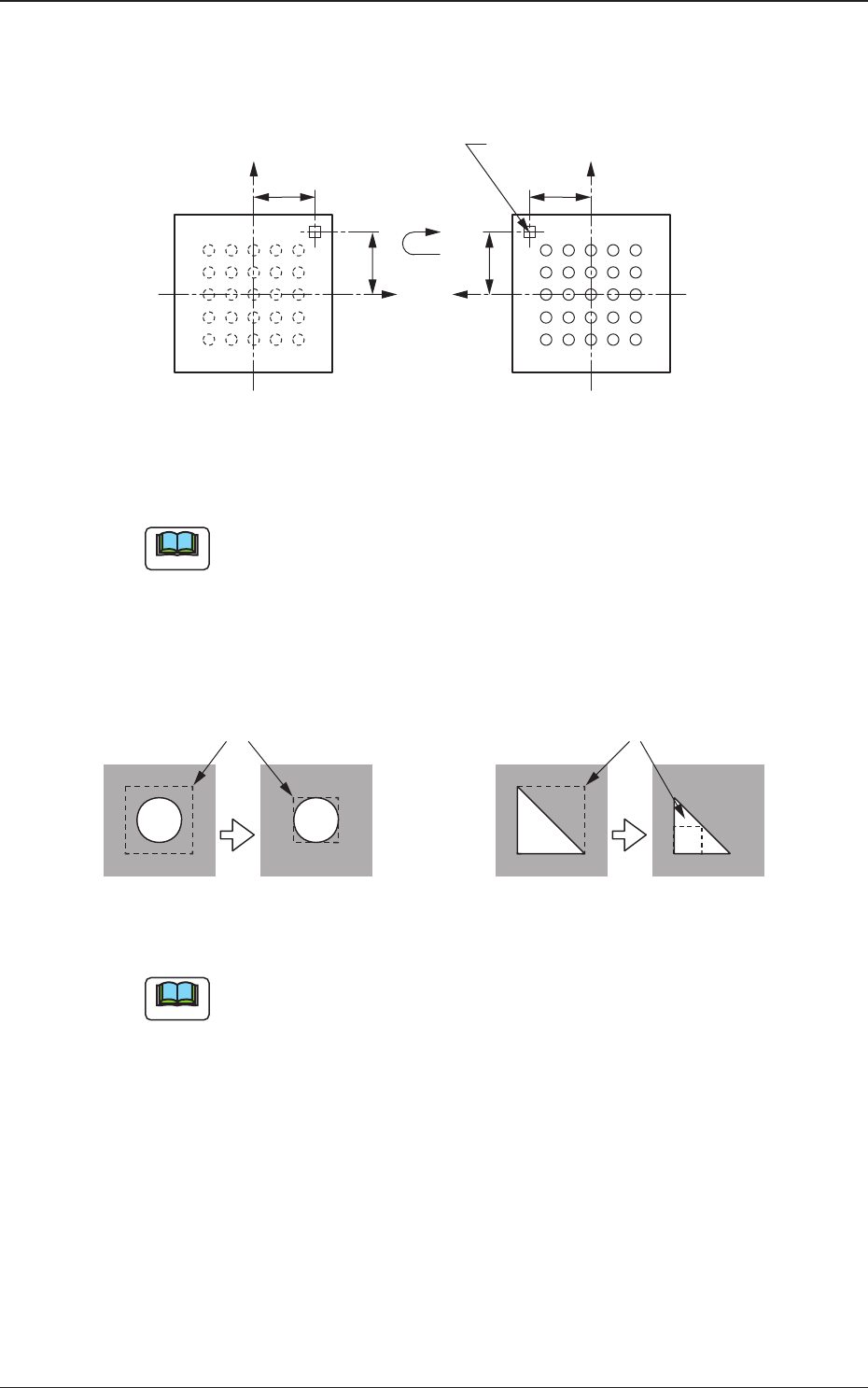
(3) Polarity position X [mm], Y [mm]
Set the distances between the centers of the mold and the inspection
range.
Fig. 28
To set parameters in these text boxes, "Enable (Discard)" or "Enable
(Placement)" must be selected in the "Polarity detn" text box.
(4) Inspection range [mm]
Specify the range to be inspected.
Fig. 29
(a) Set a parameter as an inspection range such that the range having
high contrast is narrowed.
The threshold levels in the inspection range will increase or
decrease, making it easy to determine the polarity.
(b) To set a parameter in this text box, "Enable (Discard)" or "Enable
(Placement)" must be selected in the "Polarity detn" text box.
4.2 Data Explanation (B02_15)
X(+)
Y(+)
X(+)
Y(+)
Bottom View of Components
(Ball Side)
Inspection Range (Mark)
Top View of Component
Note
Note
Inspection Range
Impossible Possible
Threshold = 50 Threshold = 100
Inspection Range
Impossible Possible
Threshold = 50 Threshold = 100
0606-002
42 AJBES-P
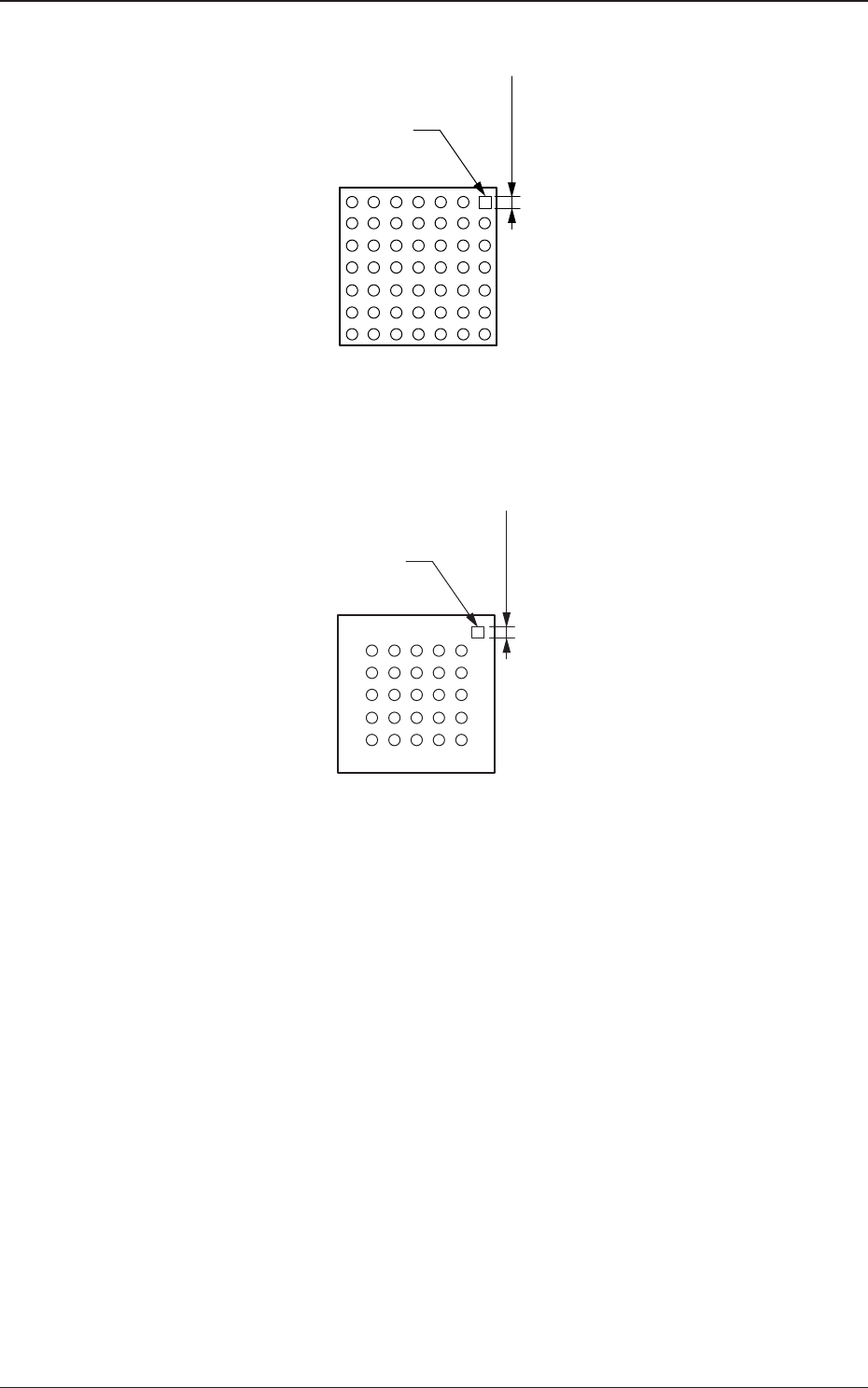
Example: Regarding the missing ball as a polarity
Fig. 30
Example: Regarding the mark on the mold as a polarity
Fig. 31
4.2 Data Explanation (B02_15)
Top View of Component
Inspection
Range
Mark
Top View of Component
Mark
Inspection
Range
0606-002
43 AJBES-P
(5) Inspection range image
Select one of the following options to specify the brightness in the
inspection range.
Bright : Select this when the inspection range is brighter than the
others.
Dark : Select this when the inspection range is darker than the
others.
(a) To set a parameter in this text box, "Enable (Discard)" or "Enable
(Placement)" must be selected in the "Polarity detn" text box.
(b) The system determines whether or not a component has a polarity
according to the brightness in the specified inspection range.
Therefore, it is required to set the range which has a prominent
difference in brightness from the other inspection ranges.
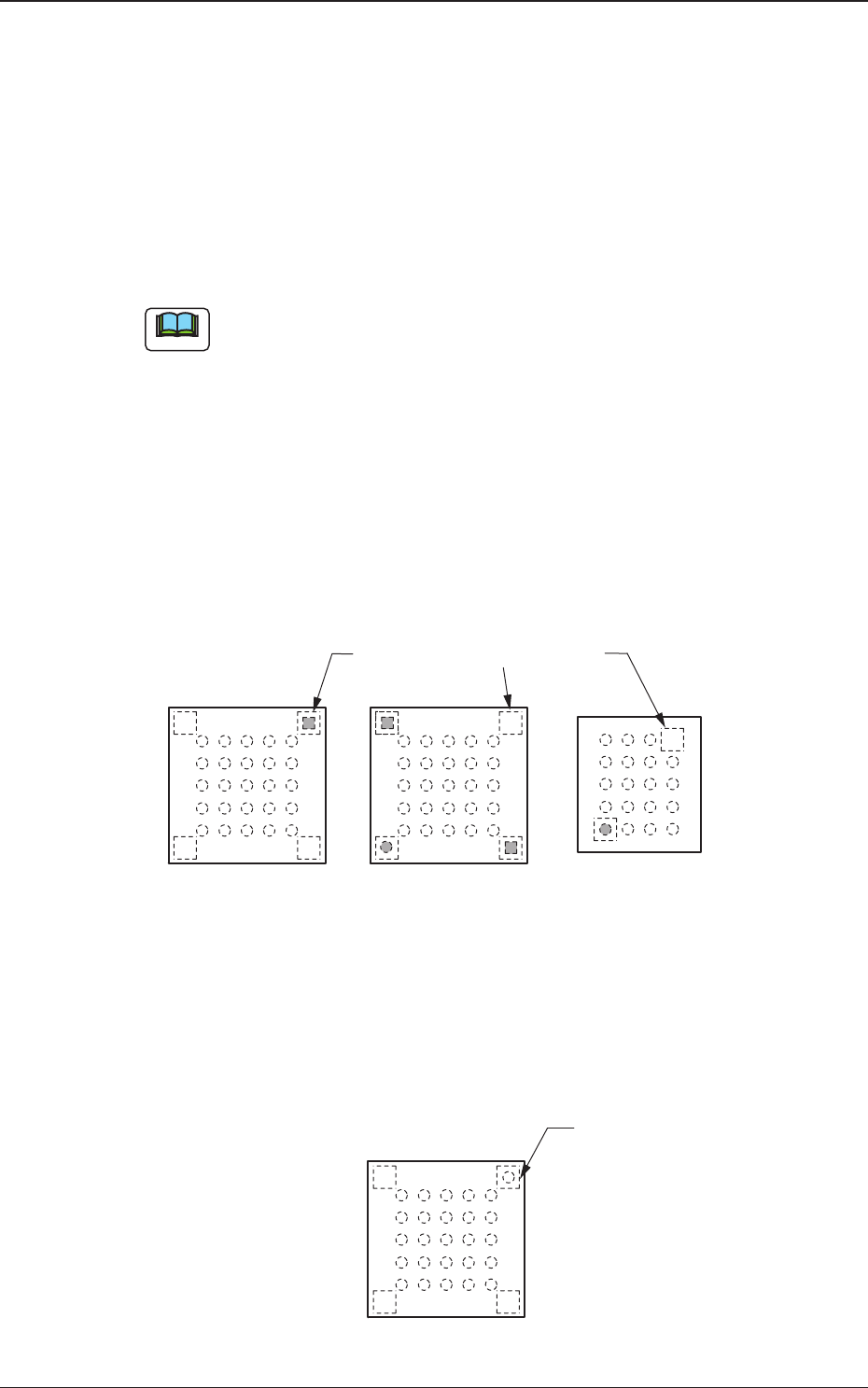
Example of Prominent Difference:
The system can determine whether or not components have a
polarity because the difference in brightness is prominent
between the specified inspection range and the others.
Fig. 33
Example of No Difference:
The system cannot determine whether or not the component has
a polarity because there is no difference in brightness between
the specified inspection range and the others.
Fig. 34
4.2 Data Explanation (B02_15)
Note
Top View of Component
Specified Inspection Ranges
Top View of Component
Specified Inspection
Ranges
0606-002