SOM-1802-002_w.pdf - 第46页
43 AJBES-P (5) Inspection range image Select one of the following options to specify the brightness in the inspection range. Bright : Select this when the inspection range is brighter than the others. Dark : Select this …
42 AJBES-P
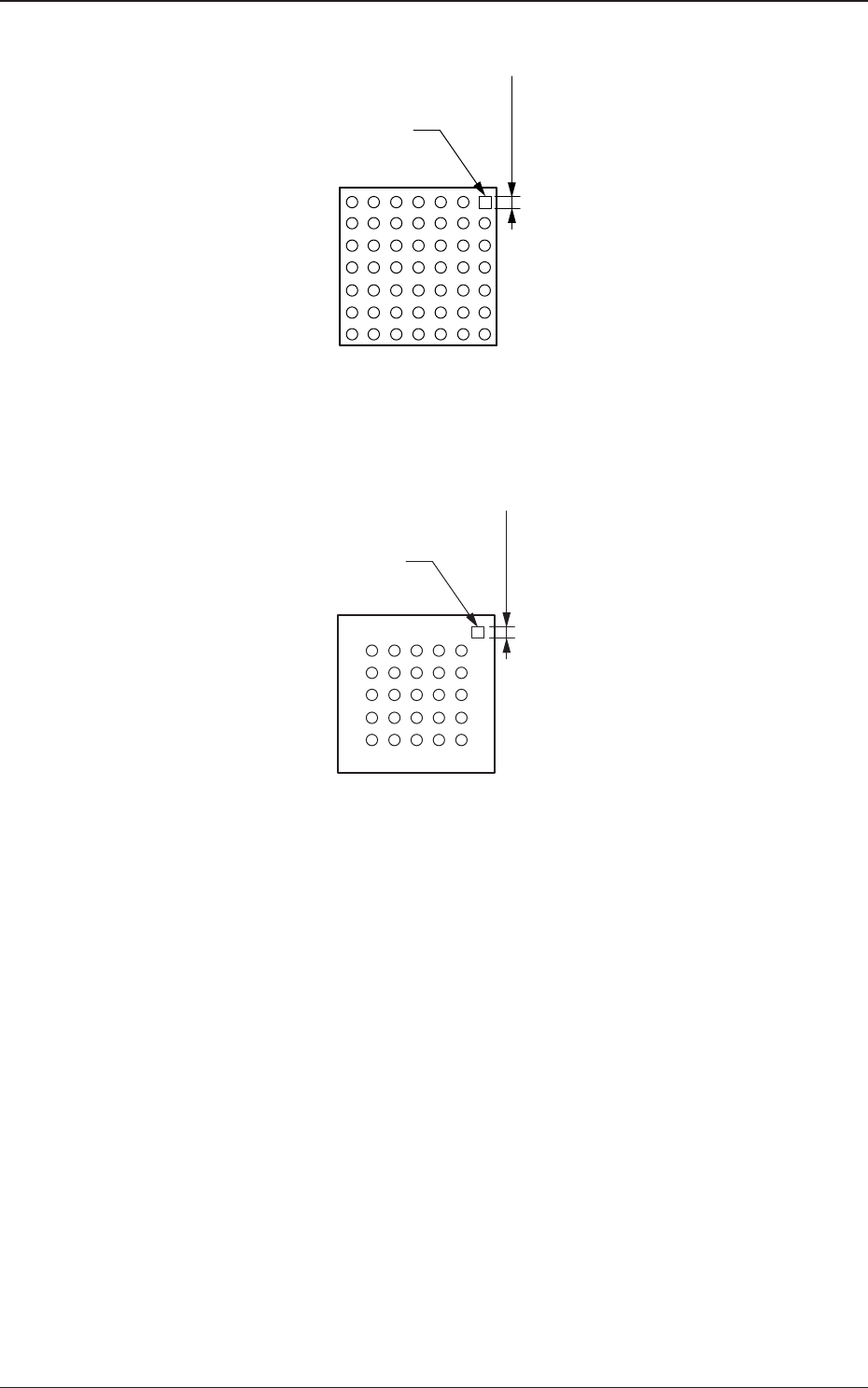
Example: Regarding the missing ball as a polarity
Fig. 30
Example: Regarding the mark on the mold as a polarity
Fig. 31
4.2 Data Explanation (B02_15)
Top View of Component
Inspection
Range
Mark
Top View of Component
Mark
Inspection
Range
0606-002
43 AJBES-P
(5) Inspection range image
Select one of the following options to specify the brightness in the
inspection range.
Bright : Select this when the inspection range is brighter than the
others.
Dark : Select this when the inspection range is darker than the
others.
(a) To set a parameter in this text box, "Enable (Discard)" or "Enable
(Placement)" must be selected in the "Polarity detn" text box.
(b) The system determines whether or not a component has a polarity
according to the brightness in the specified inspection range.
Therefore, it is required to set the range which has a prominent
difference in brightness from the other inspection ranges.
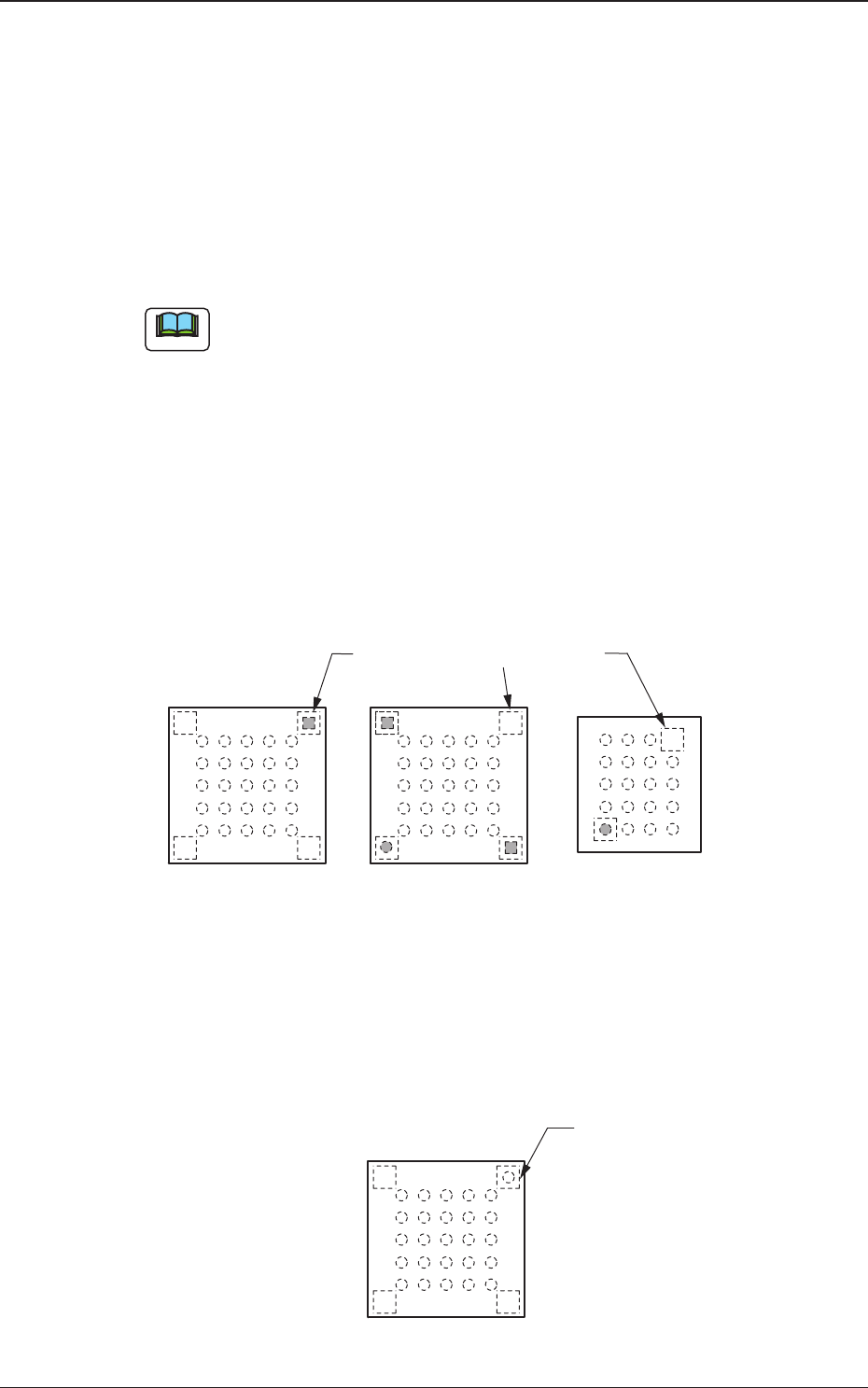
Example of Prominent Difference:
The system can determine whether or not components have a
polarity because the difference in brightness is prominent
between the specified inspection range and the others.
Fig. 33
Example of No Difference:
The system cannot determine whether or not the component has
a polarity because there is no difference in brightness between
the specified inspection range and the others.
Fig. 34
4.2 Data Explanation (B02_15)
Note
Top View of Component
Specified Inspection Ranges
Top View of Component
Specified Inspection
Ranges
0606-002
44 AJBES-P
5. Naming Standards of Component Library
• A component ID name consists of up to 32 characters.
• Component IDs are allocated to the provided standard component library
data based on the naming standards in "5.2 Naming Standards of Standard
Component Library".
• Before creating new component library data, refer to "5.1 Naming
Standards of User Component Library" and allocate component IDs to the
data.
Note that a lot of component IDs will be required in the future.
It is advisable that a basic rule (such as a rule described in "5.2 Naming
Standards of Standard Component Library") should be established and
component IDs should be determined based on the rule.
5.1 Naming Standards of User Component Library
Before creating a user component library, follow the criteria below to
determine component IDs.
Number of Characters: Up to 32 characters
Alphanumerics : A to Z, a to z, and 0 to 9
Marks : Any marks on the keyboard can be used,
excluding the followings.
[‘], [:], [*], [,], and [?]
(a) No blank can be set between characters.
(b) No blank can be set before and after a component ID (a string of
characters).
(c) No component ID can be specified, using only hyphens (-).
5.2 Naming Standards of Standard Component Library
The provided standard component library data is broadly classified into two
types - General Components (ICs excluded) and ICs.
Component IDs are determined based on the standards described on the
subsequent pages.
BGA/CSP Components
Fig. 35
5. Naming Standards of Component Library
Note
Note
0606-002
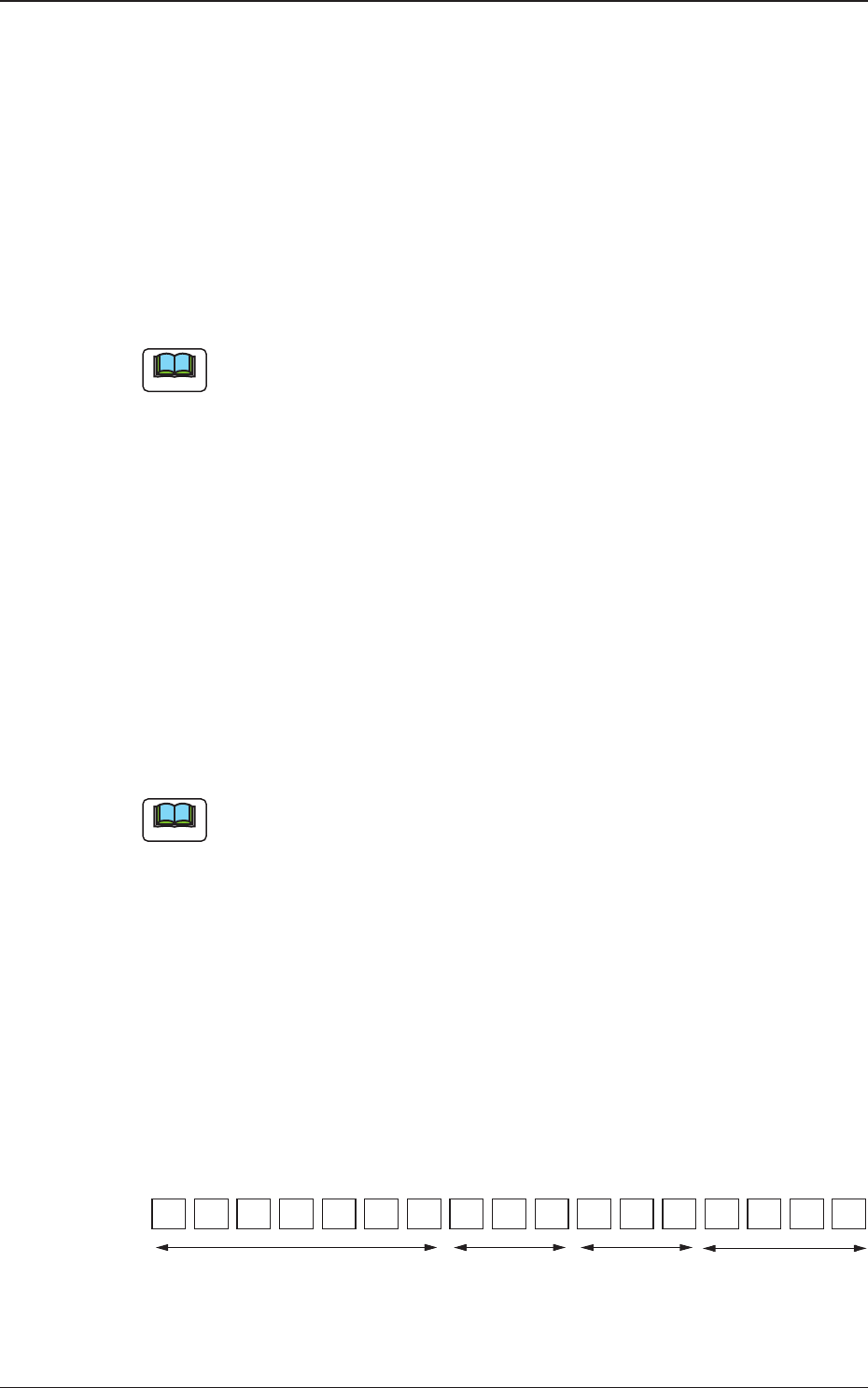
123456789101112131415 1716
Component ID:
5.2.4
Specifications
of Packaging
5.2.1
Component Type, Size, Shape,
and Characteristics
5.2.2
Serial Nos.
5.2.3
Abbreviation
for Makers