SOM-1802-002_w.pdf - 第28页
25 AJBES-P (6) # of groups Set the number of electrode groups in the text box. • Data Input Range BGA/CSP (Simple) : 1 to 30 BGA/CSP (Complex) : 1 to 2000 When the formation of a special BGA cannot be expressed by a cert…
24 AJBES-P
(3) Elctd type
Select one of the following options as an electrode type.
Ball : Select this when the electrode type is "Ball Grid Array".
Land : Select this when the electrode type is "Land Grid Array".
(4) Extended setting
Select "Enable" or "Disable" to determine whether or not the extended
data should be used.
When "Enable" is set in the "Extended setting" text box, the extended
data such as information on missing electrodes can be specified.
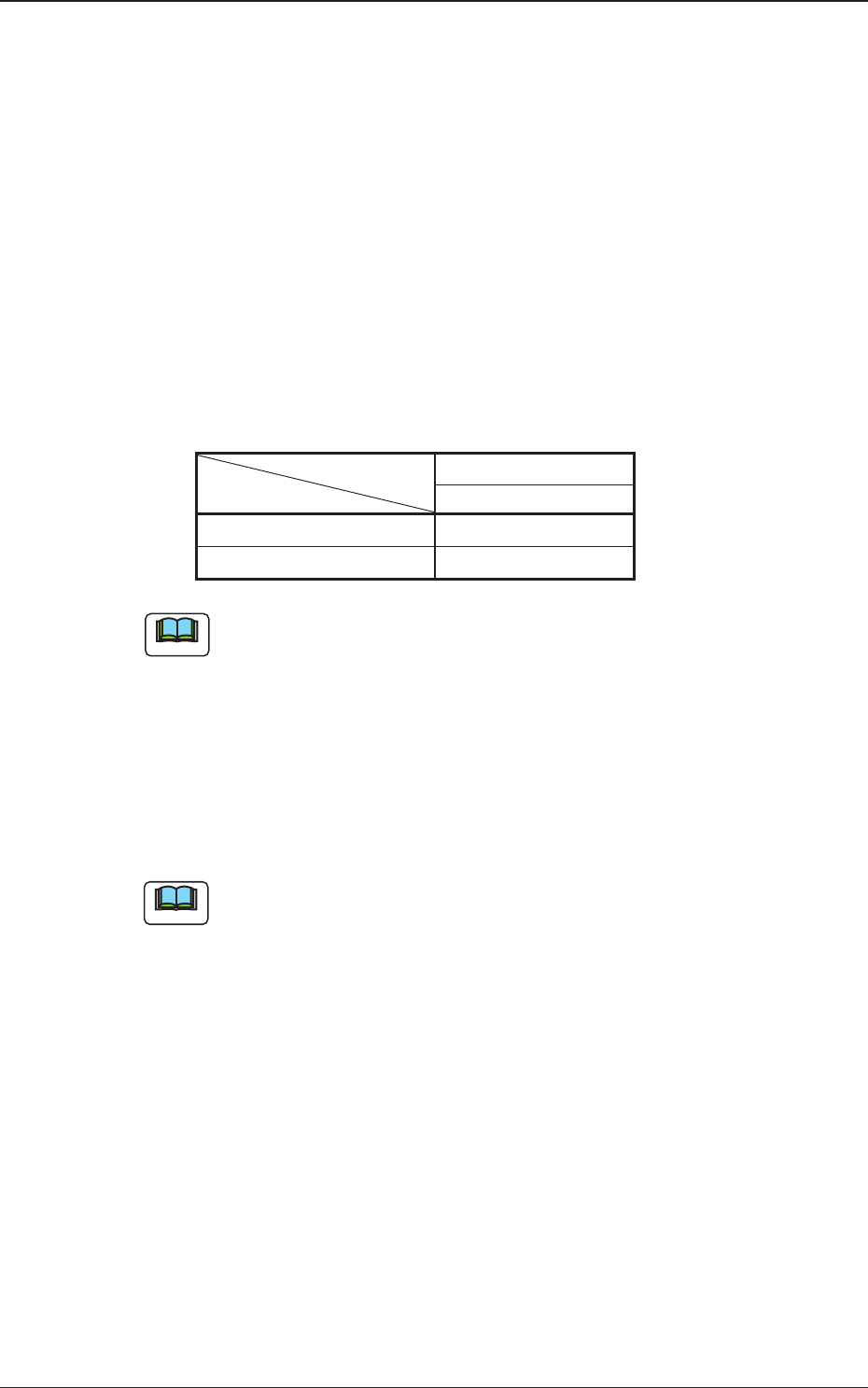
The following shows the extended data that can be specified.
Table 9
Area Array
BGA/CSP (Simple)
# of types {
Missing Elctd Set {
The above parameters must be specified when "BGA/CSP (Simple)" is
selected.
(5) # of types
Set the number of electrode types in the text box.
• Data Input Range
1 to 3
(a) The above parameters must be specified when "BGA/CSP (Simple)"
is selected.
(b) When several types are specified, it becomes possible to handle
such components that have electrodes of different diameters.
Note
Note
4.2 Data Explanation (B01_13)
0606-002
25 AJBES-P
(6) # of groups
Set the number of electrode groups in the text box.
• Data Input Range
BGA/CSP (Simple) : 1 to 30
BGA/CSP (Complex): 1 to 2000
When the formation of a special BGA cannot be expressed by a certain
array type, such a BGA component can be used by increasing the
number of electrode groups.
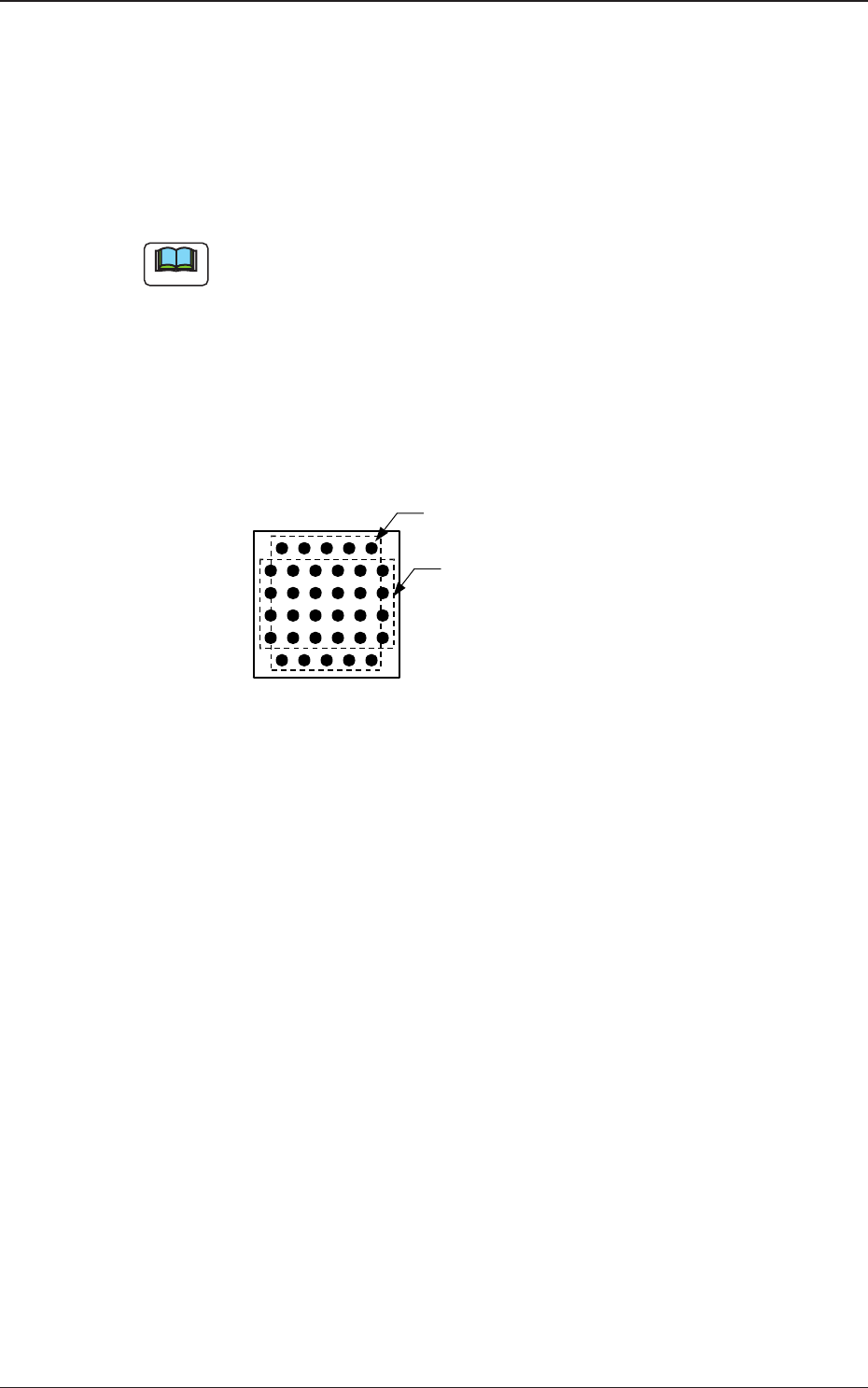
Groups can be overlapped with each other.
Example : The balls arrayed in the 1st and 6th row are shifted by
half a pitch, compared with the balls in the other rows
(2nd through 5th rows).
Fig. 10
0606-002
4.2 Data Explanation (B01_13)
Bottom View of Components
Electrode Group 2
(2 rows and 5 columns)
Electrode Group 1
(4 rows and 6 columns)
Note
26 AJBES-P
(B01_14) Electrode Type Data
Set the shape, the dimension, etc., of the electrode.
(1) ShapeSet the shape of the electrode.
Only "Round" can be selected at present.
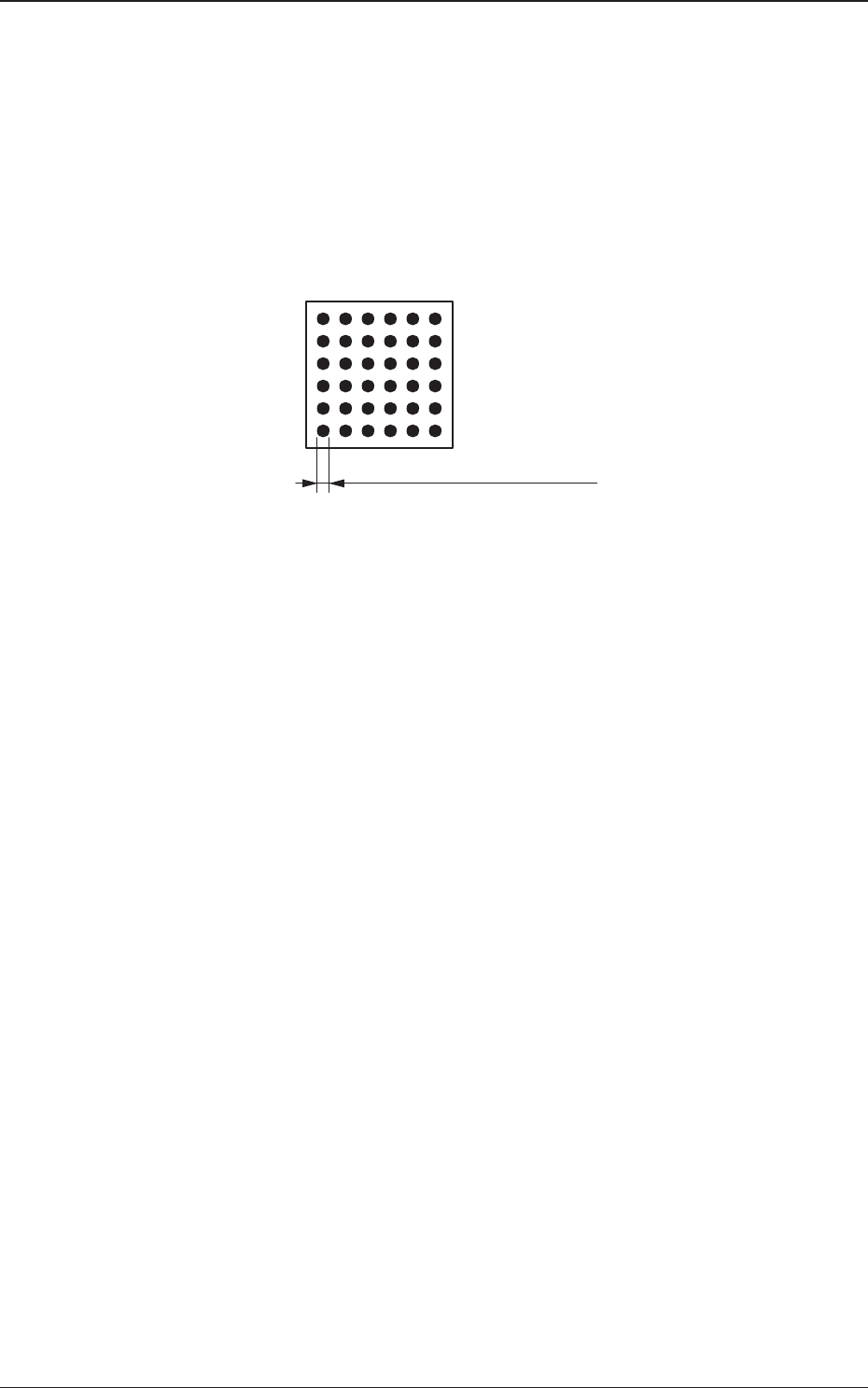
(2) Dim 1 [mm]
Set the diameter of the electrode in the text box.
Fig. 11
(3) Dim 2 [mm]
4.2 Data Explanation (B01_14)
0606-002
Bottom View of Components
Dim 1 (Diameter of Electrode)