OM-1058-002.pdf - 第22页
Tg0409-PM-SO Fig. 33 Press Feed Lever Component 0410-002 21 2.3 Component Pick-up Position Alignment 2.3 Component Pick-up Position Alignment T o pick up a component correctly , the component center is aligned with the p…
Tg0409-PM-SO0410-002 20
2.2 Tape Detachment Procedure
(1) Detach the front hook from the pin.
At the same time, slide the hook while pushing the lower part of the
hook.
(2) Detach the suppressor holding lever from the suppressor hook
section.
At the same time, slide the suppressor holding lever while pressing the
lower part of the suppressor holding lever.
(3) Remove the cover tape from the take-up reel socket.
Cut the cover tape with scissors, leaving 300 mm or more of the end
from the suppressor (tape peeling section) for the preparation of next
attachment.
(4) Lift the suppressor and remove the cover tape through the slit
on the tape peeling section.
If a deformed cover tape is passed through the slit on the
tape peeling section, the tape peeling section might become
deformed leading to a pick-up error.
(5) Turn the take-up reel socket to take up the tape.
If the tape is pulled out while the cover tape is left on the
tape peeling section, the tape peeling section might become
deformed, which may cause pick-up error.
Refer to "2.1 Attachment of Tapes" for the positions of each section.
2.2 Tape Detachment Procedure
Notice
Notice
Reference
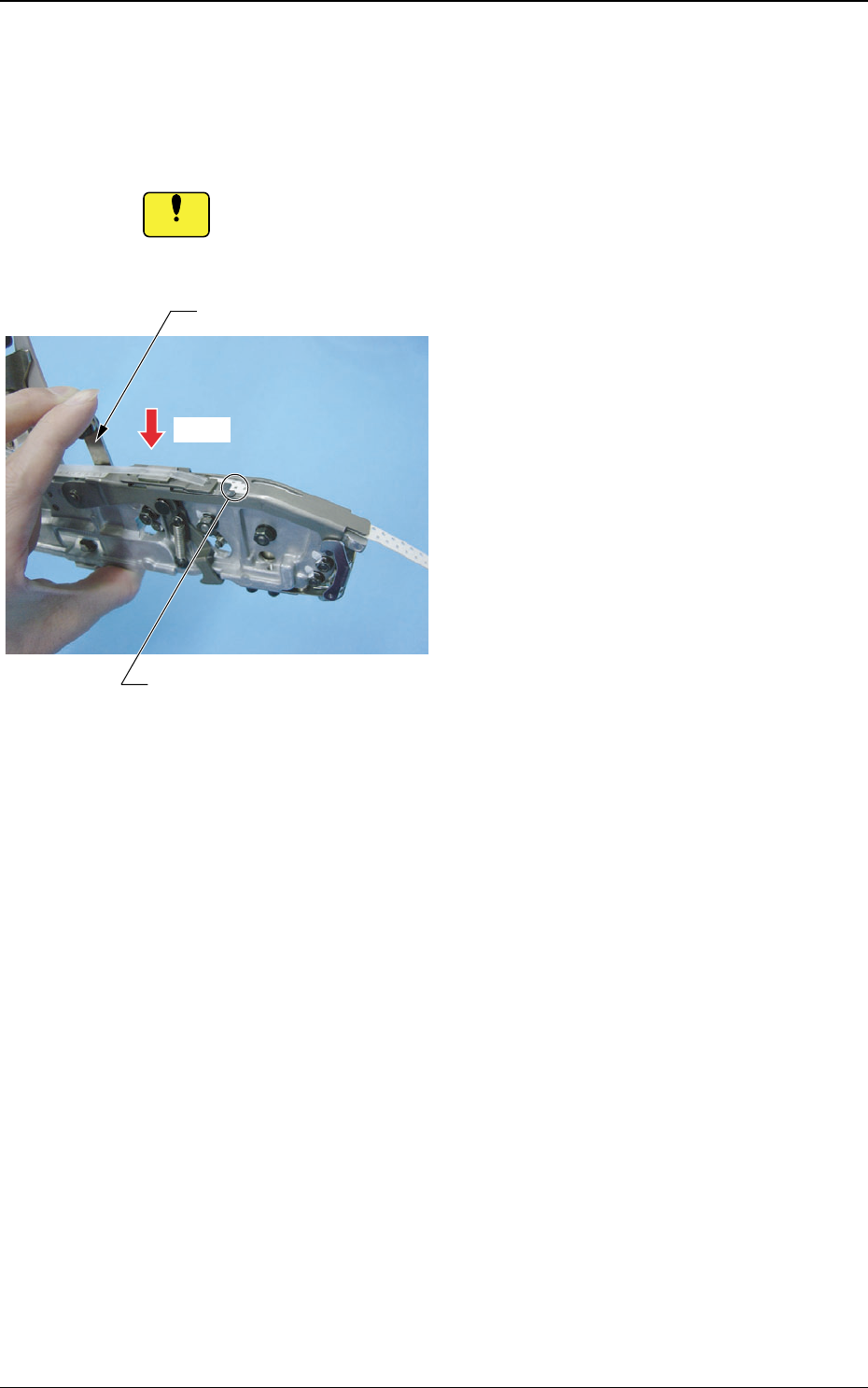
Tg0409-PM-SO
Fig. 33
Press
Feed Lever
Component
0410-002 21
2.3 Component Pick-up Position Alignment
2.3 Component Pick-up Position Alignment
To pick up a component correctly, the component center is aligned with the
pick-up position.
If the component center is not aligned with the pick-up position,
then the pick-up cannot proceed correctly.
Notice
• For 8 mm width tape feeder, press the
feed lever to feed the tape as if there is a
component on the pick-up position.
Tg0409-PM-SO0410-002 22
2.3 Component Pick-up Position Alignment
Press
Feed Lever
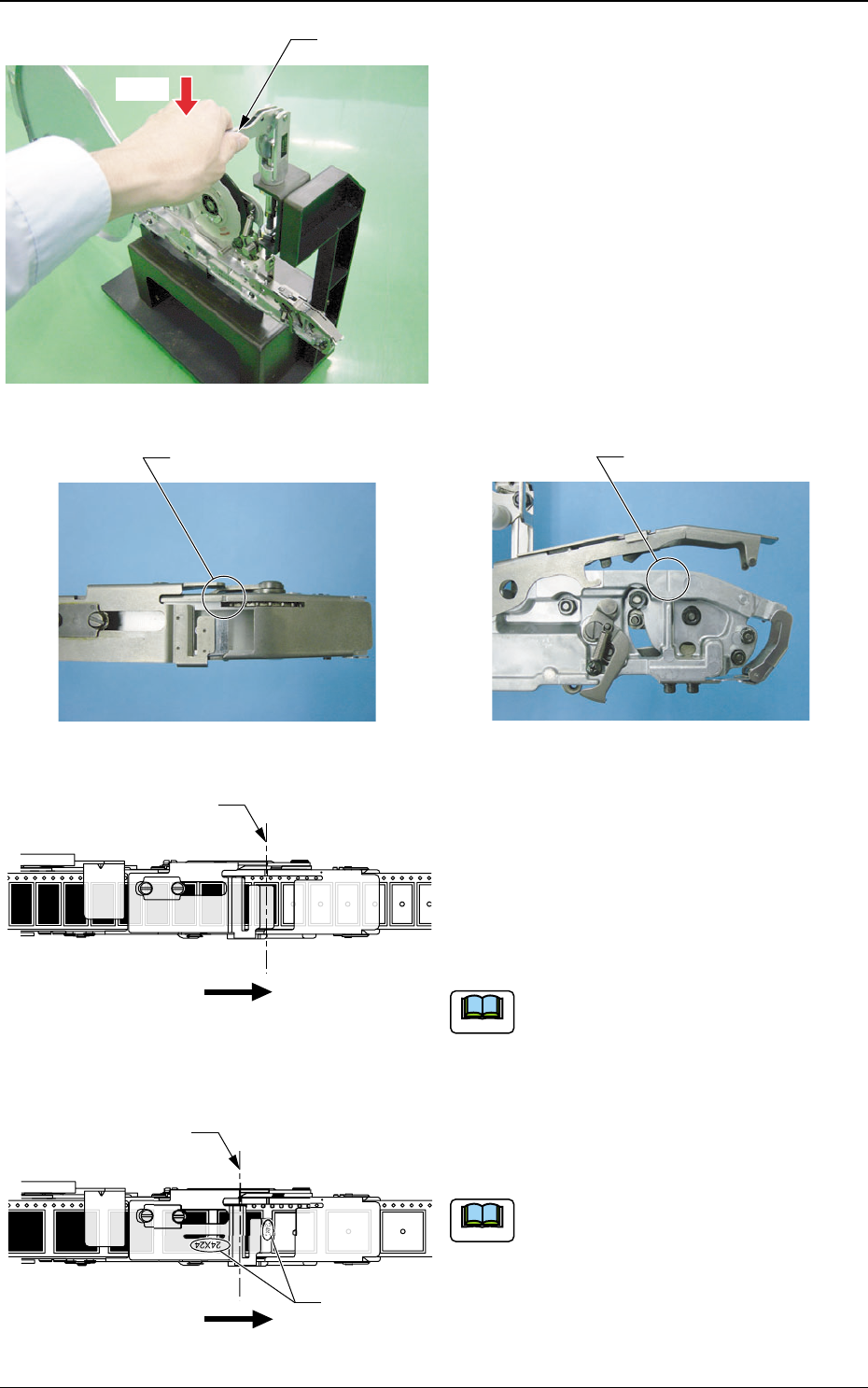
• For tape feeders of 12 mm or wider, push
the feed lever of the feeder set jig and align
the component center with the component
center set position.
The component center set position is marked on
the suppressor and the body section.
Marking
Marking
Fig. 34
Fig. 35 Marking (Suppressor)
Fig. 36 Marking (Body Section)
The Component Center Positions and
Component Center Set Positions for TF-
1210, TF-1211, TF-1212, TF-1610, TF-
2410, TF-3210 and TF-4410 (The figure
shows TF-2410).
The set position is the same as the pick-up
position.
The Component Center and Component
Center Set Position for TF-2411 and TF-
3211(The figure shows TF-2411).
The component center is set at a position
different from that of the pick-up because
the feeder is for two or more feedings.
Forward Direction
Component Center Set
Position (Pick-up Position)
24
Forward Direction
Component Center Set Position
for the Feeders with Two or More
Feeding Operations
On tape feeders with two or
more feedings, the feed pitch
amount is marked.
Fig. 37
Fig. 38
Note
Note