SMN-Tape Feeder Manual(Eng Ver5).pdf - 第63页
Operation of the T ape Feeder 2-33 [V iew of splicing with a tip (Back side of tape)] 12~24mm T ape One –T ip 32~88mm T wo - Tips 9. Cut the vinyl connecting tape by using scissors. 10. Align the viny l connecting tape t…
Samsung SM-Series Pneumatic Tape Feeder Users' Manual
2-32
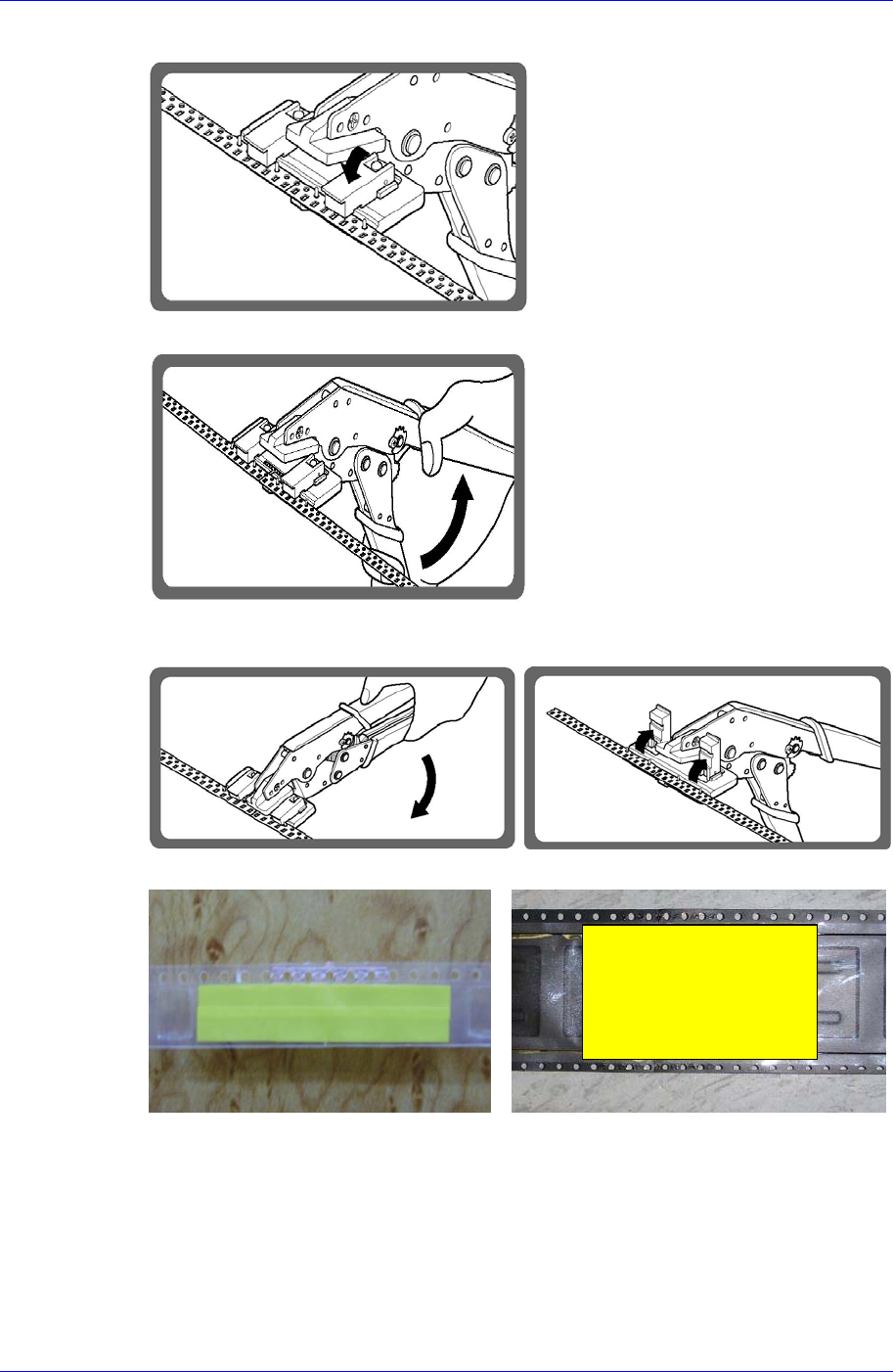
6. Place the tape to be connected on the tip and move the pressing device downward.
7. Connect the tapes by manipulating the handle of the tool.
8. Move the pressing device upward. Push the handle of the tool and release it, and then
remove the connected tape from the tool.
[View of splicing with a tip (Front side of tape)]
12~24mm Tape One –Tip 32~88mm Two - Tips
Operation of the Tape Feeder
2-33
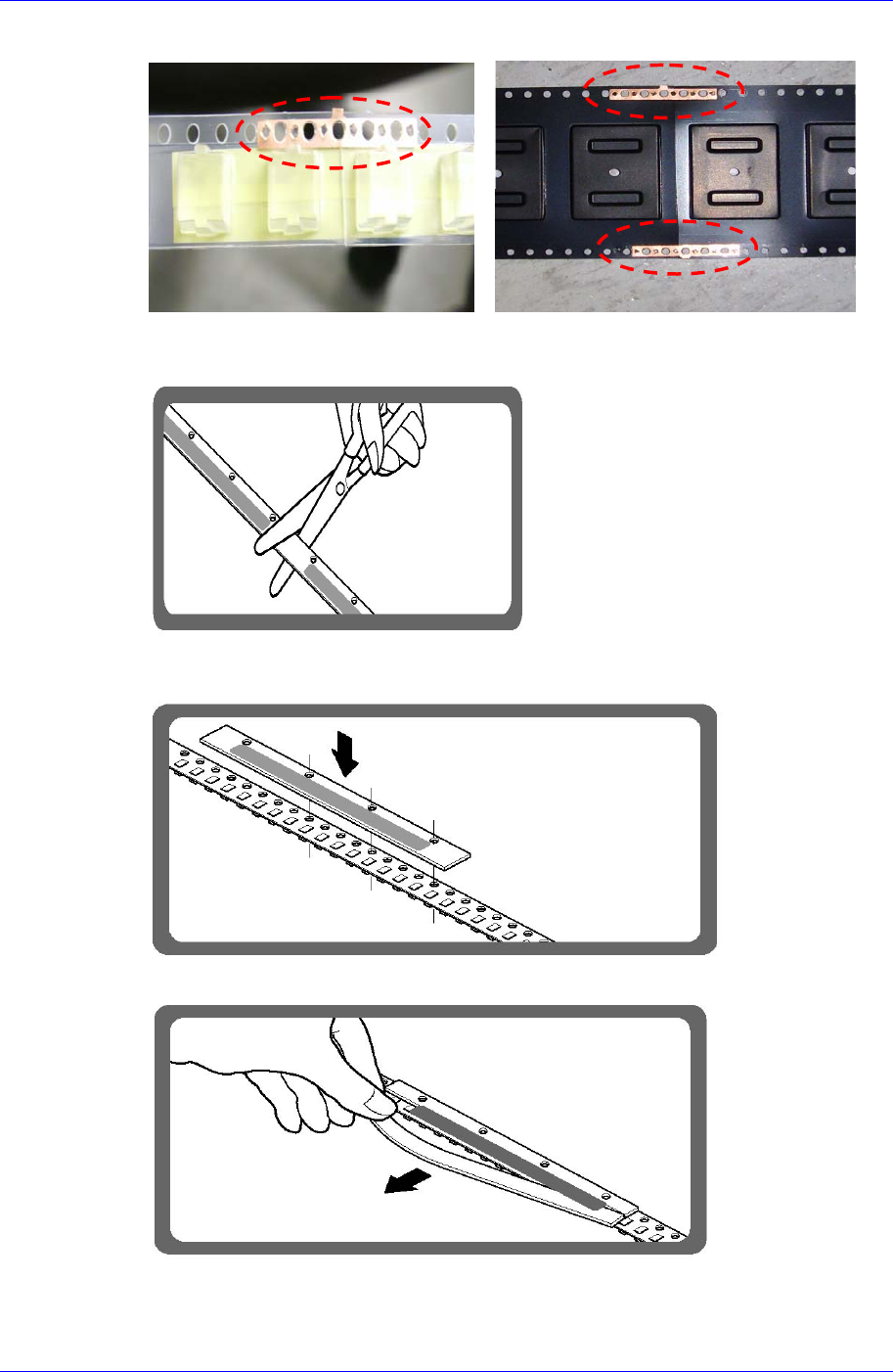
[View of splicing with a tip (Back side of tape)]
12~24mm Tape One –Tip 32~88mm Two - Tips
9. Cut the vinyl connecting tape by using scissors.
10. Align the vinyl connecting tape to the hole of the connected tape and place it on the
cut area. (Using the jig for vinyl splicing tape)
11. Peel off the adhesive surface under the tape from the side without holes.
Samsung SM-Series Pneumatic Tape Feeder Users' Manual
2-34
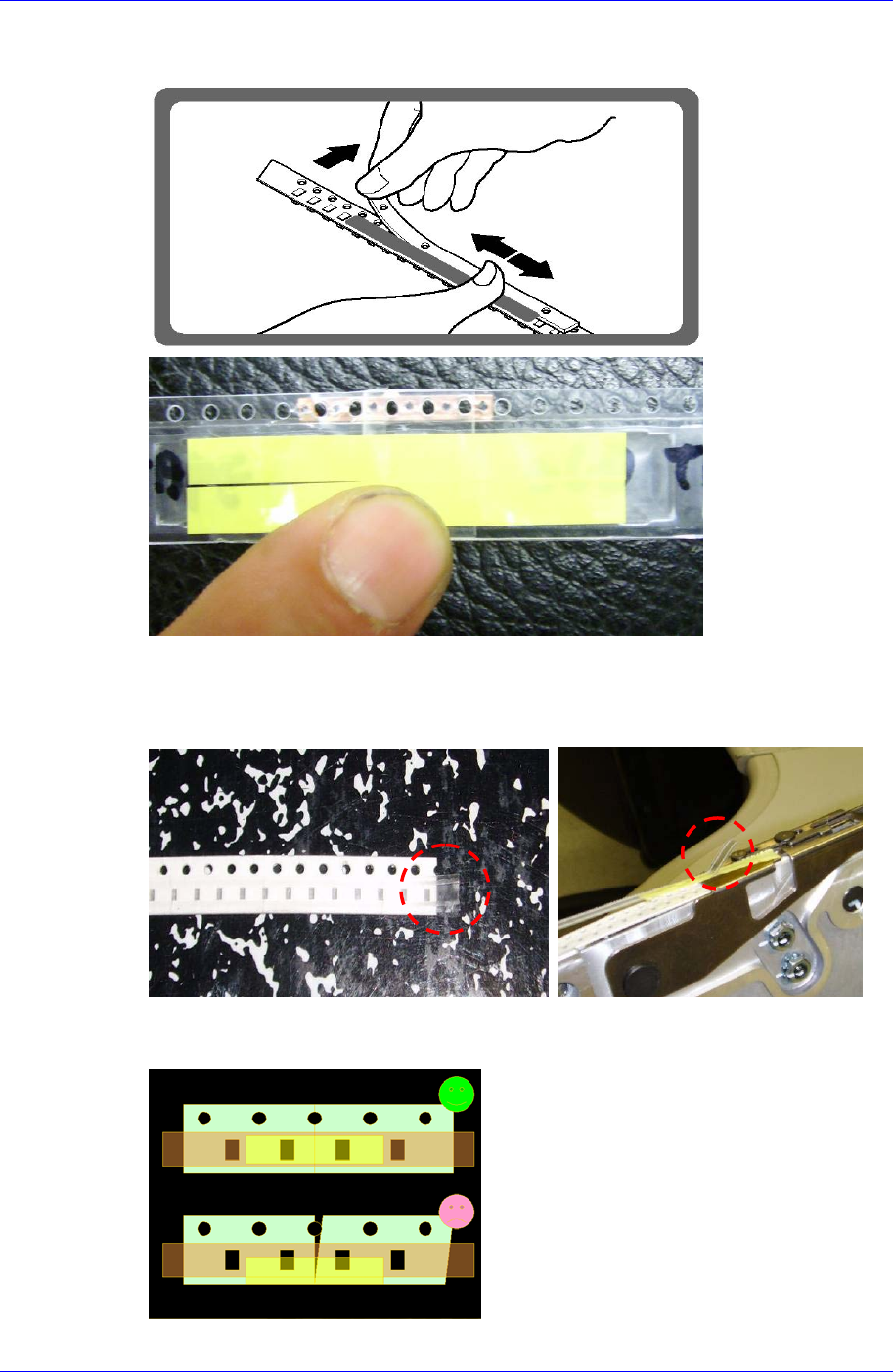
12. Peel off the other side of the adhesive surface under the tape and rub it so that it sticks
well.
2.5.4. Example of poor splicing
When the tape is cut with vinyl remaining on it
It may cause clogging of the slot for vinyl tape.
When the tape splicing face is not straight
If the splicing face is not straight
as shown in the left figure, it
causes an index error.