Maintenance Reference(CP45FV) Eng.pdf - 第46页
Samsung Component Placer CP45FV Series Maintenance Refer ence to break it. If the fitting is damaged. When the blow chamber is not ti ghtened enough, air leak can occur . T ighten it so that tight fastening can be mainta…
Weekly Inspection
3-7
Filter
Fitting
Nipple
Figure 3-4. Replacing the filter
3.2.3. Air Section
Inspection
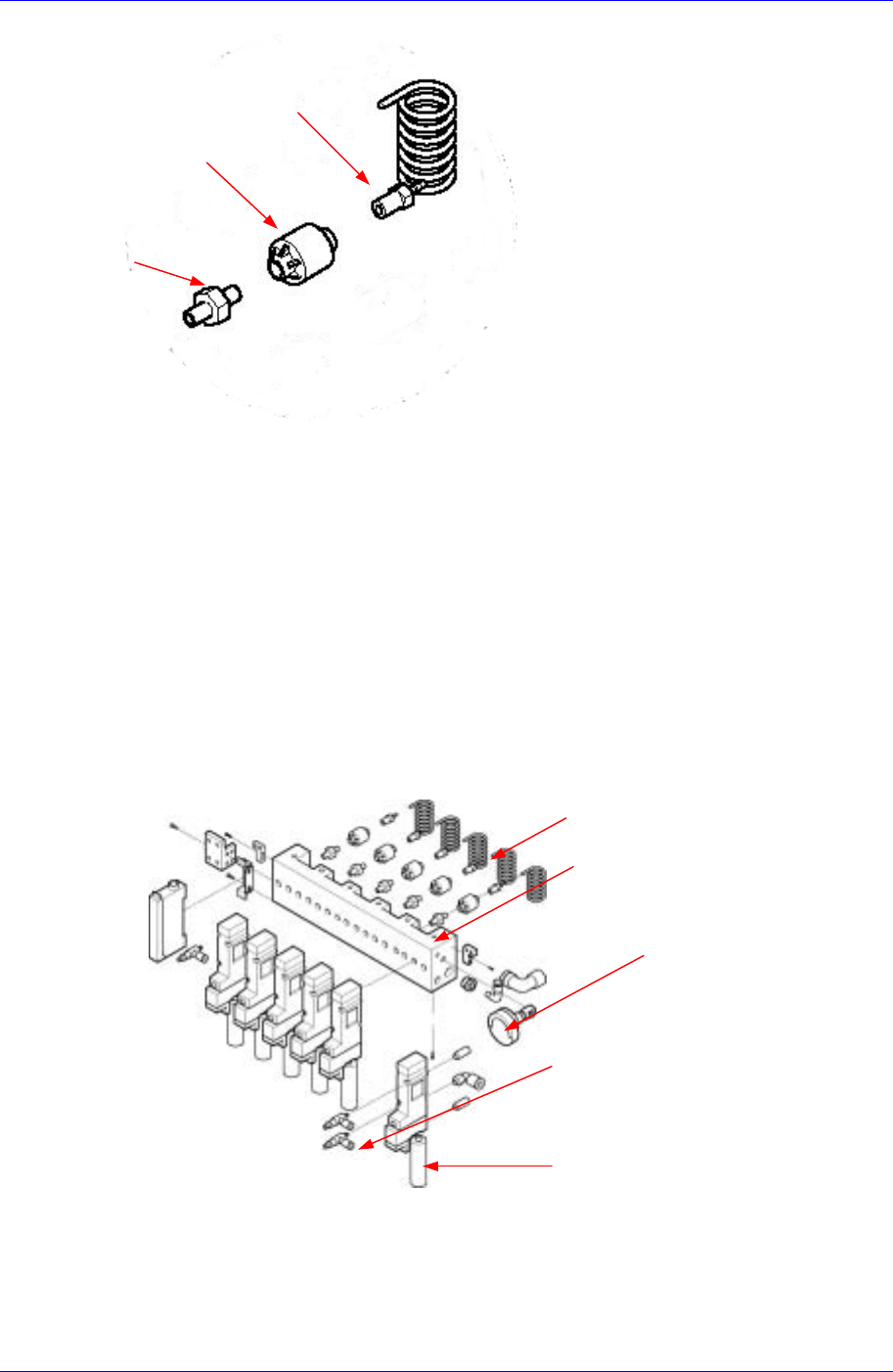
Check to see if there is any abnormal air leak from the air distributor or the fitting
joint area of the solenoid valve.
Check to see if there is any air leak from the blow chamber attached to the solenoid
valve.
Check that the coil tubes are not twisted with each other and interfering with other
parts.
Check if the pressure indicated on the pressure regulator is normal.
Coil Tube
Regulator
Air Distributor
Blow Chamber
Fitting
Figure 3-5. Vacuum Generator
Solution
If the pressure indicated on the regulator is not normal (lower than 0.1 Mpa), check if
there is leakage at the connection between the regulator and the fitting.
If there is air leak from the fitting joint area, tighten it firmly enough but not enough
Samsung Component Placer CP45FV Series Maintenance Reference
to break it. If the fitting is damaged.
When the blow chamber is not tightened enough, air leak can occur. Tighten it so that
tight fastening can be maintained. At this time, take precautions so that the O-ring for
packing located inside the blow chamber doesn't get dislocated.
When replacing the blow chamber due to abnormal air leakage or damage, contact
our C/S Company for proper instructions.
In case the coil tubes are twisted with each other, untwist the twisted tubes turning the
rotary fitting connected to the housing.
3.2.4. Conveyor System
3.2.4.1. PCB Conveyor Belt
Inspection
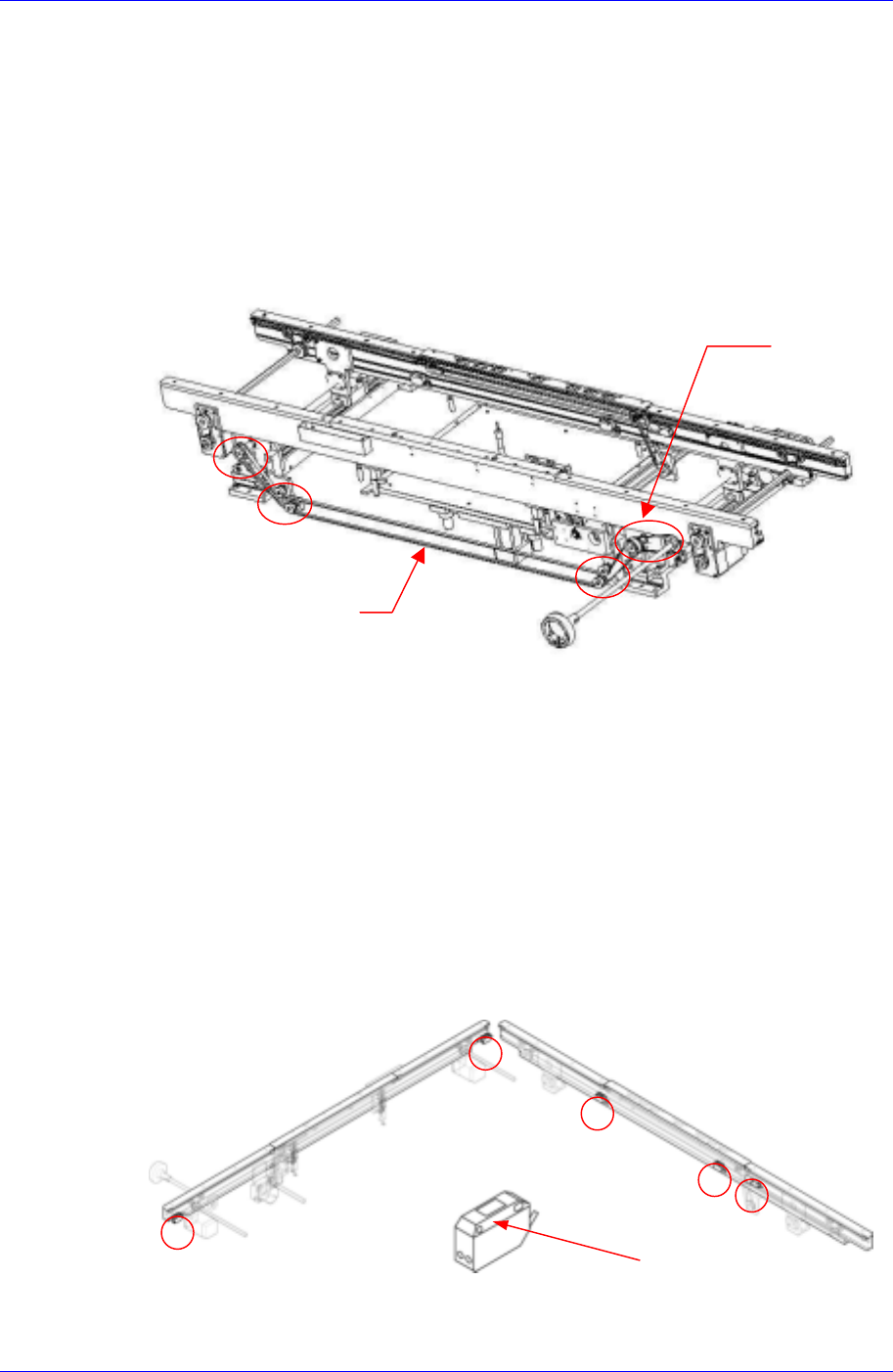
Check the tension of the belt to see if it is too tight or too loose.
Check the belt for abnormal wear.
Check the driving motor pulley for abnormal wear.
Check the support idler for abnormal wear.
Check the belt to see if it has shifted in position or is coming off.
Support Idler
Rotary
Fitting
Figure 3-6. PCB Conveyor Belt
Solution
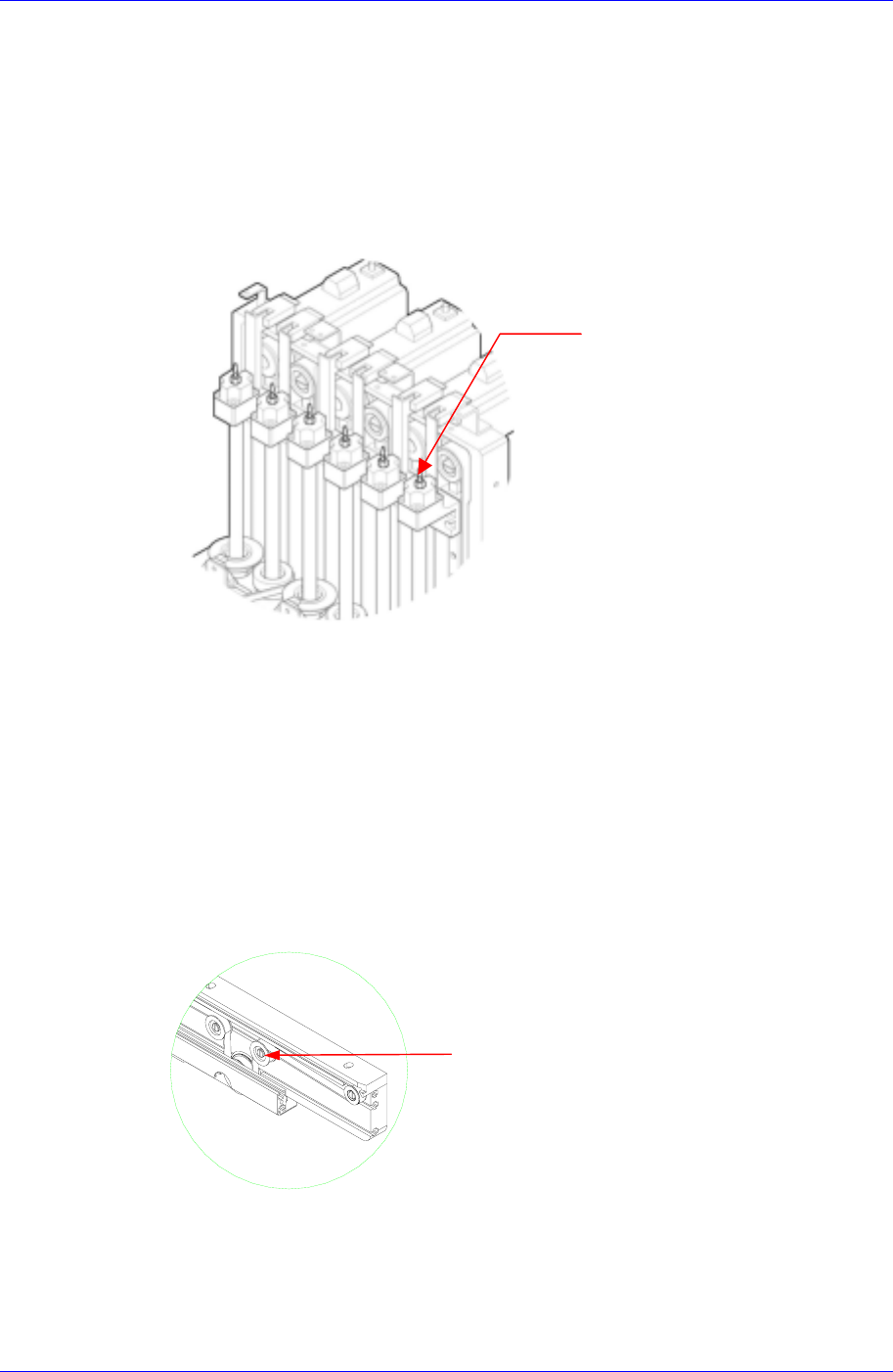
Use the support idler for the motor to adjust the tension of the belt if it seems too tight
or too loose.
3-8
Weekly Inspection
3-9
Contact the service center to acquire replacement for the belt if an abnormal wear has
been found.
3.2.4.2. Belt and Pulley for Adjusting Conveyor Width On Automatic Operation
Inspection
Check the tension of the belt to see if it is too tight or too loose.
Check the belt for abnormal wear.
Check the pulley for abnormal wear.
Pulley
Belt
Solution
If the tension of the belt is adjusted with the screw for belt tension adjustment, the
motor might be affected. When you need to adjust the tension, please contact our C/S
center immediately for A/S.
3.2.4.3. PCB Detect Sensor
Inspection
Check to see if the sensor window has been contaminated.
Check the sensor's performance to see whether it is functioning or not.
Check the operation of sensor.
Sensor Window
Figure 3-7. PCB Detect Sensor
Solution