Maintenance Reference(CP45FV) Eng.pdf - 第52页
Samsung Component Placer CP45FV Series Maintenance Refer ence Check if uneven wear occurred in the fixed slot. Solution Caution Remove foreign matter prior to placement as the foreign matter on the feeder surface may c…
Weekly Inspection
3-13
If the cylinder is found defective, contact the service center for a replacement.
Warning
Adjusting the sensor or correcting an error while the
machine is ready could result in personal injury.
Be sure to adjust the sensor or correct an error in the stop
status (idle mode) after canceling the ready status.
3.2.5. Electric Device
Inspection
Check abrasive wear in each area of the device.
Check if the machine generates errors when the switch is operated.
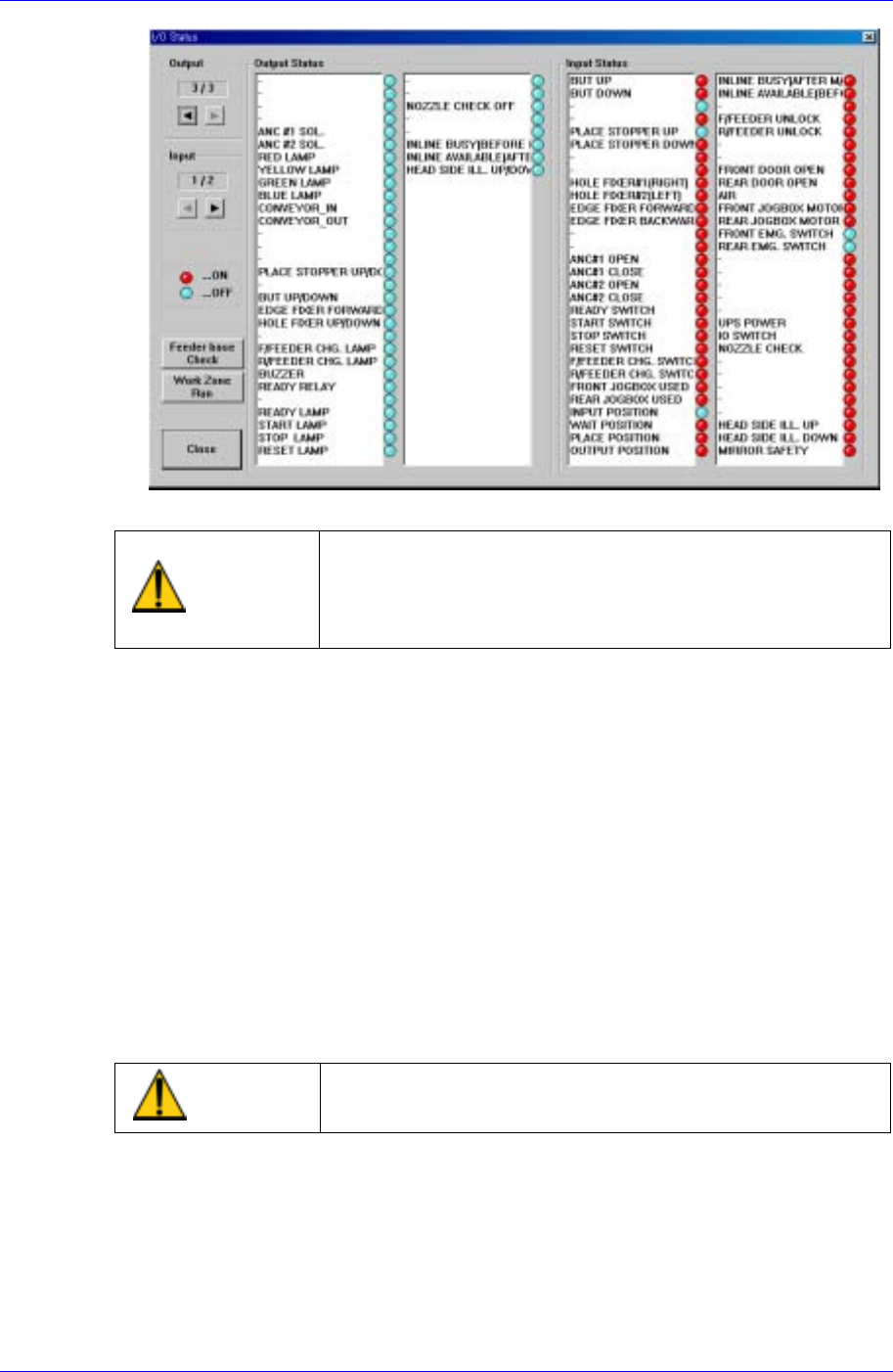
Check if the corresponding input and output of the MMI IO window runs properly.
(Emergency Switch, Door Switch)
Check if the power is turned off in the machine when the main power switch is turned
off.
Solution
Contact our local agent for service when severe abrasive wear is present or the
machine does not work properly.
Warning
Before checking abrasive wear, be sure to turn off power,
lock, and check.
3.2.6. Feeder Station
3.2.6.1. Feeder Base
Inspection
Make sure the feeder base is clear of any stray components or residue before
installing the feeders onto the feeder base.
Samsung Component Placer CP45FV Series Maintenance Reference
Check if uneven wear occurred in the fixed slot.
Solution
Caution
Remove foreign matter prior to placement as the foreign
matter on the feeder surface may cause problem during
actual mounting.
Please contact the designated C/S company in case of
uneven wear as it may affect the reliability of component
pickup.
3.2.6.2. Adjustment of Multi Cylinder Speed
Inspection
Check if the working speed of the cylinder driving the tape feeder causes any
problem in relation to the placement of the components.
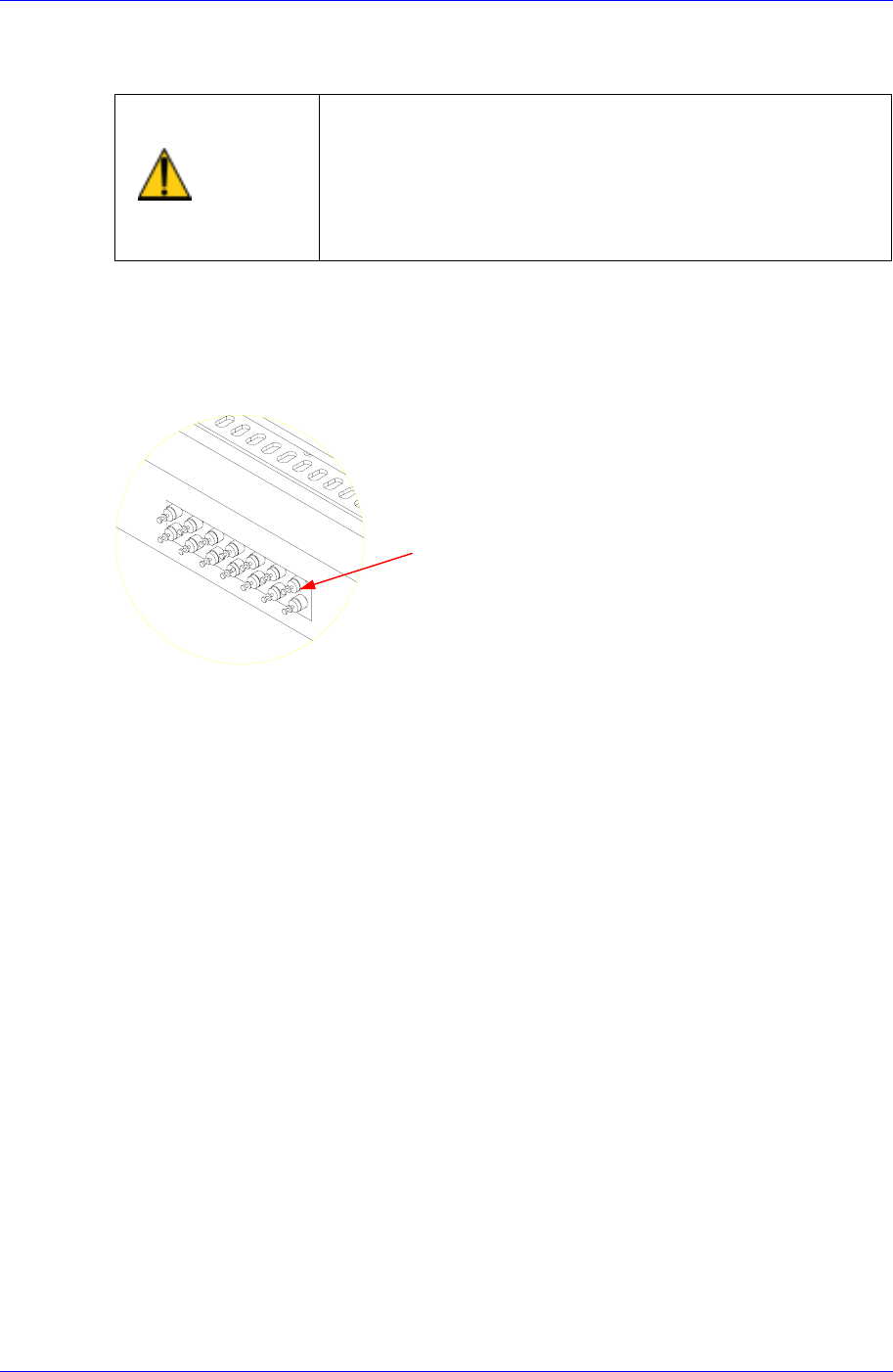
Speed Control Valve
Figure 3-9. Speed Control Valves
Solution
Adjust using the speed control valve for the multi-cylinders.
3.2.7. Pneumatics
3.2.7.1. Pressure Settings
Inspection
Check to see if the supplied pneumatics is appropriate for the configured pressure.
3-14
Weekly Inspection
3-15
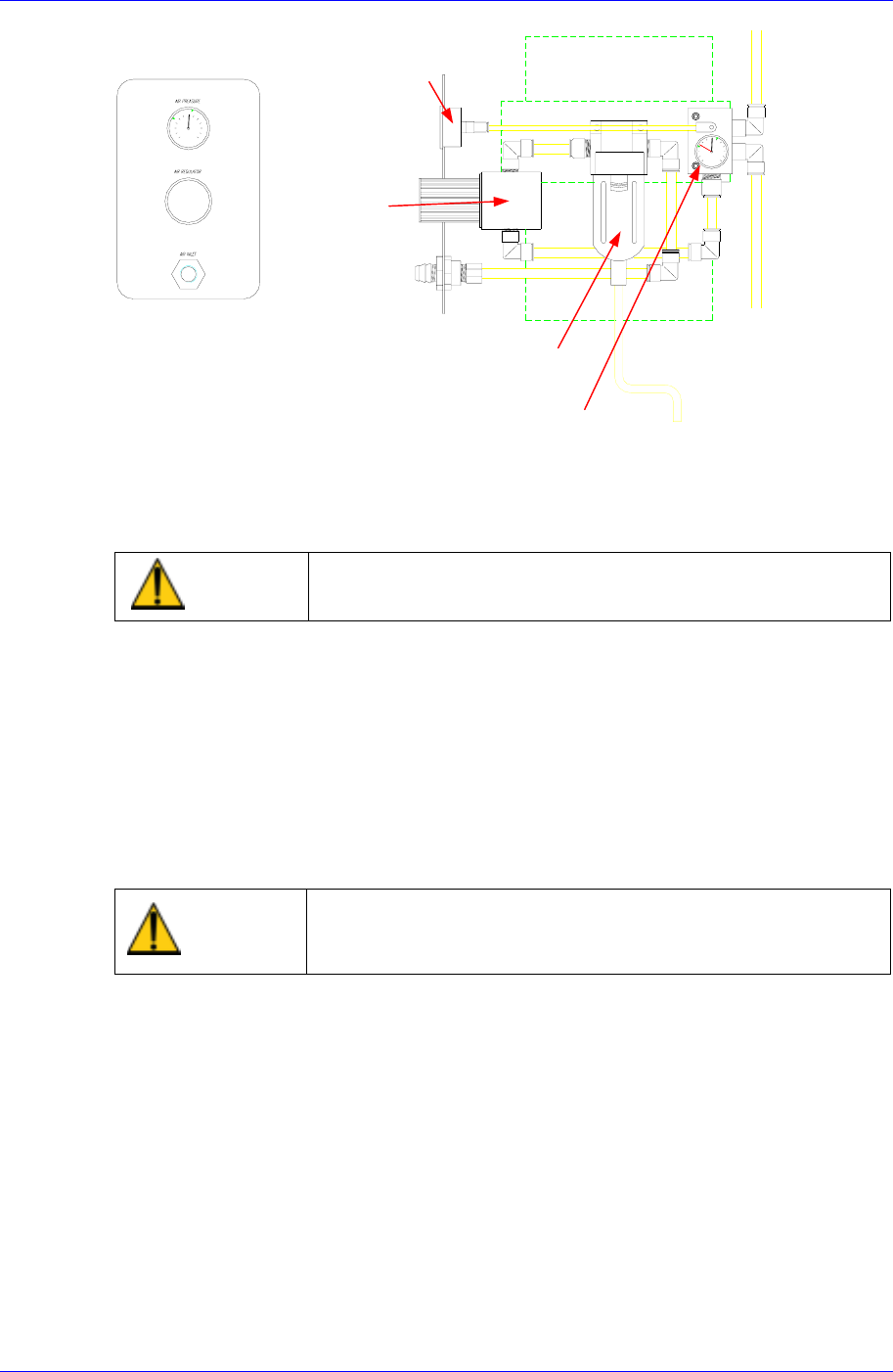
Pressure Gauge & Auto Switch
Air Filter & Auto Drainer
Regulator
Pressure Gauge
Figure 3-10. Inspection for Pneumatics
Solution
Adjust the pneumatics setting by rotating the regulator CW(Clockwise) or
CCW(Counter Clockwise).
Caution
Setting the pressure incorrectly could harm the machine
performance. Set the pressure correctly.
3.2.7.2. Air Filter & Auto Drainer
Inspection
Check to see if there are any moisture or water inside the air filter.
Check to see if the filter is clogged.
Check if the filter color has changed to yellow.
Check to see if moisture is being properly drained out through the drainer.
Check to see if the tube is properly connected to the drainer.
Warning
Changing the air filter without cutting off the air pressure
could result in personal injury.
Be sure to cut off air pressure before chaing the air filter.