Maintenance Reference(CP45FV) Eng.pdf - 第50页
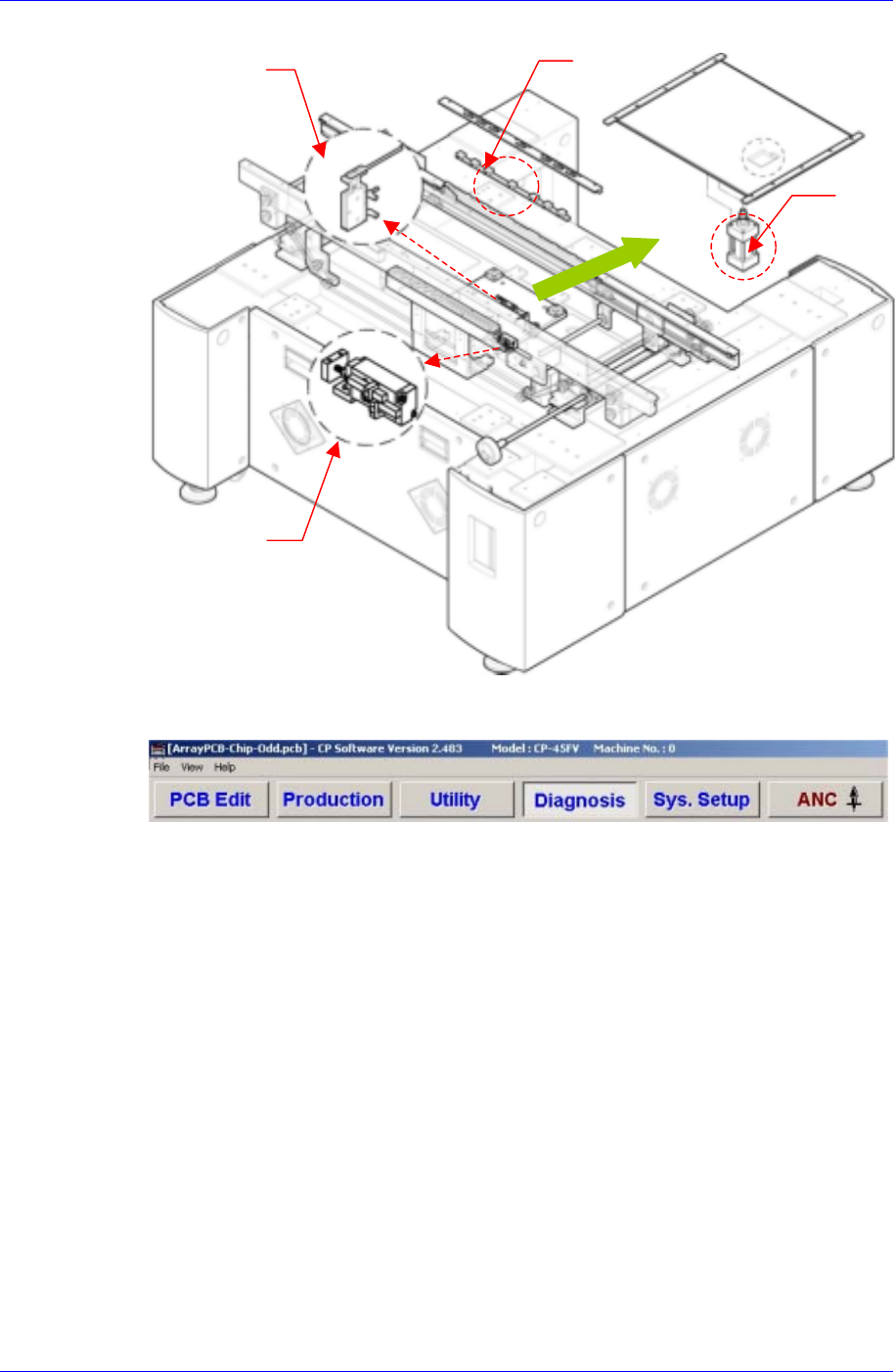
Samsung Component Placer CP45FV Series Maintenance Refer ence Edge Fixer Cylinder Stopper Cylinder ANC Cylinder Backup Ta b l e Cylinder The operation of each cylinder can be ch ecked using <Setup/Manual Control> c…
Weekly Inspection
3-11
occurred (inspect the area where it contacts the PCB).
Inspection Point
Figure 3-8. Stopper Inspection Points
Solution
If excessive wear is detected, replace the upper section of the stopper..
3.2.4.5. Conveyor Cylinder Operation
Inspection
Check the operation of each cylinder.
Check the detect sensor of each cylinder.
Solution
Warning
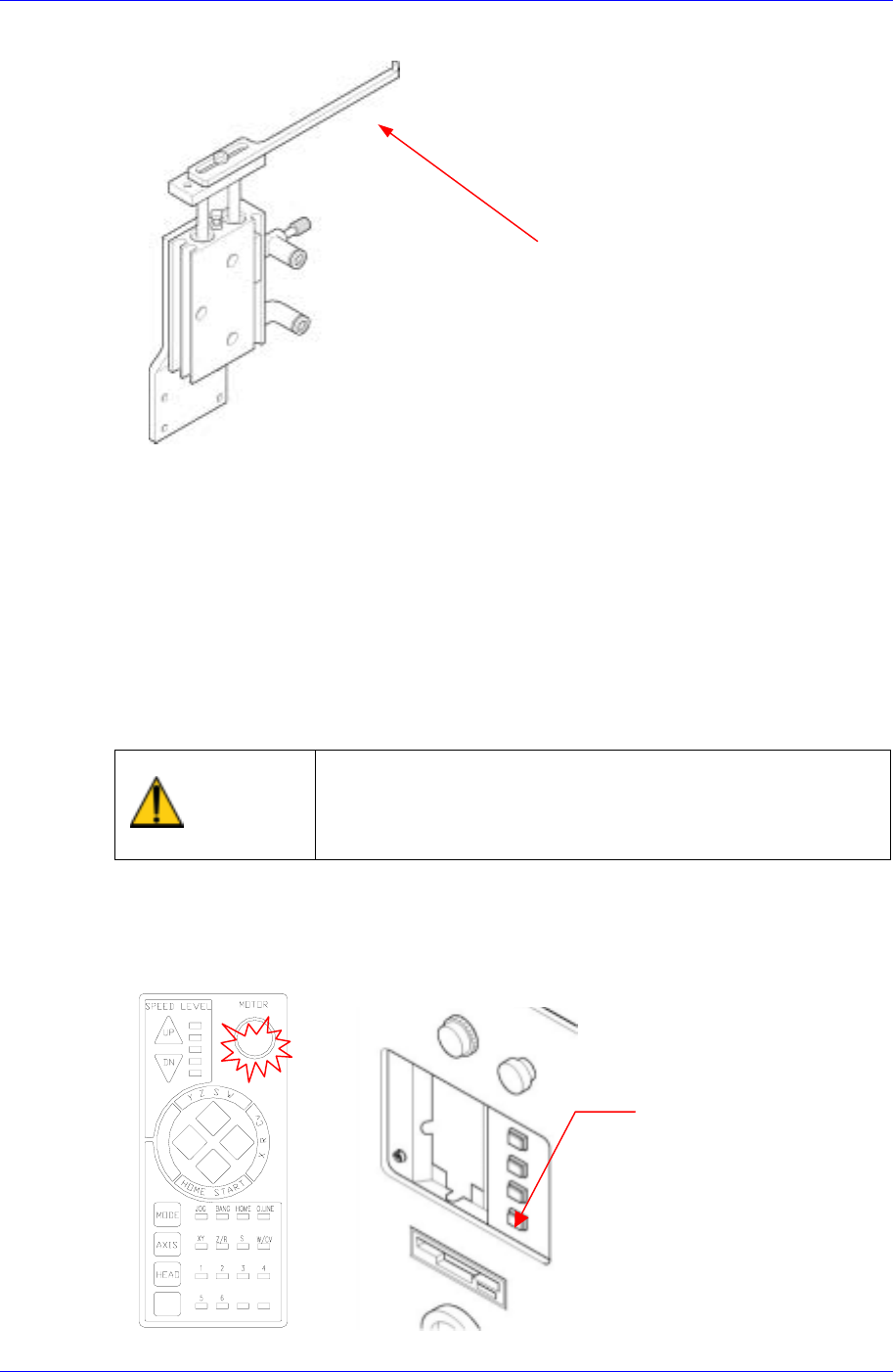
After clicking the “Motor Free” button on the teaching box,
click the “Stop” and “Reset” buttons on the front operation
panel. Conduct inspection while the motor power supply is
turned off.
FREE
Reset
Button
Samsung Component Placer CP45FV Series Maintenance Reference
Edge Fixer Cylinder
Stopper
Cylinder
ANC
Cylinder
Backup
Table
Cylinder
The operation of each cylinder can be checked using <Setup/Manual Control>
command or <Setup/Diagnostics/Self Diagnosis> command on the MMI application.
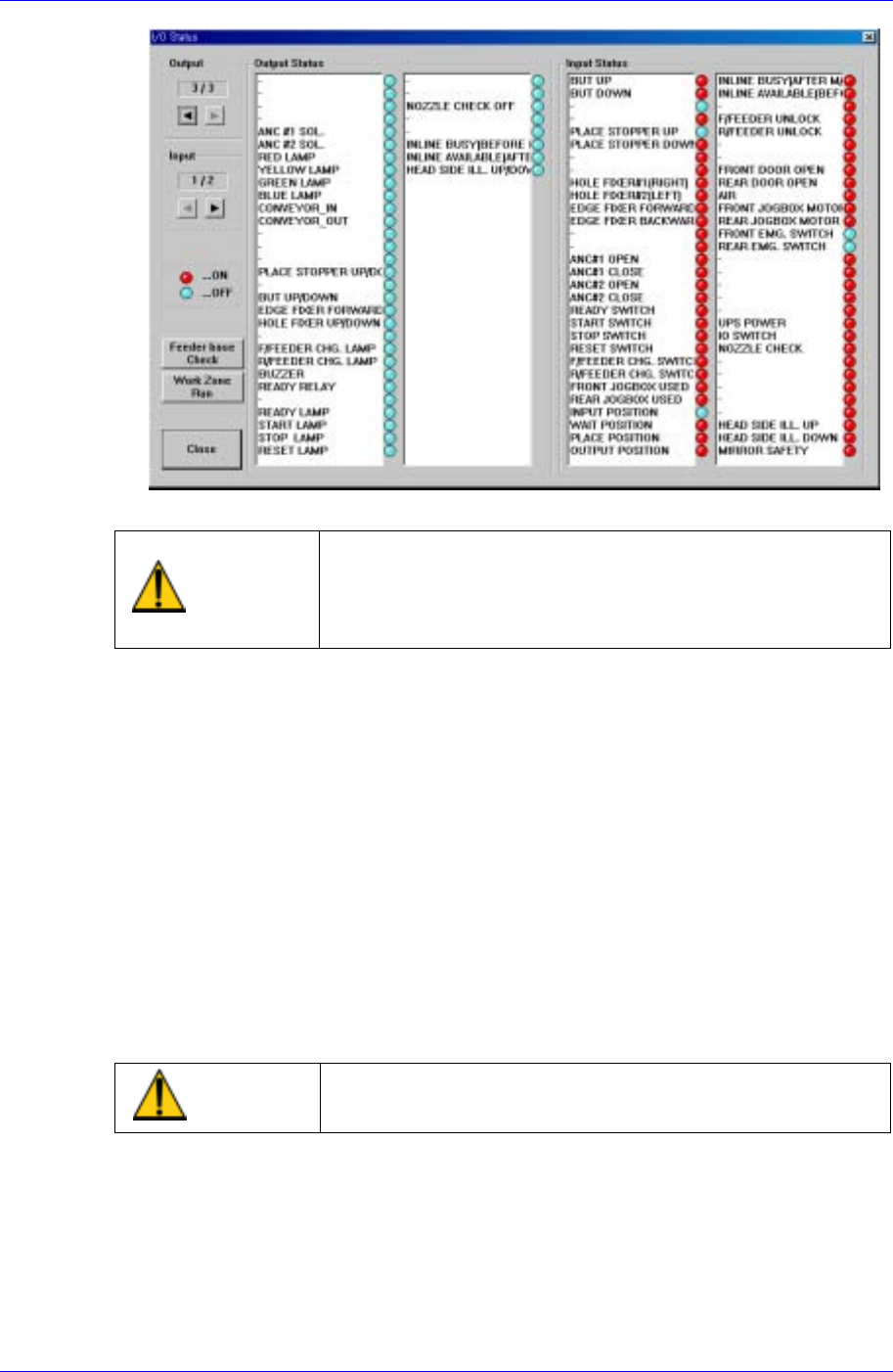
Select <Diagnosis> from the MMI main menu tool-bar, and select “<I/O>(F2)” from
the sub menu tool-bar on the left displayed.
3-12
Weekly Inspection
3-13
If the cylinder is found defective, contact the service center for a replacement.
Warning
Adjusting the sensor or correcting an error while the
machine is ready could result in personal injury.
Be sure to adjust the sensor or correct an error in the stop
status (idle mode) after canceling the ready status.
3.2.5. Electric Device
Inspection
Check abrasive wear in each area of the device.
Check if the machine generates errors when the switch is operated.
Check if the corresponding input and output of the MMI IO window runs properly.
(Emergency Switch, Door Switch)
Check if the power is turned off in the machine when the main power switch is turned
off.
Solution
Contact our local agent for service when severe abrasive wear is present or the
machine does not work properly.
Warning
Before checking abrasive wear, be sure to turn off power,
lock, and check.
3.2.6. Feeder Station
3.2.6.1. Feeder Base
Inspection
Make sure the feeder base is clear of any stray components or residue before
installing the feeders onto the feeder base.