TR3-GL541-1_1E.pdf.pdf - 第23页
Chapter 1 Setup

7. Before Operation
Prior to operating the machine, make sure that no one is near the machine, or that
anyone other than yourself is touching the machine.
8. Do not Leave Tools in or on the Machine
Following maintenance on a machine, make sure that no tools have been left in or on the
machine. Tools that get caught in the machine's moving parts may cause severe damage
to the machine.
Safety Guidelines
Edition1.0 12 GL-541E Level 3 Reference

Chapter 1
Setup
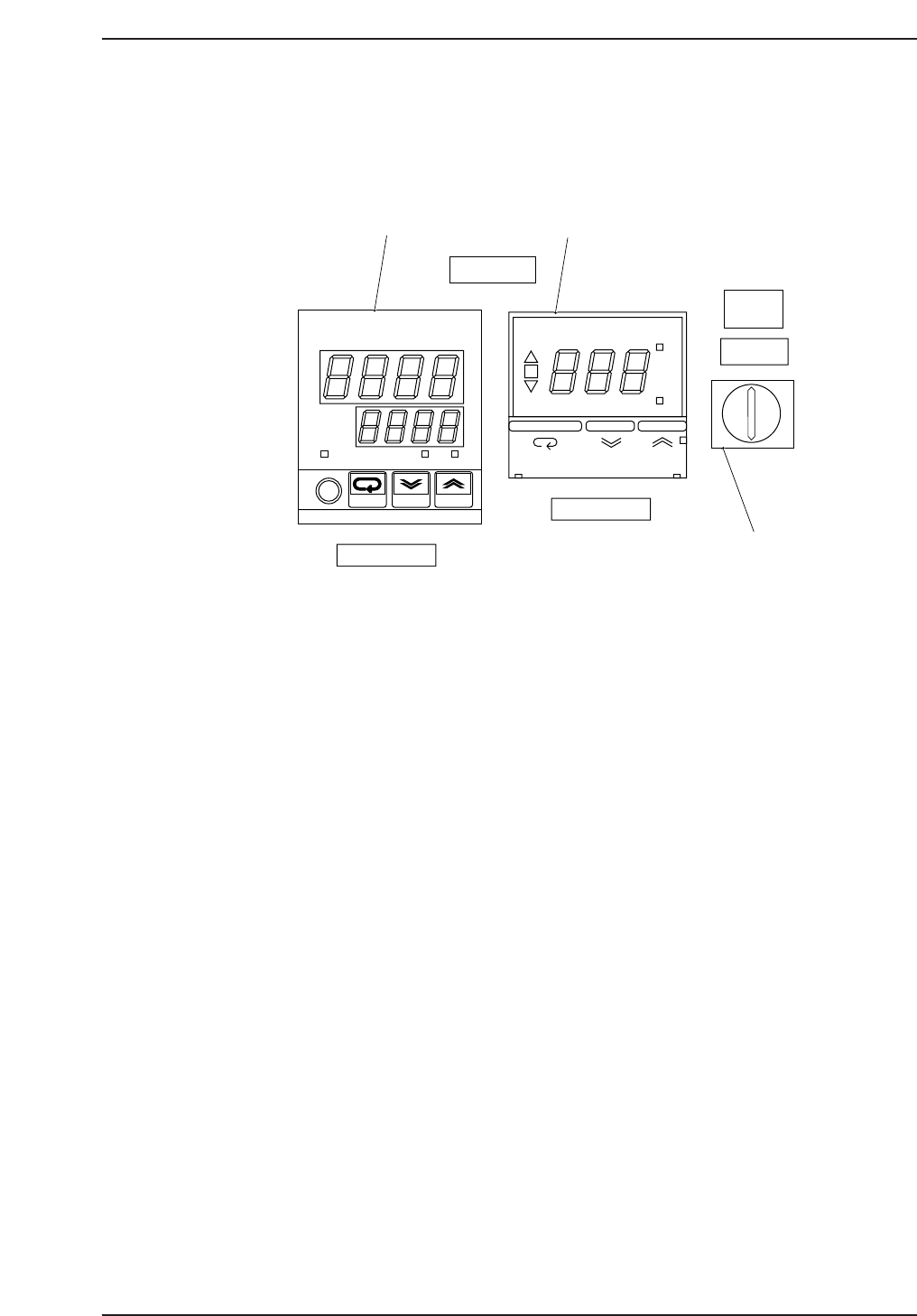
1.1 Temperature Control Unit
Operation Panel
1. Temperature regulator (Main)
Input the temperature under which the glue is used. This regulator
controls the current which is sent to the heater so that the temperature
reaches the set value. This regulator is used to adjust the heater
temperature.
2. Temperature regulator (for cooler unit)
Input the temperature under which the glue is used. This regulator
switches the air flow to the cooler when the supplied air temperature is
higher than the setup value.
3. Thermostat power switch
Normally, when the power to the machine is switched on, the thermostat
power switch should be ON. However, be sure to set the thermostat
power switch to OFF when the machine is in pass mode.
OUT
°C
PV
SV
ALM1 ALM2
omRon
E5CJ
ON
°C
AL
SP AL
OMRON E5CS
COOLER ON
TEMP ADJ.
POWER ON
THERMOSTAT
THERMOSTAT
ON OFF
1
2
3
1. Temperature regulator
2. Temperature regulator (for starting cooler)
3. Power switch
GL541-m60E
Chapter 1 1.1 Temperature Control Unit
Edition 1.1 1-1 GL-541E Level 3 Reference