TR3-GL541-1_1E.pdf.pdf - 第38页
1.8 T emperature Regulator Setup (for the Cooler) By pressing the temperature status switch key the displayed items toggle as shown in the following figure. Procedure: 1. Press the temperature status switch key, and afte…

Notes:
Chapter 1 1.7 Temperature Regulator Setup (Main)
Edition 1.0 1-14 GL-541E Level 3 Reference
1.8 Temperature Regulator Setup (for the
Cooler)
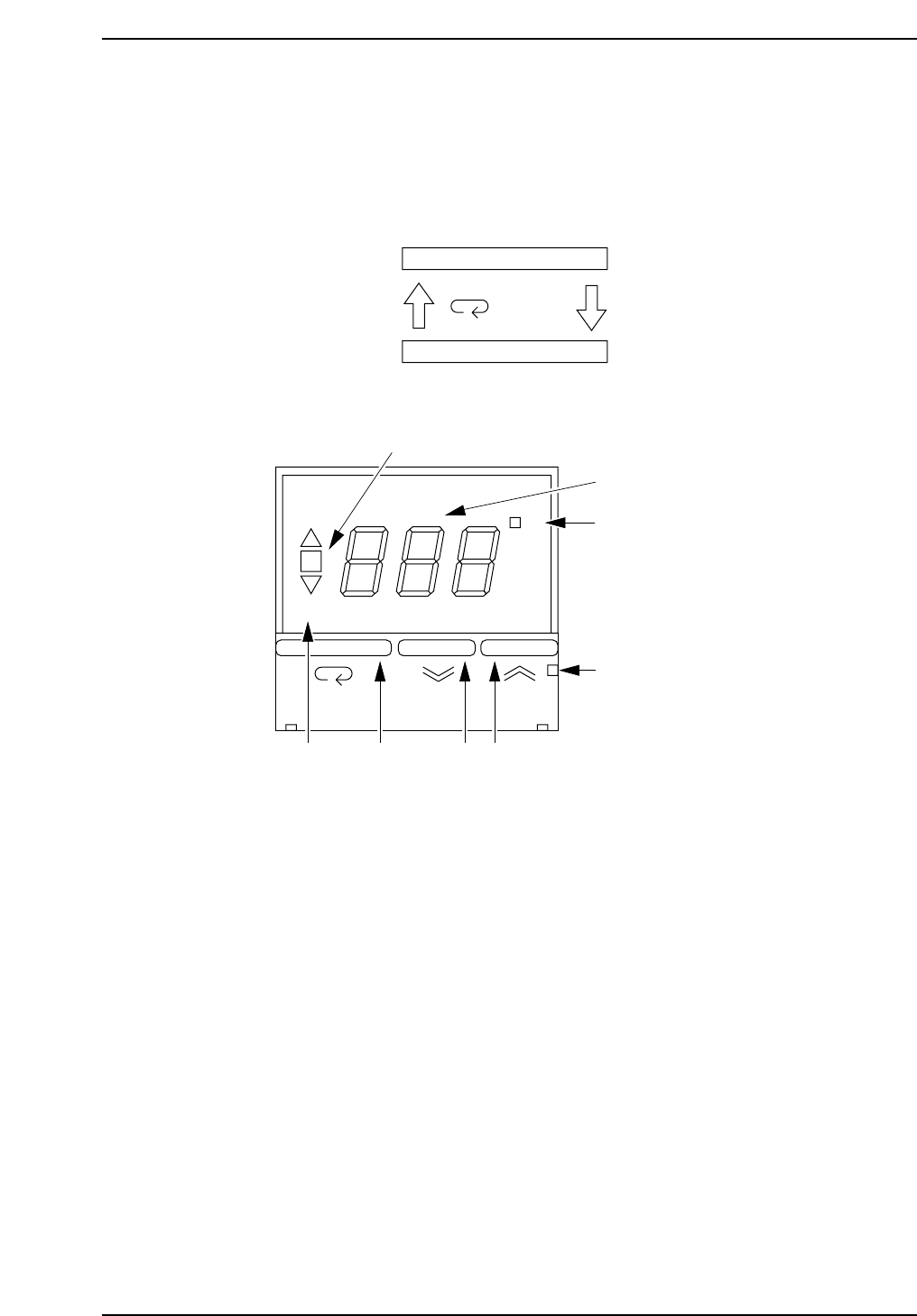
By pressing the temperature status switch key the displayed items toggle as
shown in the following figure.
Procedure:
1. Press the temperature status switch key, and after confirming that the
"SP" display lamp comes on, set the desired temperature using the setup
keys.
The temperature must be the same as the other regulator.
Note: It is necessary to input the same temperature for both of the temperature regulators . If
the specified temperatures differ, the temperature regulators will not work properly.
2. Press the temperature status switch key again so that the "SP" display lamp goes
out. This completes the procedure.
2
1
87
3
4
5
6
°C
AL
OMRON E5CS
GL541-m07E
1. Variation lamp
2. Temperature display
3. Control output display lamp
4. Catch for opening front cover
5. Setup key (up)
6. Setup key (down)
7. Temperature status switch key
8. Switch display lamp
ON
SP
Present temperature
Setup temperature
Press key
GL541-m47E
Chapter 1 1.8 Temperature Regulator Setup (for the Cooler)
Edition 1.1 1-15 GL-541E Level 3 Reference

Notes:
Chapter 1 1.8 Temperature Regulator Setup (for the Cooler)
Edition 1.1 1-16 GL-541E Level 3 Reference