00196806-01_IM_EDM_1.9_EN.pdf - 第14页
Installation Manu al SIPLACE Engine ering Data Manag er (EDM) Version 1 .9 Issue 02/2009 14 IMPORTANT : The conf iguration files cr eated b y the custom er during the proces s ana lysis phase – currentl y – need to be di…
Installation Manual SIPLACE Engineering Data Manager (EDM) Version 1.9 02/2011 Edition
13 / 65
Programme
SIPLACE
SIPLACE EDM
config
Database
DBScripts
de
en
help
logs
templateStorage
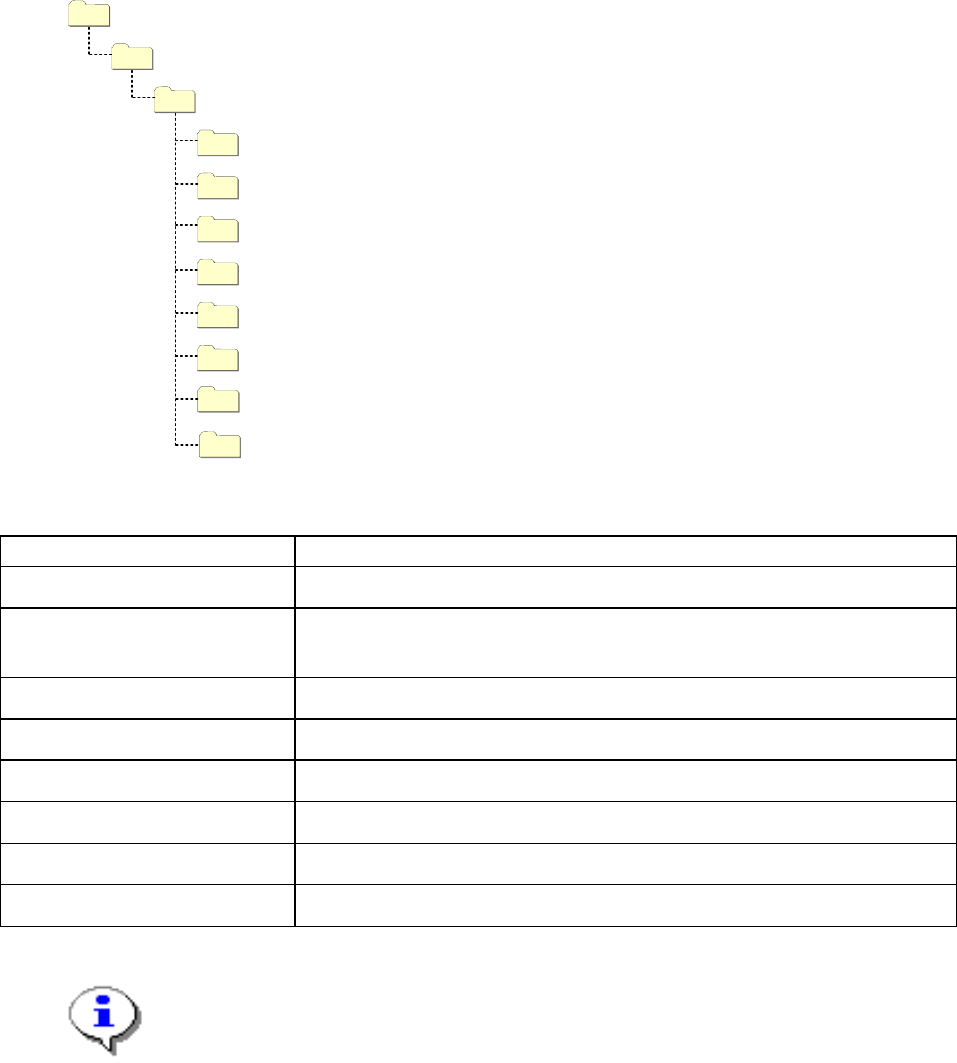
Figure 2 Folder structure of the default installation
Folder Contents
SIPLACE EDM Applications and libraries
config Application configuration, client workflow configuration, filter configuration, email
configuration and logging configuration
Database Database for change notifications and Clearing Pool (Master Server only )
DBScripts Scripts to create and access the database (Master Server only)
de, en, … Language-dependent resources
help Online documentation
logs Log files (for debugging among other things)
templateStorage Storage location for application templates
Table 4 Folders of the default installation
IMPORTANT:
Under Windows Vista, Windows Server 2008 and more recent systems, the
"templateStorage" and "logs" folders are located under
"%ProgramData%\SIPLACE\SIPLACE EDM".
The installation of the components of the system is performed in the following the order:
1. Installation of the EDM Master Server
2. The customer-specific application configuration is copied to the Master Server
3. Installation of the EDM Line Servers
4. The customer-specific application configuration is copied to the Line Servers
5. Installation of the Clearing Pool host
Installation Manual SIPLACE Engineering Data Manager (EDM) Version 1.9 Issue 02/2009
14
IMPORTANT:
The configuration files created by the customer during the process analysis phase –
currently – need to be distributed manually to the Line Servers or to the Master Server
after completing the installation.
IMPORTANT:
If you are migrating from an earlier version of EDM to EDM 1.9, please refer to
Chapter 4.4 for details of the installation procedure.
4.3 Setup
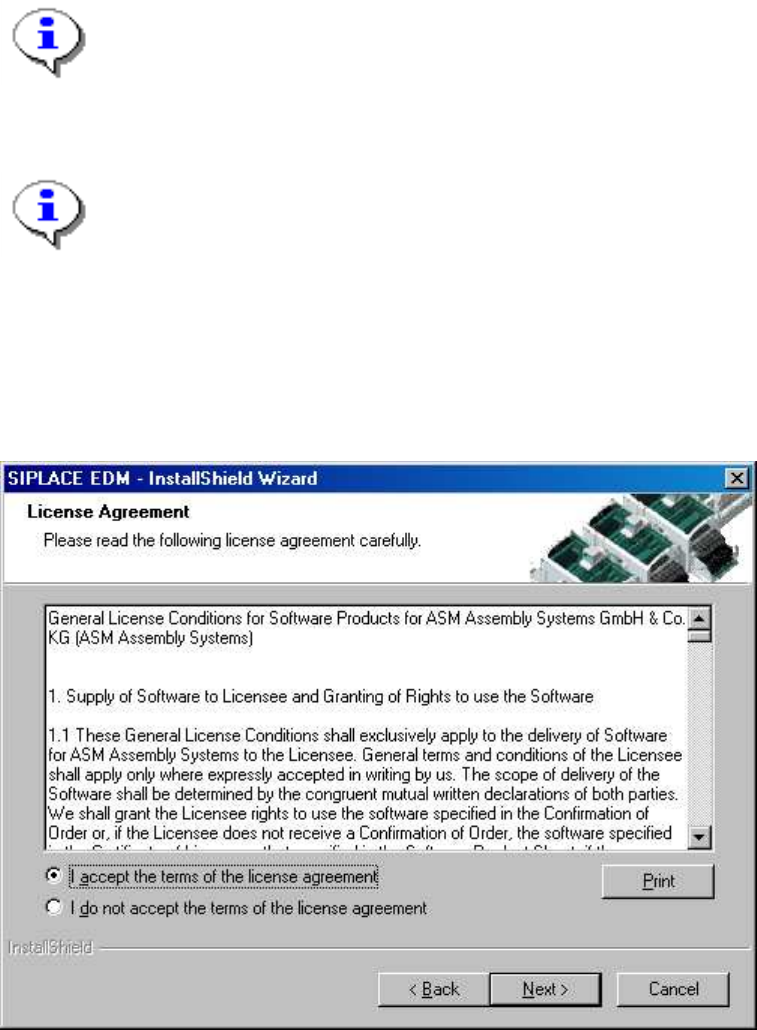
Run the "Setup.Exe" program from the CD. In the dialog box that appears, click on the "Next" button.
Accept the following license agreement:
Figure 3 License agreement
Now click the "Next" button.
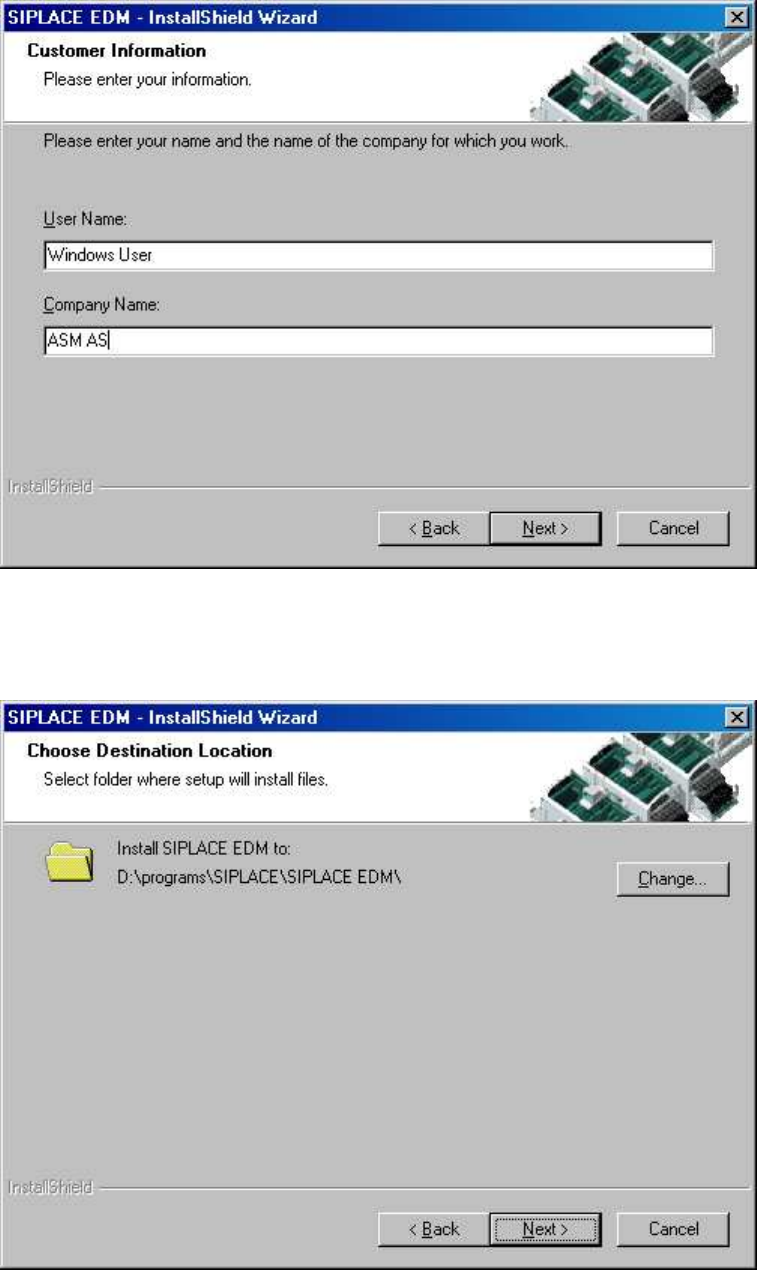
The following dialog box asks you to enter your contact information. Enter this information and click the
"Next" button.
Installation Manual SIPLACE Engineering Data Manager (EDM) Version 1.9 02/2011 Edition
15 / 65
Figure 4 Contact information
Now select the target folder for the SIPLACE EDM installation:
Figure 5 Target folder for installation
Since SIPLACE EDM comprises several applications whose installation depends on the role of the
workstation, you must select the type of installation you want to perform: