00196806-01_IM_EDM_1.9_EN.pdf - 第17页
Installation Manu al SIPLACE Engine ering Data Manag er (EDM) Version 1 .9 02/2011 Edition 17 / 65 Figure 7 Selecting the Clearing Po ol database 4.3.2 EDM Control Tool If you connect t o the Line S erver and edit the SI…
Installation Manual SIPLACE Engineering Data Manager (EDM) Version 1.9 Issue 02/2009
16
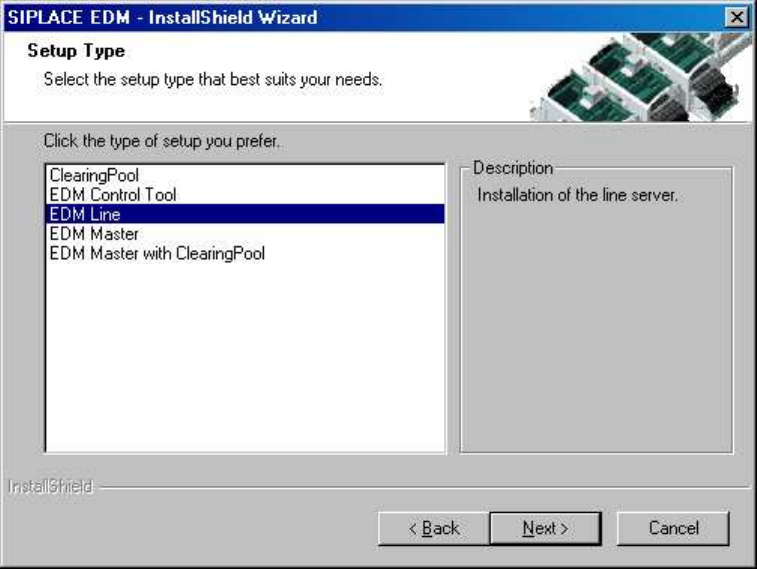
Figure 6 Type of EDM installation
The following are available for selection:
• Clearing Pool. Installs the Clearing Pool GUI, the EDM Data Transfer Manager and the EDM Tool. Use
this option when you want to allow a data preparation engineer access to the Clearing Pool database
and push mode from his workstation.
• EDM Control Tool. Only installs the EDM Control Tool.
• EDM Line (Line Server). Installs an EDM Line Server including the EDM Client. Use this option when
you want to insert a local SIPLACE Pro installation into a line in your EDM system.
• EDM Master (Master Server). Installs an EDM Master Server, the Clearing Pool database and the EDM
tool. Use this option to install EDM on your central SIPLACE Pro server. There should only be one
Master Server per EDM system.
• EDM Master with Clearing Pool. Installs an EDM Master Server, a Clearing Pool database and a
Clearing Pool GUI to access the Clearing Pool database, the Data Transfer Manager and the EDM
Tool.
4.3.1 Clearing Pool
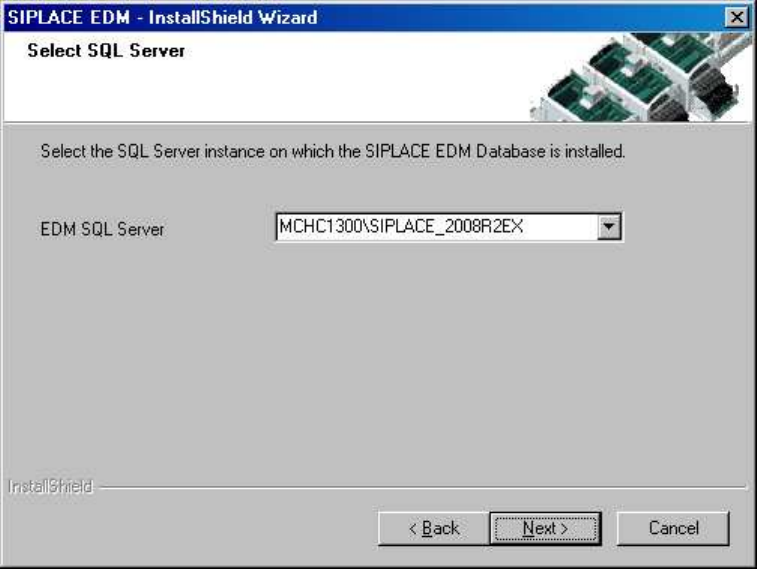
You only need to know which Clearing Pool database is to be accessed to install the Clearing Pool GUI.
Confirm the selection with the "Next" button. The SIPLACE EDM installation checks if it can connect to the
specified server and if there is a Clearing Pool database present there.
Installation Manual SIPLACE Engineering Data Manager (EDM) Version 1.9 02/2011 Edition
17 / 65
Figure 7 Selecting the Clearing Pool database
4.3.2 EDM Control Tool
If you connect to the Line Server and edit the SIPLACE Pro data from any client, the change dialog box
only appears on the remote client if you have also installed the EDM Control Tool on this remote client.
Select EDM Control Tool from the setup type dialog box. The program is installed automatically.
Installation Manual SIPLACE Engineering Data Manager (EDM) Version 1.9 Issue 02/2009
18
4.3.3 EDM Line (Line Server)
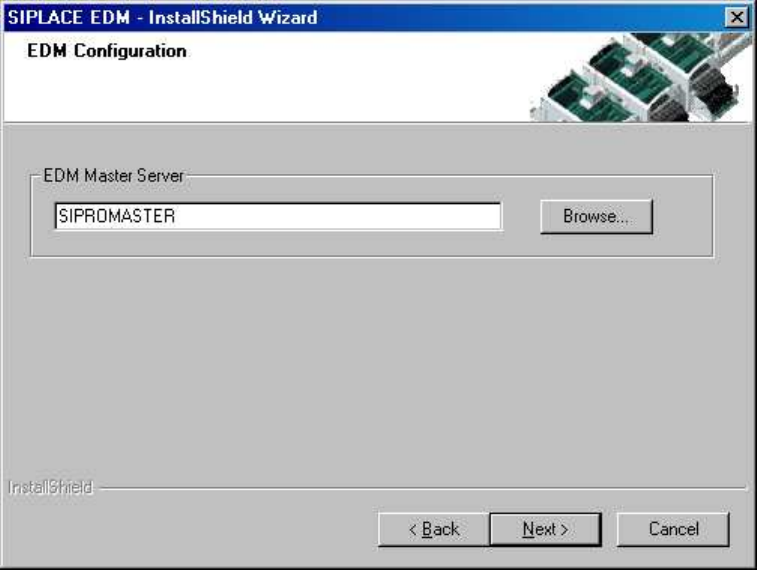
The Master Server must be known to install a Line Server.
Confirm the selection with the "Next" button.
Figure 8 Selecting the Master Server