00196806-01_IM_EDM_1.9_EN.pdf - 第21页
Installation Manu al SIPLACE Engine ering Data Manag er (EDM) Version 1 .9 02/2011 Edition 21 / 65 4.3.5 Finishing the installation Preparation f or the instal lation is no w complete, an d the files f or SIPLACE EDM can…
Installation Manual SIPLACE Engineering Data Manager (EDM) Version 1.9 Issue 02/2009
20
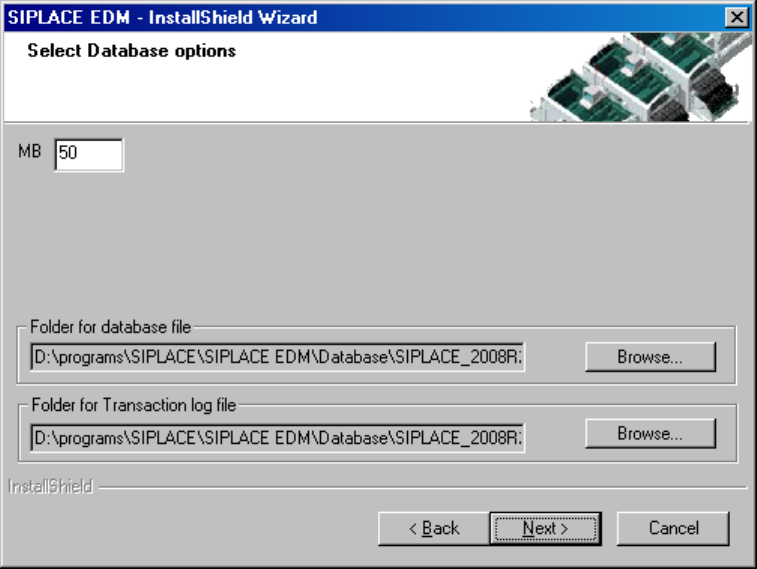
Figure 10 EDM database options
If a compatible EDM database has already been read in, this is taken over and converted to the current
version. Otherwise you are asked whether you want to replace the database or select a different server.
Confirm your selection with "Next".
Installation Manual SIPLACE Engineering Data Manager (EDM) Version 1.9 02/2011 Edition
21 / 65
4.3.5 Finishing the installation
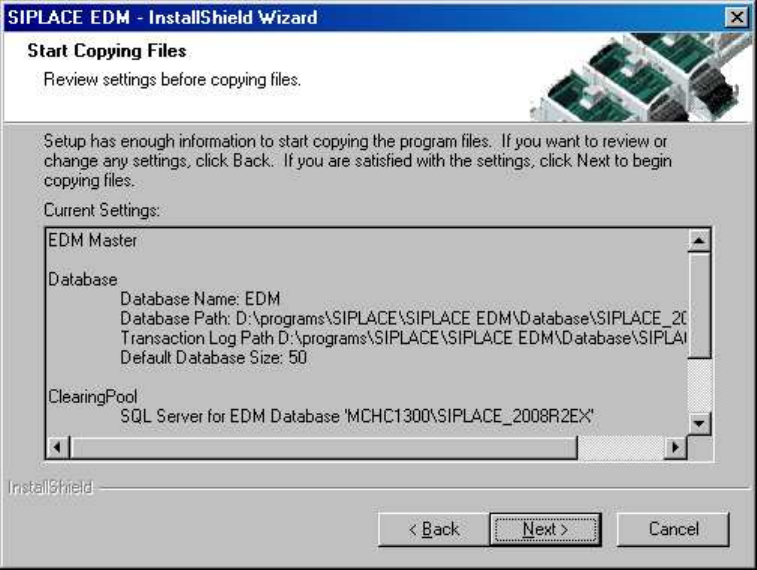
Preparation for the installation is now complete, and the files for SIPLACE EDM can be copied now and
configuration can be carried out. The screen shows a summary of the activities which need to be carried
out (see Figure 11) for installation of a Master Server.
Figure 11 Starting the installation

Installation Manual SIPLACE Engineering Data Manager (EDM) Version 1.9 Issue 02/2009
22
4.4 Upgrading from a previous version
4.4.1 Conditions / downward compatibility
Installing different versions of EDM on Master and Client should be avoided. If different versions of
SIPLACE Pro are used on the EDM Master and the EDM lines, some restrictions apply because the format
of the data transferred depends on the SIPLACE Pro version used. During an upgrade, the Master Server,
all Line Servers and all Clearing Pools must therefore be converted to EDM 1.9 (and thus to SIPLACE Pro
9.2).
EDM 1.9 can use all templates which were created for EDM 1.1 or later, as well as custom workflows from
EDM 1.1 or later.
Existing filter settings are retained and updated, but it is recommended that you manually inspect the
converted file (it may be that your own custom changes have been superseded by improvements to the
default configuration).
4.4.2 Simultaneous upgrade over all lines
Where possible, production on all the lines to be upgraded should be suspended for the duration of the
upgrade. As soon as all the components have been converted, production can be restarted. The upgrade
operation is carried out as follows:
1. Interrupt production on all the lines to be upgraded.
2. Transfer all notifications from the Line Servers to the Master Server.
3. Accept/reject all notifications in the Clearing Pool.
4. Close all EDM applications.
5. Install SIPLACE Pro and than EDM Line Server on all lines.
6. Install SIPLACE Pro and then the EDM Master Server on the Master Server.
CAUTION:
To avoid all notifications still in the Clearing Pool from being lost, the EDM database
must not be deleted.
7. Resume production.
Simultaneous upgrade across all the lines is to be preferred to a gradual upgrade of individual lines
(insofar as this is possible).
4.4.3 Gradual upgrade of individual lines / compatibility mode
If it is not possible to perform a simultaneous upgrade across all the lines, EDM provides a compatibility
mode which permits restricted operation of an EDM 1.7 Line Server in conjunction with a Master Server
from an earlier version (as of EDM 1.4) for the duration of the upgrade. This compatibility mode must not
be used for long-term mixed operation of an EDM 1.7 Line Server with a Master Server from an earlier
version of EDM.