200823.TR3000-IRV English Manual.pdf - 第10页
IR AUT O BGA R ework S tation TR3000-IRV Kukjetrading Co., Ltd. 10 <Ca u tion > 1.Check if every cable has been connected prope rly . . 2.Check if fastening brackets for t he vision head and upper head and a protec…
IR AUTO BGA Rework Station TR3000-IRV
Kukjetrading Co., Ltd.
9
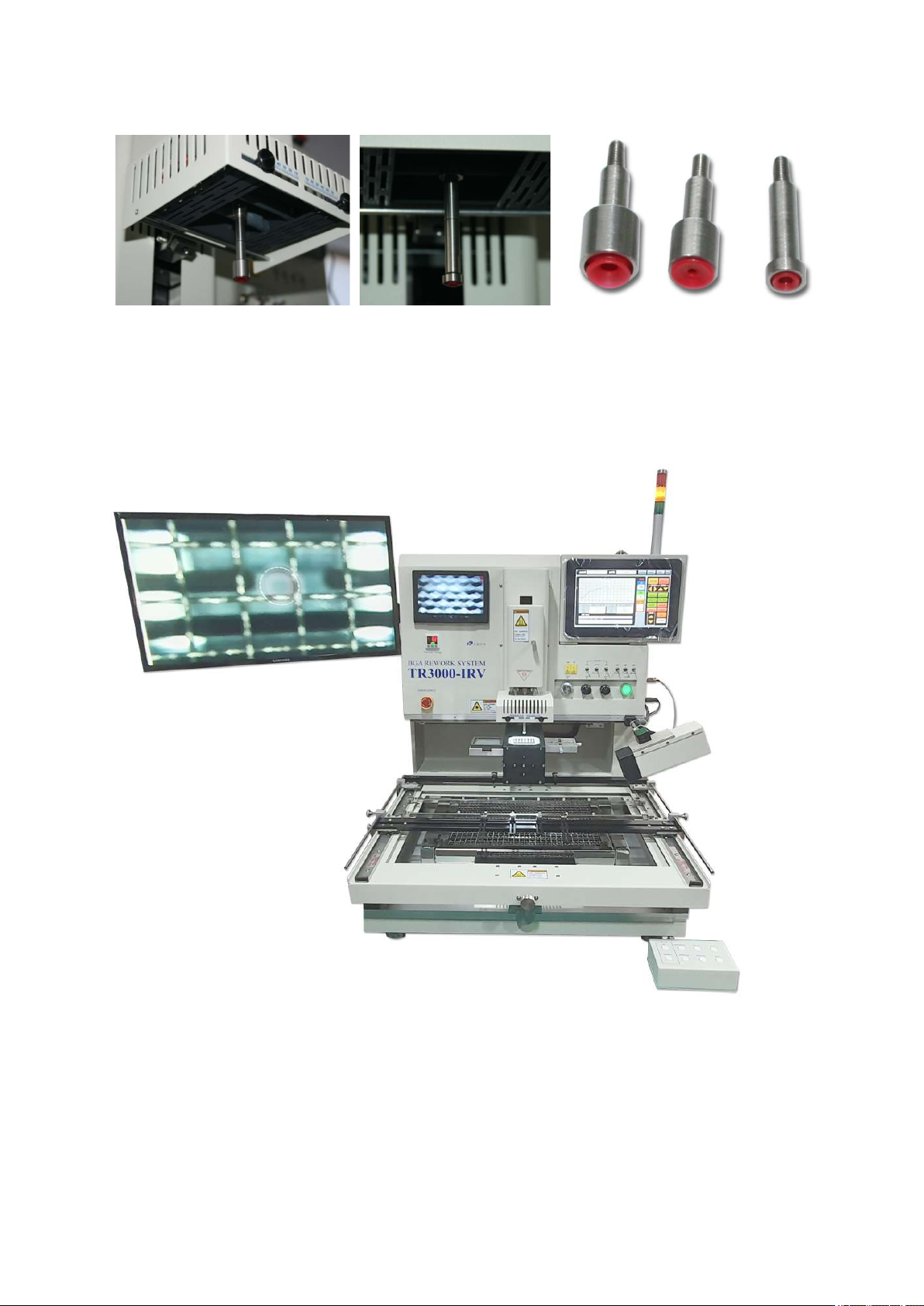
A vacuum pipe is projected at the center of the upper heater head. Hold the end of the bit and turn it clockwise
to separate it. If you want to lock it, turn it counterclockwise. 3 types of a vacuum bit are provided so users can
use a proper type of a vacuum bit for operations.
⑪ Connect the tower lamp.
⑫ Installation completed
IR AUTO BGA Rework Station TR3000-IRV
Kukjetrading Co., Ltd.
10
<Caution >
1.Check if every cable has been connected properly..
2.Check if fastening brackets for the vision head and upper head and a protective cover of a camera have been all
removed.
3. Start
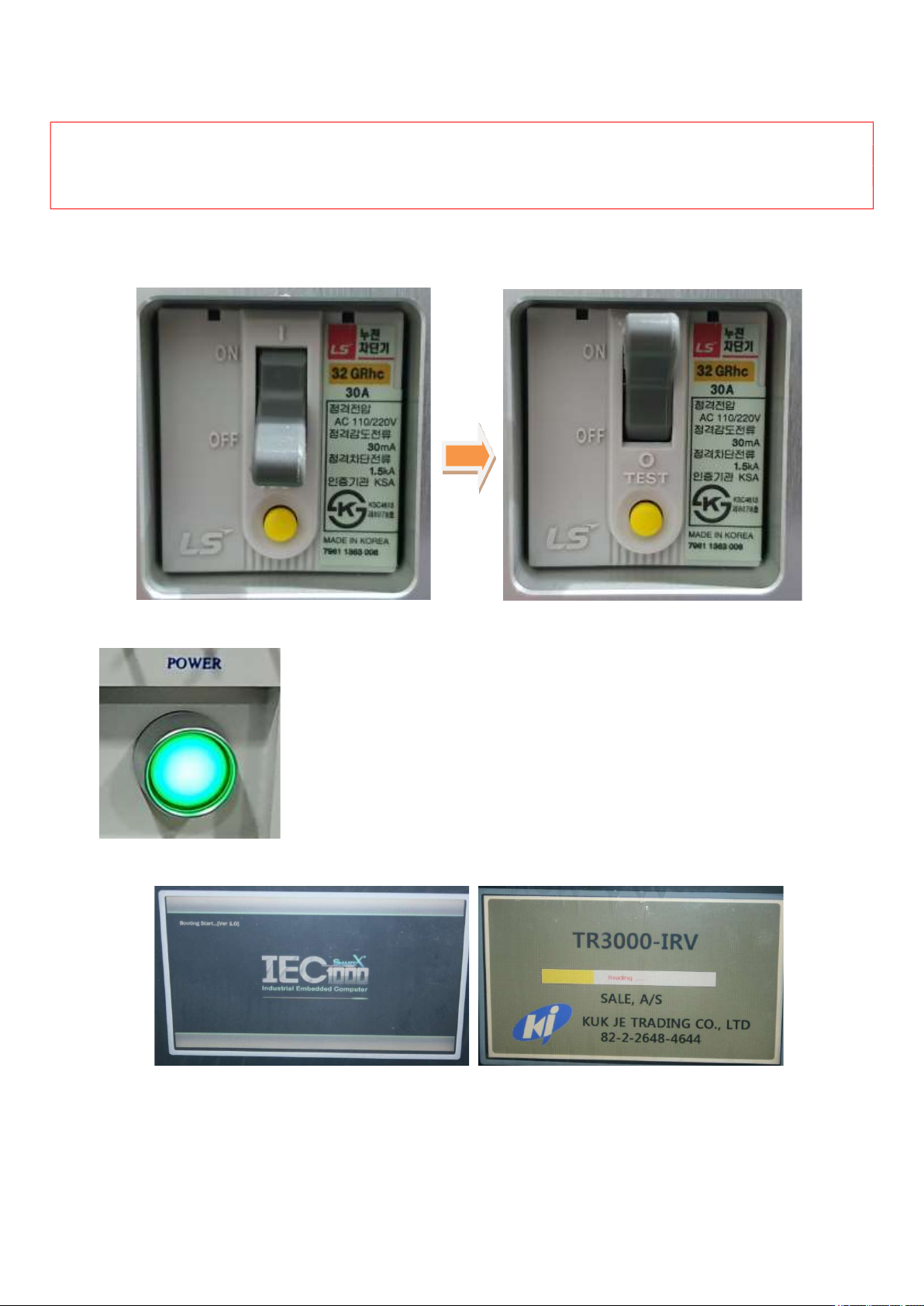
① Turn up a switch of the short circuit breaker on the left of the device.
② Turn on a power switch on the right side.
③ When the power is supplied, booting of the controller starts.
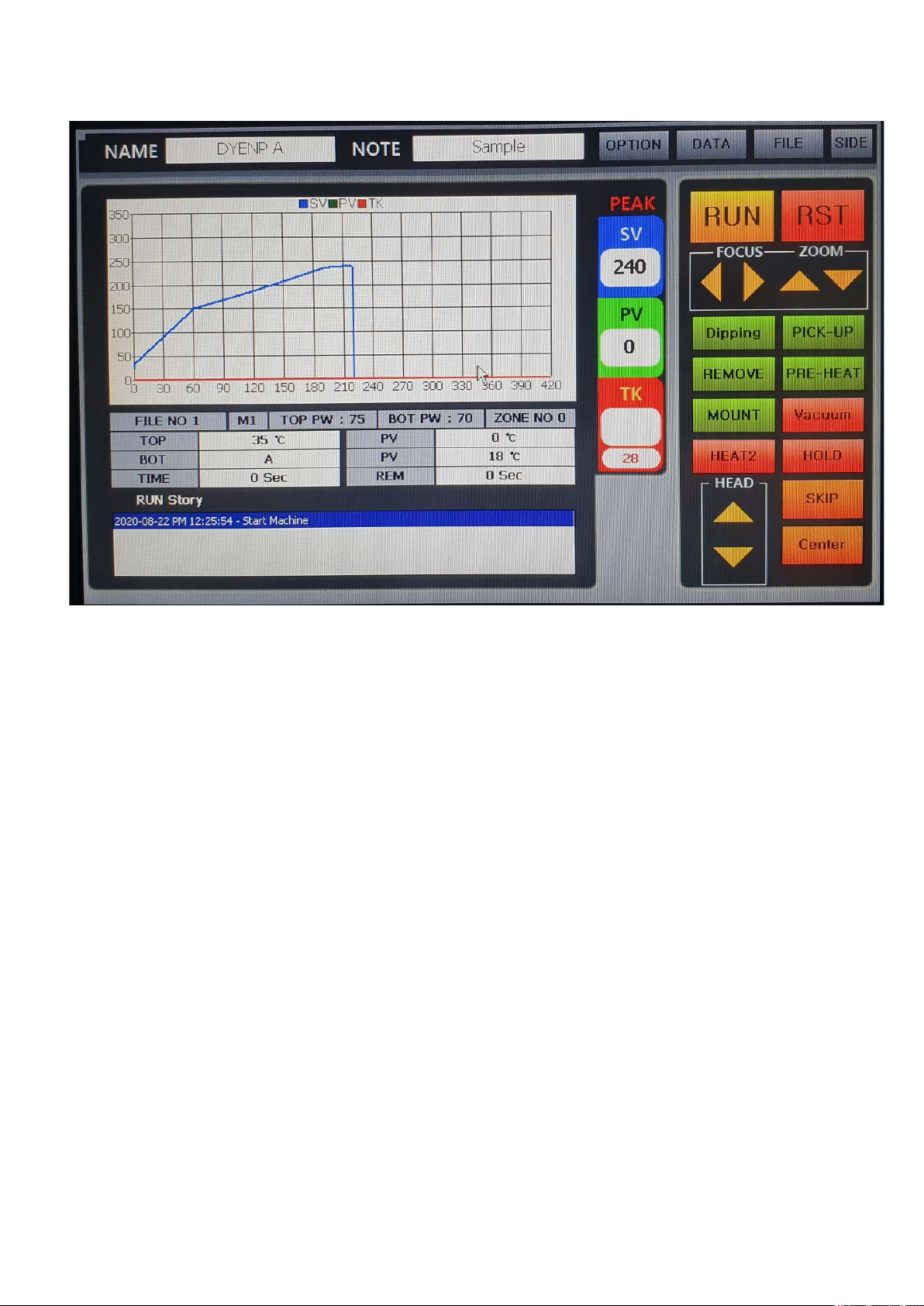
④ Then, TR3000-IRV software runs automatically and upon completion of booting, the following screen
appears.
IR AUTO BGA Rework Station TR3000-IRV
Kukjetrading Co., Ltd.
11