200823.TR3000-IRV English Manual.pdf - 第30页
IR AUT O BGA R ework S tation TR3000-IRV Kukjetrading Co., Ltd. 30 is positioned between the upper head and the calibration jig, and the head goes down ag a in to stop at ④ Check through the monitor whether the position …
IR AUTO BGA Rework Station TR3000-IRV
Kukjetrading Co., Ltd.
29
② After adjusting positions of parts and a PCB to be in alignment, click a “MOUNT” button. Then, a vision
camera moves back to its original position and a head descends to place parts on a PCB and then, elevates
back to its original position.
③ Check a mounting status to see if the parts are in alignment. If they are off from the intended position,
calibrate them.
6.5 Vision Calibration
When the device is moved or used for a long period, the location of a vision would not be correct. In the
following case, calibrate the device.
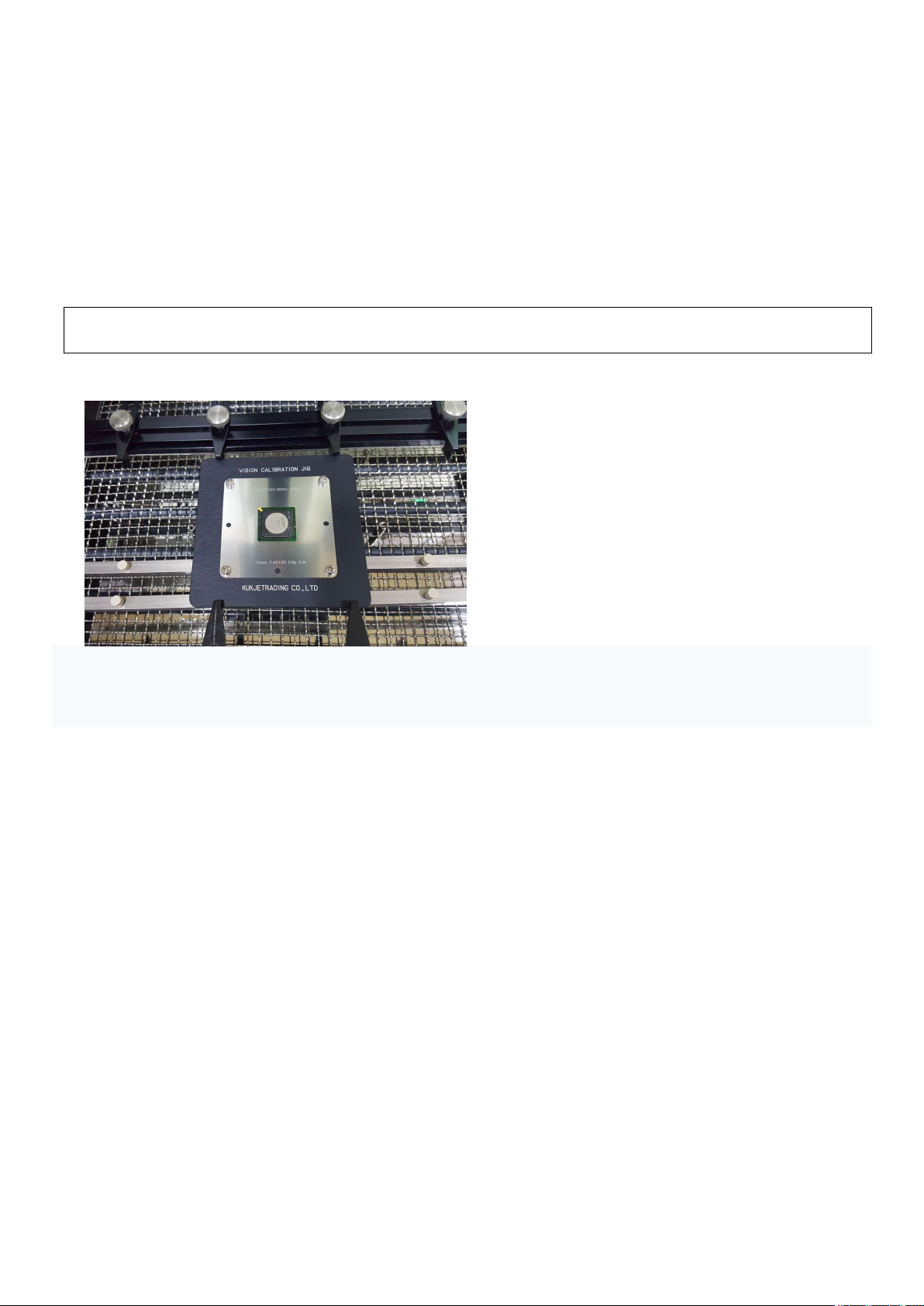
① Place the CALIBRATION JIG on the table and place the BGA in position.
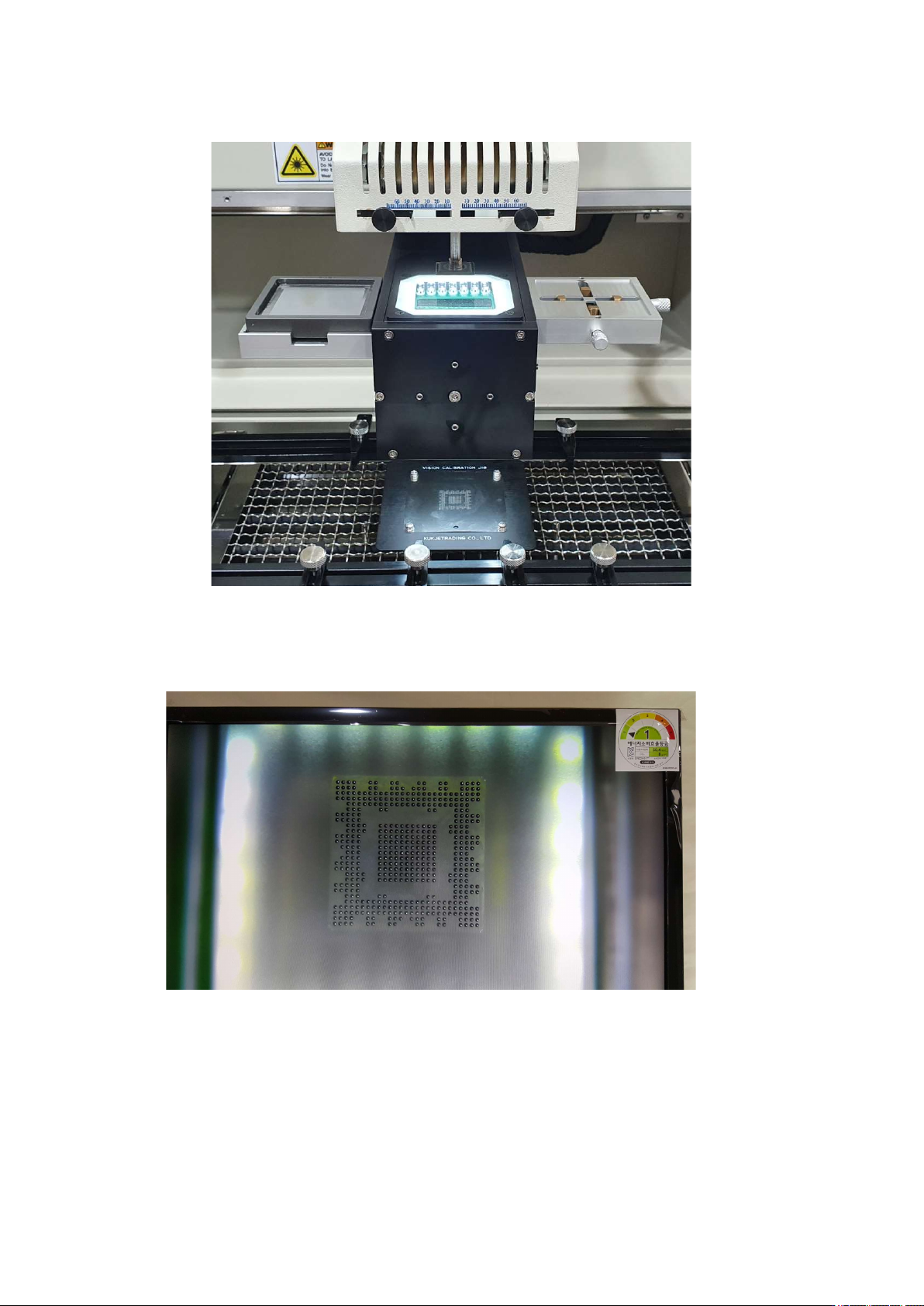
② Press the Center button. The vision camera moves towards the head. While looking at the monitor screen,
align the vacuum bit and the center of the BGA and fix the table.
③ When you press the Pick-up button, the vision camera moves to the left and the head goes down. Vacuum
button turns ON, picks up the BGA, and moves up to the origin. The VISION camera moves to the right and
IR AUTO BGA Rework Station TR3000-IRV
Kukjetrading Co., Ltd.
30
is positioned between the upper head and the calibration jig, and the head goes down again to stop at
④ Check through the monitor whether the position of the video is correct. Press the up and down buttons of
the head motor to move the head up and down. Set the 1 to 1 distance so that the pattern and the ball are the
same size.
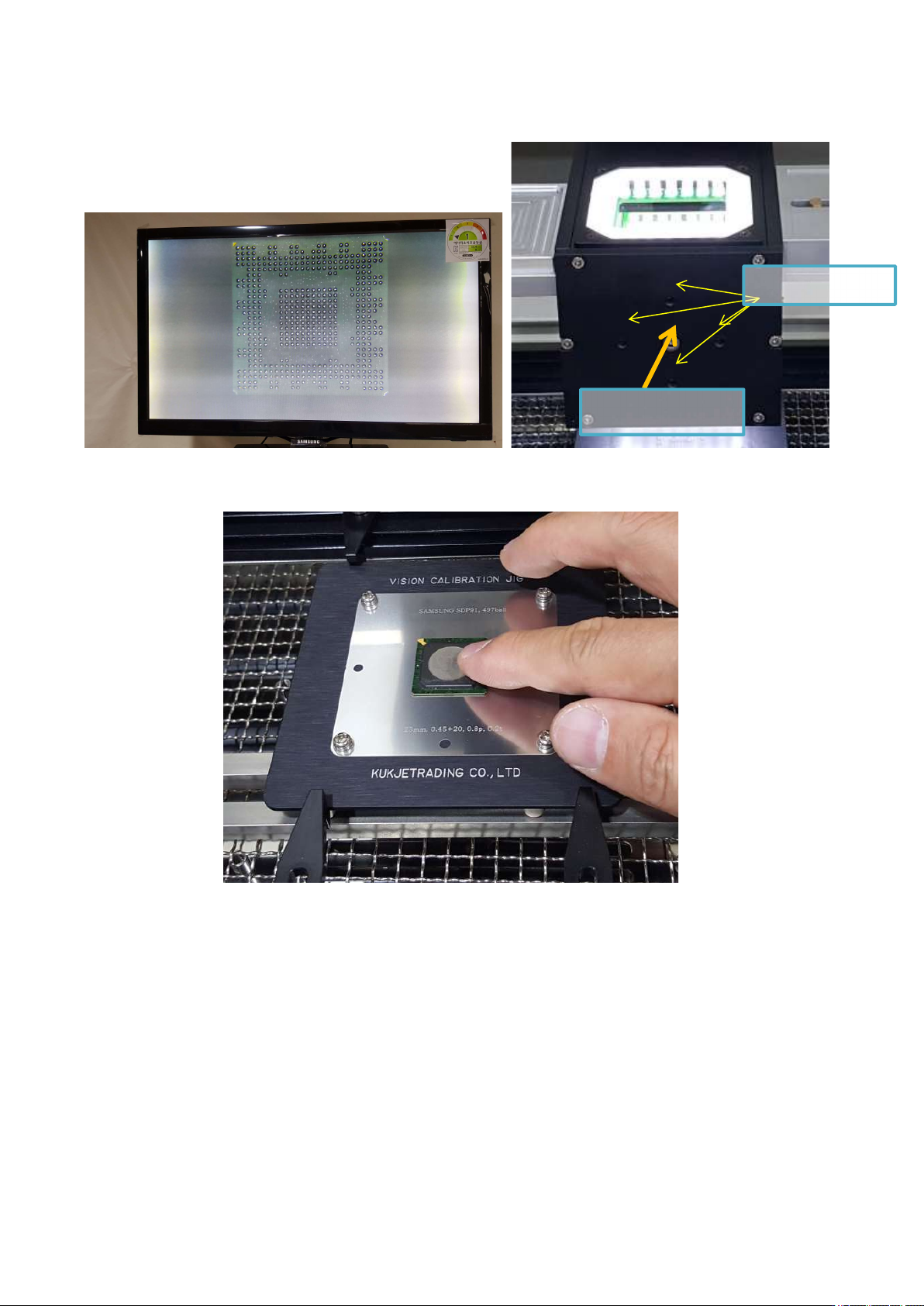
⑤ If the position is out of position as shown below, start adjustment. First, loosen the middle fixing screw a
little and move the adjustment screw to align the image. Loosen one screw a little first, then tighten the
screw on the other side in a symmetrical vertical direction. Excessive adjustment may break the inner
IR AUTO BGA Rework Station TR3000-IRV
Kukjetrading Co., Ltd.
31
mirror or wear out the threads. When all adjustments have been made, fix the setscrew again.
⑥ When you press the MOUNT button, the vision returns to its original position, and the head comes
down to place the BGA on the jig.
Try touching the BGA with your finger to see if the position is wrong. If the BGA is moving, repeat calibration.
Adjust
Screw
Fastening Screw